
FLSun Cube Part Cooling Fan
Print Profile(1)
Description
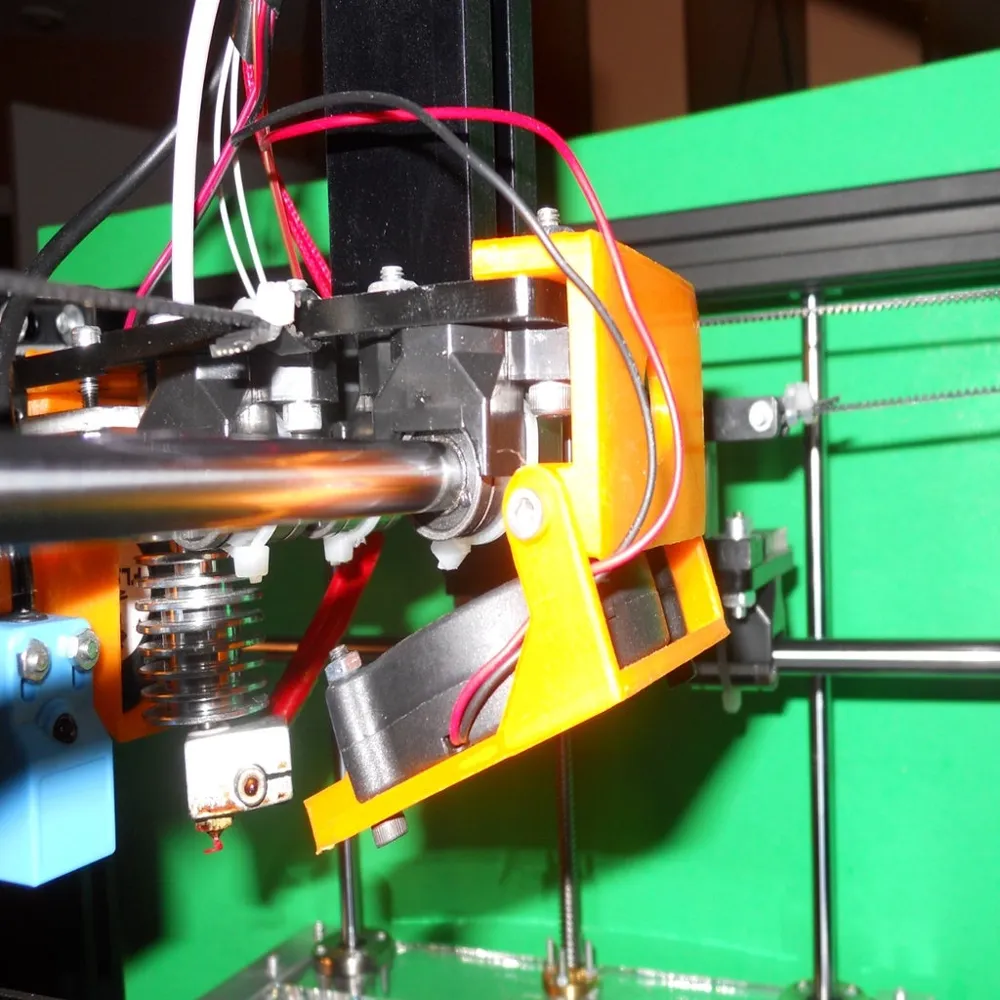
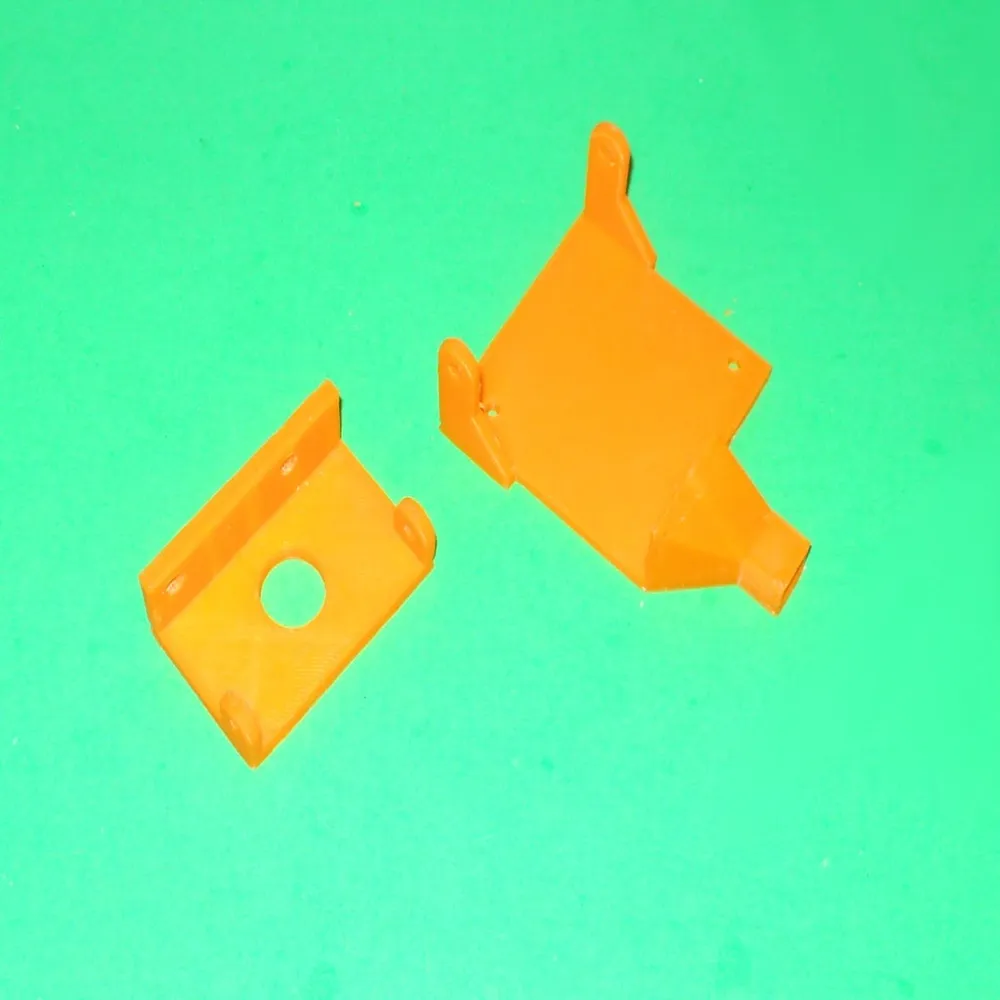
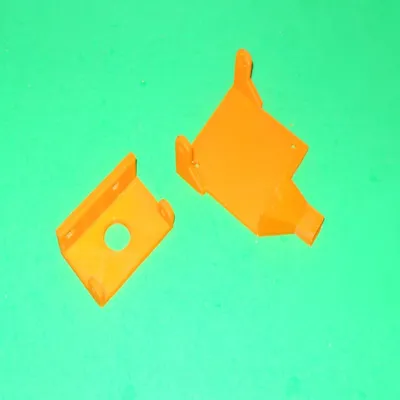
This is a part cooling fan for the FlSun. The original design has only one fan that cools the extruder and the part at the same time, but it doesn't do a good job.
This part cooling fan is a complement to the extruder cooling fan that can be found here: https://www.thingiverse.com/thing:3994567
You'll need these to install this part cooling fan:
o a 5015s radial fan
o two M4 x 20 mm screws and nuts (to replaces the existing screws)
o two M3 x 22 mm screws and nuts
o two M3 x 10 mm screws and nuts
The part cooling fan is held to the X carriage using two of the screws holding the linear bearing. Nevertheless, you will need to use de M4 screws mentioned above.
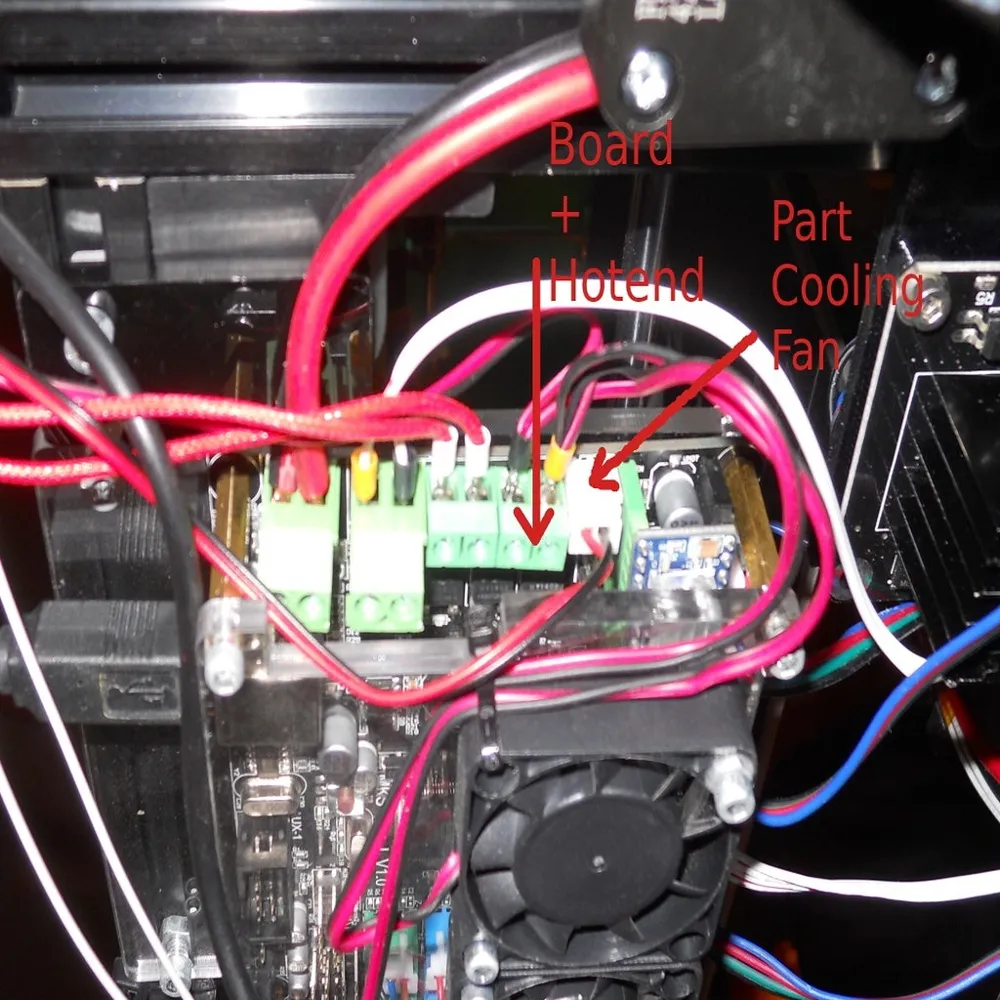
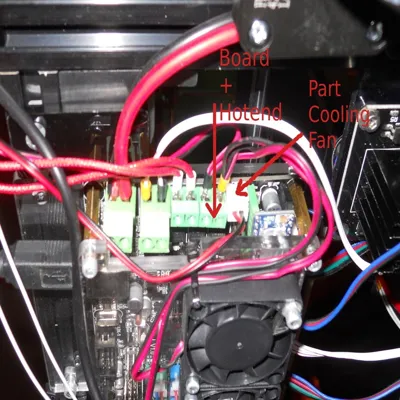
You will need to change the wiring to install the cooling fan. Thus, you will need to reflash Marlin. It is recommended to do it also for the extruder fan. I've connected the board fans along with the extruder fan on port D7. I modified the following parameters in Configuration_adv.h:
define E0_AUTO_FAN_PIN 7
define EXTRUDER_AUTO_FAN_TEMPERATURE 40
This way, the extruder, and board fans run only if the extruder temperature is above 40C, which is a big relief when it is not printing. The part cooling fan is installed on D9. To do so, I've modified the following parameters in Configuration_adv.h.
define FANMUX0_PIN 9
While doing it, I recommend you to make sure that THERMAL_PROTECTION_HOTENDS and THERMAL_PROTECTION_BED are enabled in Configuration.h
This object main web page is: http://www.ctheroux.com/flsun-cube-part-cooling-fan/.
You can request the source files on the page listed above.
License



Comment & Rating (0)