Search models, users, collections, and posts

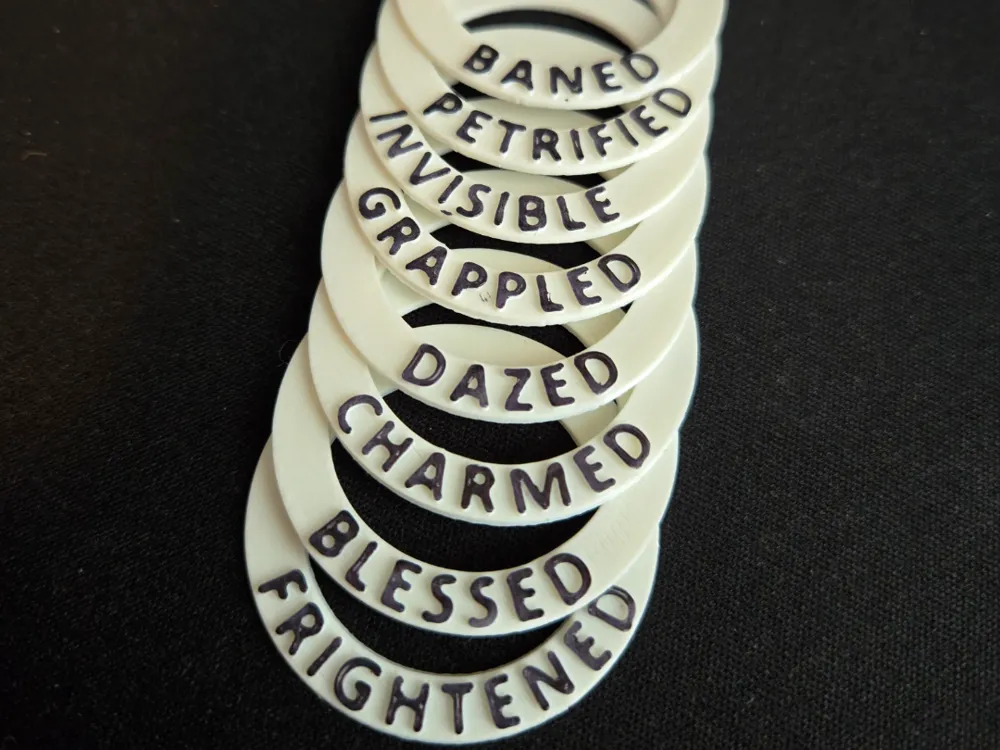
D&D Condition Rings
IP Report
Print Profile(1)

0.2mm layer, 2 walls, 15% infill
Designer
56 min
2 plates
Open in Bambu Studio
Boost
254
933
46
23
778
483
Released
Description
I just got my printer today and whipped these up as a first print.
The rings are 1mm tall with embossed 0.5mm text for most 5e spell effects and conditions as well as some homebrew conditions that we use at our table.
Conditions Included:
- Baned
- Blessed
- Blinded
- Charmed
- Concentration
- Dazed
- Deafened
- Dying
- Enlarged
- Frightened
- Grappled
- Haste
- Incapacitated
- Invisible
- Paralyzed
- Petrified
- Poisoned
- Prone
- Restrained
- Slowed
- Stunned
- Unconscious
The print is laid out as a single color print but a second color can be added at layer 6 to change the color of the text. I just ran mine over with a sharpie for simplicity.
The files include:
- A Bambu Studio file with one of each ring
- STLs of each ring so you can easily print multiples of specific ones
- A Fusion file so you can make additional matching rings for conditions you need at your table
Fusion 360 Instructions
As someone who is still new to Fusion 360 this was my process for making the rings.
Open the file, edit the sketch containing the text to be what you want on your rings.
Extrude the text sketch to 0.5mm
Save your file for printing as a .STL
Repeat as desired.
License

This user content is licensed under a
Creative Commons Attribution-Noncommercial


Comment & Rating (46)