Search models, users, collections, and posts

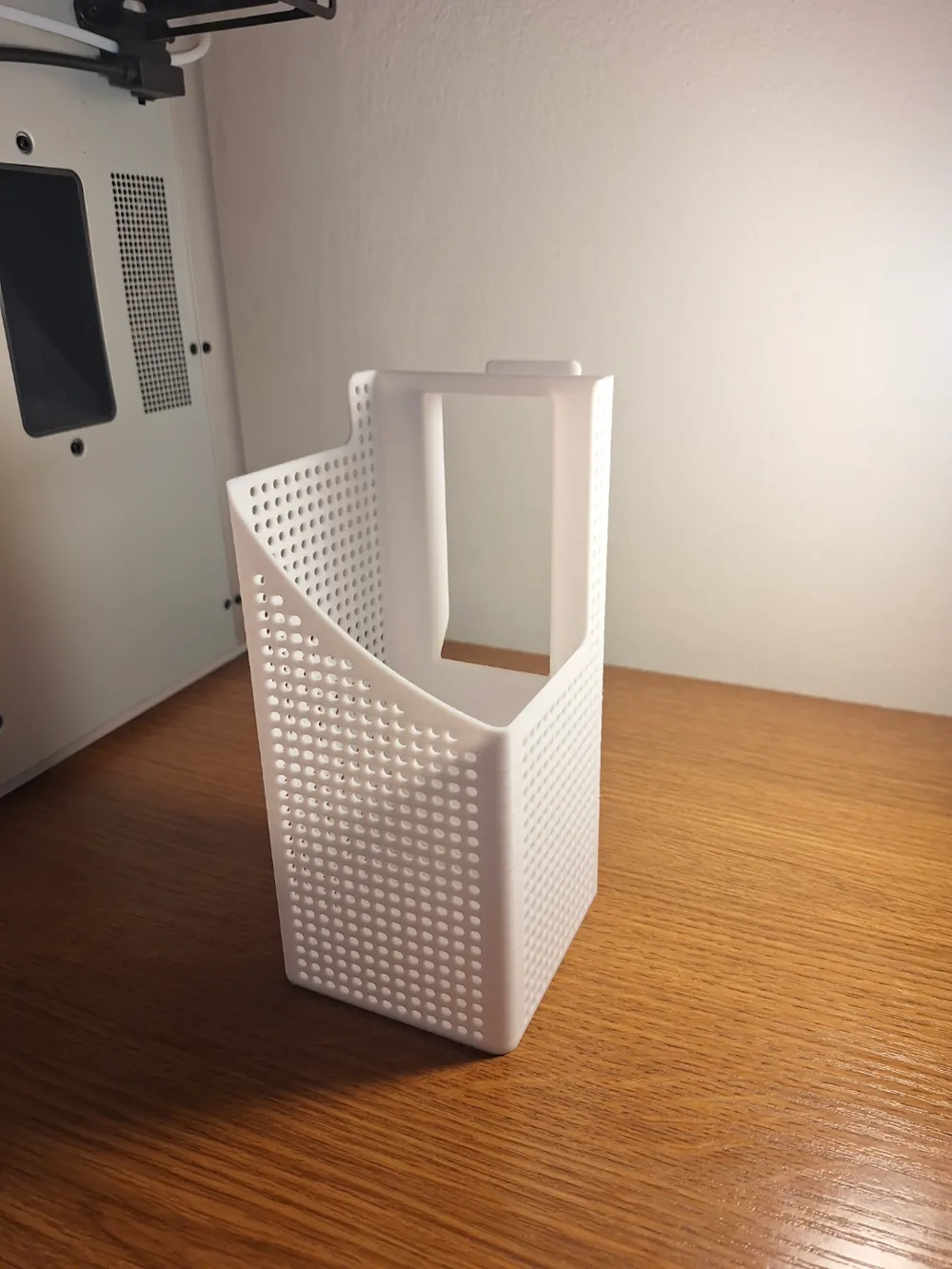
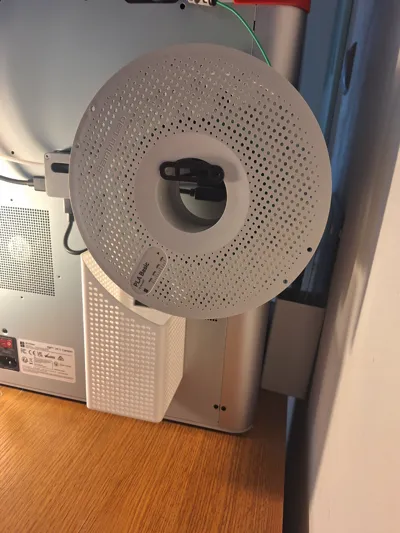
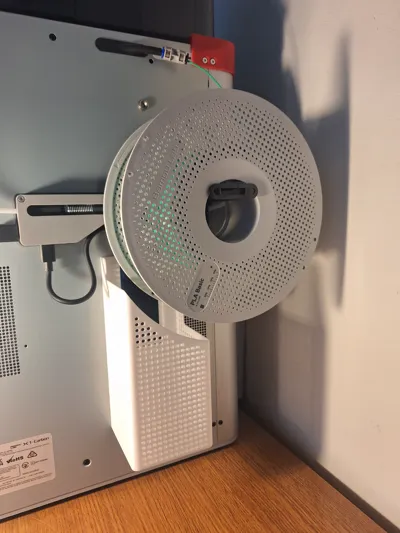
Poop bucket for X1/P1 with spool. No screws/magnet

GIF

Print Profile(14)

All
X1 Carbon
H2S
H2C
H2D Pro
A1
X1E
P1S
X1
H2D
P2S
P1P
X2D
A2L
A1 mini

New Version. Upgrade. 0.2mm layer, 2 walls, 15% infill, 100g
Designer
4.3 h
1 plate
4.9(1.7 k)

Old Version, 0.2mm layer, 2 walls, 15% infill
Designer
5 h
1 plate
5.0(6)

Less Time, Less Material - 0.2mm layer, 2 walls, 15% infill
4.1 h
1 plate
5.0(100)

New version, but 40% slimmer. Less time, less filament
3.6 h
1 plate
4.9(79)
Click to see more

Open in Bambu Studio
Boost
2548
6150
2542
2 k
14.7 k
11.5 k
Released 

Description

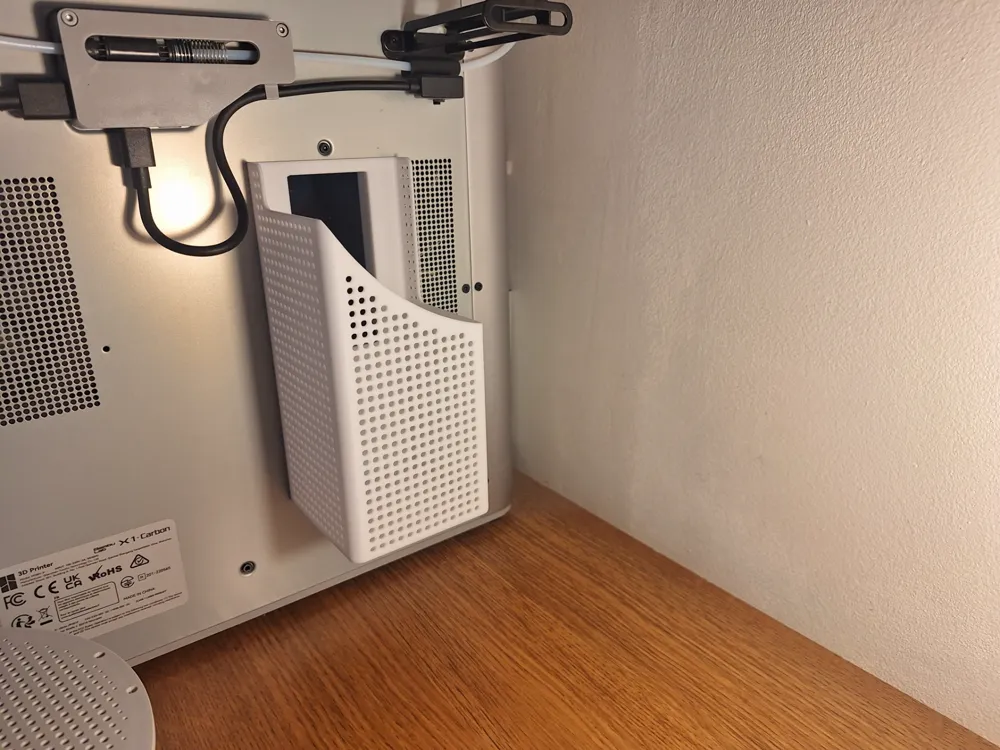
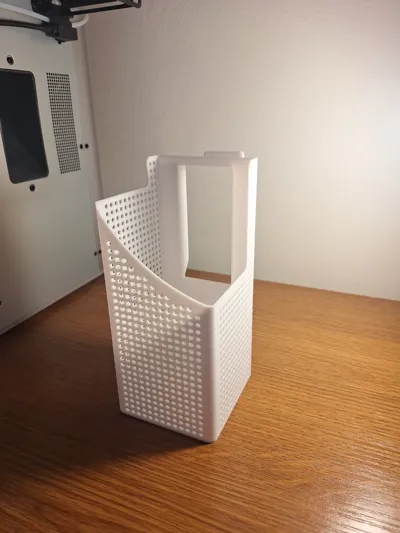
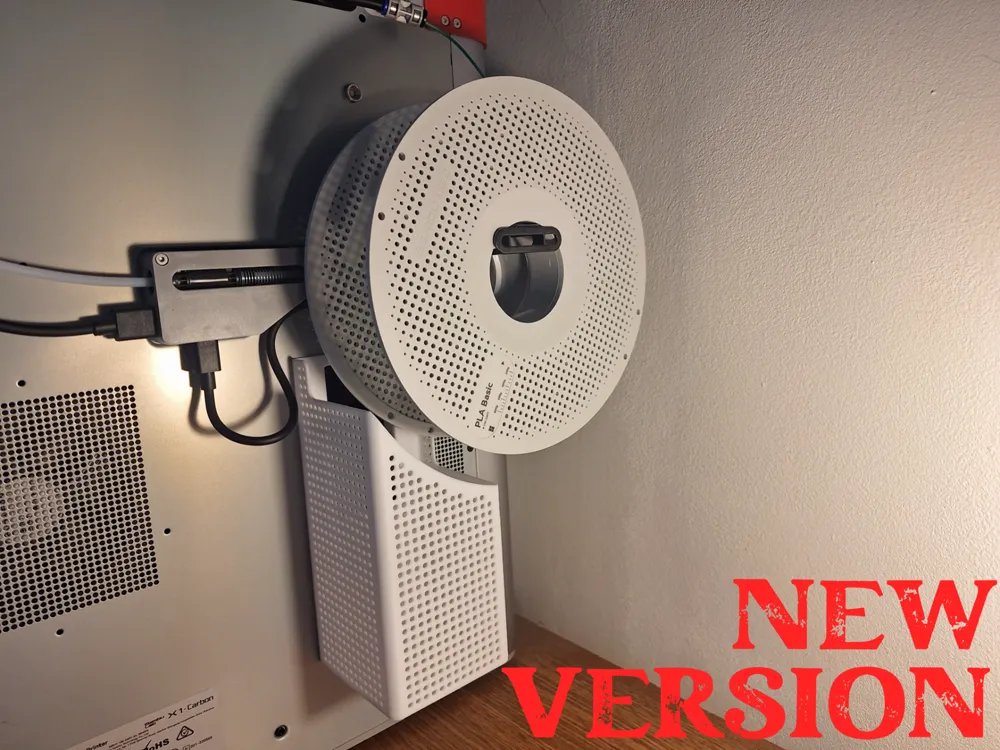
It presents a neat, compact, self-supporting waste basket for bambu lab x1/p1, which lies well in the hand.
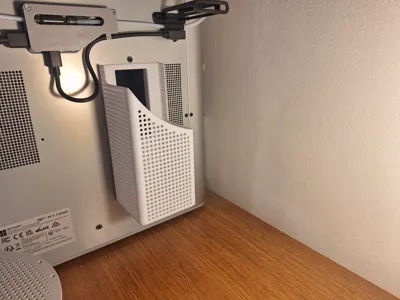
The basket is hanging, integrated with the printer, so it is not a container that stands on the table behind the printer.

Thanks to the holes it has, you can see how full it is.

Easy to print, easy to assemble and remove, so you can easily and quickly empty it when it is full.
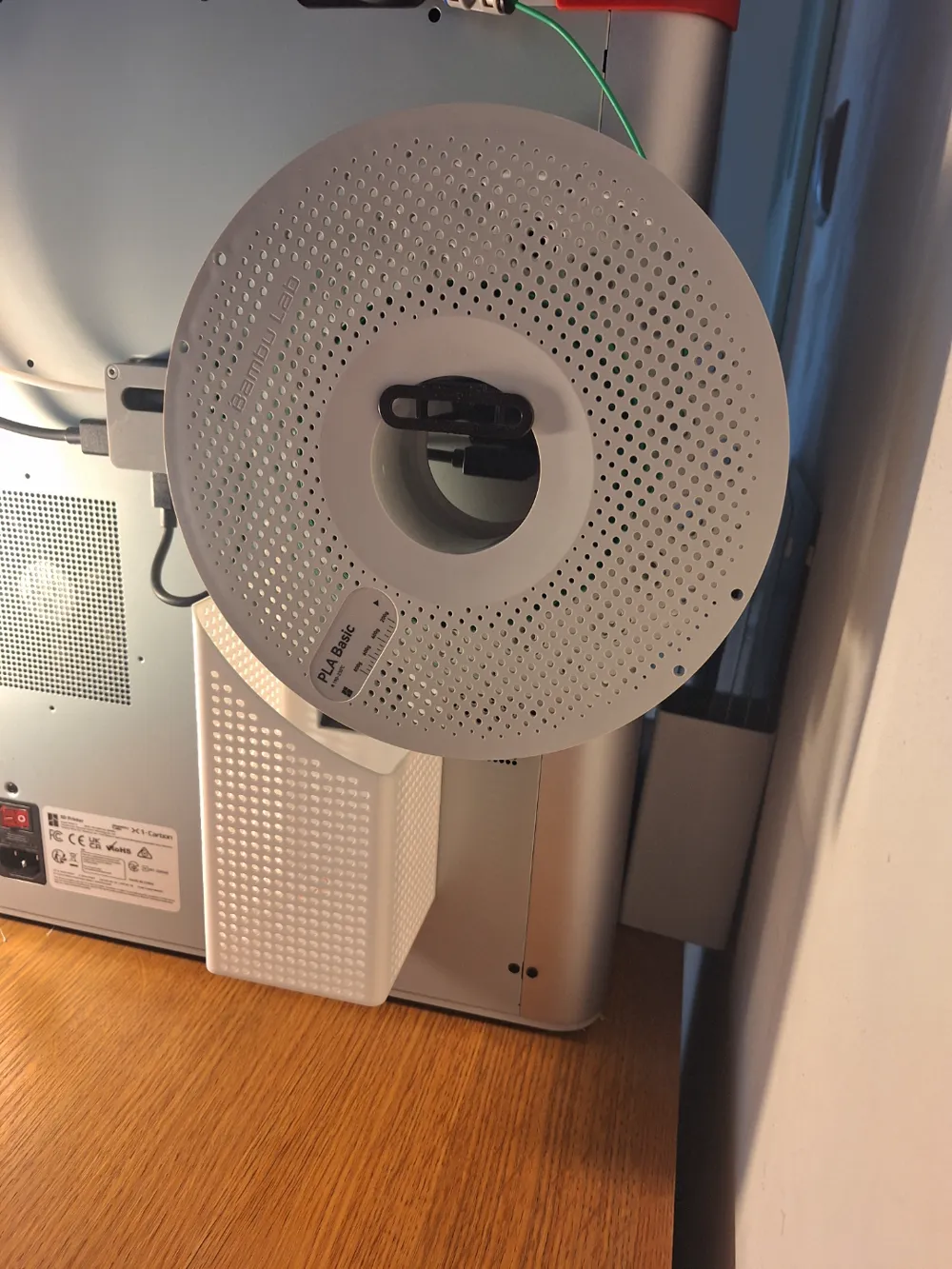
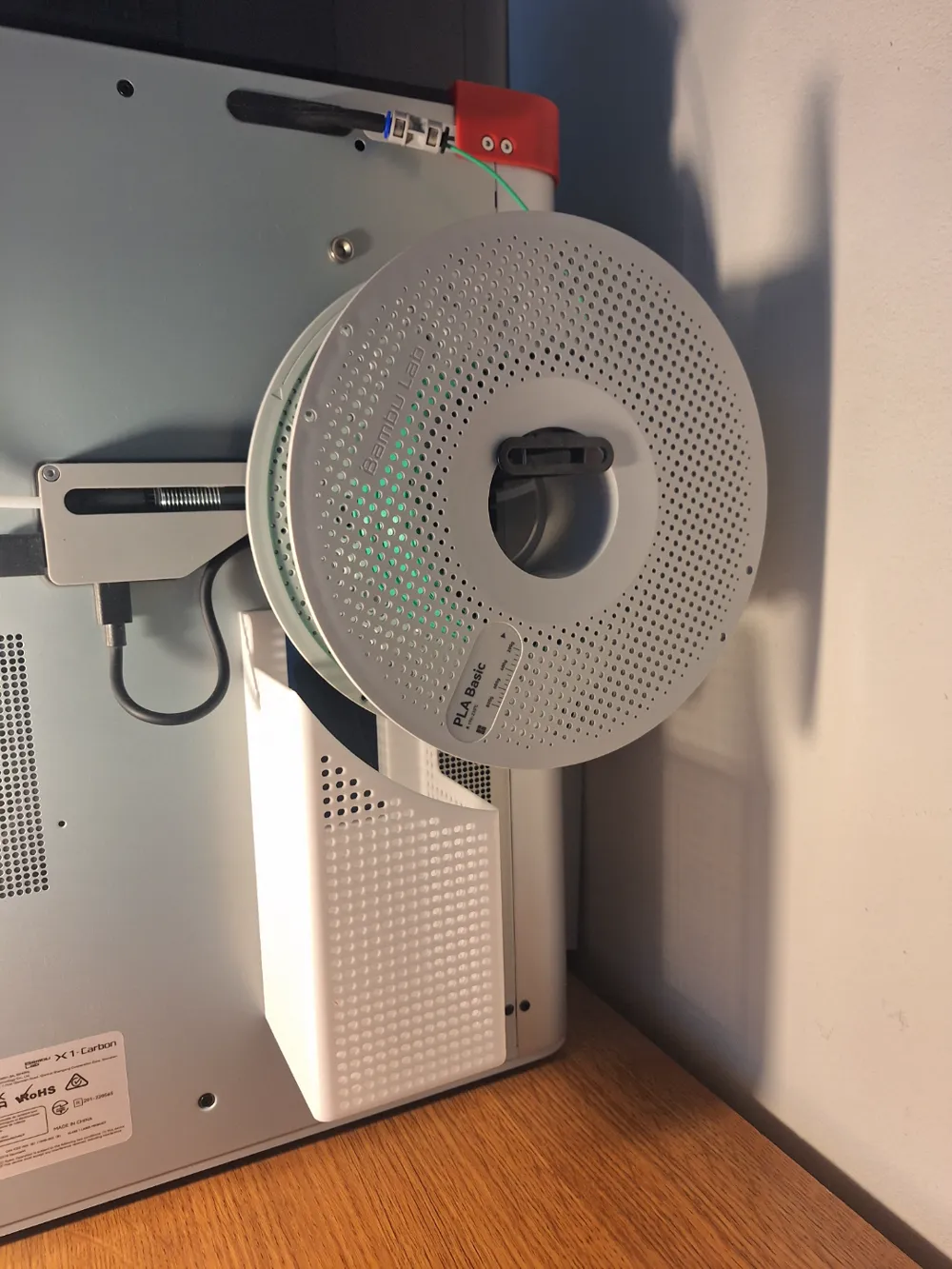
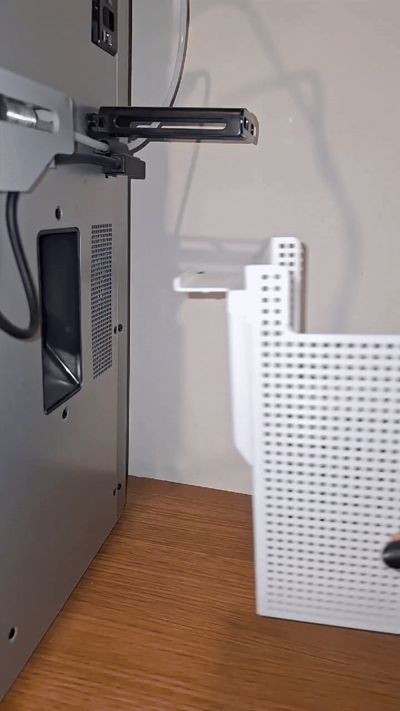
The basket is mounted on the printer in the outlet opening using appropriately designed hooks. No screws or magnets are needed. The method of assembly is shown in the video.
The basket works with an external spool.


Upgrade 20.01.2025

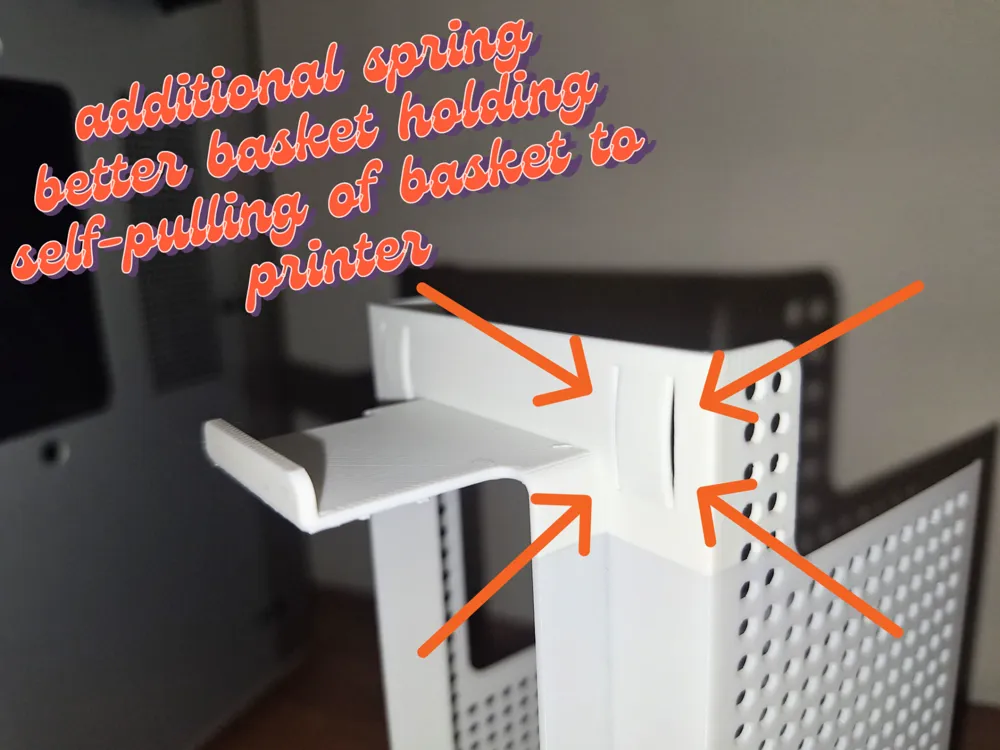
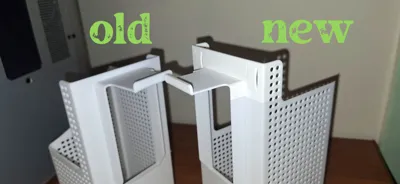
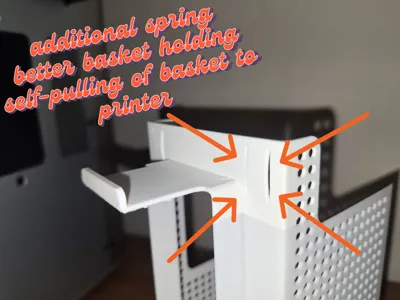
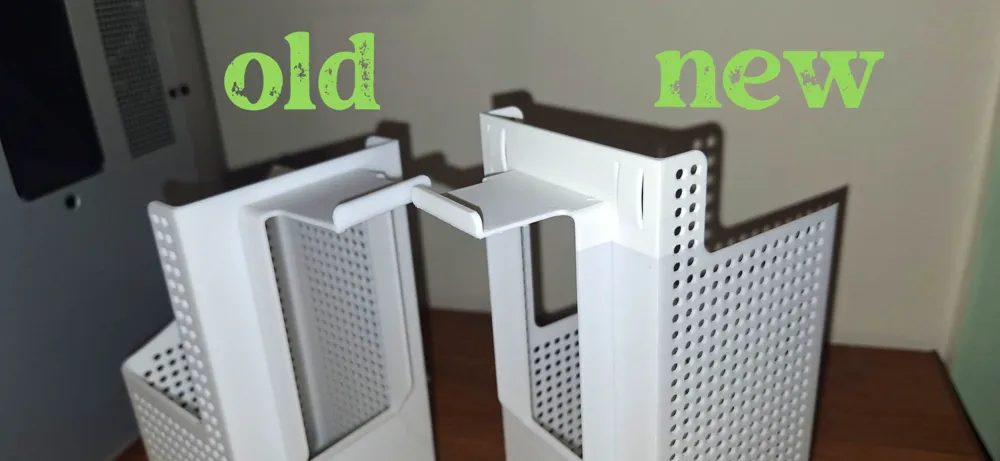
Springs have been added to the waste basket, which makes the basket hold the printer better. The springs also cause the basket to self-pull to the printer. This modification reduces the risk of the basket coming loose while the printer is running. Some walls have also been thinned, so the amount of filament per basket is less than 100g. The photos and the gif show the changes introduced.


You can find my other poop bins at the link below:


https://makerworld.com/en/models/640689#profileId-566582

https://makerworld.com/en/models/655105#profileId-582105


Printed from PLA


I also encourage you to check out my other models: https://makerworld.com/en/@kusdamian


Prezentuje zgrabny, kompaktowy, samonośny kosz na kupy do bambu lab x1/p1, leżacy dobrze w dłoni.
Kosz jest wiszący, zintegrowany z drukarką, więc nie pojemnika który stoi na stole za drukarką.

Dzięki otworom które poisiada widać stopień jego zapełnienia.

Prosty w wydruku, prosty w montażu i zdejmowaniu, dzięki czemu łatwo i szybko opróżnisz go gdy się zapełni.
Kosz montowany na drukarce w otworze wylotowym kup za pomocą odpowiednio zaprojektowanym zaczepom. Nie potrzeba żadnych śrub ani magnesów. Sposób montażu pokazany na filmie.
Kosz współpracuje ze szpulą zewnętrzną.


Aktualizacja 20.01.2023

W koszu na kupy dodano sprężyny, dzięki którym kosz lepiej trzyma się drukarki. Sprężyny powodują dodatkowo samodociąganie kosza do drukarki. Ta modyfikacja zmniejsza ryzyko odpięcia się kosza w trakcie pracy drukarki. Pocieniono również niektóre ściany, przez co ilośc filamentu na kosz wynosi niecałe 100g. Na zdjęciach i gifie zaprezentowano wprowadzone zmiany. 


Pod linkiem poniżej znajdziesz inne moje kosze na kupy:


https://makerworld.com/en/models/640689#profileId-566582

https://makerworld.com/en/models/655105#profileId-582105


Wydruk z PLA


Zachęcam również do zapoznania się z innymi moimi modelami: https://makerworld.com/en/@kusdamian

Boost Me (for free)

I encourage you to give me a boost which will motivate me to work even harder on new models and the development of 3D printing
Thanks

Comment & Rating (2542)

(0/1000)

Boosted
Print Profile
New Version. Upgrade. 0.2mm layer, 2 walls, 15% infill, 100g
This was a great idea and model, thank you very much. The print profile worked as intended, my print had some glossy/satin banding in the final product most likely due to the differences in layer time. I kind of like the effect. The tree support was a little hard to remove, however it was removed in one piece with a nice finish on the underside, as far as support surfaces go. I did modify the CAD file to accommodate the AMS Hub as the Hub is larger than the AMS buffer. I will include the file in a new user profile.
(Edited)
5
Reply
@Aerocats could you please prepare version with no holes/solid and AMS hub compatible? For faster printing
0
Reply
Boosted
Replying to @DamianB :
Print profile was added with no holes.
(Edited)
1
Reply
Replying to @Aerocats :
Thank you!
(Edited)
1
Reply
Print Profile
New Version. Upgrade. 0.2mm layer, 2 walls, 15% infill, 100g
Only concern is the part that sits behind the spool. It makes the spool a tight fit on the holder. OTW, a great print and I love it! Simple, no screws, no weird roller coasters eating up filament.
5
Reply
I agree with this, I have just printed and found the same thing; having version where the bit sitting behind the spool (on the right in this image) is flat to the printer might be a good addition
(Edited)
1
Reply
Print Profile
New Version. Upgrade. 0.2mm layer, 2 walls, 15% infill, 100g
Looks nice, works "out of the box", good first time print for testing the printer
The profile uploader has replied
2
Reply
it's looks very good in green color. i like it:)
0
Reply
Wow yours looks awesome! Mind me asking what filament are you using and how did you get rid of those cooling lines?
0
Reply
Replying to @Michael_0704 :
i think it's the bambu green basic that comes with the p1s. i also have it. color is bambu green. My question is what's with the little tower? i'm a newb
0
Reply
Hi there. Why is it showing that it will take 11h 41m for one? I chose the new version. What am I doing wrong? :( Thank you 🫡
The designer has replied
0
Reply
hello, put the basket in vertical position and make support under holding hook and frame under rectangular windows.
1
Reply
like in this example
1
Reply
Replying to @kusdamian :
@kusdamian — Hi. I wish I know how to navigate and do that. I'm new to 3d printing :) Thank you
0
Reply
Print Profile
New Version. Upgrade. 0.2mm layer, 2 walls, 15% infill, 100g
This is a great design and print that just works without any other hardware. I did print in PLA with simple tree support and had no problem removing them. Just in case someone figure out, I did reduce the depth of the bucket so that it does not stick out much more. thanks for sharing!
4
Reply
What is the total time? Thank you
0
Reply
Print Profile
New Version. Upgrade. 0.2mm layer, 2 walls, 15% infill, 100g
We don’t have a lot of space for a poop bucket, but this one actually fits!
2
Reply
Looks great! Completely unrelated question... what wallpaper is that and where did you get it??
0
Reply
Replying to @Made_In_Chaos :
Sorry, I really don’t know. It was there when we moved in and we liked it so we kept it 😃
0
Reply
Replying to @mittlivsomc :
unrelated unrelated suggestion, you could google image it :D
0
Reply
Print Profile
New Version. Upgrade. 0.2mm layer, 2 walls, 15% infill, 100g
Sadly does not fit with the filament hub when you are running multiple AMS units. Update: I found a AMS hub relocation that moves it up enough to use the basket now
1
Reply
Boosted
What is this AMS hub relocation that you speak of?
(Edited)
2
Reply
it does happen to me too. can’t fit
0
Reply
Replying to @user_512189681 :
the L shape connector that come with blocks it, I think this doesn’t work with the default L shape connector
0
Reply
Print Profile
Shorter and only 80g 0.2mm layer, 2 walls, 15% infill
good print faster
profile
2
Reply
take out the tape from the nozzle cover
(Edited)
2
Reply
Print Profile
New Version. Upgrade. 0.2mm layer, 2 walls, 15% infill, 100g
Looks like it was factory designed, thank you!
3
Reply
Print Profile
Mod for AMS Hub, No Holes - 0.2mm layer, 2 walls, 15% infill
Printed in PETG Perfect fit
1
Reply
Thanks @Aerocats
(Edited)
1
Reply

License

This user content is licensed under a Standard Digital File License.

You shall not share, sub-license, sell, rent, host, transfer, or distribute in any way the digital or 3D printed versions of this object, nor any other derivative work of this object in its digital or physical format (including - but not limited to - remixes of this object, and hosting on other digital platforms). The objects may not be used without permission in any way whatsoever in which you charge money, or collect fees.