Search models, users, collections, and posts

Modular Pegs and Jokers / Ludo / Tock board game
Print Profile(1)

All
A1
P1S
P1P
X1 Carbon
X1E
X1
H2D
H2D Pro
H2S
P2S
H2C
X2D
A2L

0.2mm layer, 2 walls, 10% infill
Designer
8 h
2 plates
5.0(5)

Open in Bambu Studio
Boost
97
259
13
9
167
33
Released 

Bill of Materials

Maker's Supply Kits and Parts
Select all
D8x3 mm Round Magnet (20PCS) - CA008

Description

Note: This is my first attempt at 3D modeling, feedback is appreciated!


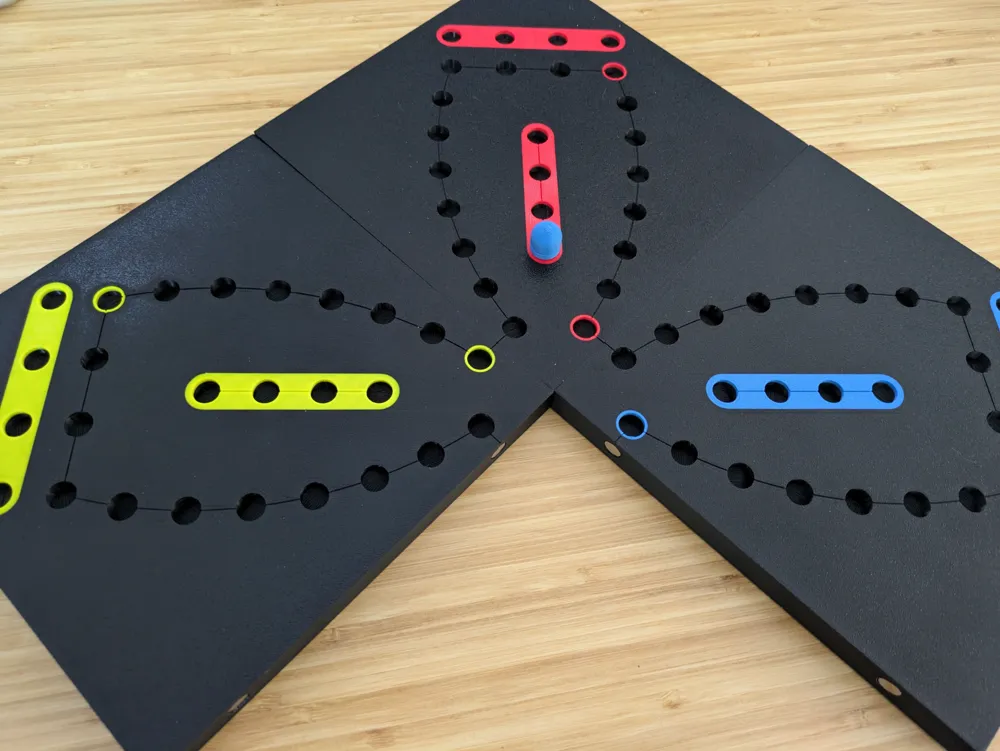
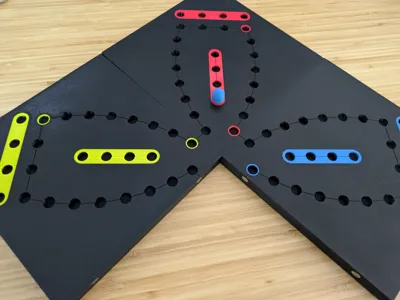
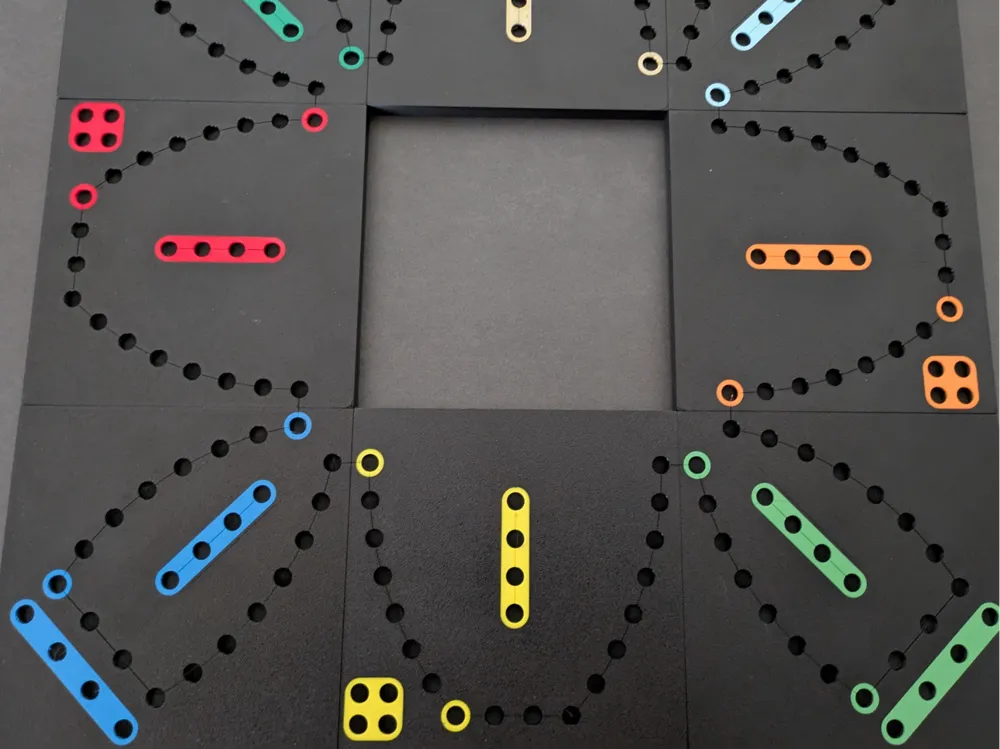
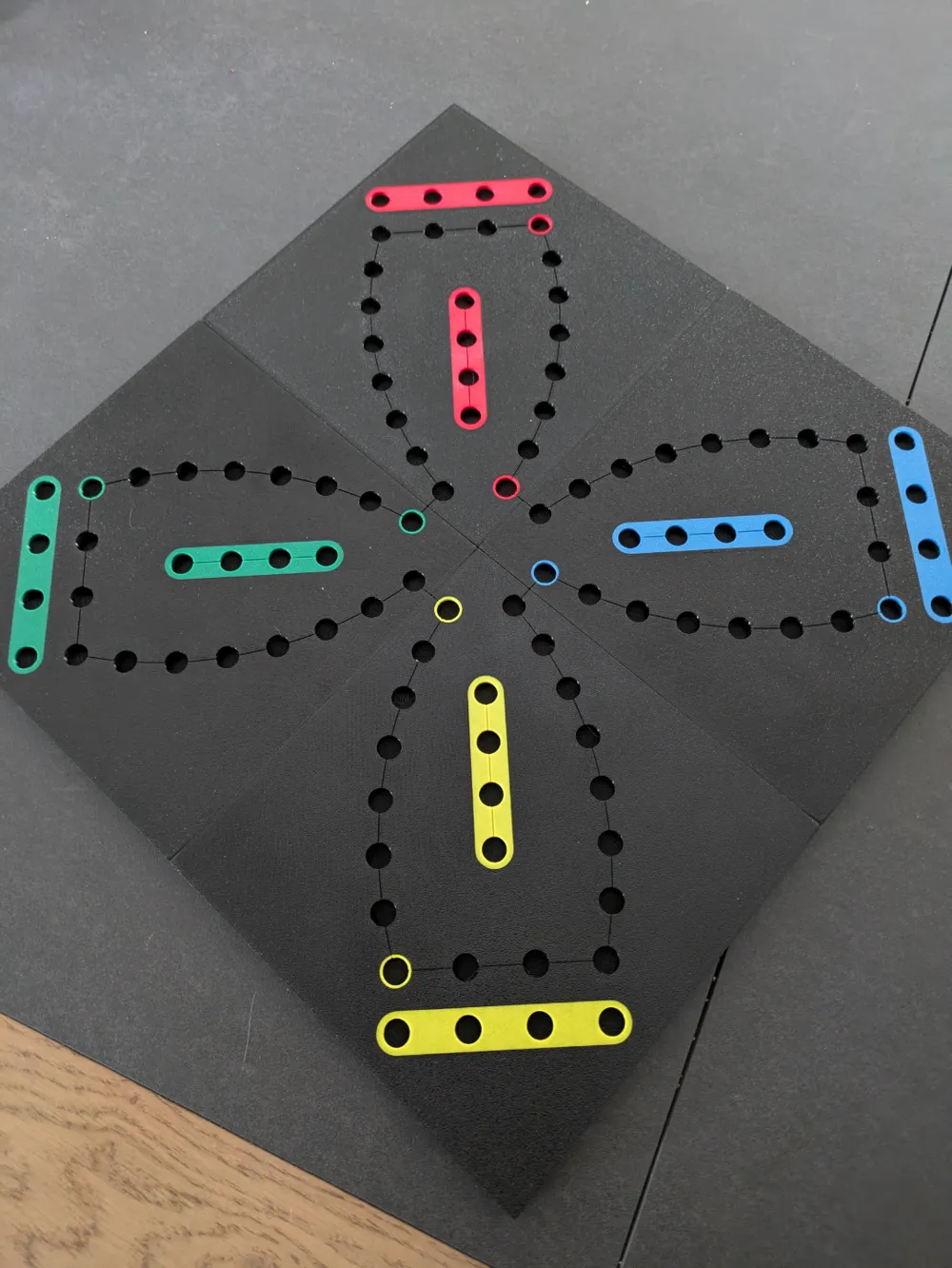
This is the game of Toc (aka. Tock, Tok, Tuck, Tac, Tak Tik, Ludo, Dog or Pock which is similar to les petits chevaux / mensch ärgere dich nicht / pachisi / Jokers and Marbles … ), with a 18 holes per zone setup and 7th hole gets you to shortcut the board. https://en.wikipedia.org/wiki/Tock


Print your own pawns: https://makerworld.com/en/models/726996#profileId-658409


History of versions:

  • v2: Bigger accent color around hole 0 and 7 to allow better visibility when a pawn is on it. Lower infill % + gyroid for less filament and similar strength.
  • v1: Initial 

Instructions:

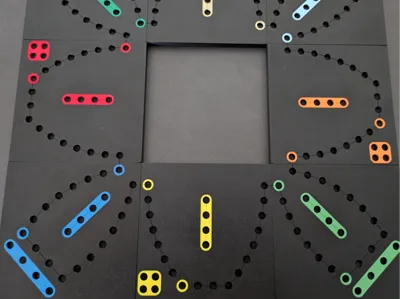
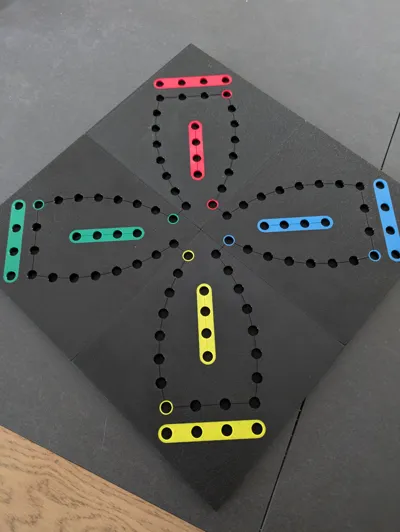
There are 2 plates for this model: the Primary one and the Secondary one. With 4 primary plates (angles), you can make a board for 4 players. Add 2 or 4 secondary plates and you can add the corresponding number of players. You can also play with 2 secondary plates to make a 2 players game.


You will need 54 cards deck and tokens to play it. You can print or re-use 4 pawns per player (holes have a diameter of 10 mm) to play it. In 4, 6 or 8 players configurations, the model offer magnet holes to seamlessly connect the plates together. Cylindrical magnets of 8mm x 3mm can fit the lateral holes if you want to connect plates. Be careful to have consistent magnet polarity across your plates.


The 2 plates are AMS ready and print reversed to save filament and have a smooth finish. If you need to print color by color, colored bodies/objects are independent and could be separated / glued.

Comment & Rating (13)

(0/1000)

Hello @IamTheLukaLuka Is it possible to replace the 7th hole indicated by the arrow with a standard hole And provide holes for the magnets at D8x2 mm instead of D8x3 mm I am unable to modify it in Blender, I am too much of a novice to do that Thanks in advance
(Edited)
The designer has replied
Show original
0
Reply
Hello You can change the color of the last hole to black in your slicer (C7) and the last hole will become normal For the magnets the 8x2 fit perfectly into the 8x3 hole If you use thick glue you can secure them without any issues without needing to redesign the model
(Edited)
Show original
0
Reply
Good evening @IamTheLukaLuka Thank you for your reply. I have already changed the color of the last hole, but the finish is not the same as the other holes and it is noticeable. Is it possible to change that For the magnets I will do what you tell me Thank you
Show original
0
Reply
printing the remaining plates (4 left to print) and awaiting additional colors. wanted to print the pegs but I own a P1S and it won’t allow me. Being a newbie, to the 3D print world, is there anything I can do to print these pegs ?
The designer has replied
0
Reply
It is possible that the pawns in https://makerworld.com/en/models/726996#profileId-658409 are too close for your printer to print. Try removing 3 of the 4 groups, keeping only the 4 of the same color and test. If it does not work, let me know and I will make a print profile to fix the P1S setup
1
Reply
Print Profile
0.2mm layer, 2 walls, 10% infill
impeccable
(Edited)
0
Reply
Boosted
Great model
0
Reply
Boosted
Love it!
0
Reply
Boosted
Awesome model!
0
Reply
Print Profile
0.2mm layer, 2 walls, 10% infill
0
Reply
Print Profile
0.2mm layer, 2 walls, 10% infill
0
Reply
Print Profile
0.2mm layer, 2 walls, 10% infill
0
Reply
Print Profile
0.2mm layer, 2 walls, 10% infill
0
Reply