
Street Figher 2 - Car bonus stage
Print Profile(3)


Description
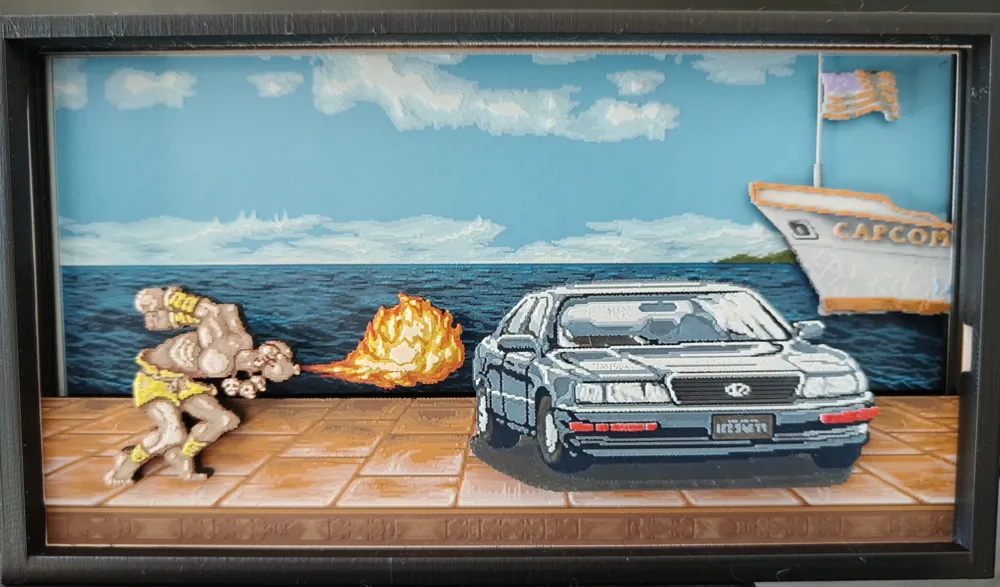
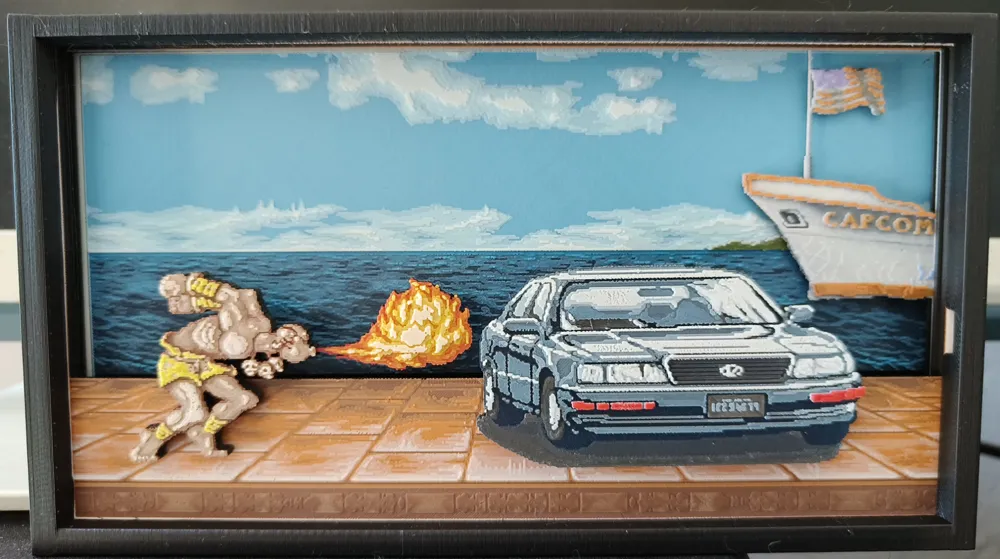
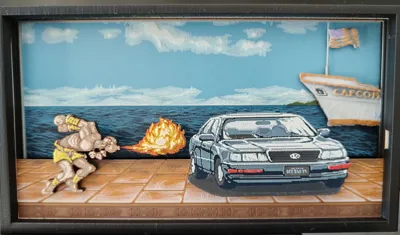
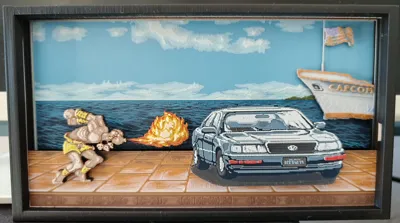
This is a shadowbox of the famous bonus stage in Street Fighter 2 where you're supposed to wreck the car.
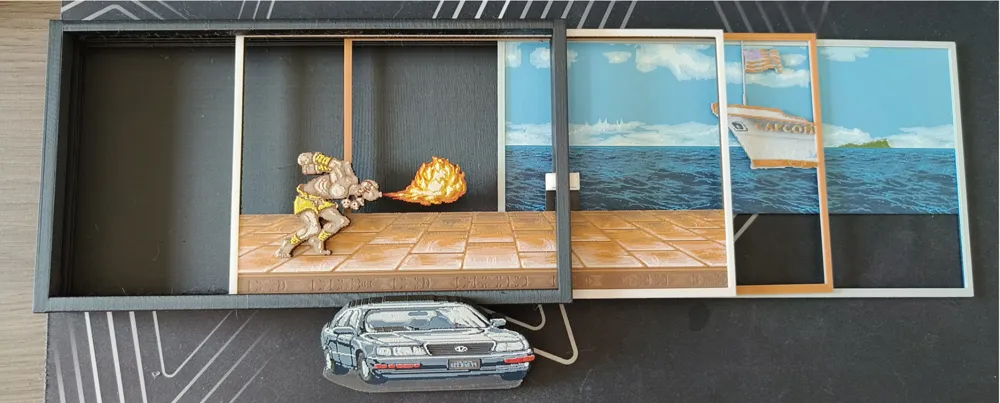
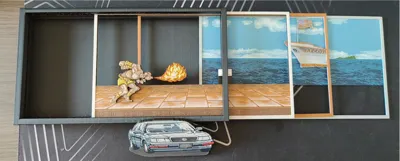
It is composed of 3 panels, the character Dhalsim, a fireball, and the car. All of the elements were designed in Hueforge.
I had to separate this project into multiple .3mf files due to colors limitations.
Case.3mf : includes the case, can be printed with a 0.4mm nozzle
BoatAndSea.3mf : includes the sea and the boat layers for a 0.2mm nozzle
Foreground.3mf : includes Dhalsim, the fire, the car and the ground layer for a 0.2mm nozzle
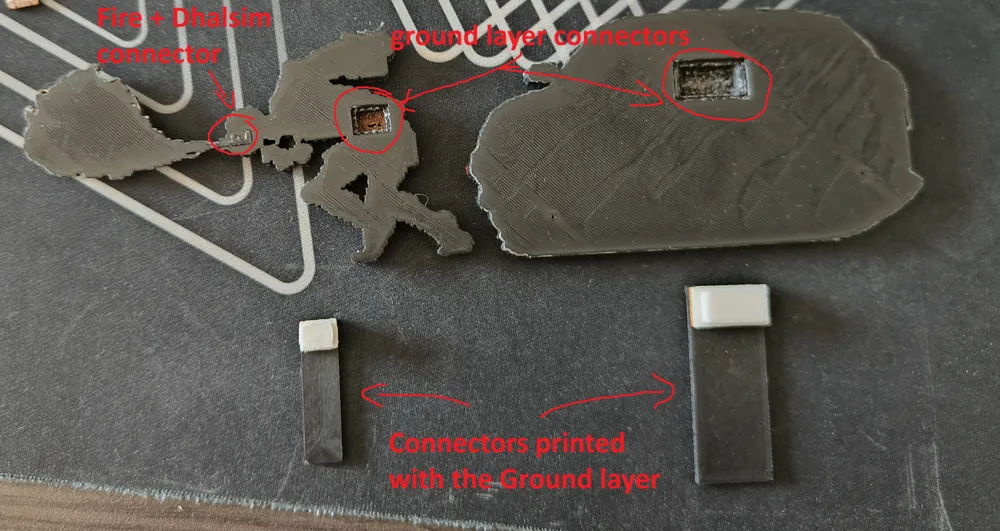
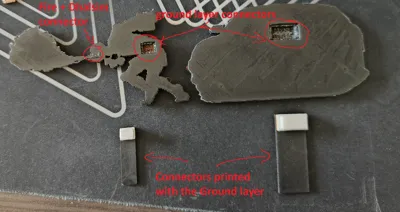
The fire can be attached to Dhalsim. Dhalsim and the car can be attached to the ground layer. Glue should not be required.
Lots of different filaments were used, but you can swap the polyterra colors for their dark equivalents in bambu filaments. Polyterra Muted Red is very close to Bambu Orange as well.
I had not so great extrusion settings in the picture but if you have calibrated your filament it should come out a lot better :)
Full instructions with colors and swaps:
Dhalsim
Filaments Used:
PLA BambuLab Matte Charcoal Transmission Distance: 0.1
PLA PolyTerra Army Red Transmission Distance: 0.3
PLA PolyTerra Earth Brown Transmission Distance: 0.3
PLA BambuLab Basic Brown Transmission Distance: 1.4
PLA Forshape Coffee Transmission Distance: 2.7
PLA BambuLab Matte Latte Brown Transmission Distance: 1.1
PLA BambuLab Matte Ivory White Transmission Distance: 3.4
PLA BambuLab Basic Yellow Transmission Distance: 5.2
This print uses 8 unique filaments
Swap Instructions:
Start with Charcoal
At layer #95 (3.96mm) swap to Army Red
At layer #97 (4.04mm) swap to Earth Brown
At layer #103 (4.28mm) swap to Brown
At layer #105 (4.36mm) swap to Coffee
At layer #107 (4.44mm) swap to Latte Brown
At layer #115 (4.76mm) swap to Ivory White
At layer #119 (4.92mm) swap to Coffee
At layer #121 (5mm) swap to Yellow for the rest.
Fire
Filaments Used:
PLA BambuLab Matte Charcoal Transmission Distance: 0.1
PLA PolyTerra Army Red Transmission Distance: 0.3
PLA PolyTerra Muted Red Transmission Distance: 1
PLA BambuLab Basic Orange Transmission Distance: 5.4
PLA BambuLab Basic Yellow Transmission Distance: 5.2
PLA BambuLab Matte Lemon Yellow Transmission Distance: 3.1
PLA BambuLab Matte Ivory White Transmission Distance: 3.4
This print uses 7 unique filaments
Swap Instructions:
Start with Charcoal
At layer #45 swap to Army Red
At layer #47 swap to Muted Red
At layer #49 swap to Orange
At layer #55 swap to Yellow
At layer #65 swap to Lemon Yellow
At layer #73 swap to Ivory White for the rest.
Car
Filaments Used:
PLA BambuLab Matte Charcoal Transmission Distance: 0.1
PLA PolyTerra Army Blue Transmission Distance: 0.1
PLA PolyLite Steel Grey Transmission Distance: 1
PLA PolyLite Stone Blue Transmission Distance: 0.1
PLA Default White Transmission Distance: 5
PLA PolyTerra Army Red Transmission Distance: 0.3
PLA PolyTerra Muted Red Transmission Distance: 1
This print uses 7 unique filaments
Swap Instructions:
Start with Black
At layer #97 (4mm) swap to Army Blue
At layer #98 (4.04mm) swap to Steel Grey
At layer #107 (4.4mm) swap to Stone Blue
At layer #109 (4.48mm) swap to White
At layer #117 (4.8mm) swap to Army Red
At layer #119 (4.88mm) swap to Muted Red for the rest.
Ground
Filaments Used:
PLA BambuLab Matte Charcoal Transmission Distance: 0.1
PLA BambuLab Matte Dark Brown Transmission Distance: 2
PLA PolyTerra Earth Brown Transmission Distance: 0.1
PLA Forshape Coffee Transmission Distance: 2.7
PLA BambuLab Matte Mandarin Orange Transmission Distance: 2.9
PLA Default White Transmission Distance: 5
This print uses 6 unique filaments
Swap Instructions:
Start with Charcoal
At layer #46 swap to Dark Brown
At layer #51 swap to Earth Brown
At layer #53 swap to Coffee
At layer #55 swap to Mandarin Orange
At layer #59 swap to White for the rest.
Sea
Filaments Used:
PLA BambuLab Matte Charcoal Transmission Distance: 0.1
PLA BambuLab Matte Dark Blue Transmission Distance: 0.1
PLA BambuLab Basic Blue Gray Transmission Distance: 3
PLA BambuLab Matte Marine Blue Transmission Distance: 2
PLA BambuLab Basic Cyan Transmission Distance: 1.7
PLA BambuLab Matte Ice Blue Transmission Distance: 1.6
PLA BambuLab Matte Ivory White Transmission Distance: 3.4
PLA BambuLab Matte Pine Green Transmission Distance: 1
PLA PolyLite Jungle Green Transmission Distance: 0.5
This print uses 9 unique filaments
Swap Instructions:
Start with Charcoal
At layer #14 (0.68mm) swap to Dark Blue
At layer #17 (0.8mm) swap to Blue Gray
At layer #19 (0.88mm) swap to Marine Blue
At layer #20 (0.92mm) swap to Cyan
At layer #29 (1.28mm) swap to Ice Blue
At layer #36 (1.56mm) swap to Ivory White
At layer #42 (1.8mm) swap to Pine Green
At layer #46 (1.96mm) swap to Jungle Green
At layer #49 (2.08mm) swap to Ivory White for the rest.
Boat
Filaments Used:
PLA BambuLab Matte Charcoal Transmission Distance: 0.1
PLA BambuLab Basic Blue Gray Transmission Distance: 2
PLA BambuLab Matte Ivory White Transmission Distance: 3.4
PLA BambuLab Basic Purple Transmission Distance: 1.4
PLA BambuLab Basic Cyan Transmission Distance: 1.7
PLA Forshape Coffee Transmission Distance: 2.7
PLA BambuLab Basic Orange Transmission Distance: 5.4
PLA BambuLab Matte Mandarin Orange Transmission Distance: 2.9
This print uses 8 unique filaments
Swap Instructions:
Start with Charcoal
At layer #8 (0.44mm) swap to Blue Gray
At layer #11 (0.56mm) swap to Ivory White
At layer #21 (0.96mm) swap to Purple
At layer #24 (1.08mm) swap to Cyan
At layer #26 (1.16mm) swap to Coffee
At layer #28 (1.24mm) swap to Orange
At layer #35 (1.52mm) swap to Mandarin Orange for the rest.
Happy printing !
License

You shall not share, sub-license, sell, rent, host, transfer, or distribute in any way the digital or 3D printed versions of this object, nor any other derivative work of this object in its digital or physical format (including - but not limited to - remixes of this object, and hosting on other digital platforms). The objects may not be used without permission in any way whatsoever in which you charge money, or collect fees.


Comment & Rating (0)