
Black Myth Pigsy - Cute Pig Nose Button Fidget - Soft Velvet Surface Feel

Print Profile(1)

Description

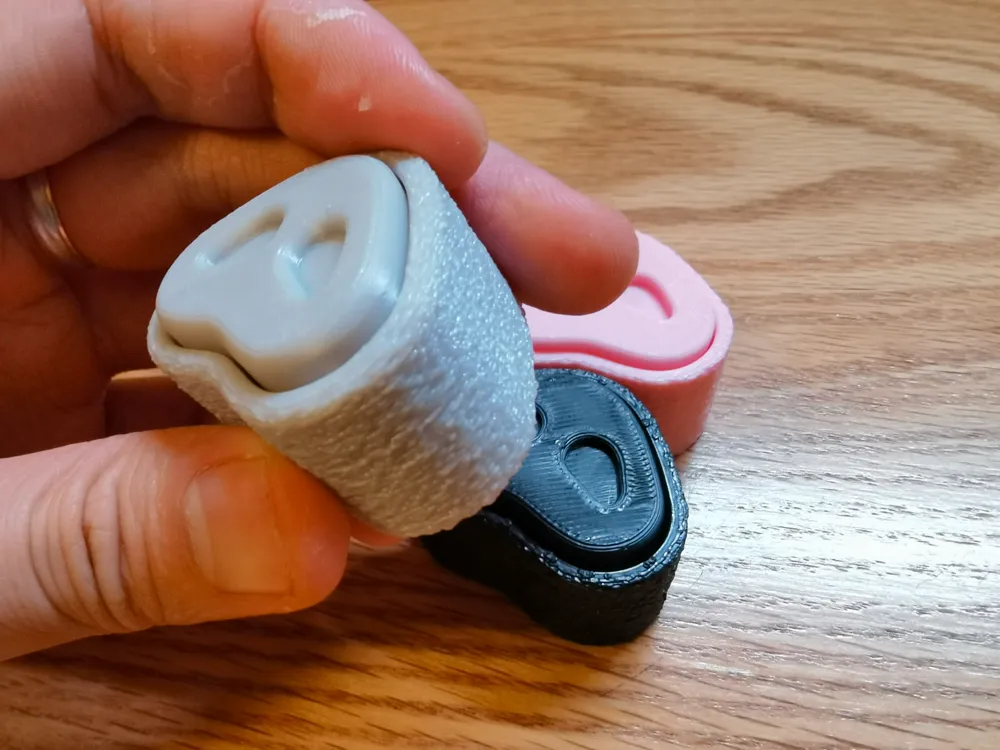
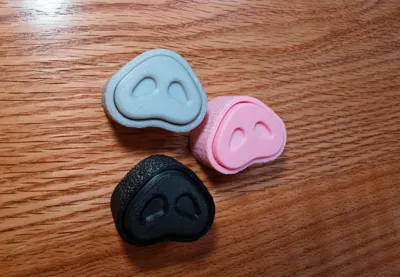
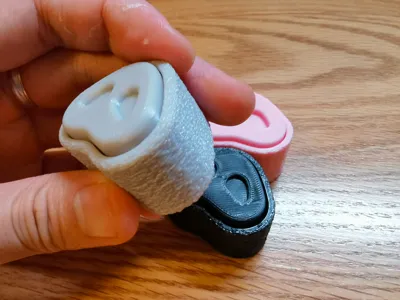
Looking at Pigsy's cute nose makes me want to pinch it, so I wanted to make a button fidget with a velvet surface. The feel is really good. You can put it on your desk and press it or hold it in your hand and press it. It's very stress relieving.
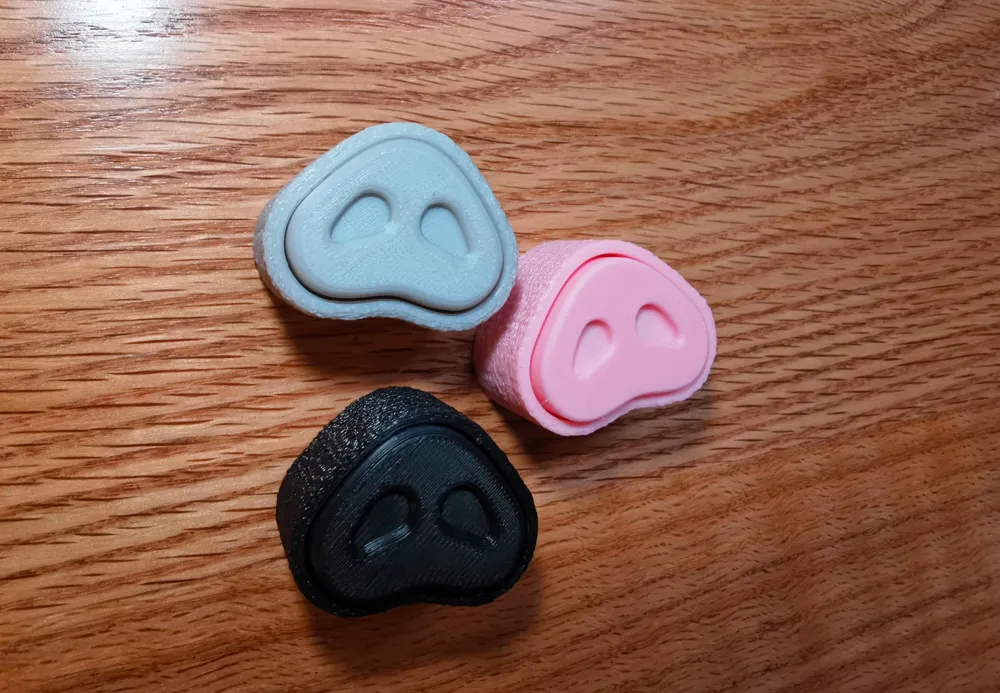
A single print takes about 40 minutes. I made two versions: a velvet version and a smooth version. I recommend pink, gray and black. You can also use your creativity to mix and match different color prints. For example, roast suckling pig color, braised pig color, curry pig color, I'm hungry (๑´•ω • `๑). Welcome to like, collect, download print or comment share, thanks for your support~
Switch Recommendations:
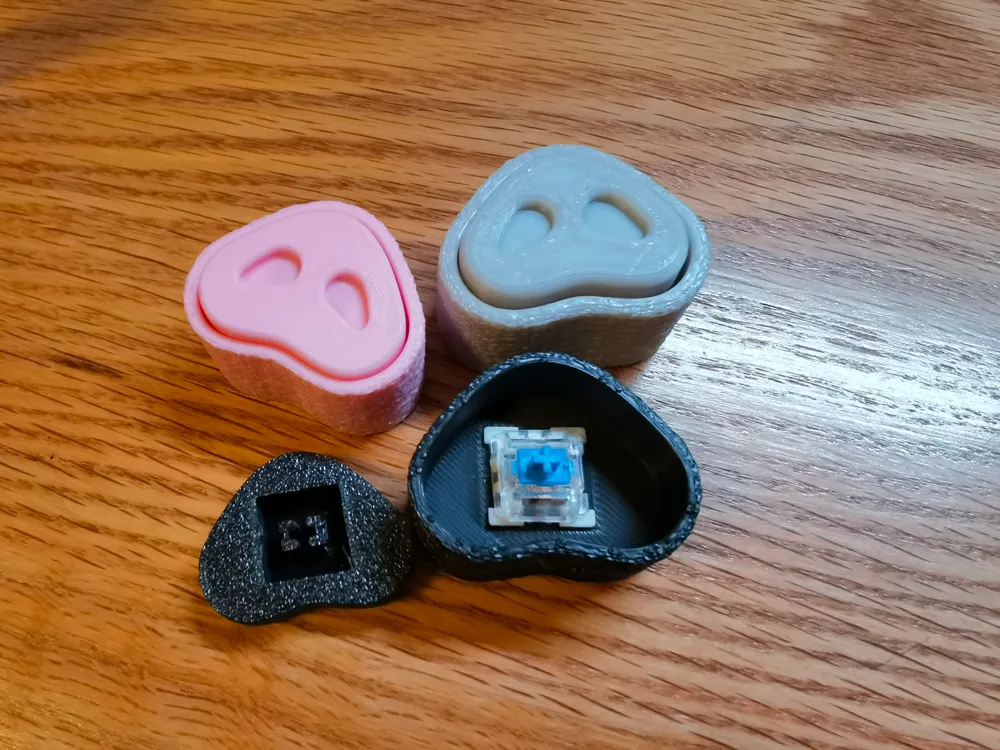
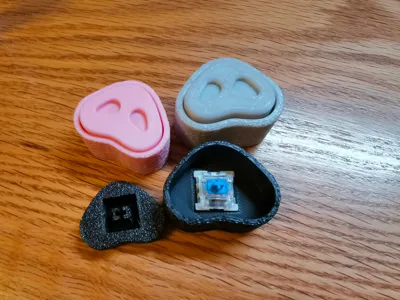
1. The model does not include mechanical keyboard switches. You need to purchase them separately. I have tested both tactile switches and linear switches, and the sound effects are good (tactile switches or linear switches are also fine). I personally like them both. Please use them according to your personal preferences. If you prefer a crisp and bright sound, choose aBlue switch type of tactile switch. If you prefer a more stable sound, you can use black red switch. Just find cheap ones on tb or pdd.
2. Please use a regular cross-shaped switch. A switch with a dustproof edge may be difficult to install or may not click smoothly.
Installation Suggestions:
1. Please cut off the 4long strips of small fluff inside the cover.
2.Please pay attention to the direction of installation. The cross-shaped structure has a longer side that corresponds to the longer side of the switch. It is recommended that you do not install the base first. First, combine the top cover with the switch, install and test to make sure it can pop up before installing it on the base.
3. If the size is slightly unsuitable, please slightly enlarge the hole or fill the hole. If it is still terrible, it is recommended that you adjust the parameters to compensate. Sorry.
Parameter Settings:
You can directly use the model file I provided to print. The parameters have been set up.
1. "Global" - "Seam Position" set to "Random" or "Nearest". Although it adds 1-2 minutes to the printing time, it is quite necessary because using the default "Align" in this model will accumulate into a protrusion, which is easy to get stuck and cause the button to not move smoothly;
2. Velvet version: Set the base model separately. In "Object" - "Special Mode" - "Velvet Surface" set to "Contour". The other parameters of the velvet surface use the default. You can also test different velvet parameters to see if there are different hand feel;
3. Smooth version: Wall order: Select 【Outer Wall/Inner Wall】 (to weaken the small gap in the middle of the base transition. If this option is not enabled, a noticeable protrusion will appear at the middle transition);
3. [Strength]: Sparse fill density: default [15%]. You can also change it to 100% or other according to your needs. The smaller the weight, the more "empty" the sound of the cavity (inaudible reverberation), and vice versa, the larger the weight, the more "solid" the sound of the cavity (crisp).
Material Selection:
I used PLA to print and test. I haven't tested PETG yet. If you encounter any problems such as the hole being too large or too small, please fine-tune the hole compensation.
This is my 14th model learned from modeling using fusion360. Modeling techniques are not mature yet. If you encounter any problems during printing, I am very sorry. I hope you will be tolerant. Thank you for your support, thank you very much~
License

You shall not share, sub-license, sell, rent, host, transfer, or distribute in any way the digital or 3D printed versions of this object, nor any other derivative work of this object in its digital or physical format (including - but not limited to - remixes of this object, and hosting on other digital platforms). The objects may not be used without permission in any way whatsoever in which you charge money, or collect fees.


Comment & Rating (2)