Search models, users, collections, and posts

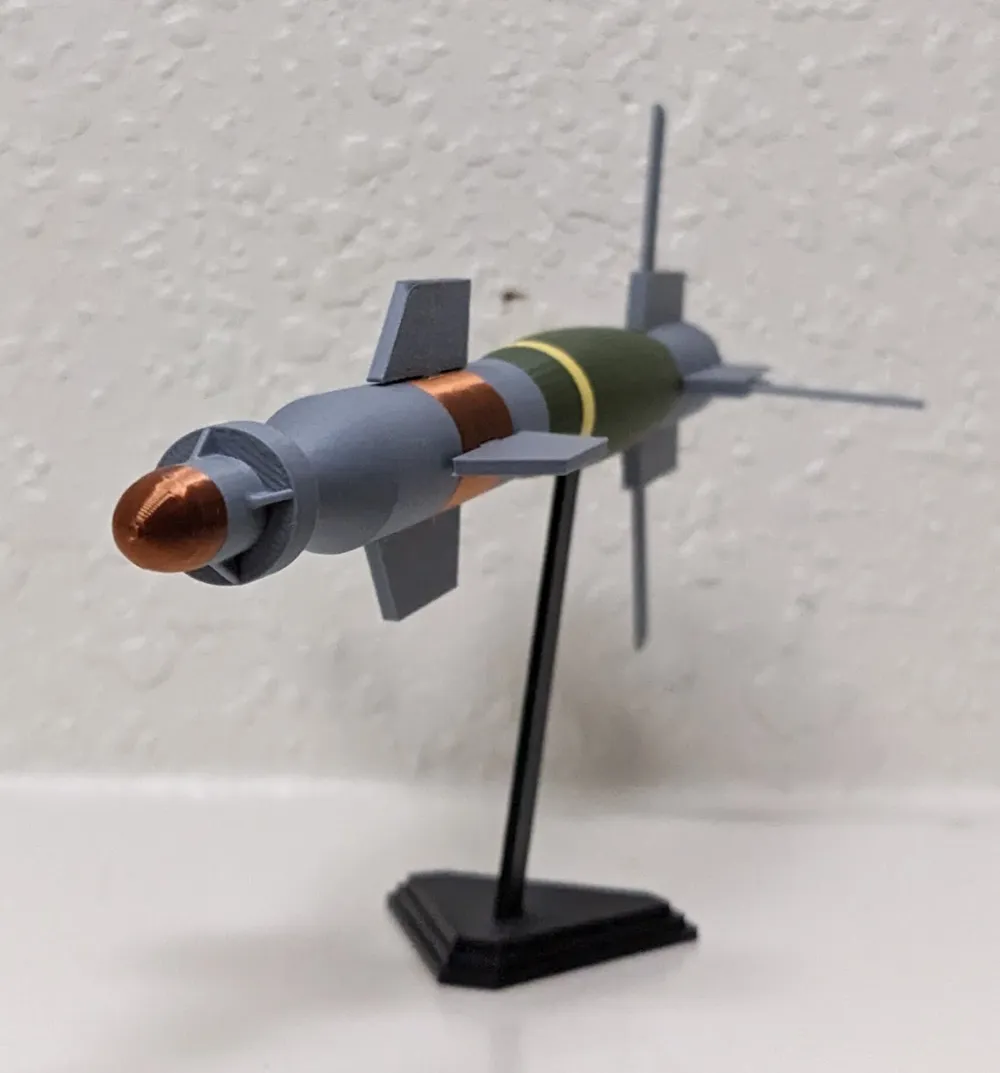
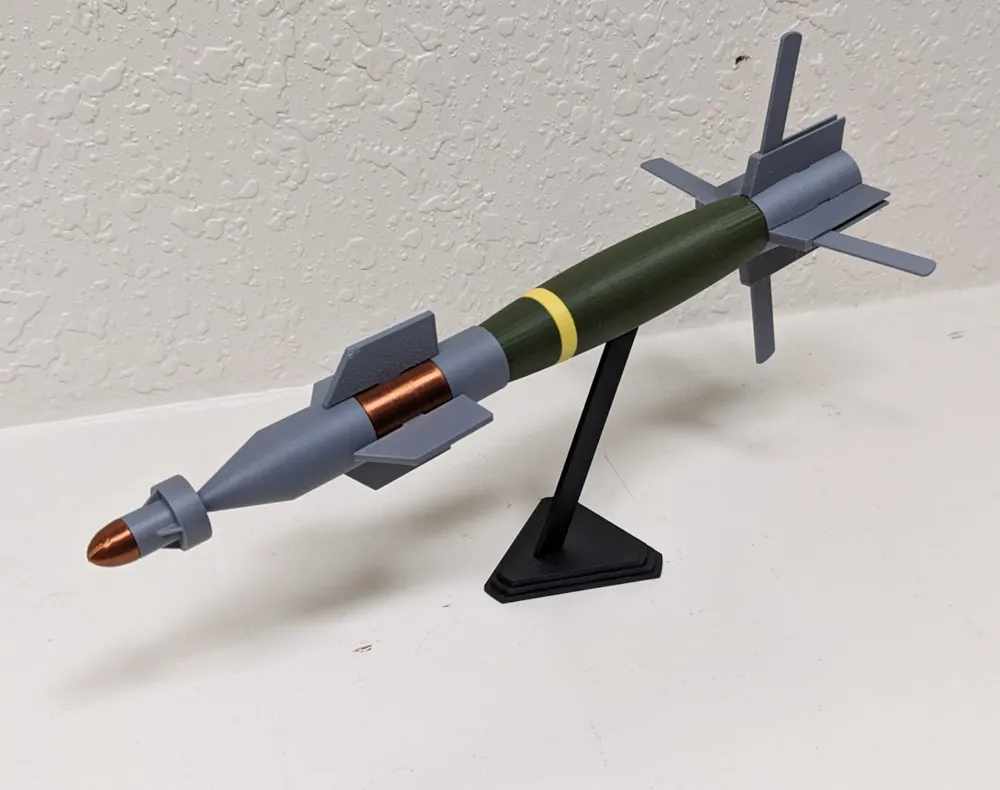
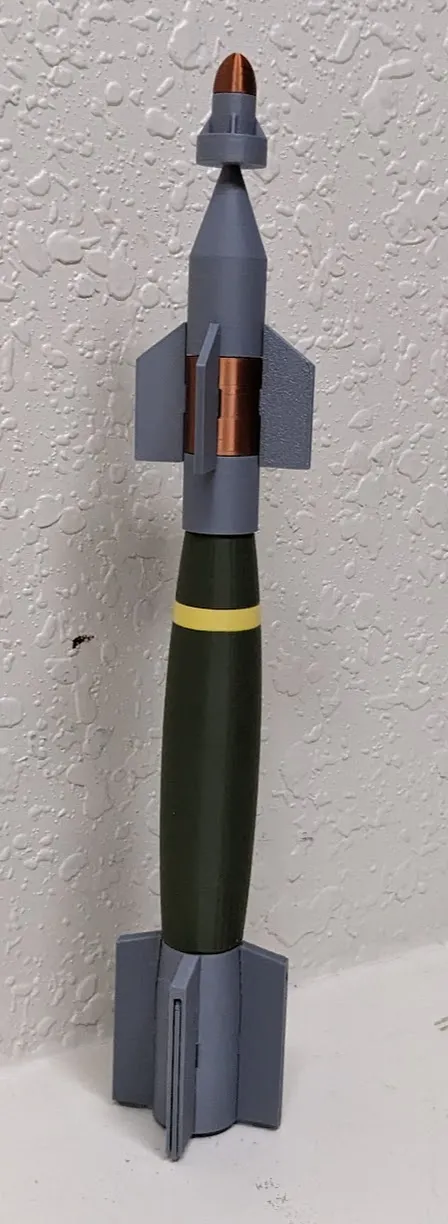
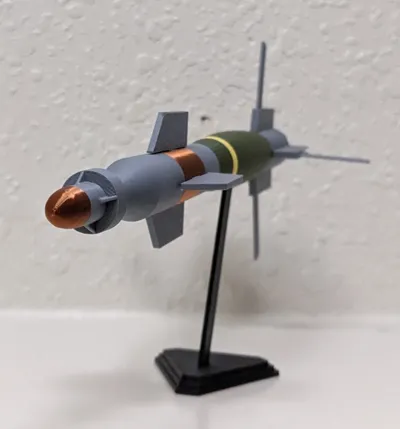
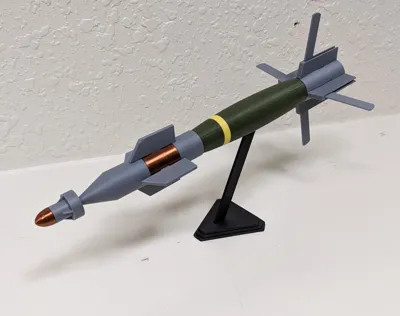
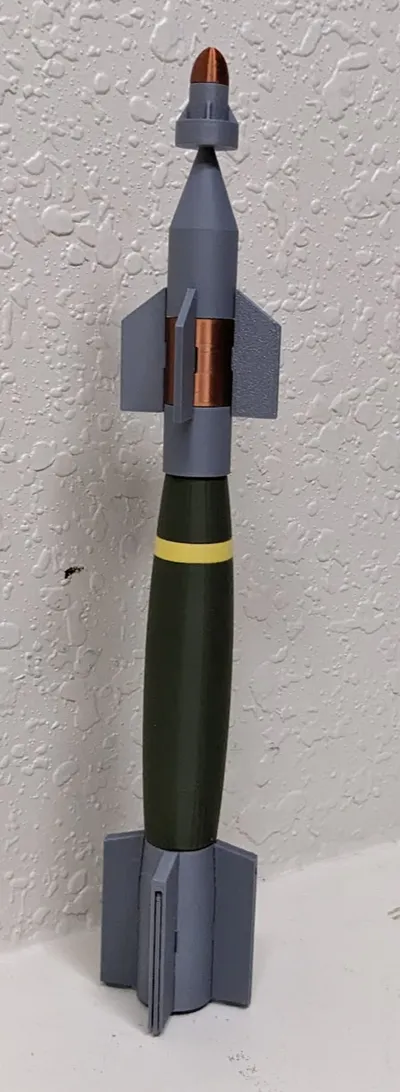
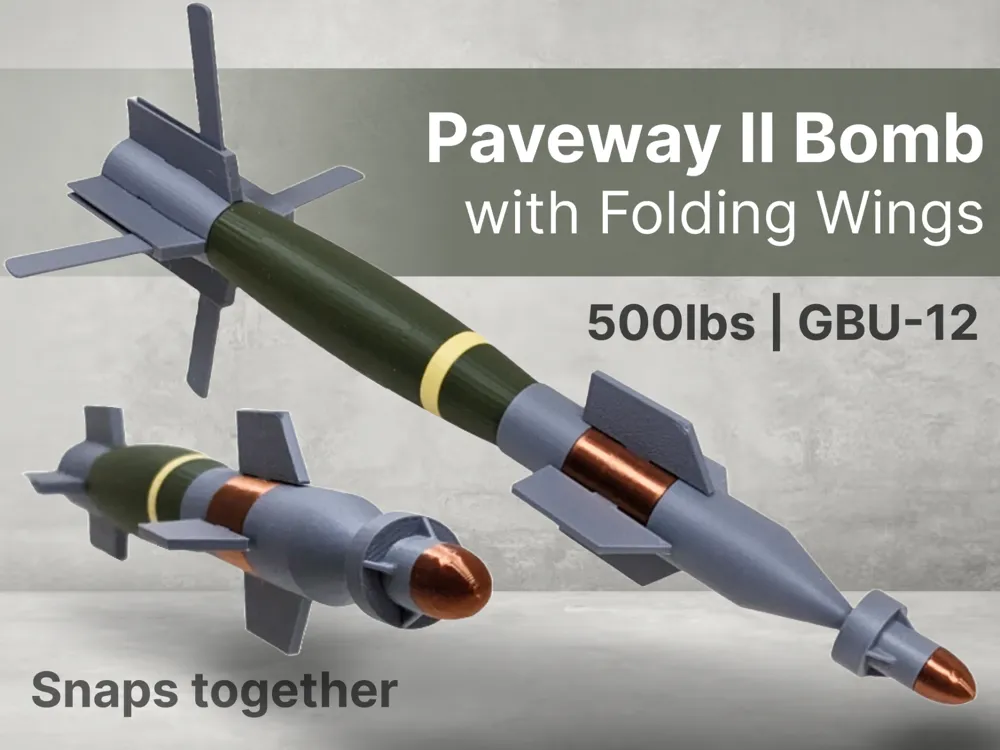
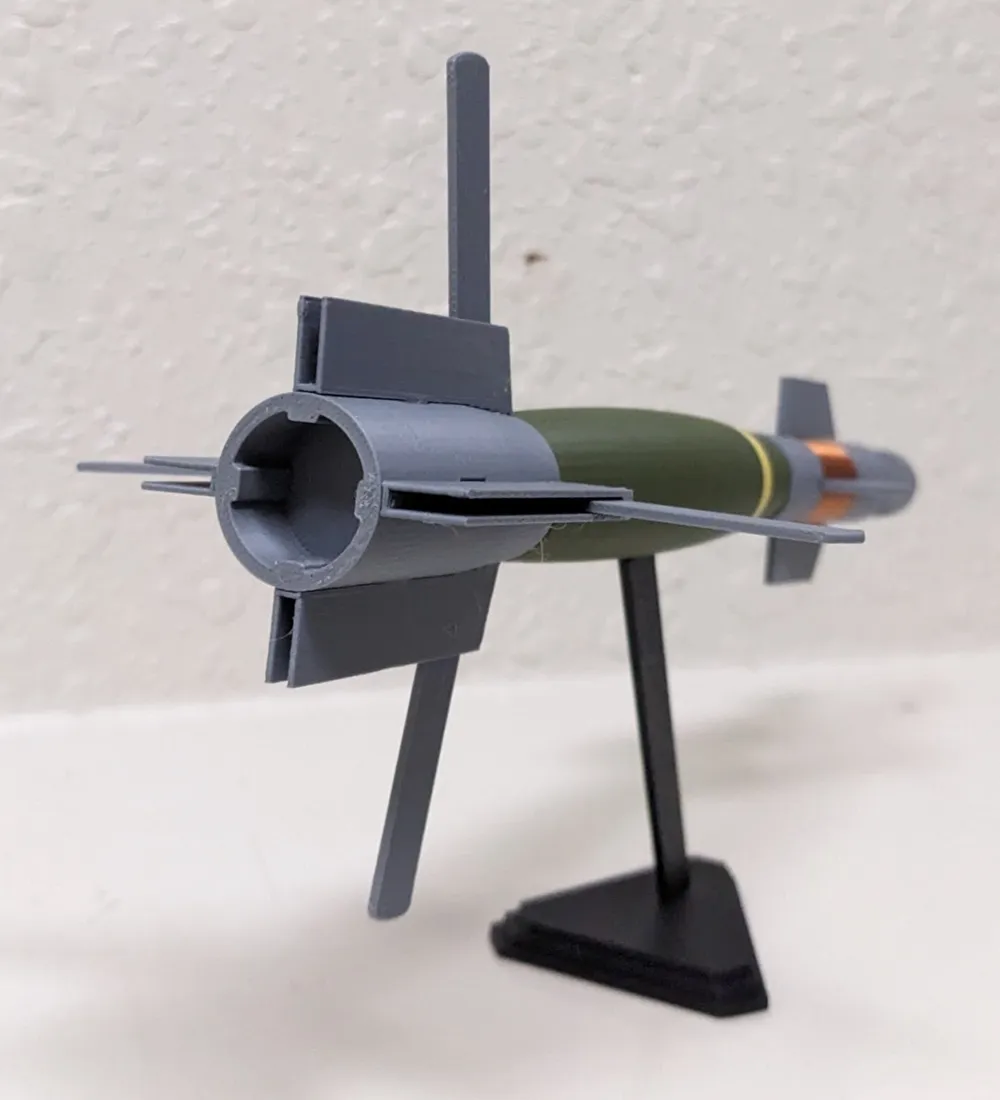
Paveway II Laser-Guided Bomb with Rotating Wings
Print Profile(6)

All
A1 mini
A1
X1 Carbon
P1S
P1P
X1
X1E
H2D
H2D Pro
H2S
P2S
H2C
X2D
A2L

A1 Mini Version
A1 Mini Version
Designer
3.4 h
3 plates
4.9(13)

0.2mm layer, 2 walls, 15% infill
Designer
2.8 h
2 plates
4.8(20)

A1 Version
A1 Version
Designer
3.3 h
2 plates
5.0(6)

No AMS Needed Version
Designer
3.1 h
5 plates
Click to see more

Open in Bambu Studio
Boost
372
868
95
66
544
254
Released 

Bill of Materials

Bambu Filaments
Select all
Matte Ash Gray (11102) / Refill / 1kg
Matte Lemon Yellow (11400) / Refill / 1kg
Matte Dark Green (11501) / Refill / 1kg
Rose Gold (13206) / Filament with spool / 1 kg

Description

Want more like this model? Check out these collections:

Grenades | Artillery & Ammo | Life-size Weapons | Missiles & Bombs | and more (3)…

If you'd like to support my ability to make more models, please consider boosting or buying me a coffee

Summary

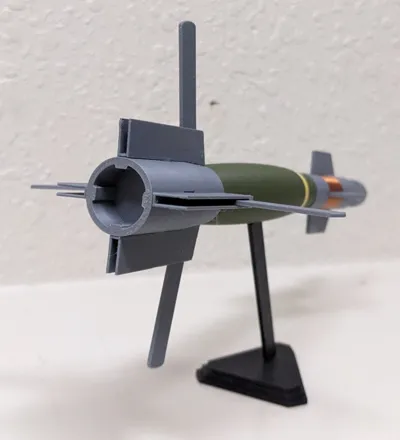
This is a 1:14 scale model of the Paveway II Laser-Guided 500lbs Bomb. The wings rotate without any assembly (print in place).


The model snaps together for easy assembly, no glue is required.


Bambu PLA filaments used:

  • Matte Dark Olive Green
  • Matte Ash Gray
  • Overture Silk Copper (Amazon link)
  • Matte yellow


Assembly


Boost Me (for free)

If you enjoy my work and would like to help support my ability to share more (and even better) models in the future, please consider boosting or buying me a coffee at the link below.   Your support is what helps me have enough filament and supplies to do all the print testing required for my models to be high quality and easy to assemble.  It takes a mountain of test prints for each model. Thanks :-) 

Here's a link to my Buy Me a Coffee page, thanks for the support!


( ! ) Do not sell my prints — I have not authorized selling prints.  If you sell my prints on Etsy, Amazon, eBay, etc, I will find out.

This 3D print is intended for decorative purposes only and is not suitable for children. Small parts may present a choking hazard and edges may be sharp. By printing this 3D print, you assume all liability for any harm to yourself or others resulting from its use.


Comment & Rating (95)

(0/1000)

Hey I love your models and I see that you use tinkercad, I was wondering how you got so good? I try to use tinkercad but my models look like some five year old was bored. what tips could you give to people to get better?
The designer has replied
designer
1
Reply
That's a really good eye, yeah I use tinkercad. I've only been using it for a month so it's definitely doable to learn it and get to the level where I'm at if I'm any example. to be fair though, I'm a designer for my work, although in two dimensional design, this was the first time I had ever started in three-dimensional design a month ago. I tried to start out with tinkercad by making designs that didn't require a lot of complexity, so I would start there, think of something you would like to model that has a relatively simple shape like mostly a cylinder or a square or some kind of shape, because the less you have to change the shapes that tinkercad gives you the easier it will be. I essentially use every model I make as a chance to learn some new design technique, so I try to pick models that will teach me how to have snap-on parts or moving parts or something like that. but if you look at my very first missile model a month ago, the AIM 120, it's basically just a cylinder with a cone on the top, it's quite basic compared to the stuff I'm making now. So starting out with simpler designs is definitely the best way to go.
designer
3
Reply
another really important thing is to plan out your designs in 2D, if you're trying to imitate something then find pictures of it that are taken at a perfect site angle or perfect top angle, and then you can workout the shapes you are going to need in the exact sizing of them, then go back to tinkercad and build those shapes. I do very little organic design from within tinkercad from scratch, I almost always start with a 2D image and Make sure I understand all the pieces I'm going to have to make in 3D, then I go over to tinkercad. it's a bit like coming up with the floor plan before you actually build a house, as opposed to just building the house without any plans to follow. I usually size things in 2D such that each pixel is a millimeter, that way I can easily just create a 2D box and know that if it's 20 pixels wide then it's 20 mm wide in tinkercad.
(Edited)
1
Reply
thank you so much and I hope that you keep getting better I will definitely try your method. And by the way keep up the good work
(Edited)
0
Reply
Boosted
Another awesome model, added a profile for just the tip. Hope you don't mind. ;-)
The designer has replied
0
Reply
Cool -- is that the ball and socket joint thing so it can rotate?
1
Reply
Boosted
Replying to @rexilabs :
Yup, just like the real thing.
1
Reply
Started printing some of your models. I printed the gbu12 colors the way I remember from building them. The 20mm is a dummy, the 25. 30 and 75mm are printed projectiles in spent ctg cases. Everything else is from your collection.
The designer has replied
0
Reply
Nice, looks good, glad you are enjoying the models 🙂
0
Reply
As always Rexi does not miss when it comes to detail and always makes things easy to assemble. As someone who works with USAF munitions and knows these in and out, I will say Rexi has the best models out there!
designer
1
Reply
The tail kits on these are responsible for my back problems. They come in a barrel with no real way to pick them up without really straining your back
4
Reply
you're right! also, the old version kit required significant torque for front assembly. those foot-pound wrenches. i've never seen those kind of massive torque wrenches except for ammunition assembling.
(Edited)
1
Reply
Yep, 650s and 20mm bulk. I went tdy to Osan in the 90s to inspect and recondition what seemed like thousands of 650s. IYAAYAS
1
Reply
Print Profile
0.2mm layer, 2 walls, 15% infill
Wish the top fin stayed up when I display it horizontally :(
0
Reply
Boosted
Print Profile
0.2mm layer, 2 walls, 15% infill
printed in Sunlu PLA+ and copper PLA Silk, nice print
0
Reply
Print Profile
A1 Mini Version
love this one
0
Reply
Print Profile
A1 Mini Version
had some issues with cracking of tail fins after assembly. a different orientation would fix it... but increase print time. CA glue fixes it. Great design!
0
Reply
Boosted
This was an amazing model. Love the moving fins.
0
Reply

License

This user content is licensed under a Standard Digital File License.

You shall not share, sub-license, sell, rent, host, transfer, or distribute in any way the digital or 3D printed versions of this object, nor any other derivative work of this object in its digital or physical format (including - but not limited to - remixes of this object, and hosting on other digital platforms). The objects may not be used without permission in any way whatsoever in which you charge money, or collect fees.