
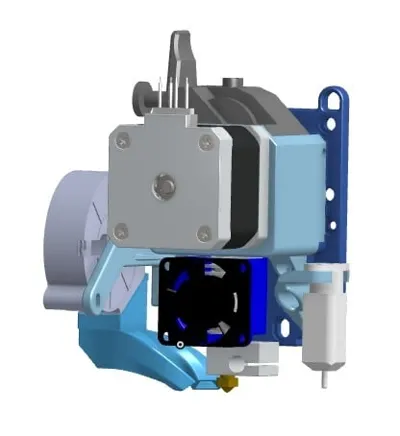
ANET A8 E3DV6 BMG Direct Drive X Carriage
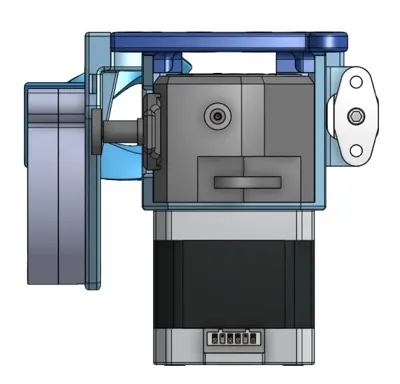
Print Profile(0)
Description
Summary
(Explanations in French below)
WARNING: IT SEEMS TO BE INCOMPATIBLE WITH ANET A8 PLUS.
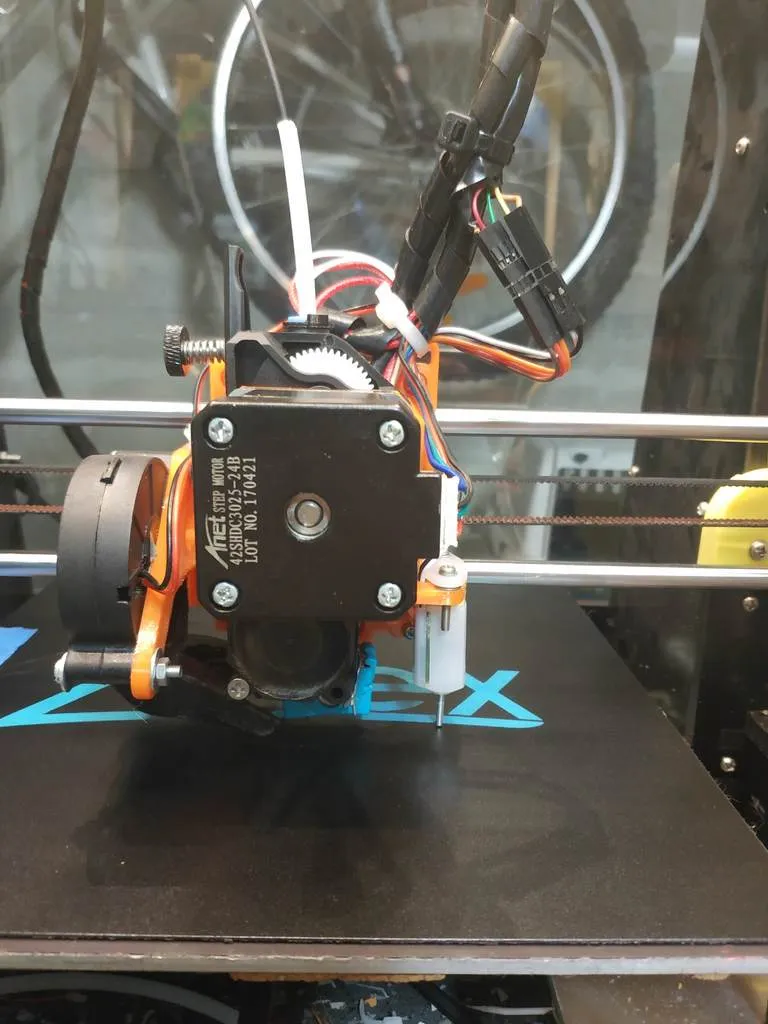
Yet another X carriage for Anet A8!
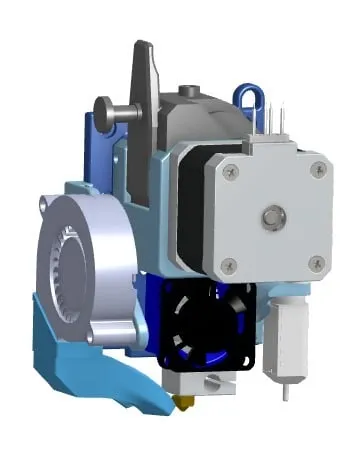
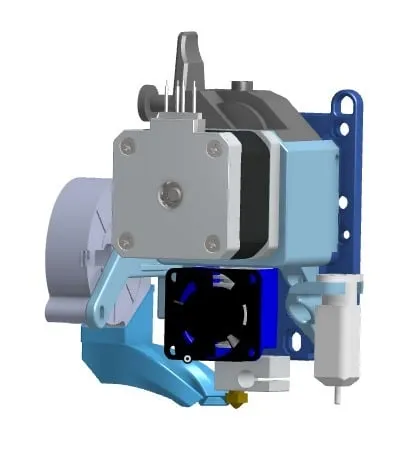
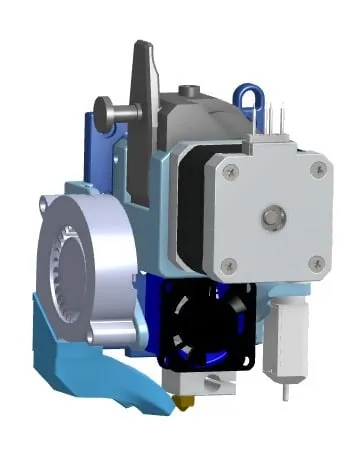
This one was designed for the use of :
- BMG extruder (a clone but should work OK with original one) in direct drive
- E3D V6 hot end or clone.
- Any Nema stepper (I use the original stepper provided with the A8)
- 3Dtouch (a clone of BLtouch)
And its particularity is that it is designed to:
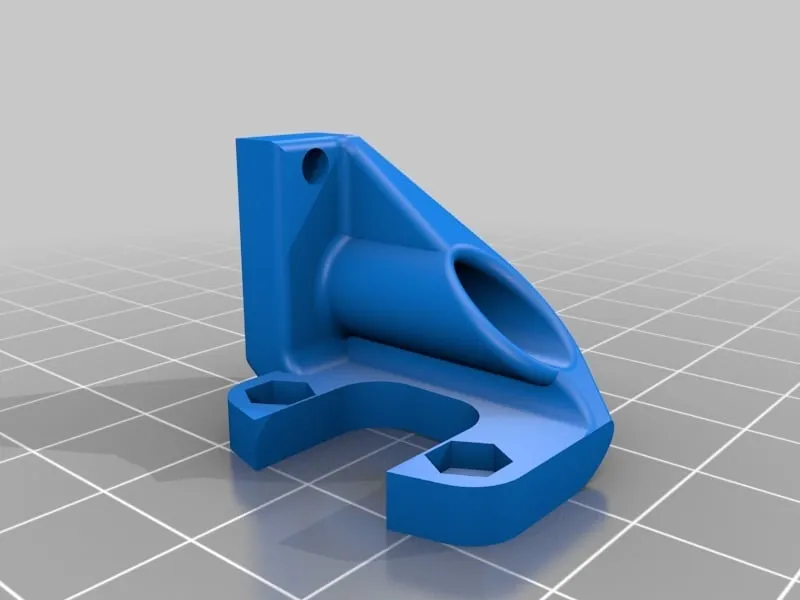
- use original fan, fan ducts or fan ducts designed to work with the original X carriage, like this fantastic Mistral fan duct : https://www.thingiverse.com/thing:2121279
- use original X Belt holders/tensionners like this one, which is incredible : https://www.thingiverse.com/thing:2134573
- use of original Anet A8 bearing blocks or any remix if you prefer (like this one : https://www.thingiverse.com/thing:1172217)
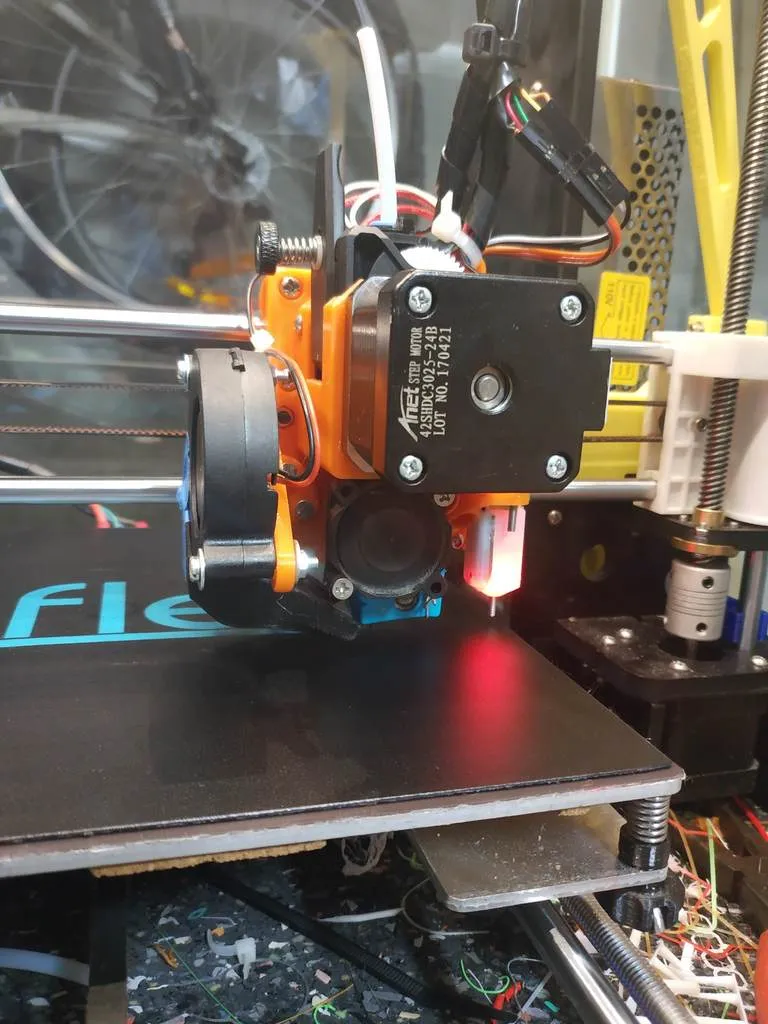
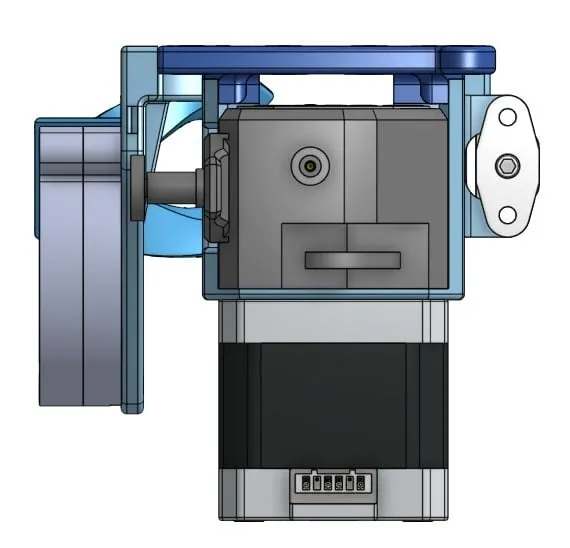
- be very easily unmounted (only 2or3 accessible screws to remove the BMG+ hotend + stepper block); It's very easy to maintain and modify if needed. You can even remove the whole thing without removing the bearing blocks or the X bars.
How it works ?
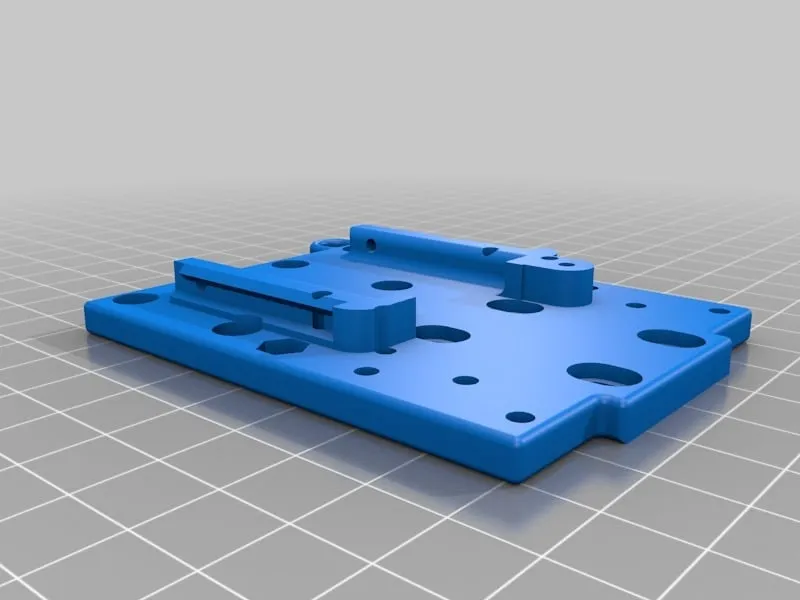
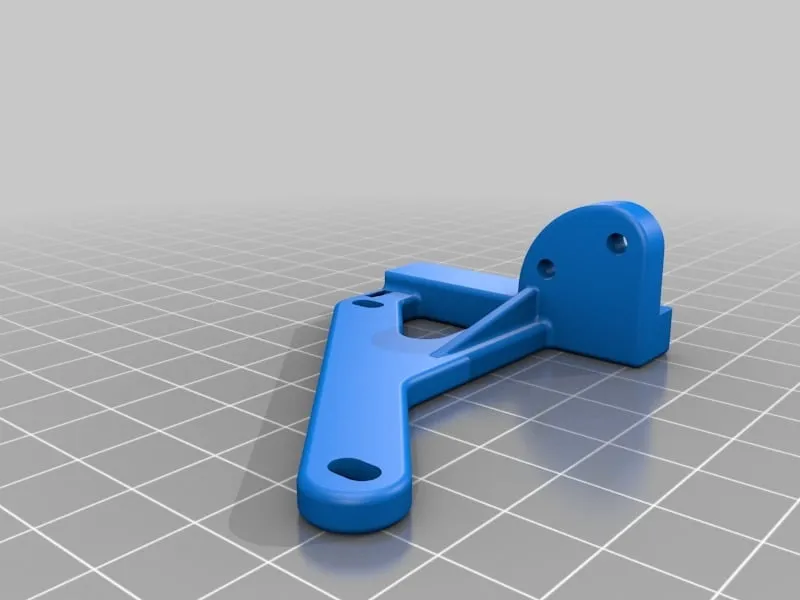
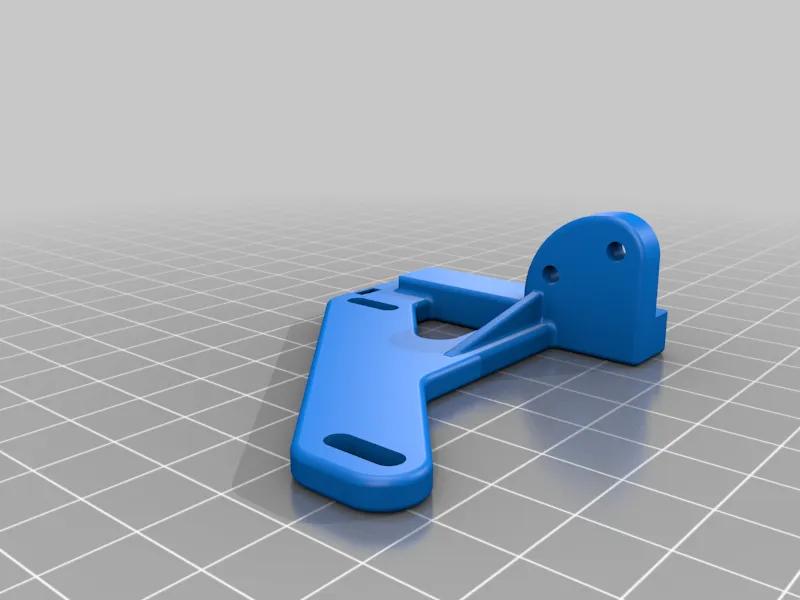
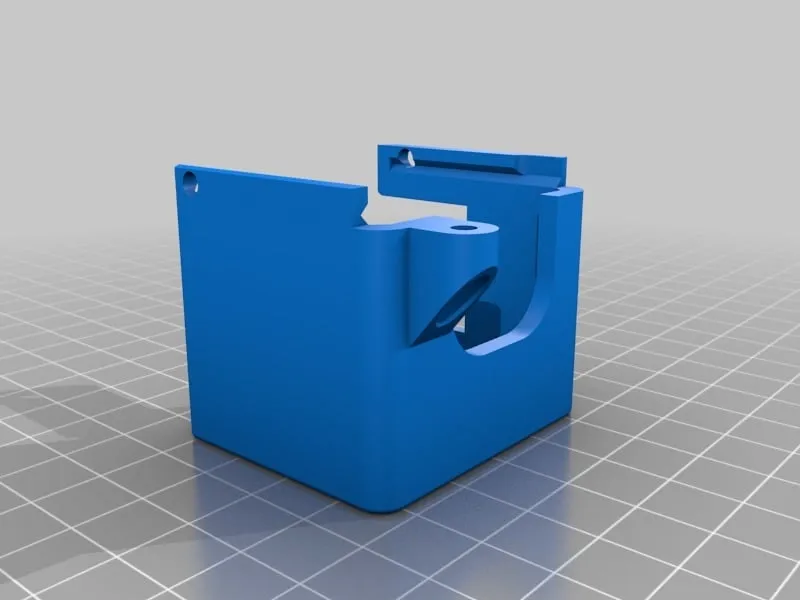
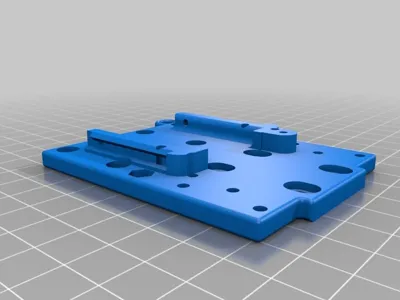
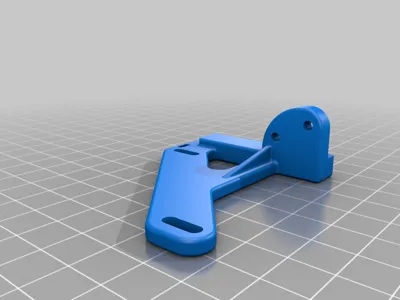
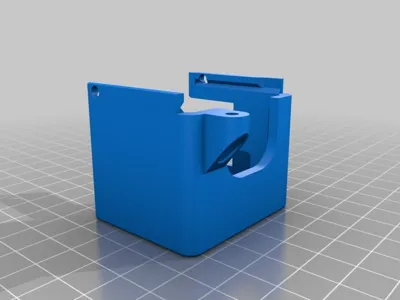
- Print the baseplate , the stepper&BMGholder (with support) , the fan holder
- Check that the BMG&stepper holder can mount OK on the baseplate : it should slide from top to bottom.
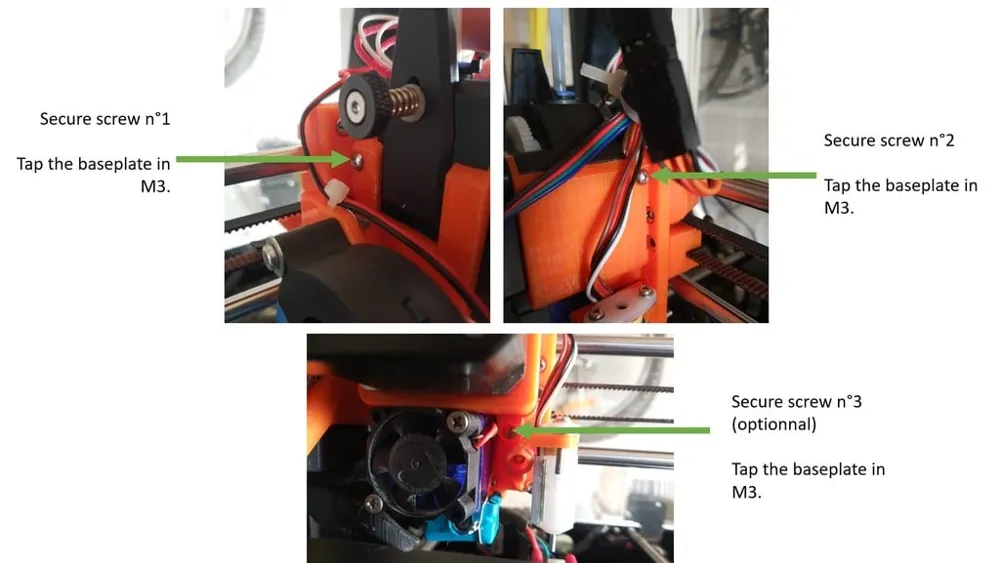
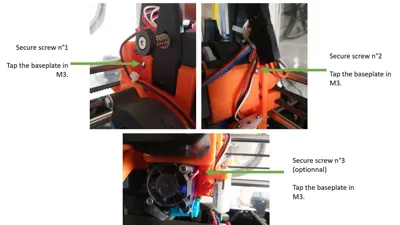
- Tap the 2 small holes in the top of slots on the baseplate in M3. Optionnally tap the M3 hole in the bottom of the BMG place (see picture)
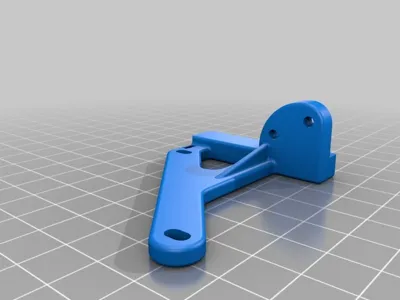
- Optionnaly, print the BLtouch mount.
- If you have no belt holder/tensionner, print one. Recommendation : https://www.thingiverse.com/thing:2134573
- If you don't have the original fan duct or a compatible one, print one. Recommendation : https://www.thingiverse.com/thing:2121279
- screw the BLtouch mount on the baseplate (2 x M3 screws and nuts should be fine) , and screw the Bltouch on the mount (use washers to adjust height if necessary)
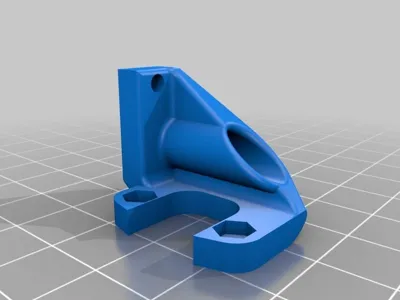
- screws the fan holder on the baseplate (2 x M3 screws and nuts should be fine)
- screw the fan on the fan mount (with M3 screws + nuts + washers)
- Screw all the bearing blocks on the baseplate with the original screws
- screw the belt tensionner behind the baseplate. (use 2xM3 nuts in the 2 hexagonal prints in front of the baseplate, and M3 screws)
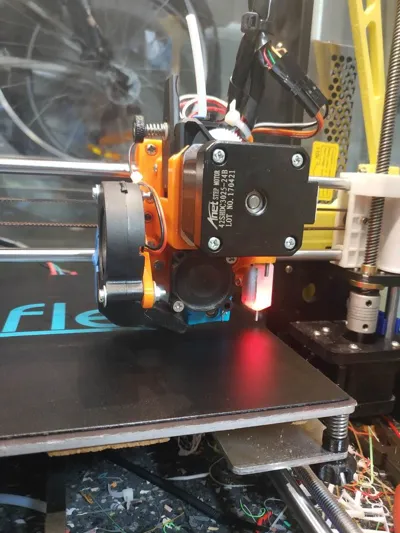
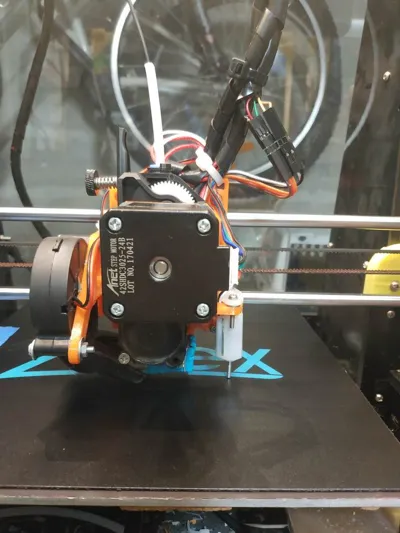
- mount the stepper and the BMG extruder in direct drive configuration (with the e3dv6 hotend and a little PTFE tube. See this video on Youtube : "BMG E3D V6 Hotend" ) on the BMG&stepper holder.
- Slide the BMG& stepper holder in place on the Baseplate. You can let the hotend cables between the Baseplate and the BMG extruder.
- Secure the BMG & Stepper holder with 2 or 3 little M3 screws : 2 mandatory screws on the sides in the top of the part, and one optionnal screw bellow the part.
- Put the fand duct. If needed, you can use tape if it's too loose.
- Adjust height of the duct with the 2 screws of the fan.
- Do your cable management (you can use zip ties)
- Modify the offset in the firmware. If you use marlin, here are my parameters (please check you configuration, I will suppose that you have already your 3dtouch working. If not, please look for a tutorial)
define X_MIN_POS -5.6
define Y_MIN_POS -10
define Z_MIN_POS 0
define X_MAX_POS 220
define Y_MAX_POS 220
define Z_MAX_POS 240
For the 3dtouch :
define X_PROBE_OFFSET_FROM_EXTRUDER 36
define Y_PROBE_OFFSET_FROM_EXTRUDER 0
define Z_PROBE_OFFSET_FROM_EXTRUDER 0
I won't give Probe Bed Position because it depends too much of how is your bed (glass, clips, ...). So please check manually that you don't probe too far on your bed to avoid damages.
Step files provided if you want to remix ! (and please do it and share!)
FRENCH :
ATTENTION : INCOMPATIBLE WITH l'ANET A8 PLUS
Another carriage for the Anet A8!
This one was designed for :
- the BMG extruder (tested with a Clone but should work with the original) in direct drive
- the E3D V6 or clone.
- Any Nema stepper (I used the original one)
- the 3Dtouch (a clone of BLtouch)
And its particularity is that it was designed to:
- Use the original fan, the original fan duct or fan ducts compatible with the original X carriage like the Mistral, which is well-known : https://www.thingiverse.com/thing:2121279
- Use belt holders/tensionners compatible with the original X carriage like this one, which is great : https://www.thingiverse.com/thing:2134573
- Use the original Anet A8 bearing blocks or compatible remixes like this one : https://www.thingiverse.com/thing:1172217
- Be very easily dismantled (only 2 or 3 screws hold the entire stepper block + extruder); It's very easy to maintain and modify if necessary. You can even remove the whole thing without dismantling your bearing blocks.
How to proceed?
- Print the "baseplate" ,the "stepper&BMG holder" (print with support) , and the "fan holder"
- Check that the "BMG&stepper holder" can be mounted without any problems on the "Baseplate" : it must slide in the grooves provided for this purpose until the bottom of its housing.
- Tap the 2 holes in M3 at the top of the grooves on the "Baseplate". Optionally, you can also tap the hole at the bottom of the "stepper&BMG holder" housing (see picture)
- If necessary, print the "BLtouch support".
- If you do not have a belt holder, print one. Recommendation : https://www.thingiverse.com/thing:2134573
-If you no longer have the original fan duct or another cooling fan duct, print one. Recommendation : https://www.thingiverse.com/thing:2121279 - Screw the "BLtouch support" onto the "baseplate" (2 x M3 screws + nuts) , and screw the BLtouch onto the support. Use washers to adjust the height if necessary.
- Screw the "fan holder" onto the "baseplate (2 x M3 screws + nuts)
- Screw the blower onto the "fan mount" (2 x M3 screws + nuts + washers)
- Screw the 3 bearing blocks onto the "baseplate" with the original screws.
- Screw the belt attachment behind the baseplate. (Place 2x M3 nuts in the spaces provided in front of the "baseplate" then use as many screws as necessary)
- Assemble the BMG extruder and the E3D V6 in direct drive configuration (Search this video on Youtube : "BMG E3D V6 Hotend" ) then assemble with the stepper in the "BMG&stepper holder".
- Slide this block "BMG& stepper holder" into its housing on the "Baseplate". It is possible to let the cables from the heating block pass through the space available between the "baseplate" and the "BMG&Stepper holder"
- Secure the " BMG & Stepper holder" with 2 or 3 small M3 screws : 2 mandatory screws on the sides at the top of the grooves, and an optional one below the extruder block.
- Put the cooling fan duct in place. If necessary, secure with adhesive.
- Adjust the height of the blower with the 2 screws holding it.
- Tidy up the cables (use cable ties in the locations provided)
- Modify the offsets in the firmware. For Marlin, see my parameters below (Please check your configuration. I am assuming here that your BLtouch is already working, otherwise see a tutorial)
define X_MIN_POS -5.6
define Y_MIN_POS -10
define Z_MIN_POS 0
define X_MAX_POS 220
define Y_MAX_POS 220
define Z_MAX_POS 240
For the BL touch :
define X_PROBE_OFFSET_FROM_EXTRUDER 36
define Y_PROBE_OFFSET_FROM_EXTRUDER 0
define Z_PROBE_OFFSET_FROM_EXTRUDER 0
I will not give the "Probe Bed Position" because it depends too much on the configuration of your platform (glass, clips, clamps, ...). Therefore, please check manually that you are not probing too far at the edges of your platform, to avoid damage.
Step files provided for those who want to get involved in remixes! (Do not hesitate and especially share!)
Print Settings
Printer:
Anet A8
Rafts:
No
Supports:
No
Resolution:
0.2
Infill:
20
Notes:
Printed in PETG, but you can give a try with PLA, it should work OK.
You will need support for the Stepper&BMG holder.
License



Comment & Rating (0)