
OTF Switch Knife Improved


Print Profile(5)



Description
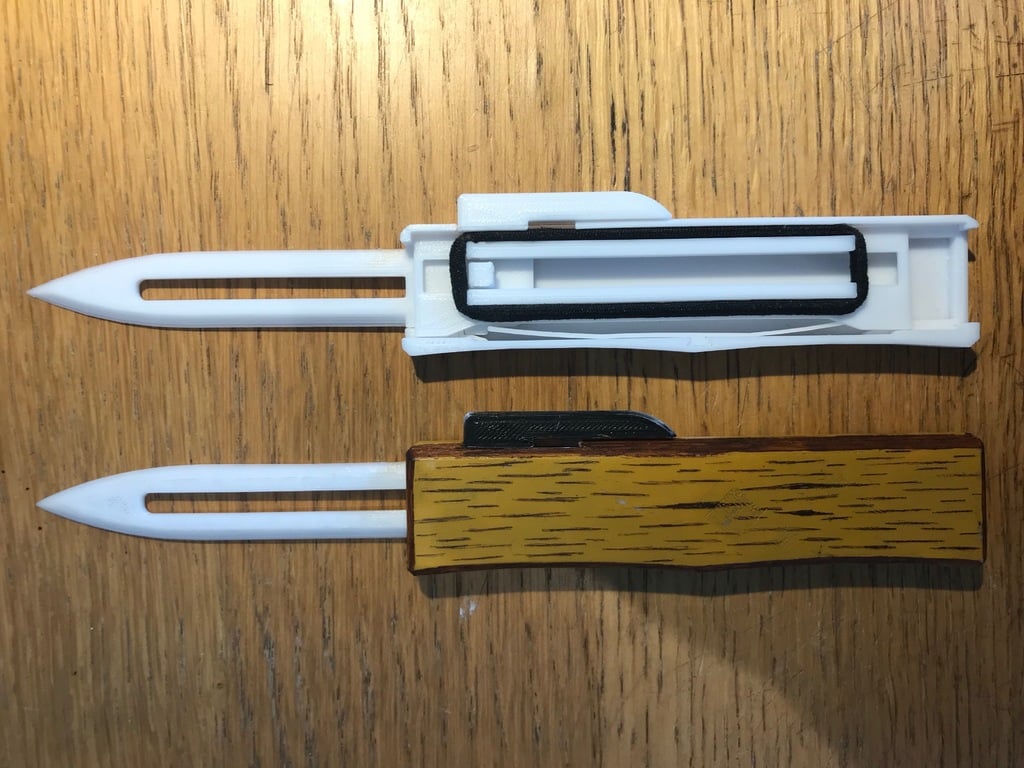
V3: Further improvement to the case_top clips, added hole to allow a flathead screwdriver to be inserted to assist with the removal of case_top, changed rear ramp surface on flick mechanism to make it more reliable (this required reducing the tolerance between the flick mechanism and case!!)
V2: Improved case_top clips
V1: Added a small ramp surface to the Slide Mechanism to prevent it getting caught on the bottom case if you slid it too far back. Also modified the top case so it “locks” into the bottom case.
Based off George Collyer's model (on thingiverse)
(On a side note, I noticed the flick mechanism, after sitting, can start to bend from the rubber band. This can cause unreliability when trying to flick the blade out. I tried to reinforce the flick mechanism in V3 a bit, but still looking into it.)
You'll need to print the blade and lock spring from the original model. You will also need a rubber band to put on the Slide Mechanism. I used an oversized rubber band and looped it twice. Other comments also recommend a hair tie.
Or, you can get the serrated blade model here: https://www.thingiverse.com/thing:6538838 (Side Note: print the blade with 100% infill, I've noticed with less infill that the blade doesn't lock back in when you slide it back, this is related to the weight of the blade. More weight = better chance of locking back in)
To lock the case in place:
- Slide the front of case_top into the case on an angle
- Gently push the front of case_top into the case, this will allow you to then push case_top into the case where the flick mechanism handle is.
- Snap the rear of case_top into the case
Boost Me (for free)
Just a casual hobbyist with a 3D printer and creativity!
This remix is based on
License



Comment & Rating (281)