Search models, users, collections, and posts

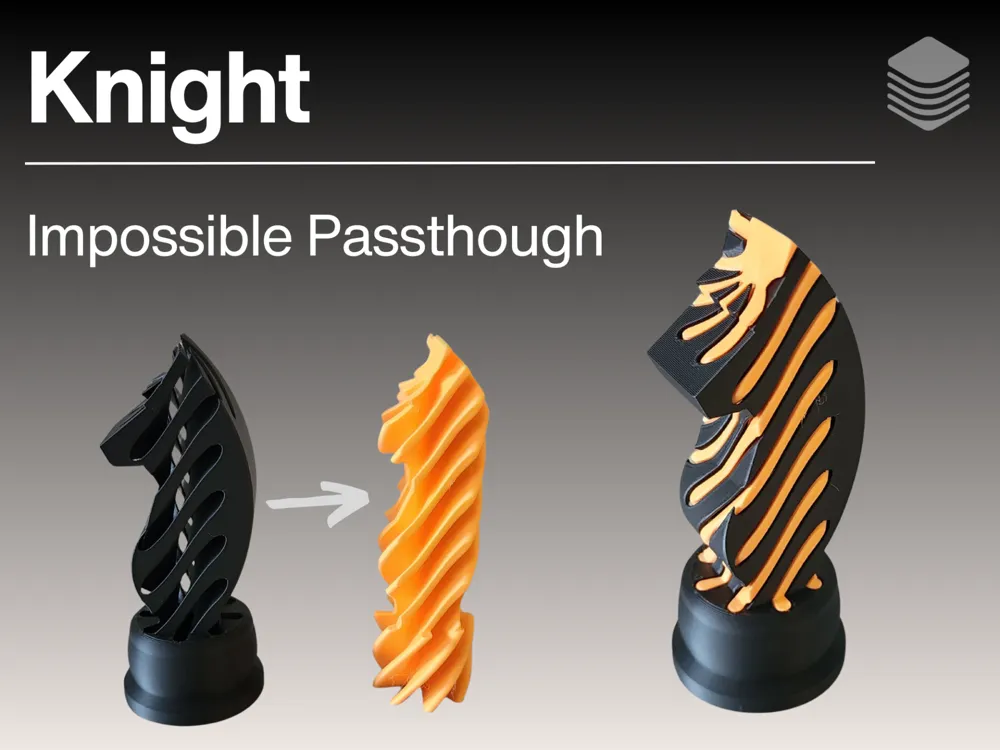
Knight Chess Piece Impossible Passthrough

GIF

Print Profile(1)

All
A1 mini
P1S
P1P
X1
X1 Carbon
X1E
A1
H2D
H2D Pro
H2S
P2S
H2C
X2D
A2L

0.2mm layer, 2 walls, 15% infill
Designer
4 h
2 plates
4.6(255)

Open in Bambu Studio
Boost
1388
2749
300
220
3.8 k
2.5 k
Released 

Comment & Rating (300)

(0/1000)

Boosted
Print Profile
0.2mm layer, 2 walls, 15% infill
Updating review- with the feedback we were able to make the needed changes and it works great now.
(Edited)
The profile uploader has replied
2
Reply
If your printer prints it too tight then try making the X-Y contour compensation either -0.4, -0.45 or -0.5
(Edited)
1
Reply
Boosted
Replying to @TheDuckVault :
Thank you, we will try that. We love the design and want to get it right.
0
Reply
Replying to @TheDuckVault :
On both pieces or just one?
0
Reply
It all went well until this part. Don’t know why.
0
Reply
We had this issue also
0
Reply
Boosted
I am new to 3D printing and love this model, very impressive. However, I have printed the outer piece two times with both attempts creating an issue at the same location shown in the attached image. Can anyone give me some guidance on what I might be doing wrong and how to fix it? The rest of the print was nearly flawless. Thank you in advance!
0
Reply
just relevel bed then add supports and make sure your printer does not glob up at the top
0
Reply
Boosted
What I want it a nice travel chess set where the White pieces stack inside the black pieces, and where when separated it is easy to identify the pieces. This knight is great because unlike some other passthru knights, both the inner and outer pieces both look like knights. This knight was rather large compared to the other passthru chess pieces I downloaded (by GemoGens), so I downsized it to 7cm tall. Unfortunately then the inner piece would not pass thru the outer. I found Atro's very good advice to adjust the X-Y contour compensation (-0.25 was perfect) and the printed inner piece slid through the outer like butter. Unfortunately, I then painted the pieces, and found out that X-Y contour compensation will not work on painted pieces. I would really like to custom color the pieces so that they are more easily identifiable and because I like the look. Is there any way to save the change in dimension of the inner piece such a way that I could then color it
The designer has replied
0
Reply
Is you use AMS for the inner piece then the XY-compensation will not work, I'd suggest making the inner pieces different colors than the outer pieces so that when you seperate them, they will be noticeably different. but make sure that that inner piece is one color.
0
Reply
Print Profile
0.2mm layer, 2 walls, 15% infill
👍
(Edited)
1
Reply
Print Profile
0.2mm layer, 2 walls, 15% infill
Looks great and I'm looking forward to asking my niece to pass it to me, and see her face when only half of it comes away 😁
0
Reply
Print Profile
0.2mm layer, 2 walls, 15% infill
so fun🤩. thank you so much for making this model!!!! I love how it is really a brain teaser.
0
Reply
Print Profile
0.2mm layer, 2 walls, 15% infill
nice model
0
Reply
Nice model. I made a few with different types of PLA filaments on both an H2C and an X1C but needed to increase the size of the outside piece in the slicer by .5% for a good fit.
(Edited)
0
Reply
Print Profile
0.2mm layer, 2 walls, 15% infill
no issues
0
Reply

License

This user content is licensed under a Standard Digital File License.

You shall not share, sub-license, sell, rent, host, transfer, or distribute in any way the digital or 3D printed versions of this object, nor any other derivative work of this object in its digital or physical format (including - but not limited to - remixes of this object, and hosting on other digital platforms). The objects may not be used without permission in any way whatsoever in which you charge money, or collect fees.