Search models, users, collections, and posts

Travel Foldable Crib (Cribbage) Board
Remixed by

Print Profile(3)

All
A1
P1S
P1P
X1 Carbon
X1E
X1
H2D
H2D Pro
H2S
P2S
H2C
X2D
A2L
A1 mini

0.2mm layer, 2 walls, 5% infill
Designer
5.1 h
1 plate
4.9(77)

Colored Holes
Colored Holes
Designer
7 h
1 plate
4.8(63)

Disassembled Crib Board - A1 Mini Compatible
8.9 h
2 plates
4.7(12)

Open in Bambu Studio
Boost
424
1462
227
204
2.1 k
1.3 k
Released 

Bill of Materials

Maker's Supply Kits and Parts
Select all
D8x3 mm Round Magnet (20PCS) - CA008

Description

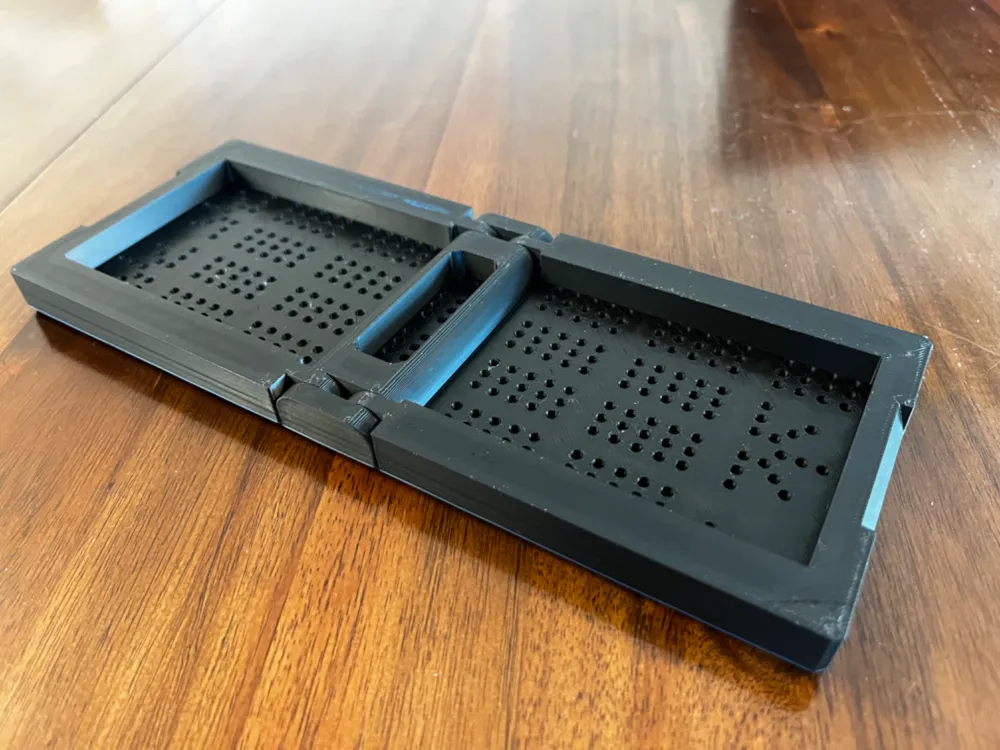
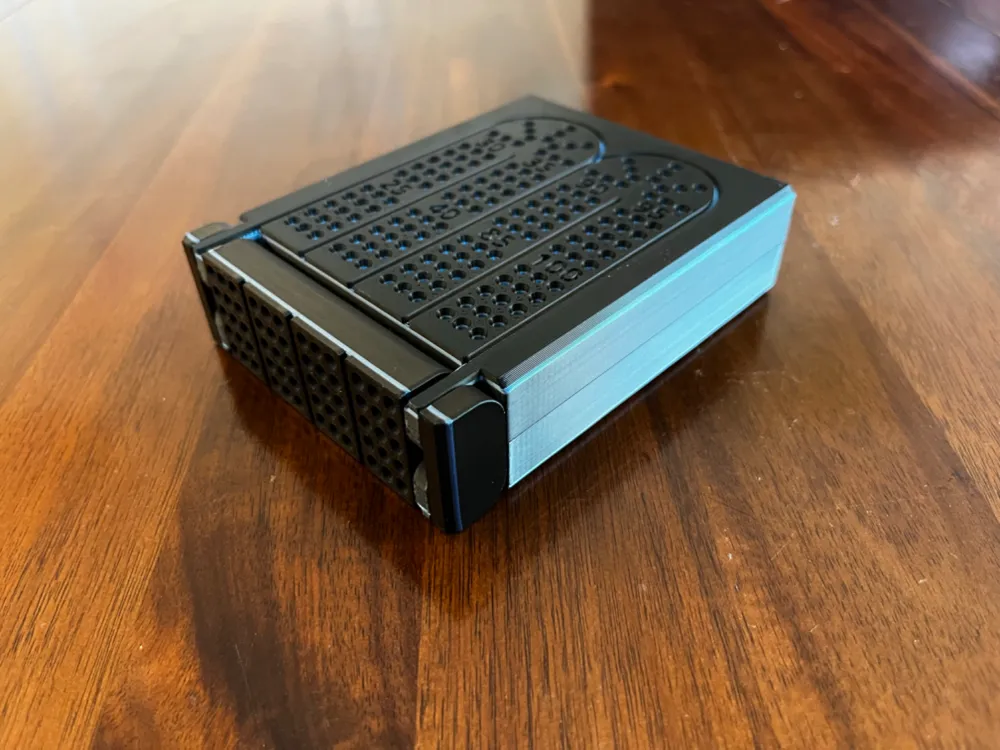
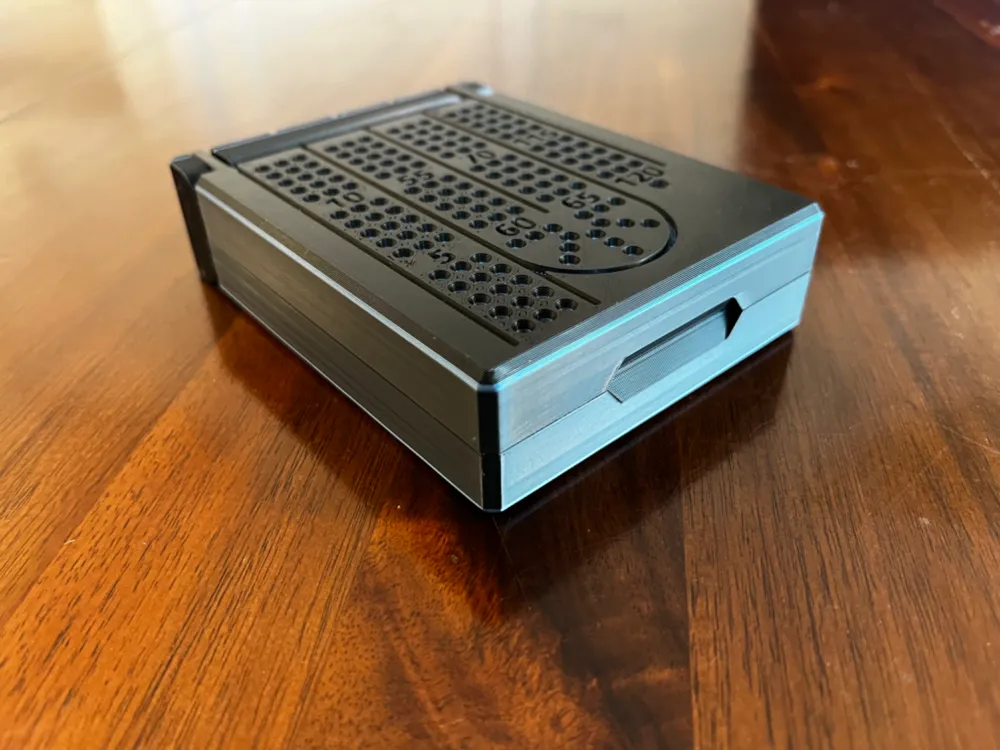
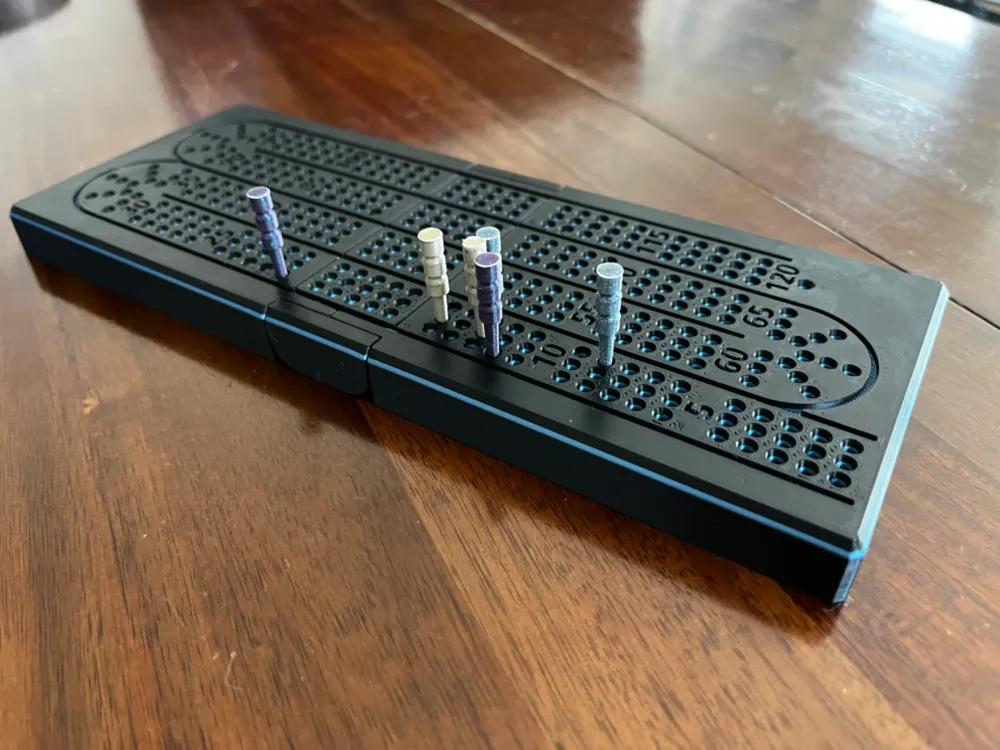
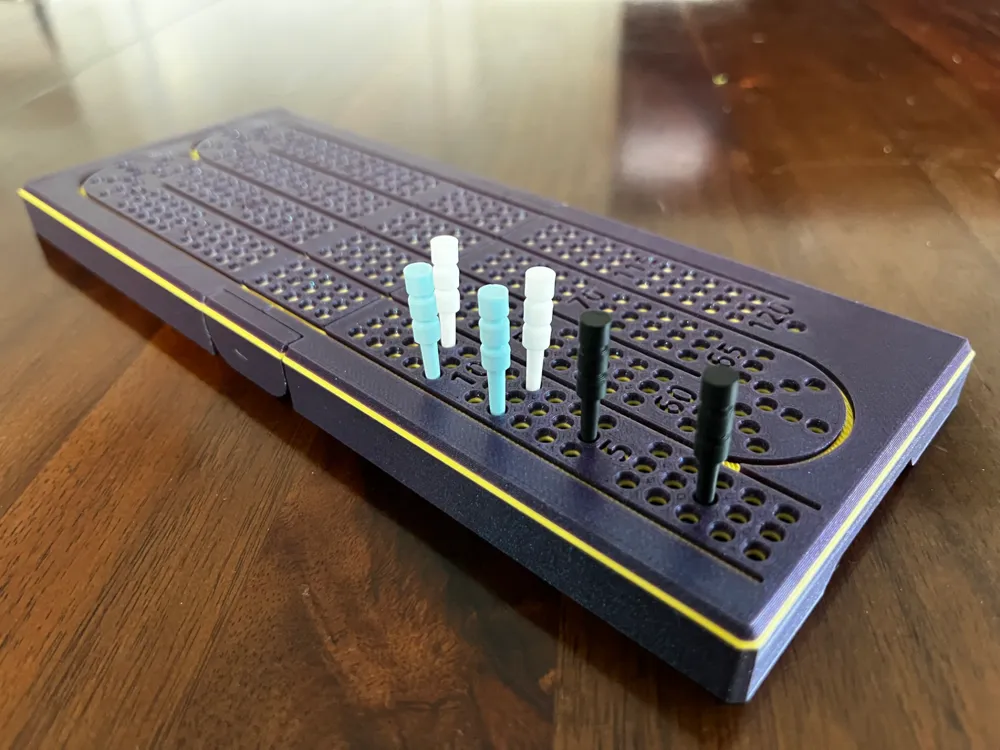
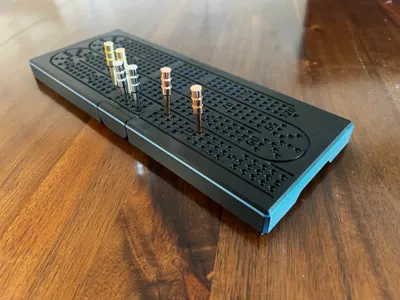
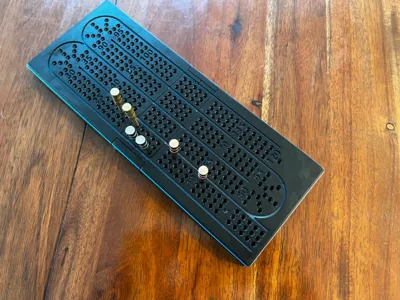
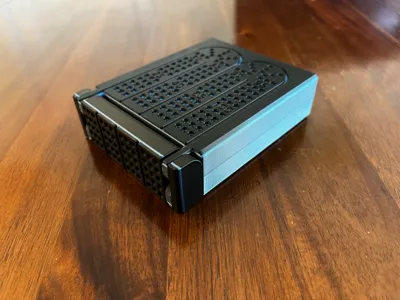
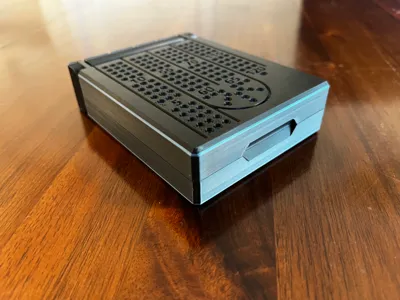
Travel Crib Board!


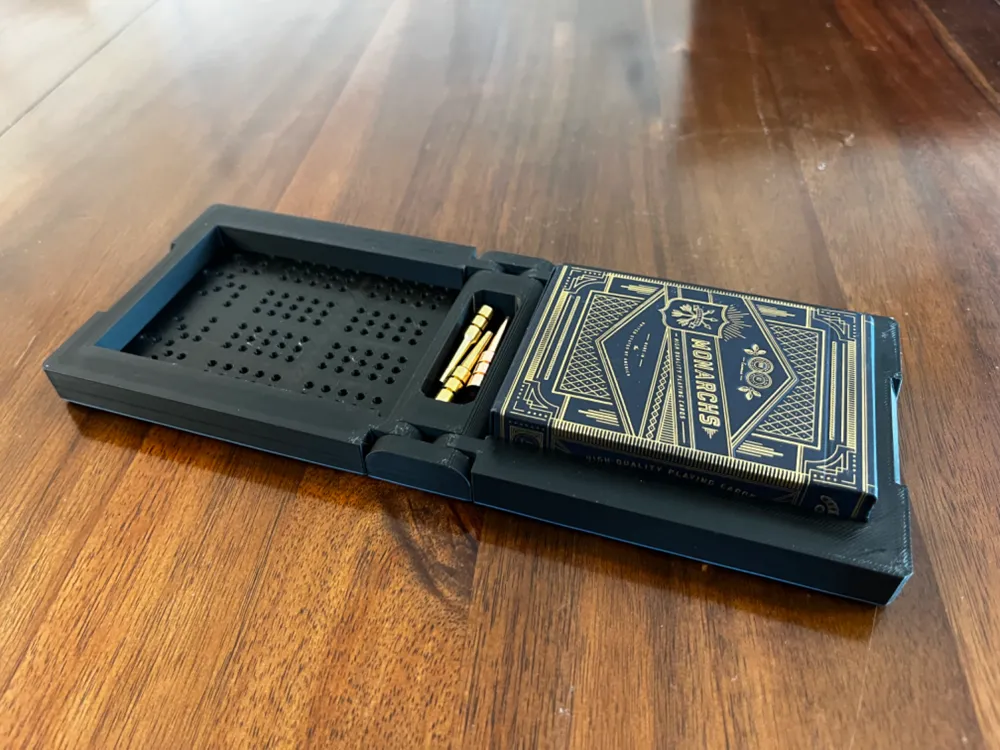
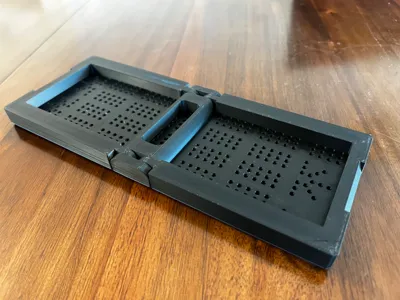
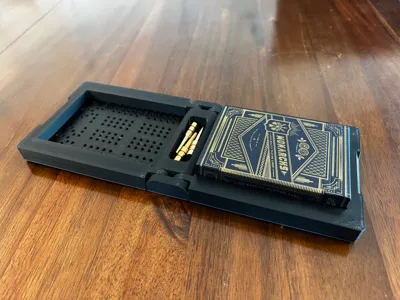
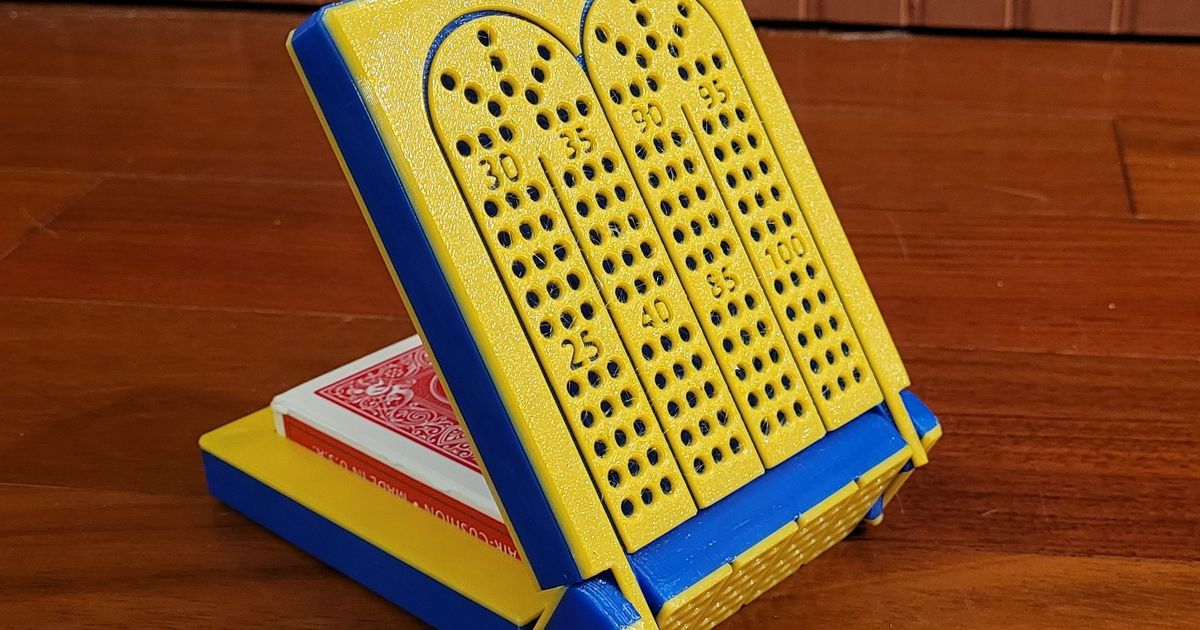
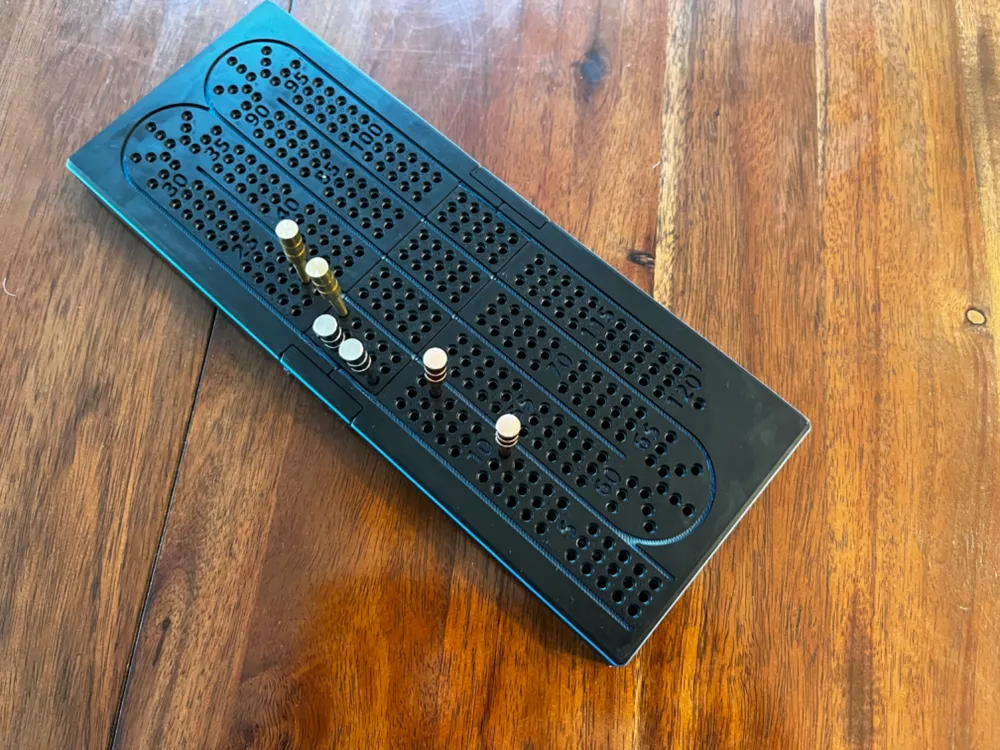
This one fits a deck of cards and pegs when it folds together.

Magnets are used to hold the case together when closed. Pause is added in the print profile to allow you to insert magnets. Increased the size of the opening for the magnets from the original design as my magnets (8x3mm round) from Bambu did not fit the original. I didn't find any glue was necessary as they are still a snug fit. 4 Magnets needed, make sure to place with opposing poles.


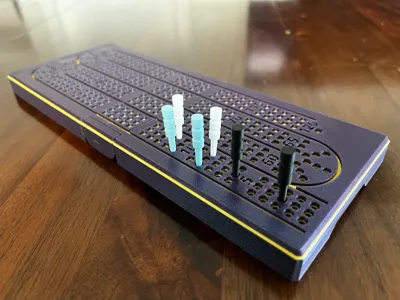
I added a 1mm layer of color that looks nice on the design and is placed so the bottom of the engraved areas show the color. The whole layer is one color allowing for minimal color changes.


This is the first time I've used glue on my print bed. Because of all the small circles I was having adhesion issues despite slowing down the first layer significantly. I would highly recommend glue, but if you are successful otherwise, that's great!


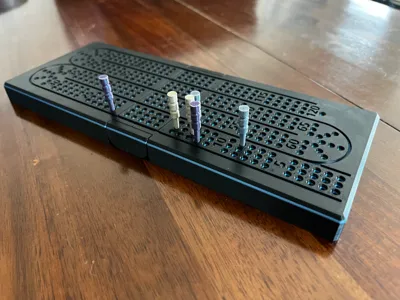
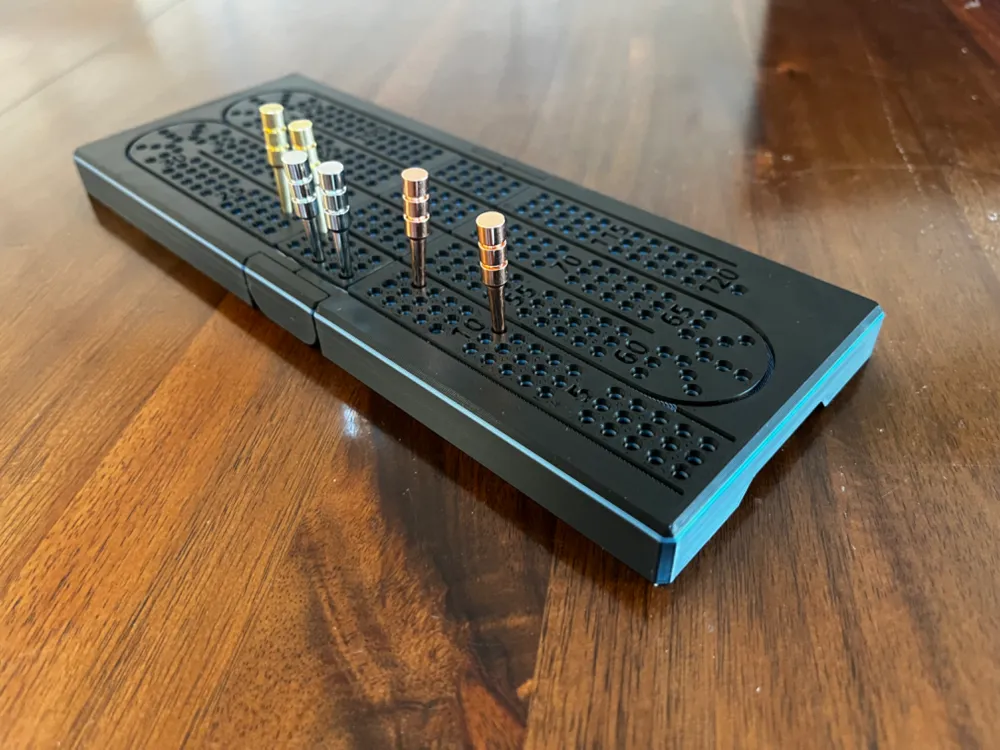
I've also created my own crib pegs as the metal ones pictured didn't fit nicely in the storage compartment:

https://makerworld.com/en/models/580424

(These also fit very nicely into the crib board holes)


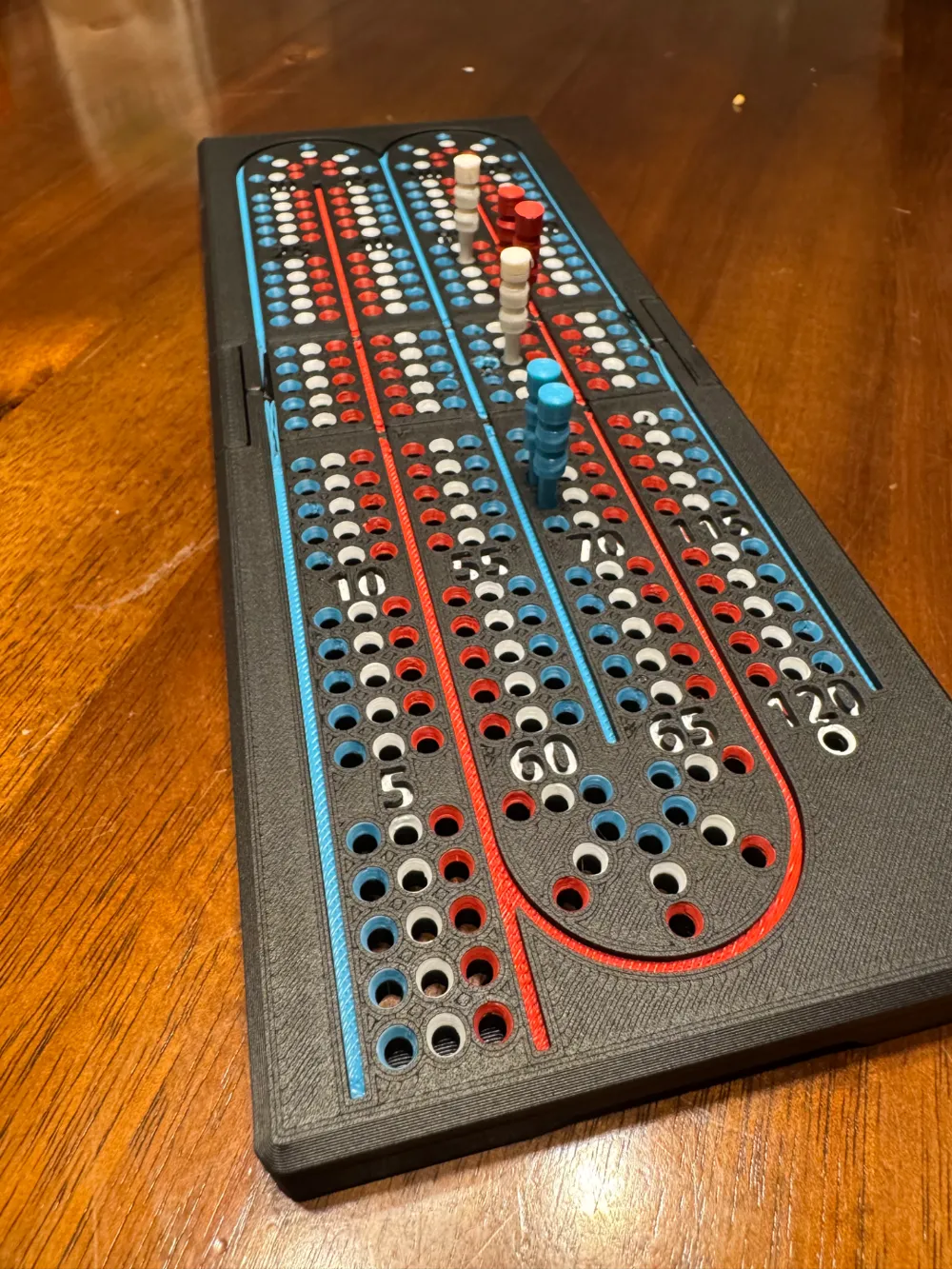
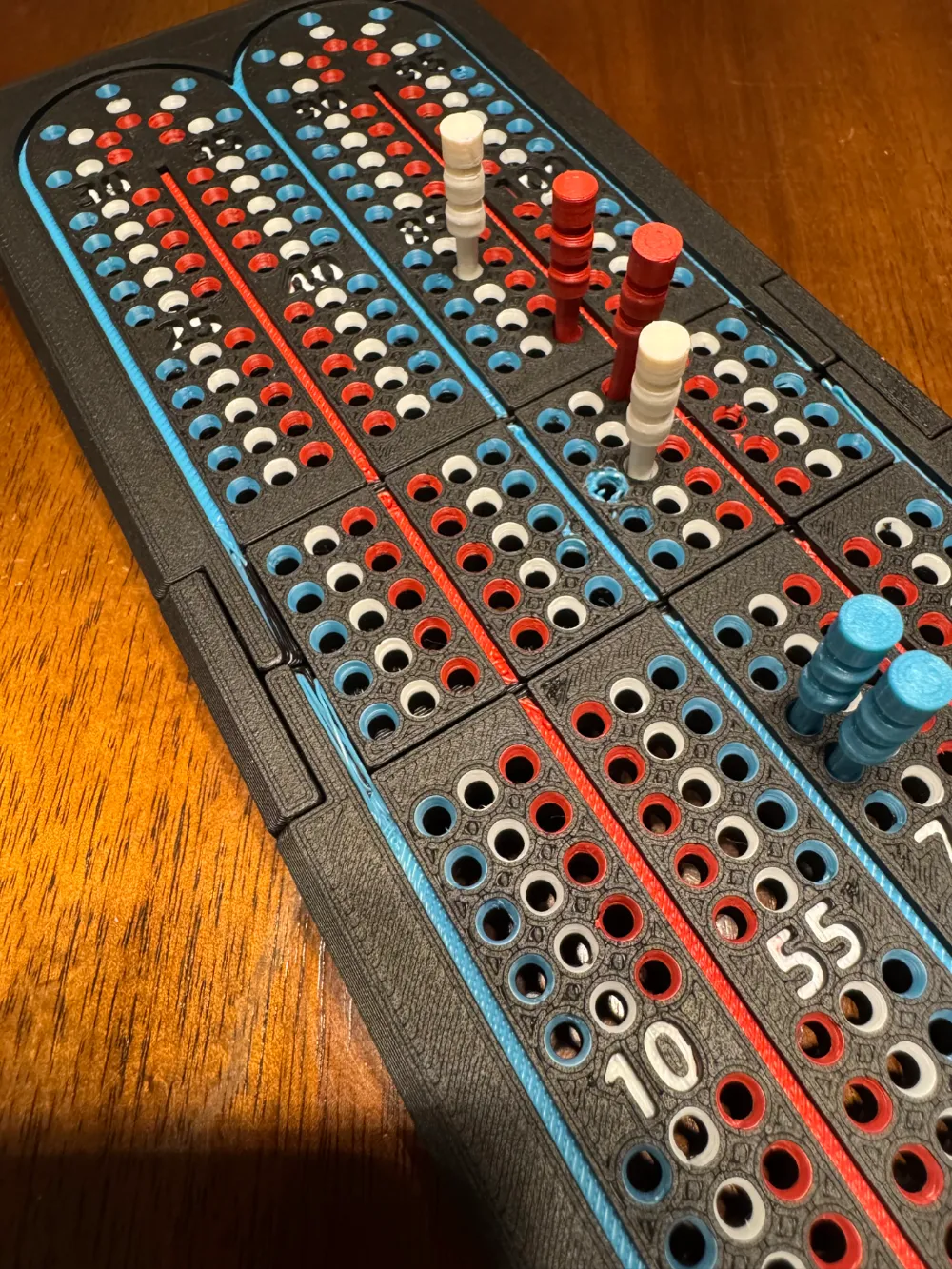
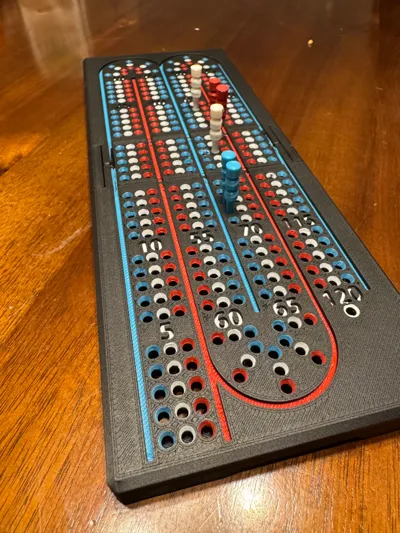
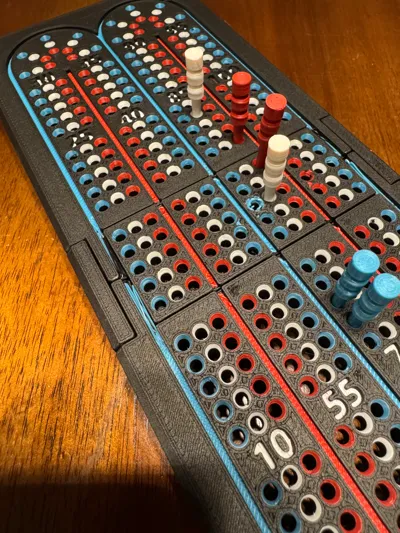
Update: Added a print profile with colored holes around the board. Did not find that this printed as well as the previous model, but this could have been due to non-Bambu filament. I'm adding the profile as per request. It should turn out good, but my own print was not great (still quite useable). The line colors are on purpose as matching with the nearest hole color allowed for better bridging over the opening. I would not change this.


Boost Me (for free)

Appreciate a boost!


Membership

Commercial Licenses Now Available. Also basic tier if you just wish to add some financial support to help new models come out.

Join

Comment & Rating (227)

(0/1000)

Print Profile
0.2mm layer, 2 walls, 5% infill
very cool design! I would gladly use the extra filament for a version with colored paths tho
The profile uploader has replied
0
Reply
When you say colored paths, do you mean the holes themselves?
0
Reply
Replying to @Jerald :
yeah. you know how on a standard wooden board the paths that each players takes around their holes has a color to it? I think it would be cool to have the paths colored like that. might take 5 layers or so of four colors but then it would be only the main board color for the rest of the print. bit costly for filament but a cool print for AMS users
0
Reply
Replying to @user_2916955425 :
I have an idea...give me a day or two.
0
Reply
Print Profile
0.2mm layer, 2 walls, 5% infill
Fantastic Print I can’t wait to use it, folds great feels solid, a minor note the purge line is stuck to the print it could be centered to get 5 stars
The profile uploader has replied
0
Reply
I think maybe you auto arranged the plate. The profile is setup to print the model parallel with the purge line down the middle of the plate so shouldn’t be anywhere near it.
0
Reply
Replying to @Jerald :
My guess is it flipped it for my x1c I printed from the handy app it’s a fantastic board thank you for your work
0
Reply
Print Profile
Colored Holes
overall good print. I really struggled to add the magnets mid print as they continued to get pulled out and magnetize to my nozzle. would’ve much rather just had the holes for them and superglued them in at the end. the colored filament also looks a little odd near all the bends. not sure if that was my print specifically or how they’ll all turn out
(Edited)
0
Reply
I just printed a second version of this. not sure why I didn’t think of this the first time, but I just put a drop of super glue in each magnet hole before I put the magnet in. waited about 20 minutes and resumed the print. no problems this time with the magnets getting pulled out and attaching to my nozzle. great print!
(Edited)
2
Reply
tried to fold it, but the hinges just snapped in half, any suggestions?
The designer has replied
0
Reply
Wow. I have printed so many of these and never had that happen. Seems like the tolerances must be off for your printer. Assuming you're using a Bambu printer that is calibrated, then it shouldn't be the model. If I was to hazard a guess, I would guess that the filament is damp and expanding during the printing throwing off the space between components.
1
Reply
Print Profile
Colored Holes
Looks great. A difficult print due to all the holes, make sure you wash your plate well beforehand, and babysit the first few layers to ensure there aren't any flaws.
(Edited)
The profile uploader has replied
0
Reply
Great color choice!
0
Reply
Print Profile
Disassembled Crib Board - A1 Mini Compatible
very impressed with the print quality and it now lives in my camper for summertime evening games
The profile uploader has replied
0
Reply
I'm glad it printed well for you!
0
Reply
Print Profile
Colored Holes
Nice cribbage board. I modified the holes for my 8x2mm magnets and added 6 starter spots in the corner.
The profile uploader has replied
0
Reply
Also check out my newer design. https://makerworld.com/en/models/1331062
0
Reply
Print Profile
Disassembled Crib Board - A1 Mini Compatible
Fantastic design!! The hinge is smooth and everything fits perfectly. I didn't have magnets, so it's currently held together with a large rubber band. I'm going to order some and print another! :)
The profile uploader has replied
0
Reply
Awesome! I'm glad it worked well for you!!
0
Reply
This is a great board. As others have mentioned, it would be nice to have at least 2 holes per peg as a starting point. I know it isnt the right place, but could you add a rectangle with 2 rows of 3 holes below the finish hole? I am going to upload an edited photo to clarify. I might try to do it myself but since you have the original source files, I figure it would be easier for you. I also changed it to a single color with 3 pauses instead of 1 so that my non AMS printer could switch colors for the background. I also took a sharpie to each hole but I stopped since it seems to bleed. I guess I will see if it continues to bleed or not. Anyway, a great design that works well with standard sized cards with the box!
The designer has replied
0
Reply
This was a remix. I may attempt a redesign to incorporate a different way of having line colors and adding room for starter pegs.
0
Reply
Boosted
Print Profile
0.2mm layer, 2 walls, 5% infill
Printed the first time with the included profile and it was all fused together, magents didnt fit. Resize the magent holes with the negative part to 8.25mm and then printed with default bambu settings, printed a lot better, did take more force than i was really comfortable with to get it to fold the first time, but it didnt break and it worked alright after that.
The profile uploader has replied
0
Reply
Really interesting. I use the Bambu magnets and they work great. And I’ve printed at least 4 from that profile and really don’t need any noticeable amount of force to make it bend. Glad you got it to work in the end.
0
Reply