Search models, users, collections, and posts

Print Profile(1)

0.2mm layer, 3 walls, 15% infill
Designer
47 min
1 plate
Open in Bambu Studio
Boost
11
55
3
5
72
34
Released
Description
Model Description
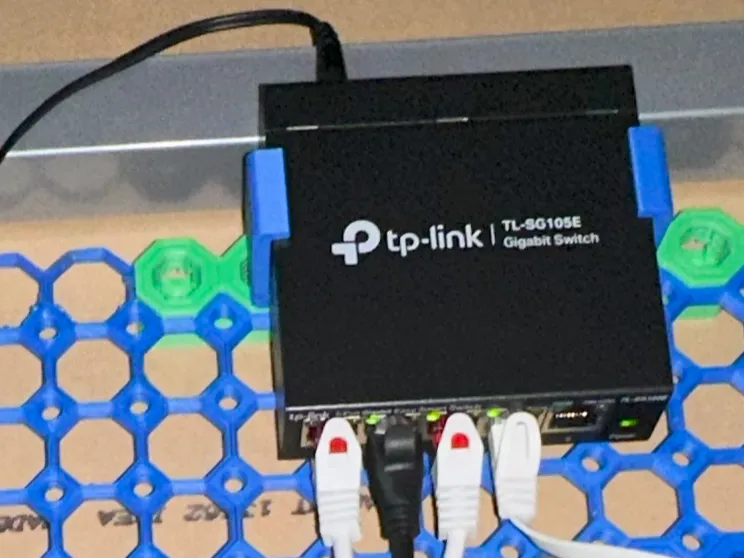
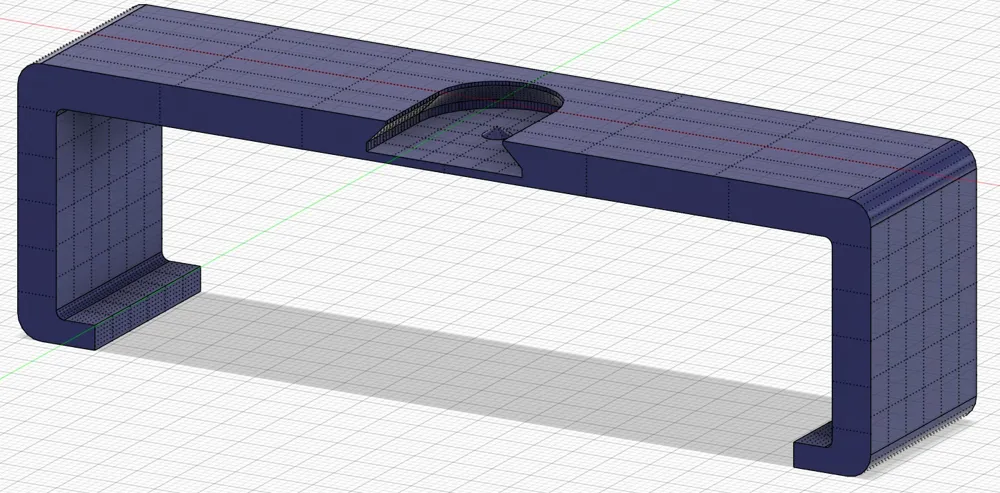
This bracket is designed to mount a Netgear TL-SG105E 5-port network switch on a Multiboard grid using the versatile Multiconnect connector system by DavidD.
How to Use
- Print the Model
- The clearances are optimized for a tight fit and work well with my Bambu Lab A1 printer.
- Print 1x Additional Connector
- Print one Multiconnect connector suitable for your setup.
I tested the model with the “Multiconnect - Board connectors_Multiboard big thread connector for multitool laying down.stl” connector, but other variants should work as well. Please share your experiences if you test different connectors.
- Print one Multiconnect connector suitable for your setup.
- Attach Connector to Multiboard
- Screw your Multiconnect connector to the Multiboard grid at a convenient location.
- Insert the Network Switch
- Slide the network switch into the bracket. You can orient the device as needed; for instance, I mounted it below my desk with the LEDs facing down for easier port status checking.
- Mount the Bracket
- Slide the bracket onto the Multiconnect connector. Ensure the center pin in the connector slot clicks into place when fully pushed in.
- Additional Considerations
- If your Multiconnect connector has recesses for the “multitool,” make sure to slide the bracket all the way onto the connector. The pin might lock into the multitool recess first, depending on the orientation. If it no longer moves, it’s properly secured.
License

This user content is licensed under a
Creative Commons Attribution-Noncommercial-Share Alike


Comment & Rating (3)