Search models, users, collections, and posts

Filament overview / Filament-Übersicht
IP Report

Print Profile(1)

0.2mm layer, 2 walls, 15% infill
Designer
3.8 h
6 plates
Open in Bambu Studio
Boost
10
16
1
1
24
5
Released
Description
Deutsch | English |
|
|
Deutsch
- Mit steigender Anzahl an Filament-Spulen wird eine gute Übersicht immer wichtiger.
- Wo bewahre ich welche Spule auf und wie viel ist da noch drauf?
Muß ich wieder nachbestellen? Wenn es wieder ein spezielles Angebot gibt, muss eine Nachbestellung eventuell schnell gehen.
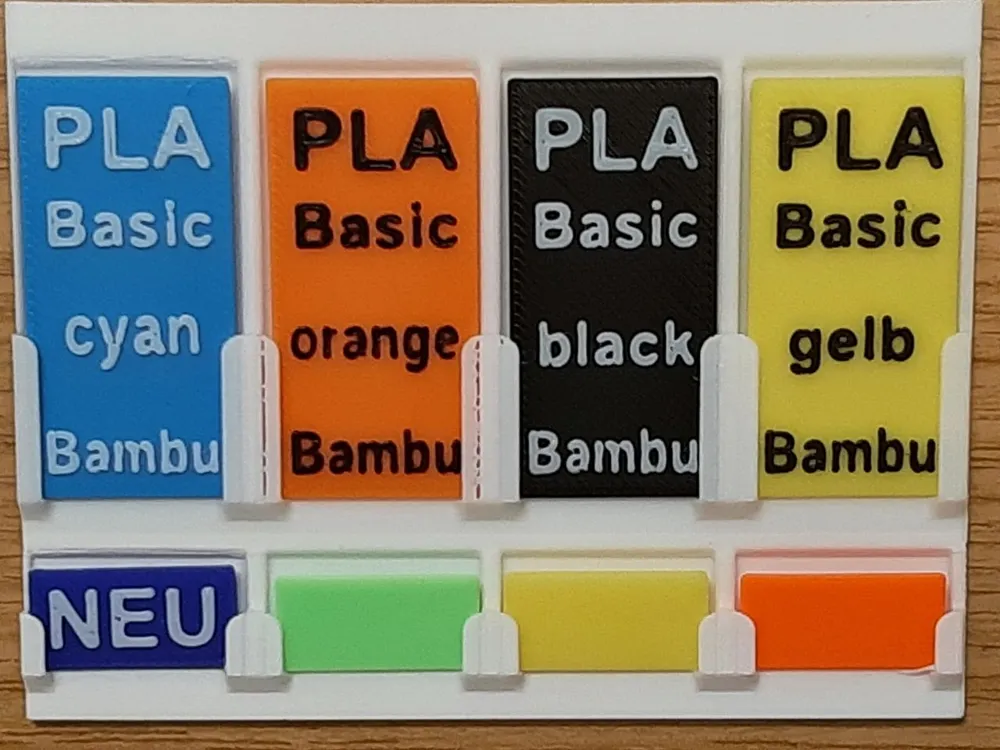
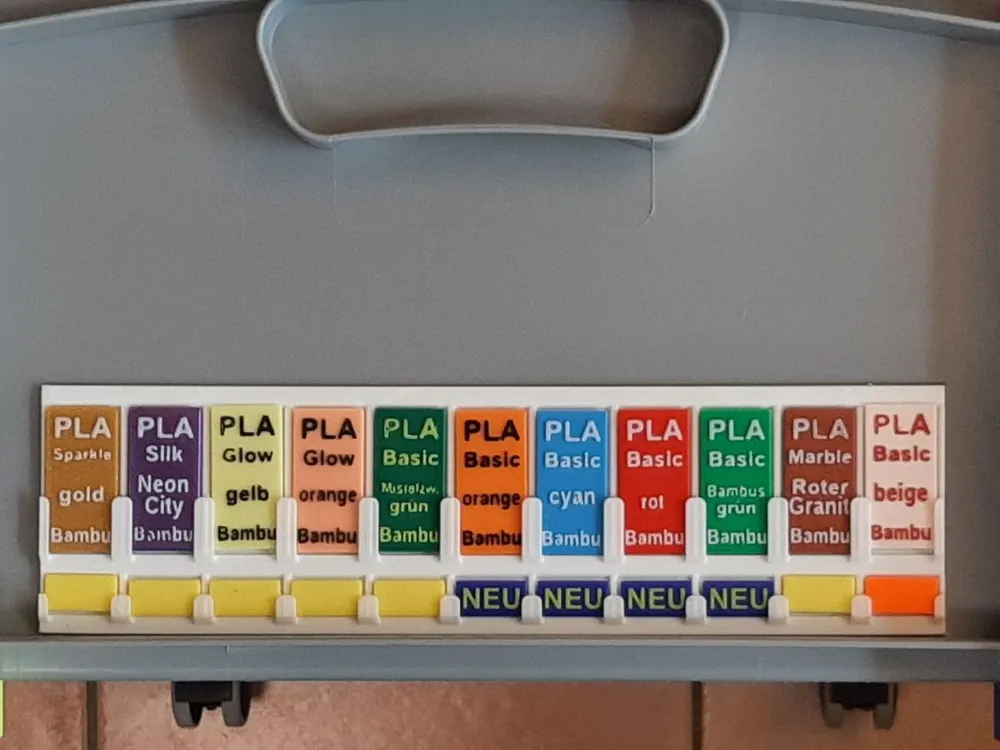
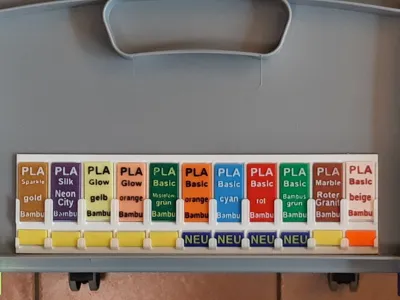
- Die hier vorgestellte Lösung schafft Abhilfe. Auf einen Blick wird pro Ablageort gezeigt:
- Art des Materials
- Farbe und Hersteller
Ungefähre Restmenge
- Anwendung:
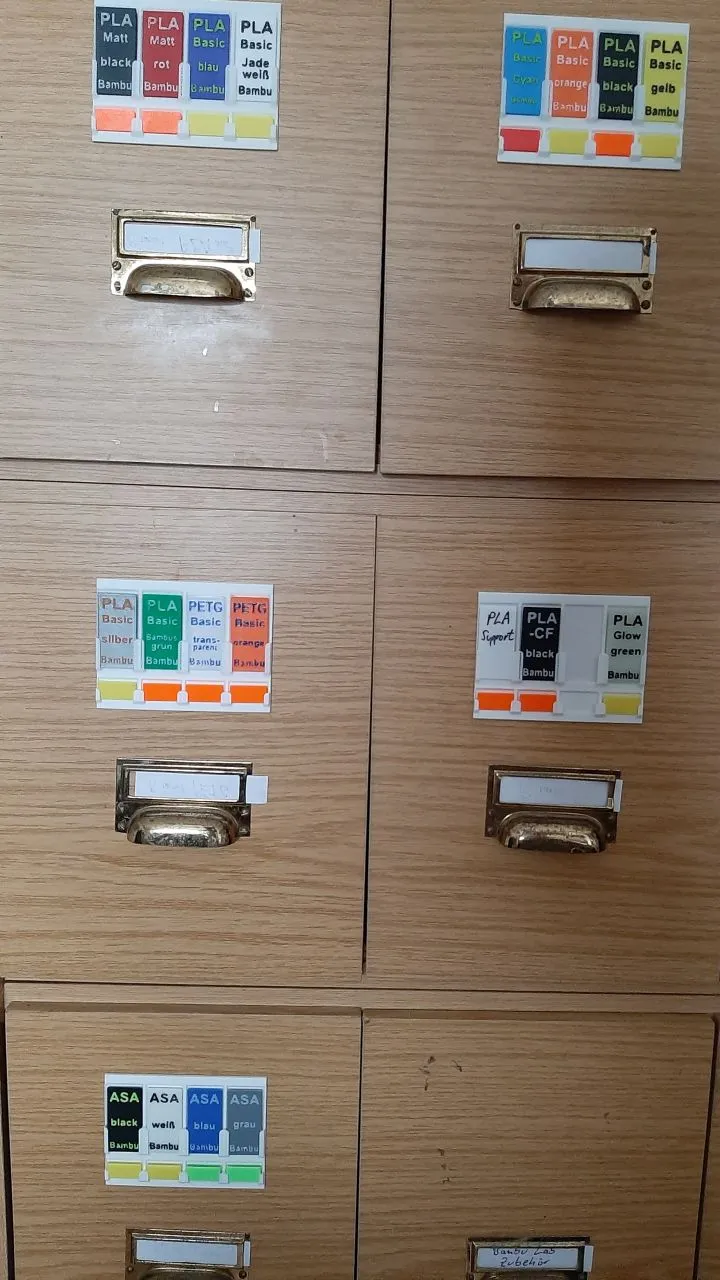
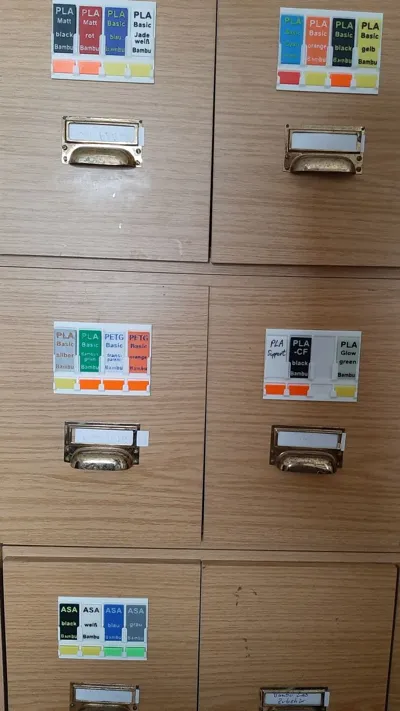
- Für jeden Ablageort sollte der Rahmen mit der Anzahl der dort aufbewahrten Filamentrollen verwendet werden
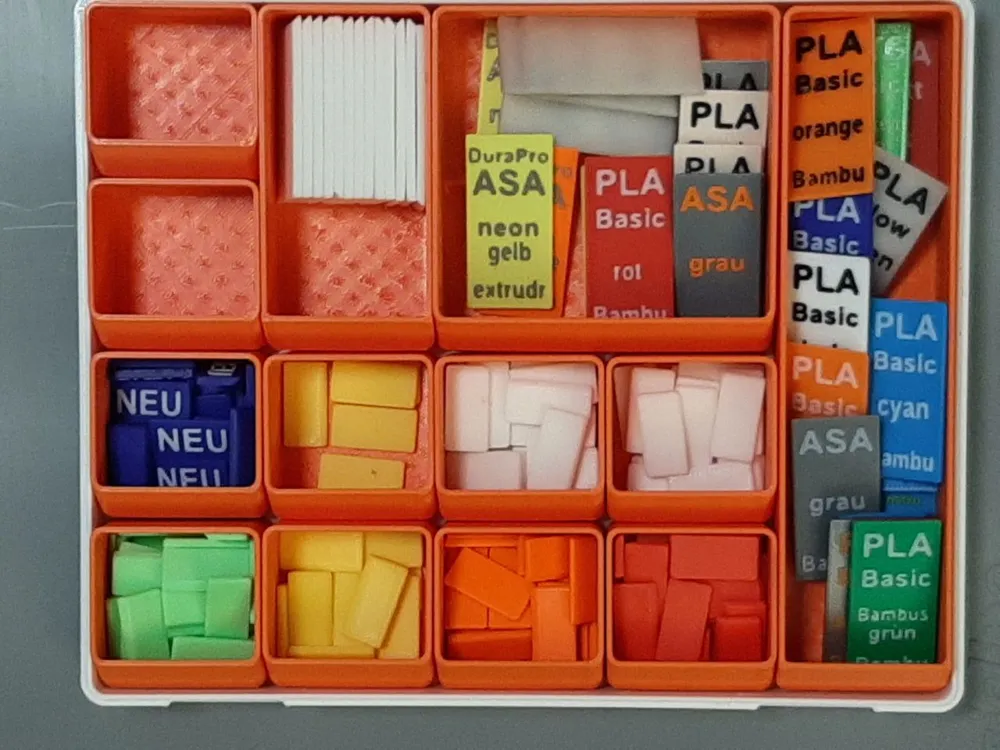
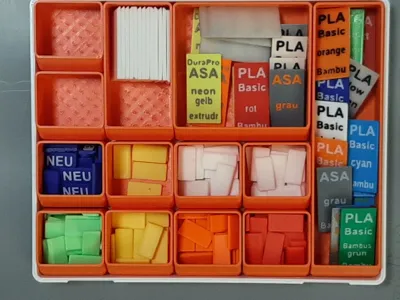
(Druckdateien sind verfügbar von 1 bis 15 Slots). - Bei jeder Erstnutzung eines neuen Materials/Farbe wird mindestens ein MaterialChip gedruckt, der die nötigen Angaben enthält. Der Text wird direkt im Slicer eingegeben (siehe Anleitung zur Beschriftung).
- Nach Nutzung einer Filamentrolle wird bei Bedarf die Farbe der Statuskennzeichnung der Rolle im Rahmen angepasst.
- Für jeden Ablageort sollte der Rahmen mit der Anzahl der dort aufbewahrten Filamentrollen verwendet werden
- Farbkennzeichnungen:
- NEU - Die Rolle ist noch original verpackt.
- Grün - Schon angebraucht, aber fast voll.
- Gelb - Problemlos nutzbar, ohne Gafehr leer zu laufen.
- Orange - Kurz nachdenken, ob der Rest noch reicht.
- Rot - reicht für die meisten Drucke nicht mehr aus (nachbestellen!)
- Weiß - Spezielle Markierung durch direkte Beschriftung.
- Jeder kann sich seine eigene Farbkennzeichnung ausdenken.
- 3D-Druck
- Der Rahmen muss stehend gedruckt werden und benötigt deshalb Brim für die Druckbetthaftung. Rahmen mit mehr als 11 Slots müssen diagonal gedruckt werden.
- Bei den beschrifteten Chips wird die Farbe über die letzten beiden Layer im Slicer eingestellt.
- Tipp: Für jeden MaterialChip sollte nach einer Textänderung eine eigene 3mf-Datei angelegt werden.
English
- As the number of filament spools increases, a good overview becomes increasingly important.
- Where do I keep which spool and how much is still on it?
- Do I have to reorder again? If there is a special offer again, it may be necessary to reorder quickly.
- The solution presented here provides a remedy. Each storage location is shown at a glance:
- Type of material
- Color and manufacturer
Approximate remaining quantity
- Application:
- For each storage location, the frame with the number of filament rolls stored there should be used (print files are available from 1 to 15 slots).
- Each time a new material/color is used for the first time, at least one material chip containing the necessary information is printed. The text is entered directly in the slicer (see instructions for labeling).
- After a roll of filament has been used, the color of the status marking of the roll in the frame is adjusted if necessary.
- Color coding:
- NEW - The roll is still in its original packaging.
- Green - Already used, but almost full.
- Yellow - Can be used without problems, without running out of gas.
- Orange - Think briefly about whether there is still enough left.
- Red - no longer sufficient for most prints (reorder!)
- White - Special marking through direct labeling.
- Everyone can come up with their own color coding.
- 3D printing
- The frame must be printed upright and therefore requires brim for print bed adhesion. Frames with more than 11 slots must be printed diagonally.
- The color of the labeled chips is set via the last two layers in the slicer.
- Tip: A separate 3mf file should be created for each material chip after a text change.
filamant
overview
uebersicht
marking
mark
marker
marking
lager
stock
shelf
material
desktop
color
hersteller
color
producer
text
view
sort
sort
sorter
organizer
organize
organize
overview
filament
order
mark
marking
mark
order
administration
manage
modular
spule
spool
regal
organize
efficiency
efficiency
storage
store
storage
card
swatch
schild
etikett
aufbewahren
plate
Documentation (2)
Other Files (2)
Anleitung zum Ändern des Textes auf dem MaterialChip.pdf
Manual_for_MaterialChip_text_edit.pdf
License

This user content is licensed under a Standard Digital File License.
You shall not share, sub-license, sell, rent, host, transfer, or distribute in any way the digital or 3D printed versions of this object, nor any other derivative work of this object in its digital or physical format (including - but not limited to - remixes of this object, and hosting on other digital platforms). The objects may not be used without permission in any way whatsoever in which you charge money, or collect fees.


Comment & Rating (1)