
fidget gear ring - diamond knurling
Print Profile(5)


Description
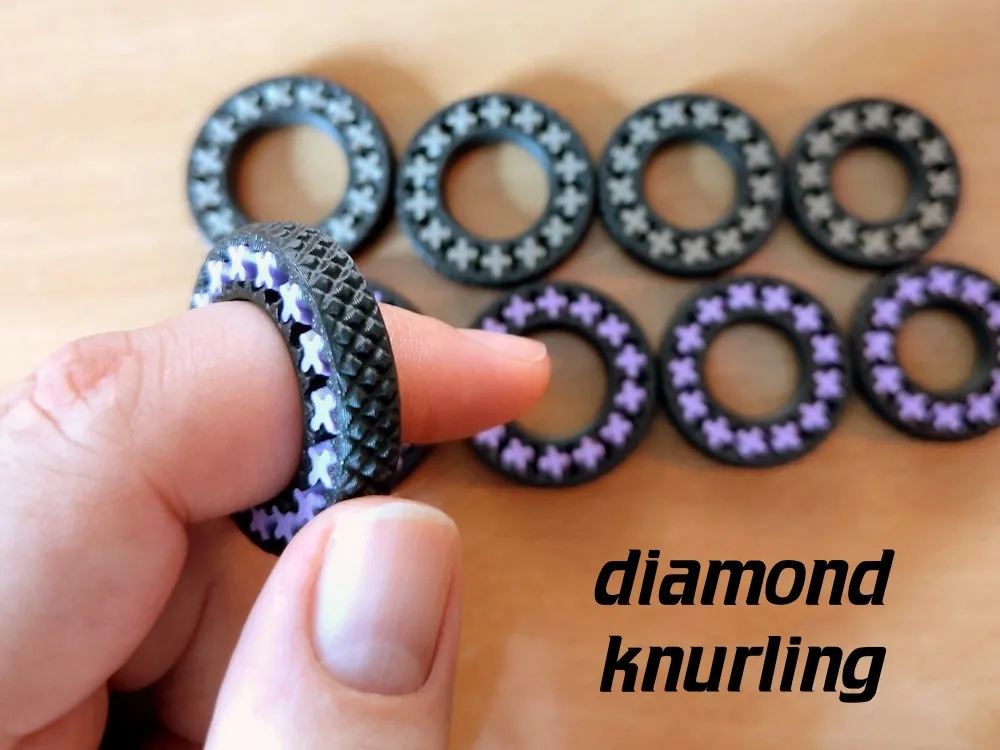
This is a variant of my best fidget toy with diamond knurling, for those who like some more aggressive texture.
Also see my other fidget rings (including a bracelet - because size does matter :)
It's a small, but satisfying fidget toy. You'll probably not want to wear it all the day due to it's size, but it's unobtrusive enough so you can still do a lot of things while wearing it. But while wearing it, you have a fidget thing right at hand for some quick fidgeting. (I'm wearing one as I type, and fidgeting with it when I'm thinking about what to type next.)
Also the little planet gears look like plus signs - for some positive influence :) and they look quite a bit mesmerizing when moving in perfect unison.
I uploaded 5 sizes, 14mm, 16mm, 18mm, 20mm and 22mm. If you need another size, ask in the comments and there's a good chance I'll make that.
You might need to use a bit of force to break the gear loose at first, but after a bit of breaking in it is supposed to run quite smoothly.
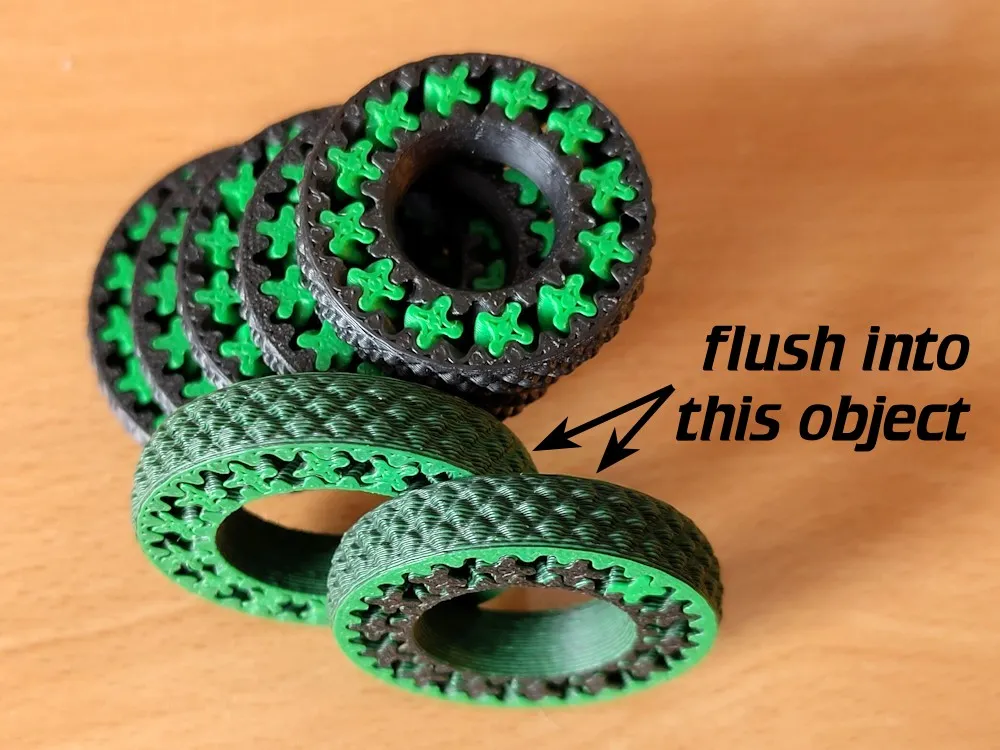
I also printed these in dual color. I added one or two additional rings and set them to “flush into object” to convert purge poop into some strangely colored bonus rings - see image. I also reduced the flush volumes to 99 mm³, but next time I'll reduce that further.
Some tips if it doesn't turn:
- Some filaments seem to handle this better than others; silk for example seems to be prone to ooze and fuse. I used basic and matte.
- Also you can try reducing the flow ratio a few percent.
- Adjusting the XY size compensation is a third option to try (e.g. 0.02 for hole, -0.02 for contour).
License

You shall not share, sub-license, sell, rent, host, transfer, or distribute in any way the digital or 3D printed versions of this object, nor any other derivative work of this object in its digital or physical format (including - but not limited to - remixes of this object, and hosting on other digital platforms). The objects may not be used without permission in any way whatsoever in which you charge money, or collect fees.


Comment & Rating (720)