

Print Profile(4)



Description

If you want to sell prints of this model, as well as all of my models - future and past
Subscribe to My Patreon:
Or Subscribe for a commercial License Directly in Maker World:
Membership
C3D Commercial Membership - Authorized Merchant

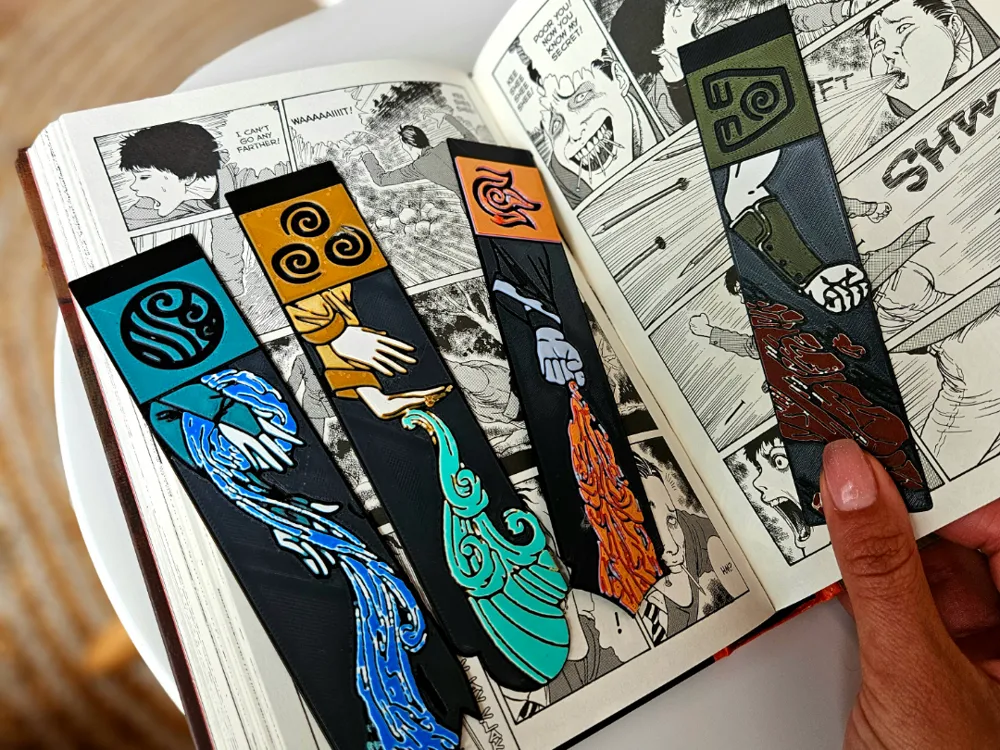
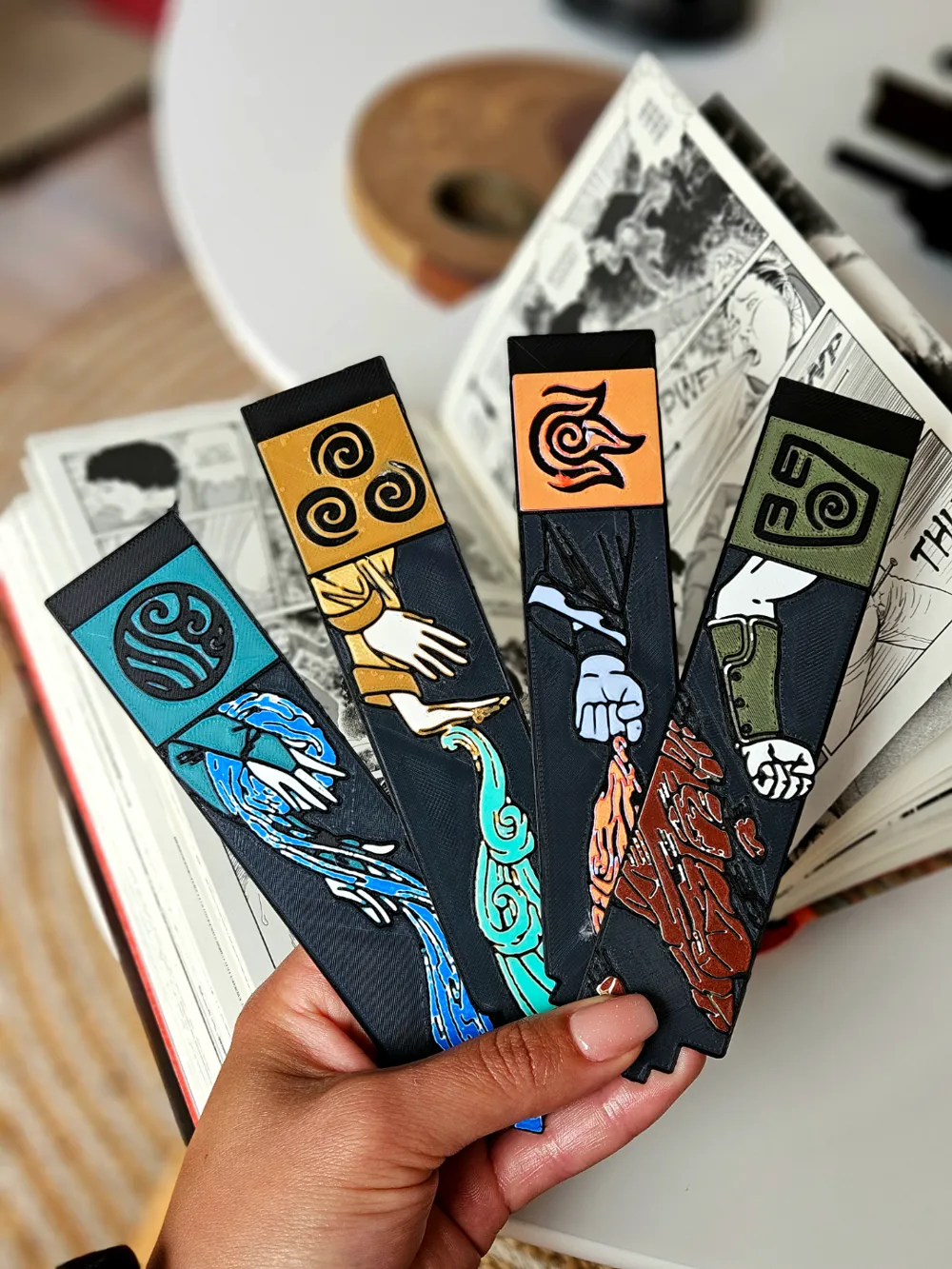
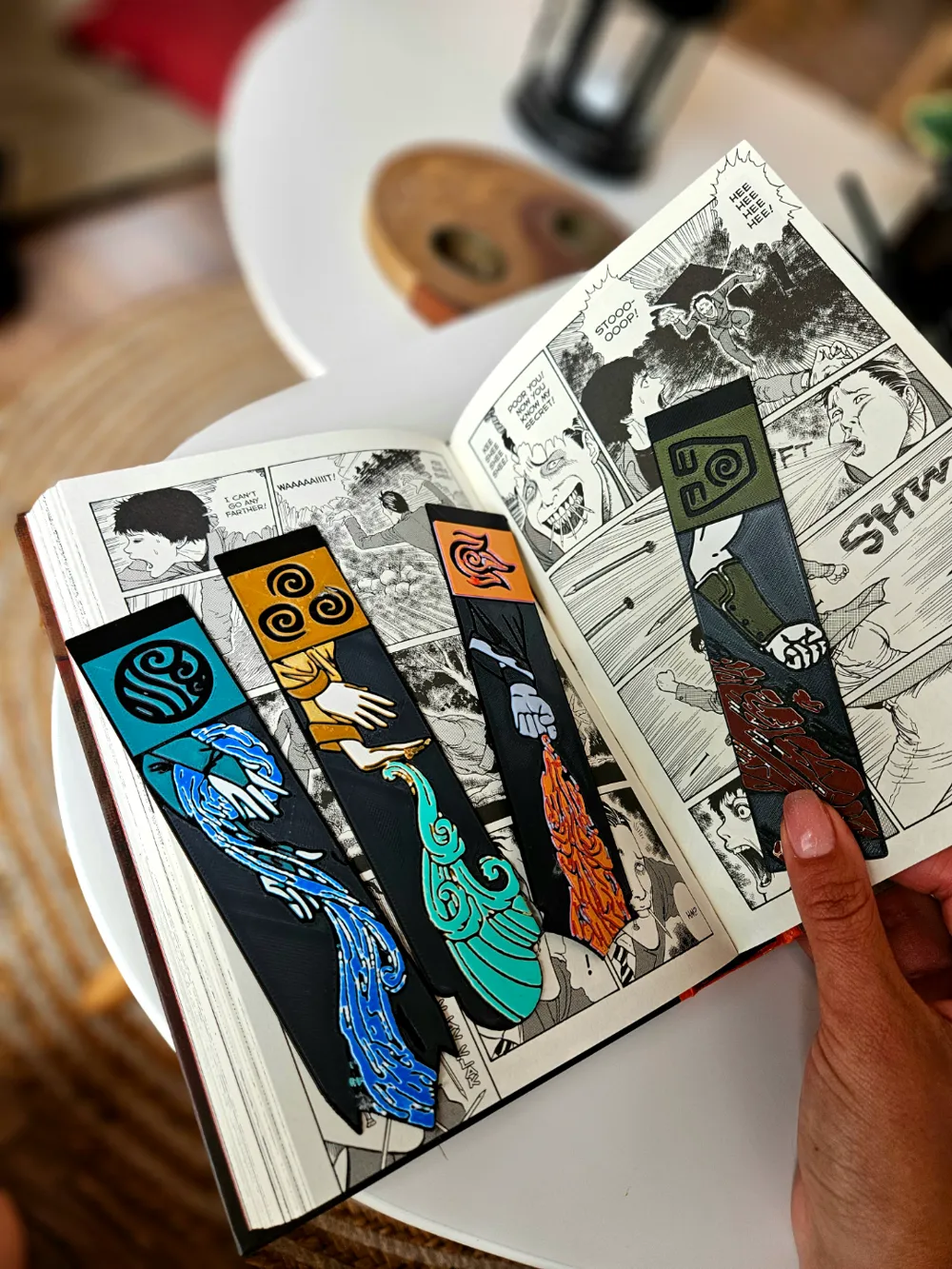
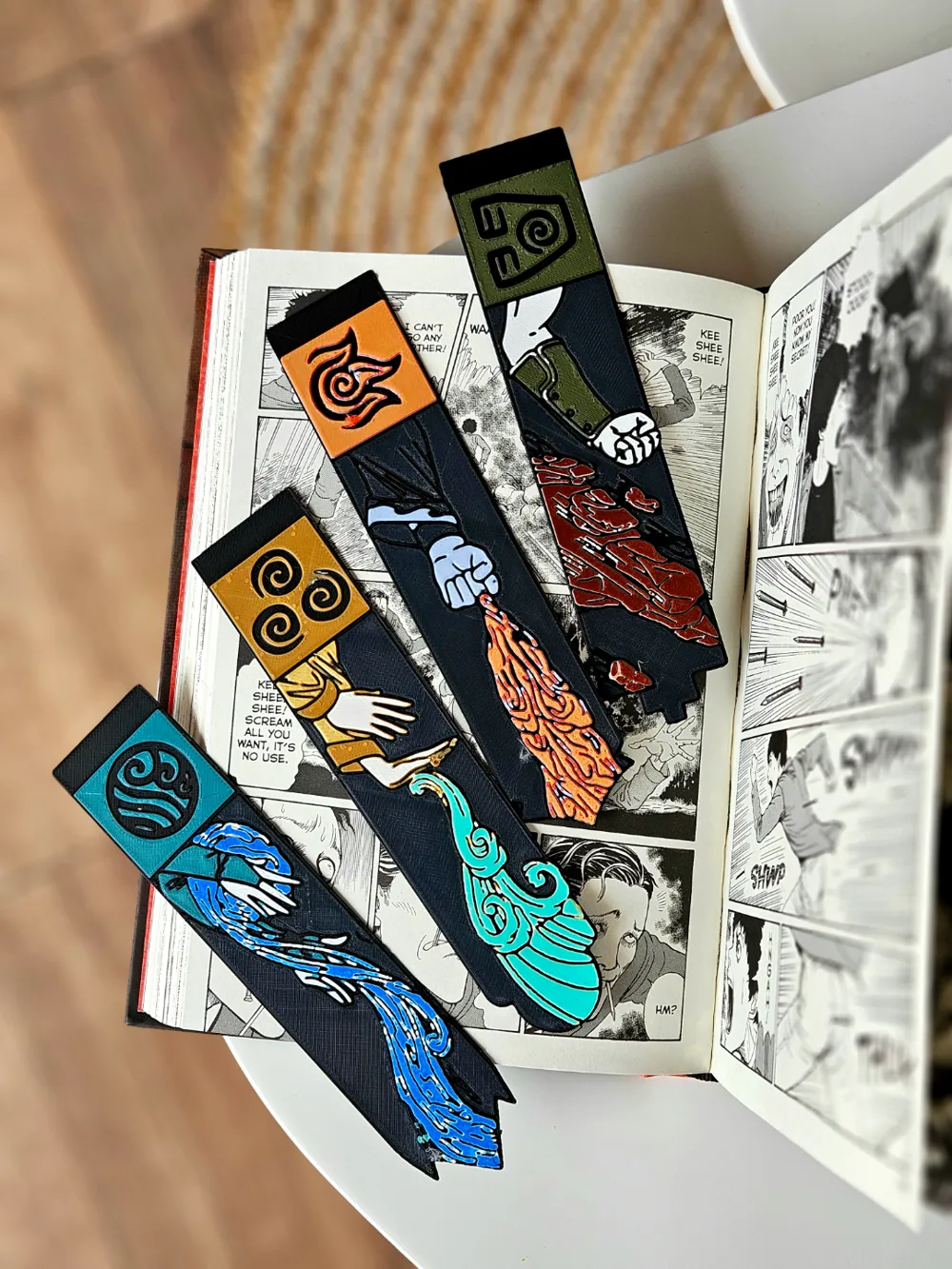
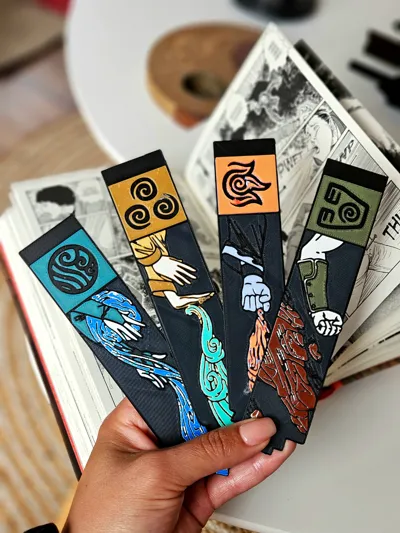
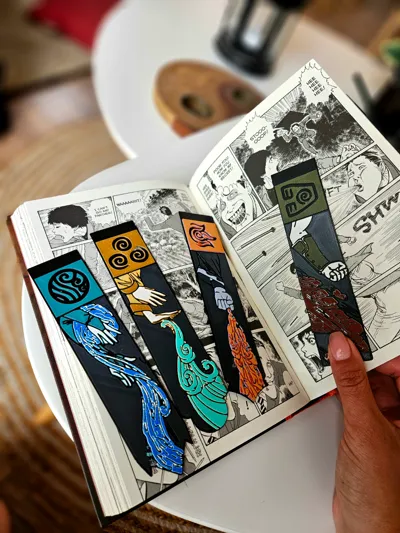
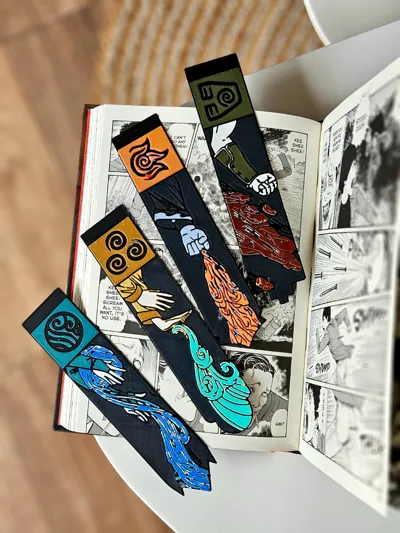
Each bookmark is beautifully designed to represent one of the four elemental nations—Water, Earth, Fire, and Air. Featuring iconic imagery from the beloved series, this set is perfect for fans who want to keep the spirit of bending with them while they read.
Each bookmark is on a separate print plate due to the difference of colors.
For best results use 0.2 nozzle if possible.
Print at 100% infill with a layer height of 0.08mm with a base layer of 0.16mm
Color Pallette for the whole set:
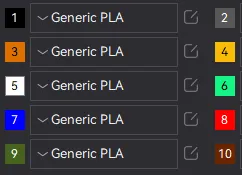
EARTH:
Filaments Used:
PLA Jayo Black Transmission Distance: 0.3
PLA Jayo Gray Transmission Distance: 2.1
PLA EryOne Matte Army Green Transmission Distance: 1.5
PLA 3D Jake Eco White Transmission Distance: 2.5 (the more dense the color the better)
PLA Geetech Dark Wood Transmission Distance: 2 (You can also use brown)
Swap Instructions:
Start with Black
At layer #10 (0.88mm) swap to Gray
At layer #11 (0.96mm) swap to Army Green
At layer #15 (1.28mm) swap to White
At layer #18 (1.52mm) swap to Dark Wood / Brwon for the rest.
FIRE:
Filaments Used:
PLA Jayo Black Transmission Distance: 0.3
PLA Jayo Gray Transmission Distance: 2.1
PLA 3D Jake Eco White Transmission Distance: 2.5(the more dense the color the better)
PLA KINGROON Red Transmission Distance: 4
PLA KINGROON Yellow Transmission Distance: 6
Swap Instructions:
Start with Black
At layer #10 (0.88mm) swap to Gray
At layer #11 (0.96mm) swap to White
At layer #18 (1.52mm) swap to Red
At layer #21 (1.76mm) swap to Yellow for the rest.
WATER:
Filaments Used:
PLA Jayo Black Transmission Distance: 0.3
PLA Jayo Gray Transmission Distance: 2.1
PLA+ Jayo Mint Green Transmission Distance: 4.5
PLA 3D Jake Eco White Transmission Distance: 2.5(the more dense the color the better)
PLA KINGROON Blue Transmission Distance: 4
Swap Instructions:
Start with Black
At layer #10 (0.88mm) swap to Gray
At layer #11 (0.96mm) swap to Mint Green
At layer #15 (1.28mm) swap to White
At layer #20 (1.68mm) swap to Blue for the rest.
WIND:
Filaments Used:
PLA Jayo Black Transmission Distance: 0.3
PLA Jayo Gray Transmission Distance: 2.1
PLA+ EryOne Orange Transmission Distance: 6.5
PLA EryOne Mango Yellow Transmission Distance: 4.8
PLA 3D Jake Eco White Transmission Distance: 2.5(the more dense the color the better)
PLA+ Jayo Mint Green Transmission Distance: 4.5
Swap Instructions:
Start with Black
At layer #10 (0.88mm) swap to Gray
At layer #11 (0.96mm) swap to Orange
At layer #16 (1.36mm) swap to Mango Yellow
At layer #18 (1.52mm) swap to White
At layer #20 (1.68mm) swap to Mint Green for the rest.
Boost Me (for free)
If you enjoy my work and want to support me boost this model in show of support! Every single boost puts a smile on my face and is greatly appreciated! 🤜🤛
How to do more than 4 colors on a single AMS?
To use more than 4 colors with a single AMS is pretty simple when it comes to HueForges.
Always start the print from either Bambu Studio or Bambu Handy App - This will allow you to map the rolls of filaments to a certain slot in the AMS: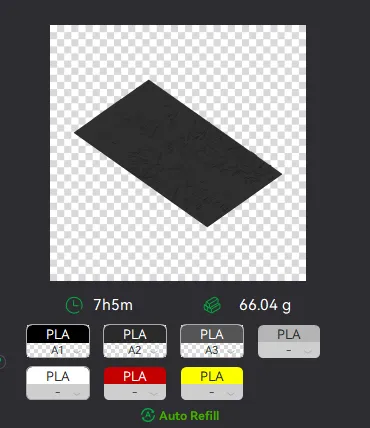
Now map the first 4 colors (which should already be inserted in the AMS to Slots 1 - 2 - 3 - 4
Once thats done move to maping colors 5 - 6 - 7 - 8 to respectively AMS Slots 1 - 2 - 3 - 4 again!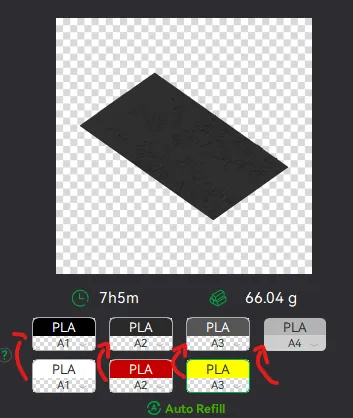
This will allow you to Change the rolls of filament once the printer is done with that color.
For example, in the picture above once we are done with the Black color (Which is usually first) we are going to remove the black roll (you can do that while printing) with White, then once Charcoal Black is done we are going to change that to Red, Dark Gray to Yellow and we are done. ~ You can do that with as many colors as you need!
Drop me a follow!🤜🤛
License

You shall not share, sub-license, sell, rent, host, transfer, or distribute in any way the digital or 3D printed versions of this object, nor any other derivative work of this object in its digital or physical format (including - but not limited to - remixes of this object, and hosting on other digital platforms). The objects may not be used without permission in any way whatsoever in which you charge money, or collect fees.


Comment & Rating (27)