
Piano Cabinet for DIY
Print Profile(1)

Description
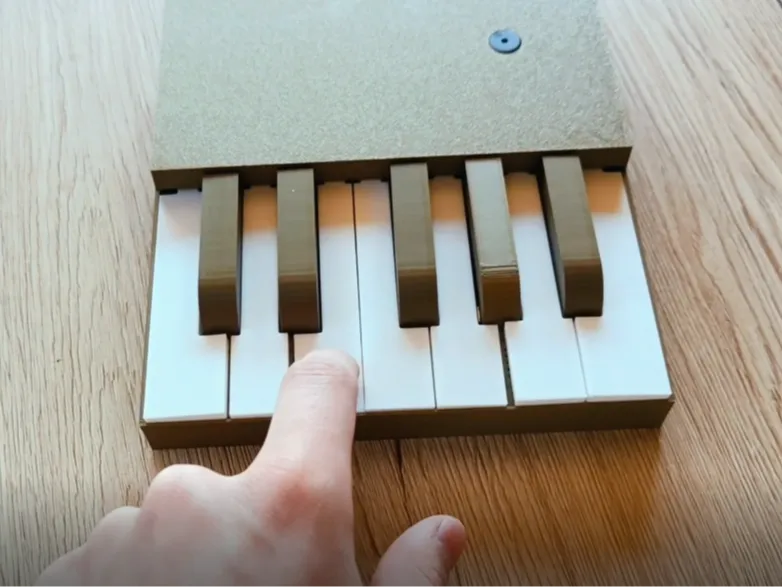
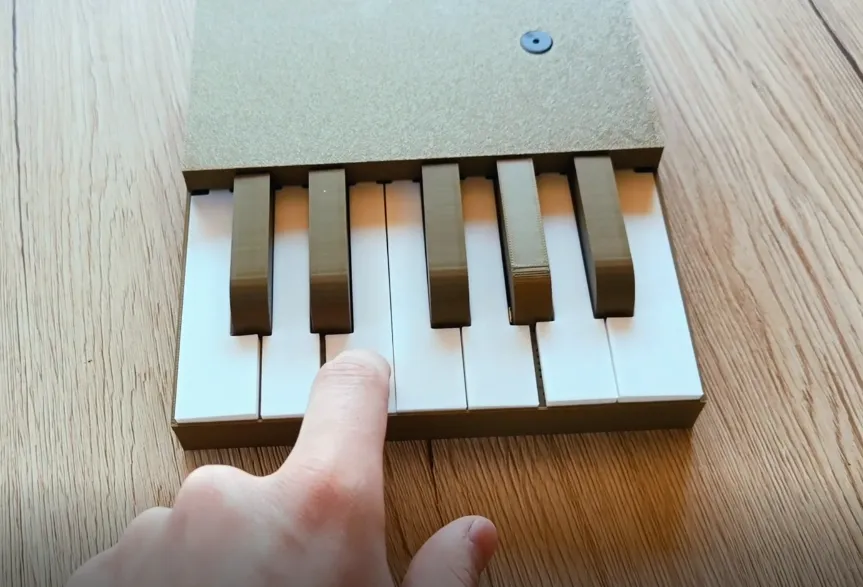
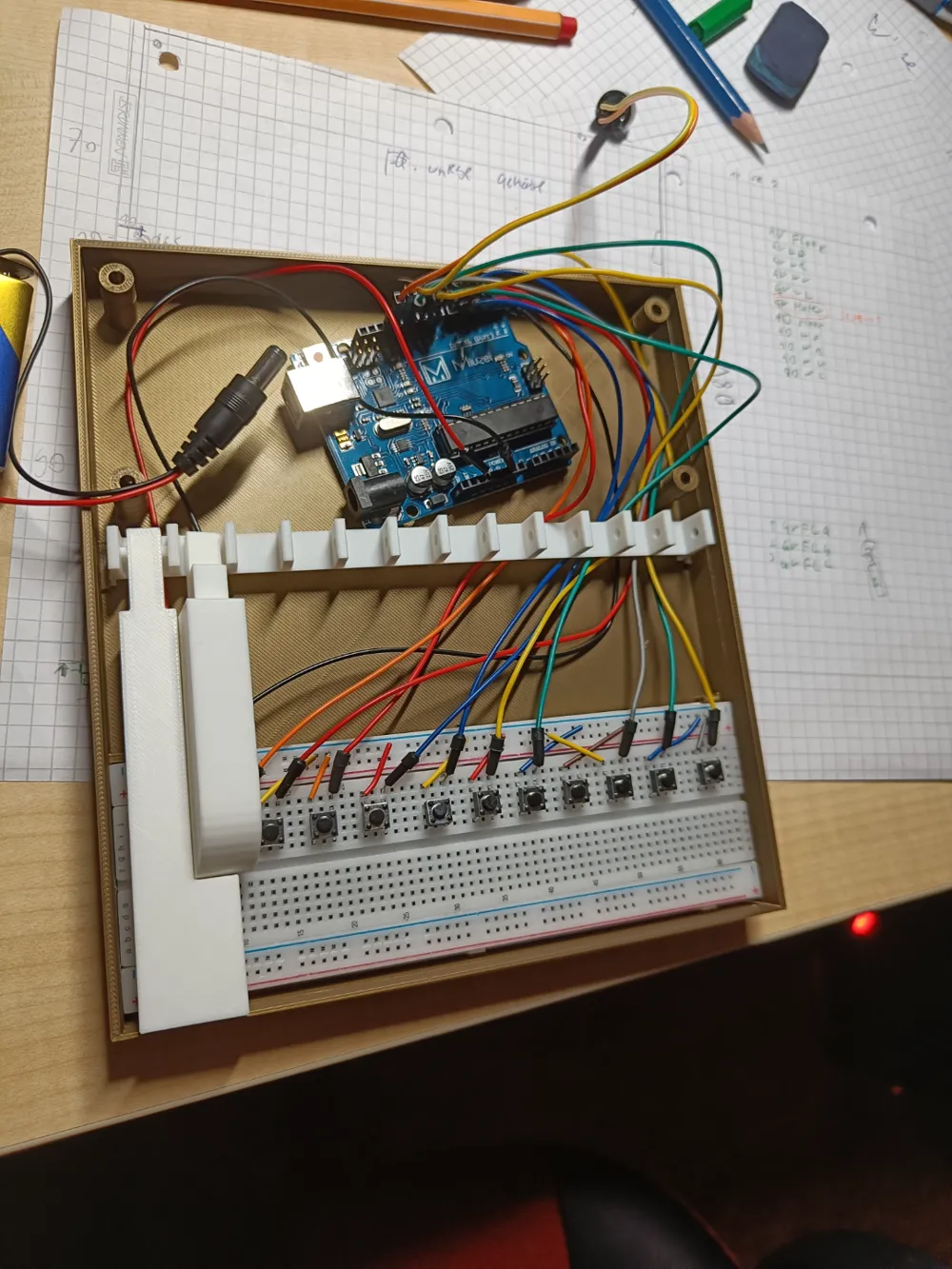
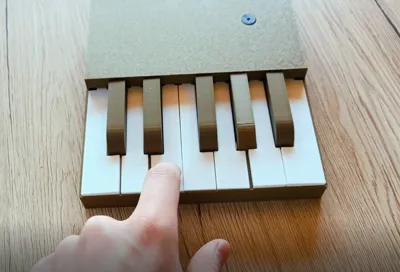
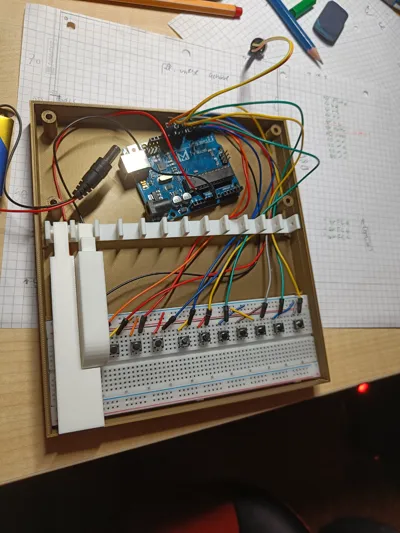
Piano. This was one of my projects thats focus was on 3D-modeling. The Documentation and Models may be not the best. But if you dont want to make a Micro Piano case from ground up you do now have a great basis or even a complete kit. What you need :
-MCU(Arduino Board)
-Breadboard
-12 small Buttons
-Baterie and the connection of it for power suply
-aktive buzzer
-jumper wires
-Schematic= isn´t that hard just try some things out
-code (IDE_Arduino UNO)
/* because of the limited inbuts on my board are here just 11 functioning Keys.
i know that the code is terible but it works XD
*/
int b1=0; //Create the Variabels
int b2=0;
int b3=0;
int b4=0;
int b5=0;
int b6=0;
int b7=0;
int b8=0;
int b9=0;
int b10=0;
int b11=0;
int b12=0;
#define but2 2 //define the inputs
#define but3 3
#define but4 4
#define but5 5
#define but6 6
#define but7 7
#define but8 8
#define but9 9
#define but10 10
#define but11 13
#define but12 12
//#define but13 13
#define buzzer 11
void setup() {
Serial.begin(9600);
pinMode(but2, INPUT_PULLUP); //Setting the inputs up
pinMode(but3, INPUT_PULLUP);
pinMode(but4, INPUT_PULLUP);
pinMode(but5, INPUT_PULLUP);
pinMode(but6, INPUT_PULLUP);
pinMode(but7, INPUT_PULLUP);
pinMode(but8, INPUT_PULLUP);
pinMode(but9, INPUT_PULLUP);
pinMode(but10, INPUT_PULLUP);
pinMode(but11, INPUT_PULLUP);
pinMode(but12, INPUT_PULLUP);
pinMode(buzzer, OUTPUT); //Setting the buzzer up
}
void loop() {
b1 = digitalRead(but2);
if(b1==0){
tone(buzzer,262,5); //Knopf eins
Serial.println("b1");
}
b2 = digitalRead(but3);
if(b2==0){
tone(buzzer,278,5); //Knopf Zwei
Serial.println("b2");
}
b3 = digitalRead(but4);
if(b3==0){
tone(buzzer,294,5); //Knopf Drei
Serial.println("b3");
}
b4 = digitalRead(but5);
if(b4==0){
tone(buzzer,312,5); //Knopf Vier
}
b5 = digitalRead(but6);
if(b5==0){
tone(buzzer,330,5); //Knopf Fünf
}
b6 = digitalRead(but7);
if(b6==0){
tone(buzzer,349,5); //Knopf Sechs
}
b7 = digitalRead(but8);
if(b7==0){
tone(buzzer,370,5); //Knopf Sieben
}
b8 = digitalRead(but9);
if(b8==0){
tone(buzzer,392,5); //Knopf Acht
}
/* b12 = analogRead(A1);
if(b12==0){
tone(buzzer,416,5); //Knopf Neun
delay(5);
}*/
b10 = digitalRead(but11);
if(b10==0){
tone(buzzer,440,5); //Knopf Zehn
}
b11 = digitalRead(but12);
if(b11==0){
tone(buzzer,467,5); //Knopf Elf
}
b9 = digitalRead(but10);
if(b9==0){
tone(buzzer,494,5); //Knopf Zwölf
}
digitalWrite(buzzer, LOW);
}
Documentation (1)
License



Comment & Rating (7)