
Benchy Hull Line - Wall Bulge Test



Print Profile(1)

Description
I've designed this small test to reproduce the so-called "Benchy Hull Line or Wall Bulge" effect which apparently doesn't have a solution yet. I did it to let you play with some parameters in the slicer that might help you to find a solution for your model.
The print profile is full standard, if you print it out you will see the defects in the outer walls. So, I did more tests without any perfect result. At the end I've found that using Aracne (TEST 6) as wall generator it mitigates the effect (at least in this case). Also 5 and 8 give good results, but you will see some defects related to the seam. Moreover, printing before the outer wall could give you problems in some models with overhang.
I would be glad if you could share your solutions. It might help analyzing the “Speed”, the “Flow” and “Layer Time” in the Slicer by obtaining the smoothest color deviation as possible (even it doesn't always solve the issue).
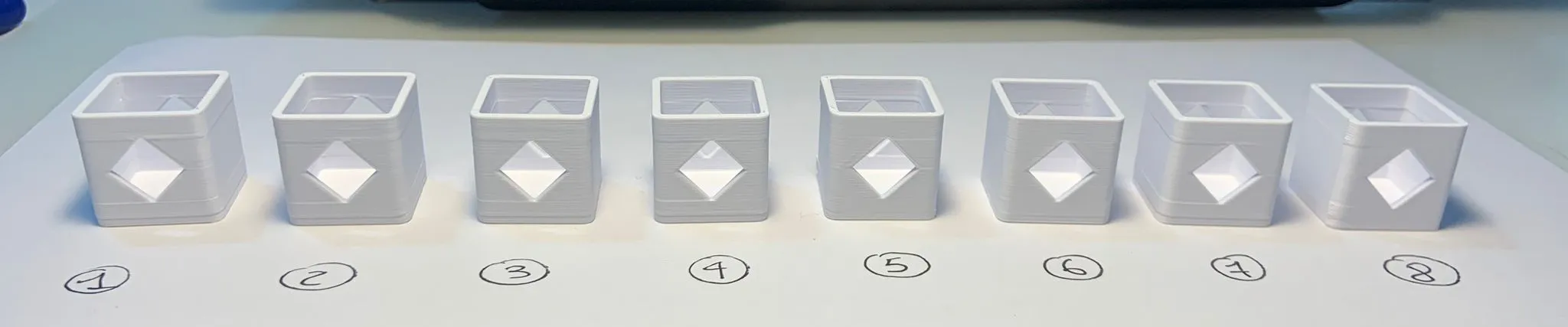
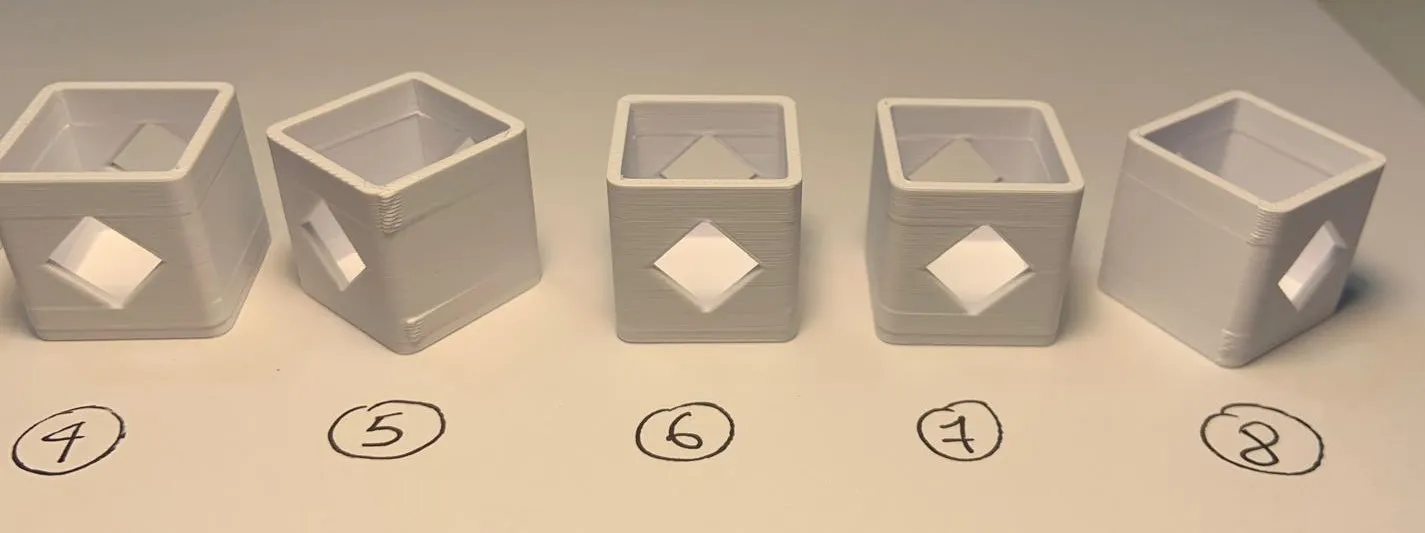
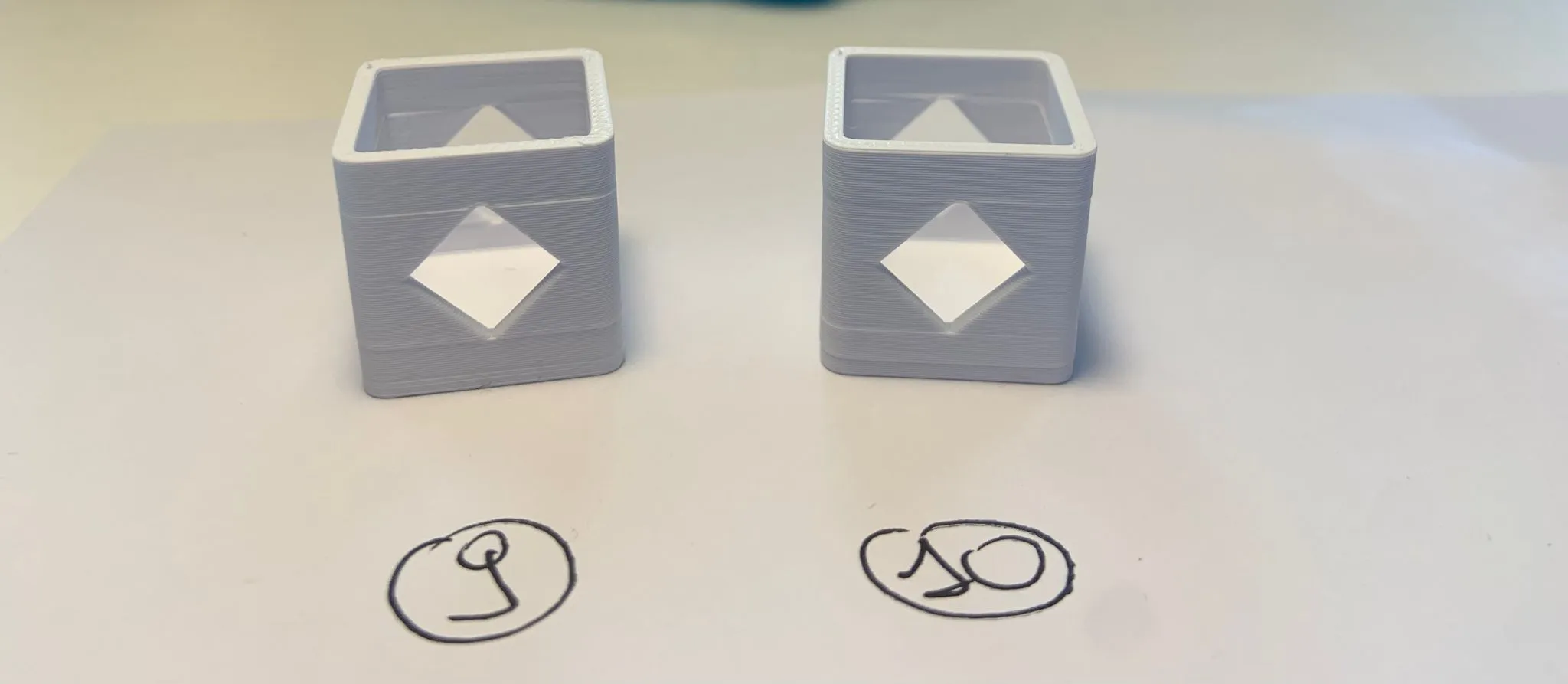
These are the test I did:
1 - Full standard (the profile you find here);
2 - Full standard + Speed → Outer wall: 40mm/s
3 - Full standard + Filament settings -> Layer Time: 10s;
4 - Full standard + Speed → Outer wall: 30mm/s + Filament settings -> Layer Time: 10s;
5 - Full standard + Quality → Order of walls: outer/inner;
6 - Full standard + Quality → Wall generator: Aracne;
7 - Full standard + NO FLAG to Strenght -> Detect narrow internal solid infill
8 - Full standard + Quality → Seam position: Back + Quality → Order of walls: outer/inner + Speed → Outer wall: 100mm/s + Speed → Inner wall: 100mm/s;
9 - Full standard + Order of walls: inner/outer/inner
10 - Full standard + Speed -> Outer wall: 100mm/s; Inner wall: 100mm/s; Sparse infill: 100mm/s; Internal solid infill: 100mm/s; Top surface: 100m/s.
Other test I've done based on users feedback, unfortunatly without any luck:
11 - Full standard + Generic PLA
12 - Full standard + OrcaSlicer
13 - Full standard + Generic PLA Black Sunlu PLA+
14 - Full standard + Generic PLA Black Sunlu PLA+ + Extra Draft 0.28
15 - Full standard + Strenght -> Detect thin wall ON
16 - Full standard + Strenght -> Wall loops: 3 + Quality -> Order of walls: inner/outer/inner
Ho ideato questo piccolo test per riprodurre il cosiddetto effetto "Benchy Hull Line" che a quanto pare non ha ancora una soluzione. L'ho fatto per permetterti di farti "giocare" con alcuni parametri dello slicer che potrebbero aiutarti a trovare una soluzione per il tuo modello.
Il profilo di stampa è full standard, se lo stampi vedrai i difetti nelle pareti esterne. Quindi ho fatto più test ma senza un risultato perfetto. Alla fine ho scoperto che utilizzando Aracne (TEST 6) come generatore delle pareti attenua il difetto (almeno in questo caso). Anche 5 e 8 danno buoni risultati, ma noterai qualche difetto legato alla cucitura. Inoltre, stampare prima la parete esterna potrebbe creare problemi in alcuni modelli con "overhang".
Sarei felice se potessi condividere le tue prove. Potrebbe esserti utile analizzare la "Velocità", il "Flusso" e il "Tempo per layer" nello Slicer per ottenere una variazione del colore quanto più uniforme possibile (anche se non sempre questo risolve il problema).
License



Comment & Rating (105)