
Ultimate Sample Box (customize filament swatch box




Print Profile(7)


Description
| Welcome to GlennovitS3D. Join the Club on Printables.com to support creation of new models, get access to exclusive models, and get commercial rights, to sell prints of my models. Join today - GlennovitS3D - or check out my model collection 🗂️ and my popular models 🔥 |
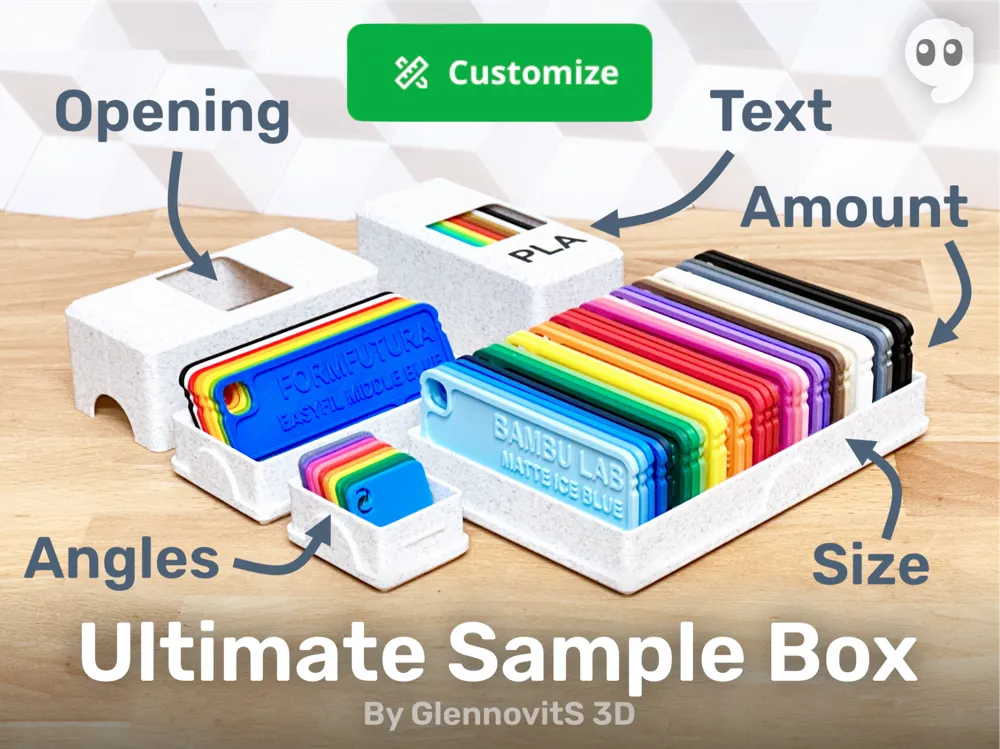
Here you go! Easily customizable box for filament samples of every size and stores the amount of swatches you have. You can add text, opening in the lid to showcase the colors, and even change the angle of the samples for ease of use! “Just a box”... well maybe a little over-engineered. Whoops. But enjoy!
Fits perfect for my Favorite Filament Sample - also easily customizable! check it out!
Overview
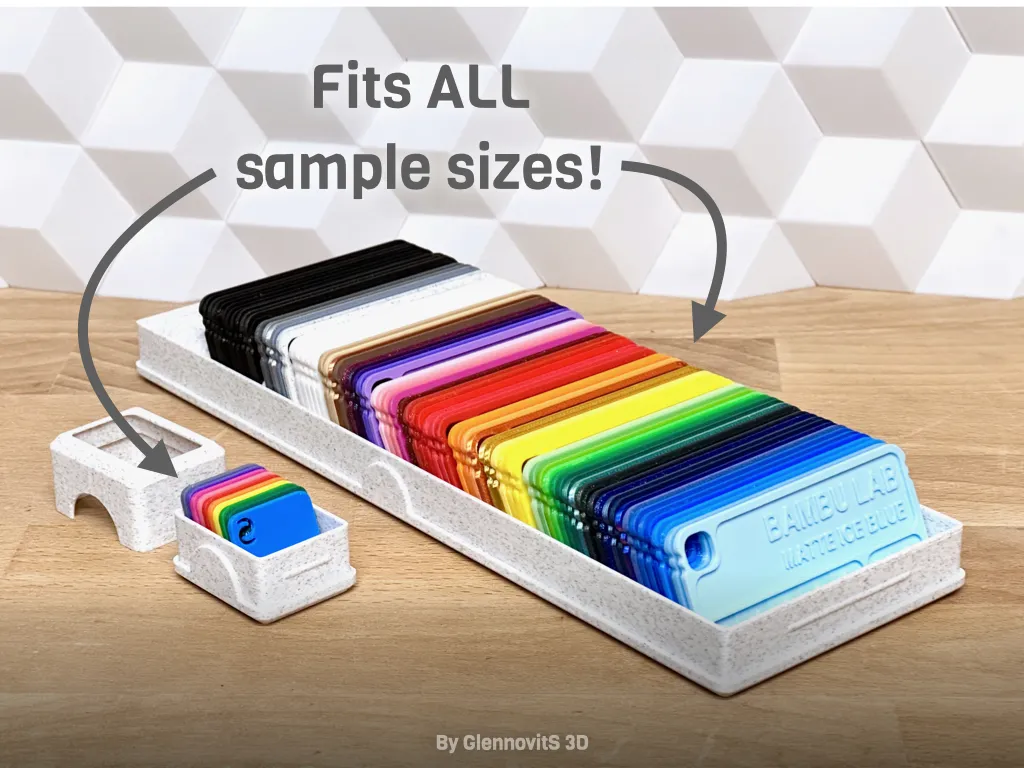
This box can be printed for many different sample cards. Just adjust it to your needs! Customize size, text and more in the OpenSCAD file - easily done online on MakerWorld’s Parametric Model Maker. Customize → Download → Slice → Print!
OpenSCAD options
The OpenSCAD model that you can customize online, has a lot of options for you to find what you like the best! Here are some of them:
- Parts (what to generate and print)
- Box
- Lid
- Both (box and lid)
- Spacer (to fill out empty space in box, or to separate ‘sections’ of brand or color)
- Amount of samples (how many to fit in the box)
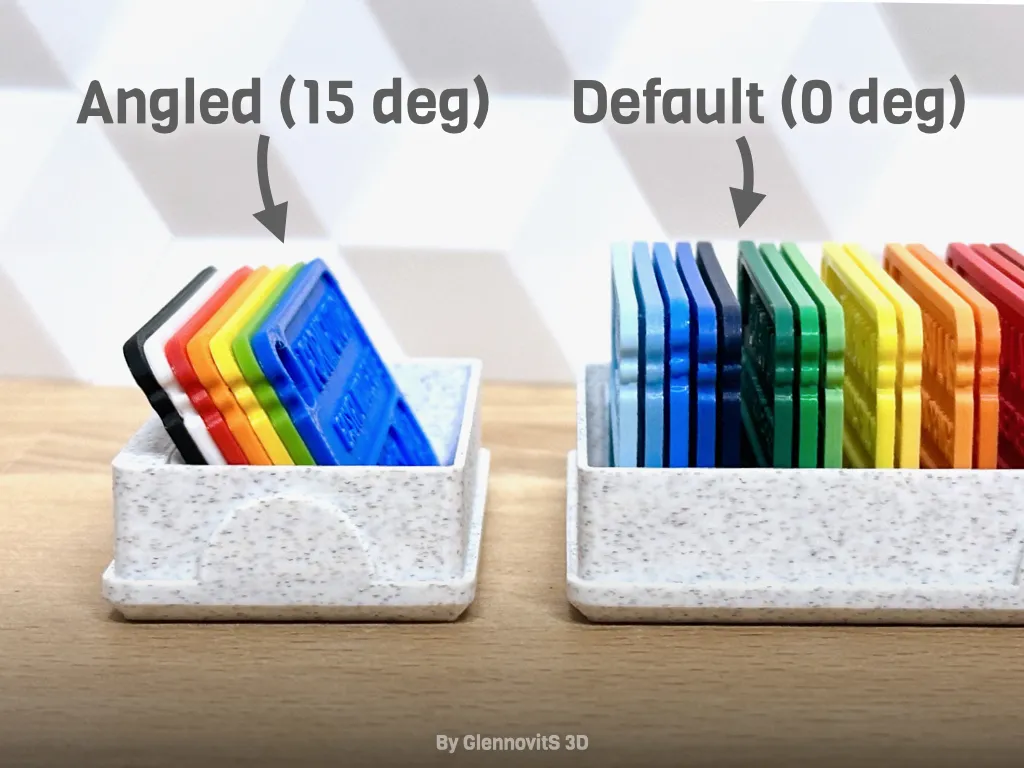
- Angle of samples (from 0 to 45 degrees)
- 0 degrees: can customize the separators between samples
- 1-45 degrees: separators are not there - makes it easy to flip through samples afterwards to find the right one!
- Size of sample (what size are your samples? Default: 75x35x2 mm)
- Text (fx. ‘Filament’, ‘Bambu Lab’, ‘Polymaker’, ‘PLA’, ‘PETG’ or what suits your needs)
- 2 texts
- Select size and font
- Opening in lid (custom width of opening to expose samples - or no opening)
- and more… (grib, locking, dimensions, tolerances, spacers..)
Assembly
Just fill the box with your samples and put the lid on - sounds simple right?
Text in single or multicolor
If you set the depth of text to 0.02 - you need to paint it in Bambu Studio.
If you set it to 0.2 - the text doesn't need to be painted - it will show (although not too much) with a single color print.
Print instructions
Nothing too fancy here. But a few ideas:
- Orientation: Should be right from the start. Lid flipped over.
- Walls: 2-3 to be sturdy for use
- Brim: Should not be needed, but if you have a big opening in the lid, it can help on adhesion.
Happy printing!
License

You shall not share, sub-license, sell, rent, host, transfer, or distribute in any way the digital or 3D printed versions of this object, nor any other derivative work of this object in its digital or physical format (including - but not limited to - remixes of this object, and hosting on other digital platforms). The objects may not be used without permission in any way whatsoever in which you charge money, or collect fees.


Comment & Rating (807)