Search models, users, collections, and posts

Monitor Smart LED Bar

IP Report
GIF

Print Profile(1)

All
P1S
P1P
X1
X1 Carbon
X1E
A1
H2D
H2D Pro
H2S
P2S
H2C
X2D
A2L

Monitor Smart LED Bar - 0.08mm layer, 2 walls, 15% infill
11.8 h
1 plate
4.5(10)

Open in Bambu Studio
Boost
401
992
33
27
912
180
Released 

Description

Can your office also use some lighting?

You can't even see the letters on your keyboard?

Then this Monitor Smart LED Bar is the print you need!


Because of the easy installation of WLED, you can easily control the LED Bar with a browser, or even almost any Smart Home Platform!

What do you need?

Printed parts (I used a stiff material like Though PLA, PETG will bend too easily):

  • 2x Light_Bar_Bar
  • 2x Light_Bar_Cap
  • 1x Light_Bar_Middle
  • 1x Light_Bar_Mount

Catalogue Parts:

Assembly Guide:

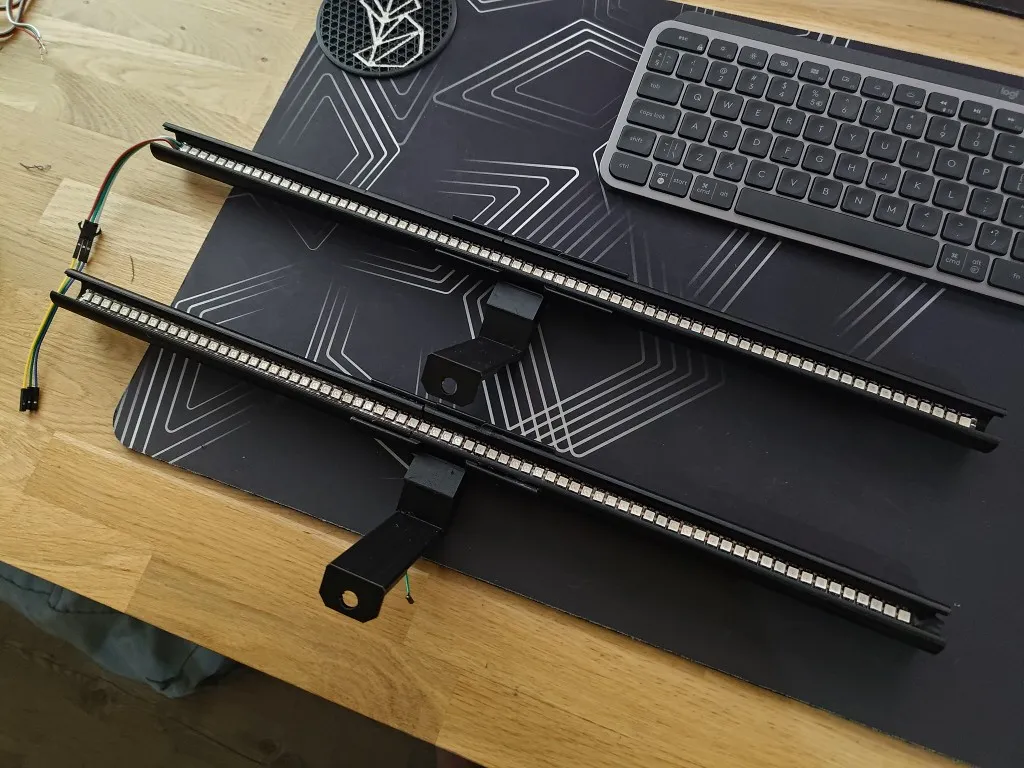
  1. Insert the two Bar pieces into the middle piece. Make sure the gap is at the end (this is needed for guiding the cable)
    If needed, add some glue if it's not stiff enough
  2. Solder the JST cable to the WS2812B LEDStrip. Add some shrinking tube to the soldered end. Keep track of which color is which connection! Keep the lenght of the cable at 40cm.
  3. Cut the LEDstrip so it will be 50cm long. If you shorten the Bars, also make the LEDstrip the same shorter.
  4. Insert the LEDstrip through the Bar
  5. Guide the JST cable through the inside of the tube until it sticks out in the middle.
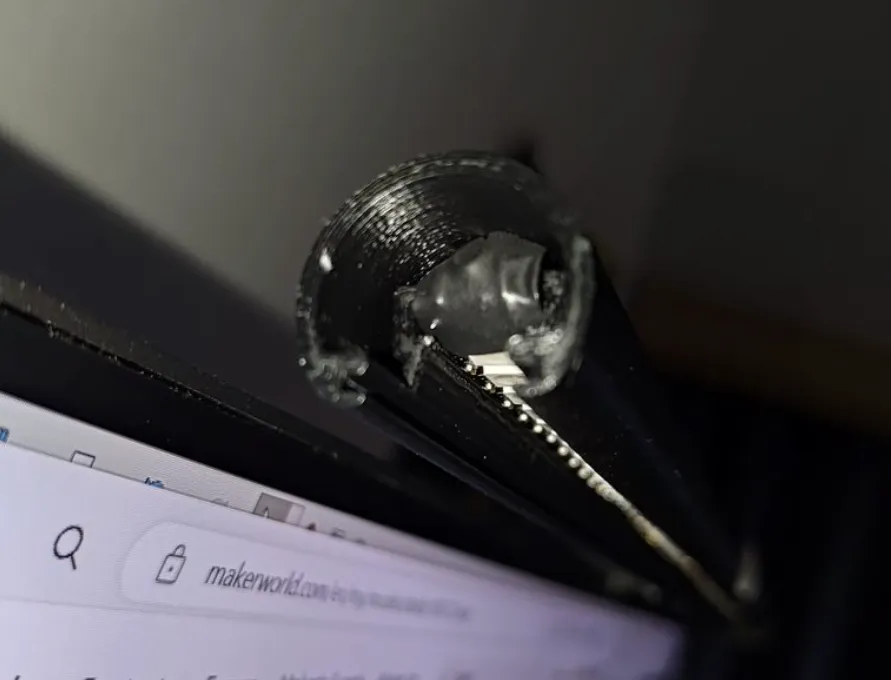
  6. Insert the Female Jack connector in de Mount
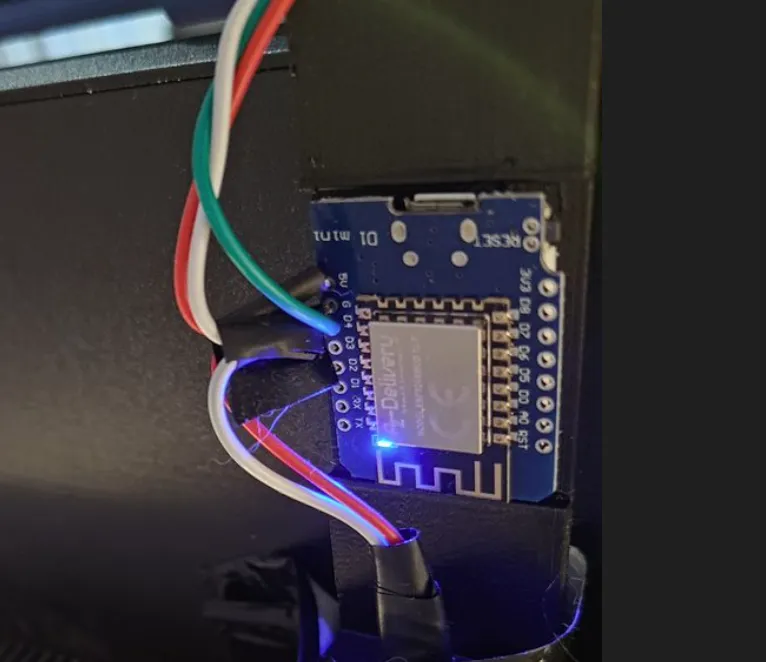
  7. Install WLED on the ESP board (for configuring WLED, see Getting Started - WLED Project)
  8. Wire the + of the Jack connector to the 5V pin on the ESP, and the - of the Jack to the GND pin of the ESP.
  9. Assemble the Mount onto the Bar, so that the holes on the back align, and guide the JST cable through.
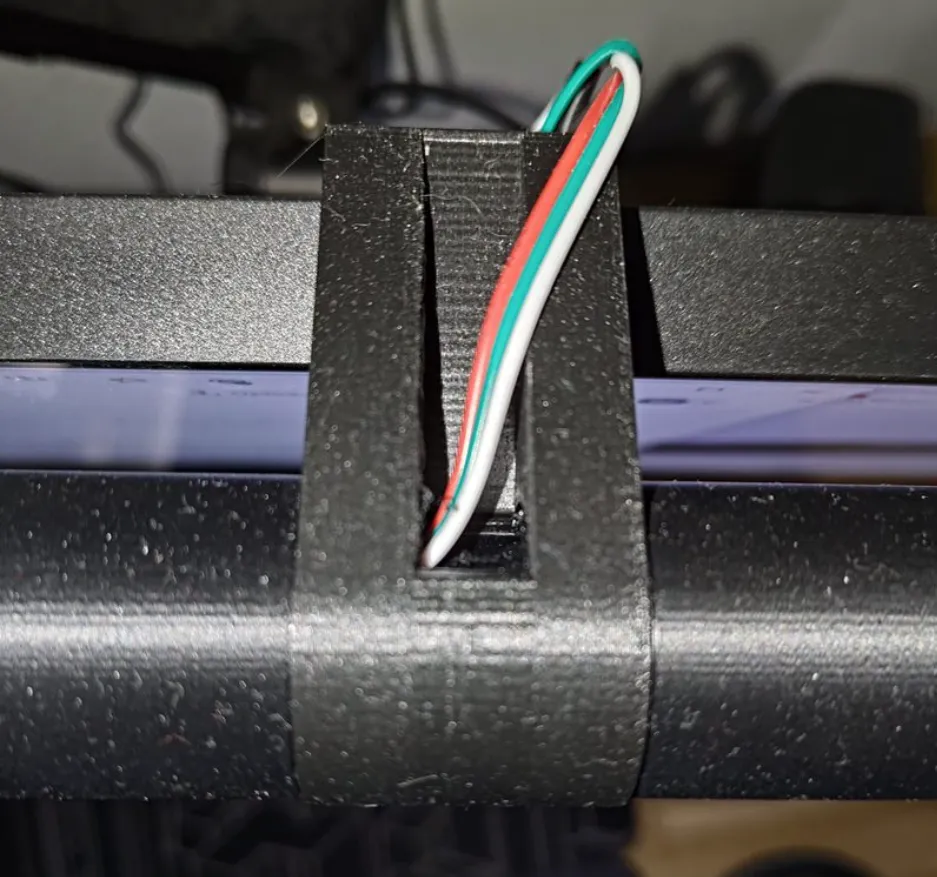
  10. Wire the JST cable like:
    1. The + to the same 5V pin on the ESP as the Jack connector
    2. The - to the same GND pin of the ESP as the Jack connector
    3. The DATA to the D4 pin of the ESP
  11. Put the end-caps on the bar.
  12. But the Monitor Bar on your monitor. To keep it from tilting over, you can add some weight through the hole on the backside! Or use some double sided tape.
  13. Connect the Power Supply to the Female Jack connector, and enjoy!
  14. If you want, you can add the white parchment paper in the Bar to have the light more diffused.

Comment & Rating (33)

(0/1000)

thank you for the STL!!
The designer has replied
Show original
1
Reply
Looks very good!!
1
Reply
Replying to @Pimmm89 :
Bro can you give me the diffuser file
0
Reply
Replying to @arijit_68620986 :
I'm sorry, but I don't have a diffuser file. I used baking paper as a diffuser, but I removed it since I liked it better without.
0
Reply
I did a remix to suit my needs this weekend. I shortened it to fit my A1 Mini and made the mounting bracket mount to Skadis Pegboard. I needed a little workstation for my hotel room.
The designer has replied
1
Reply
this looks so clean! I like it very much, thank you!
0
Reply
Replying to @Pimmm89 :
You did the heavy lifting my friend. I just adapted it to my traveling needs. A small workstation for my A1 Mini as I travel with work. We are now in Alaska for the winter. Its nice to be able to create stuff while away.
0
Reply
Print Profile
Monitor Smart LED Bar - 0.08mm layer, 2 walls, 15% infill
Excellent design. Thank you!
Show original
0
Reply
Print Profile
Monitor Smart LED Bar - 0.08mm layer, 2 walls, 15% infill
It's beautiful. I've incorporated WS2812B LED strips controlled by the PC's motherboard. I just need to create a mount for my monitor as it's very close to the wall. Satisfied
Show original
0
Reply
After all the ones I looked at, this is really the perfect design! ;) Also great manual for the assembly. Thanks a lot!
The designer has replied
1
Reply
Thank you very much for your kind words and your Boost! If you need anything adjusted to your likings, please let me know!
0
Reply
Replying to @Pimmm89 :
Thank you! I made up a little "extension-bar" in order to print with my A1-mini and just added it as a remix. In case other users may be interested, feel free to add or modify it.
0
Reply
How should I use this to hang on the screen?
The designer has replied
0
Reply
you can add some weights to the hole on the back to keep it from tipping over! or use some dubble sided tape
0
Reply
Replying to @Pimmm89 :
thanks These are all good methods, I tried fixing with double-sided tape and it was perfect. It's just that I haven't been able to figure out what the ring below is for, is it used to hang heavy objects?
0
Reply
I originally designed to to add a specific weight to it that I had lying around, but also ended up using double sided tape!
0
Reply
I don't understand, why the ESP? Can't a USB output be soldered to the LED strip cables
The designer has replied
Show original
0
Reply
with an ESP, you can control it with WLED software, which makes it really versatile!
0
Reply
and it cannot connect to the monitor's usb and that's it
The designer has replied
Show original
0
Reply
It is possible to connect everything to the ESP and power it with USB, but it won't be as bright. Also make sure you put in the correct settings in WLED!
0
Reply
Finally, a bar that directs the LED strip towards the desk Thank you for your effort
The designer has replied
Show original
0
Reply
Thank you very much for your feedback I am delighted you enjoy it
Show original
0
Reply
Can anyone help I need the diffuser file if anyone have it please help
0
Reply