


Print Profile(3)



Description
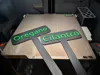
Simple customizable garden labels. Support both text and icons (only in desktop OpenSCAD, Bambu parametric maker doesn't support uploads). Available in 2 versions: flat and raised text. The flat version requires 4 filament changes (in the default text depth configuration) and the raised text one requires just 1.
How to print the flat version:
- Prepare your sign.
- Export both `label` and `body` modes.
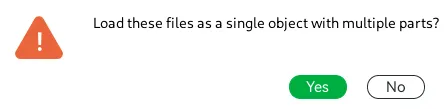
- Import both STLs at the same time and when Bambu Studio asks if you want to import as a single object click Yes.
- Auto orient the model (the text and icon should face down)
- Change the first layer filament sequence to start with your text and icon color

How to print the raised text version:
- Prepare your sign (with raised text)
- Export in `both` mode.
- Import into bambu studio
- Make sure the text is facing up
- Slice
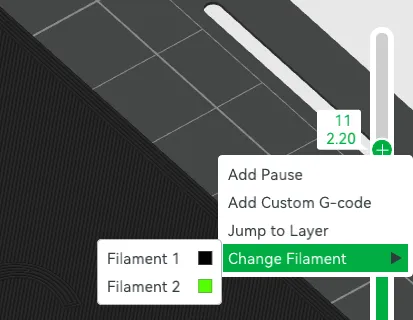
- In the preview navigate to the layer where the text start printing, right click the plus sign and select Change Filament.
I recommend 100% infill and printing in PETG as the signs will be outside.
License

You shall not share, sub-license, sell, rent, host, transfer, or distribute in any way the digital or 3D printed versions of this object, nor any other derivative work of this object in its digital or physical format (including - but not limited to - remixes of this object, and hosting on other digital platforms). The objects may not be used without permission in any way whatsoever in which you charge money, or collect fees.


Comment & Rating (43)