
iPhone to Handheld


Print Profile(1)

Description
介绍
为了玩ios上的Delta模拟器,我制作了这个支架,可以将iPhone磁吸在支架上,将joycon安装在两侧,把iPhone变成一个游戏掌机。
现已测试支持带有magsafe的所有机型,支持iPhone横竖放置。我主页的另一个竖版mini模型更加小巧便携,支持iPhone竖向放置。
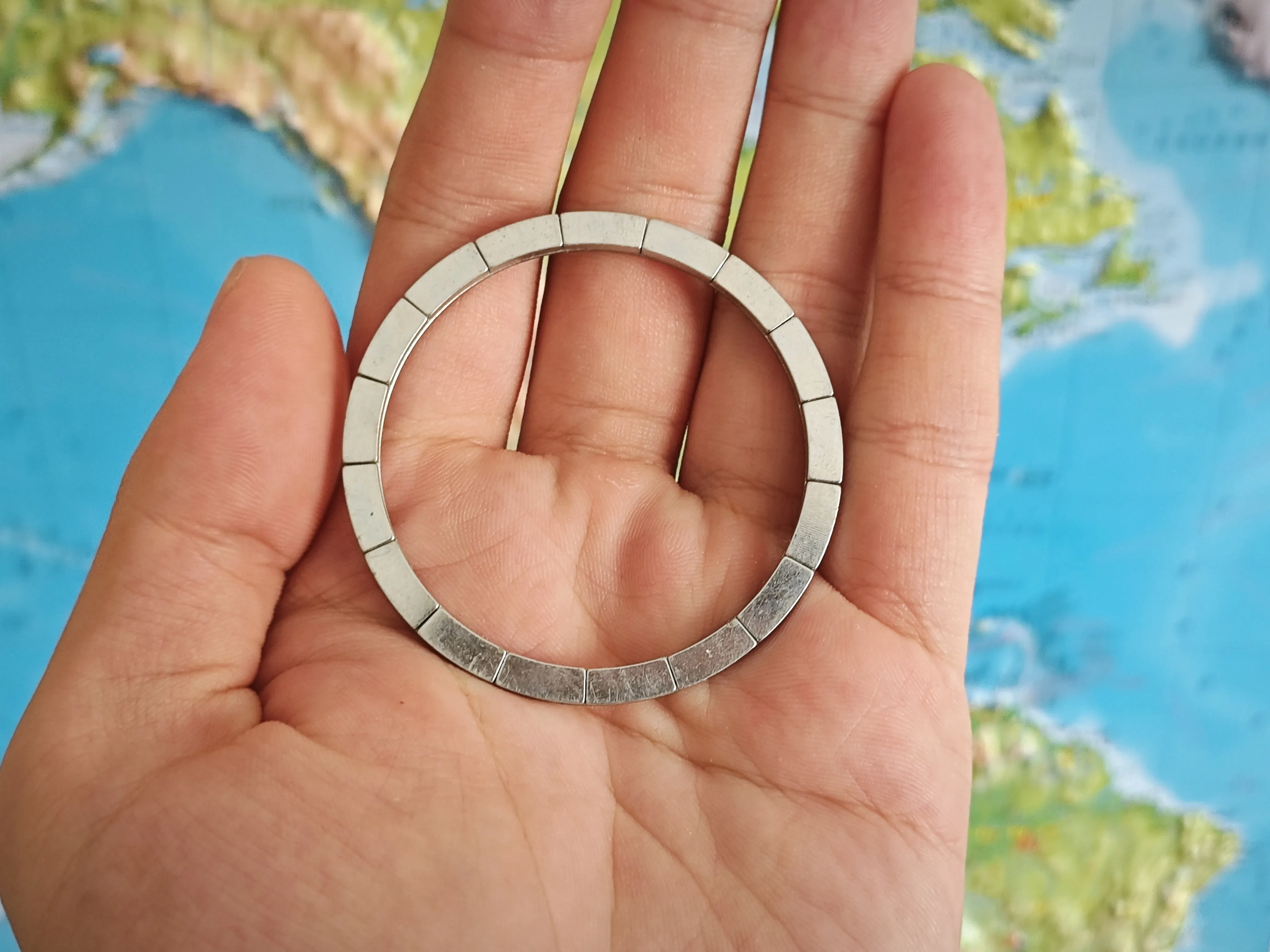
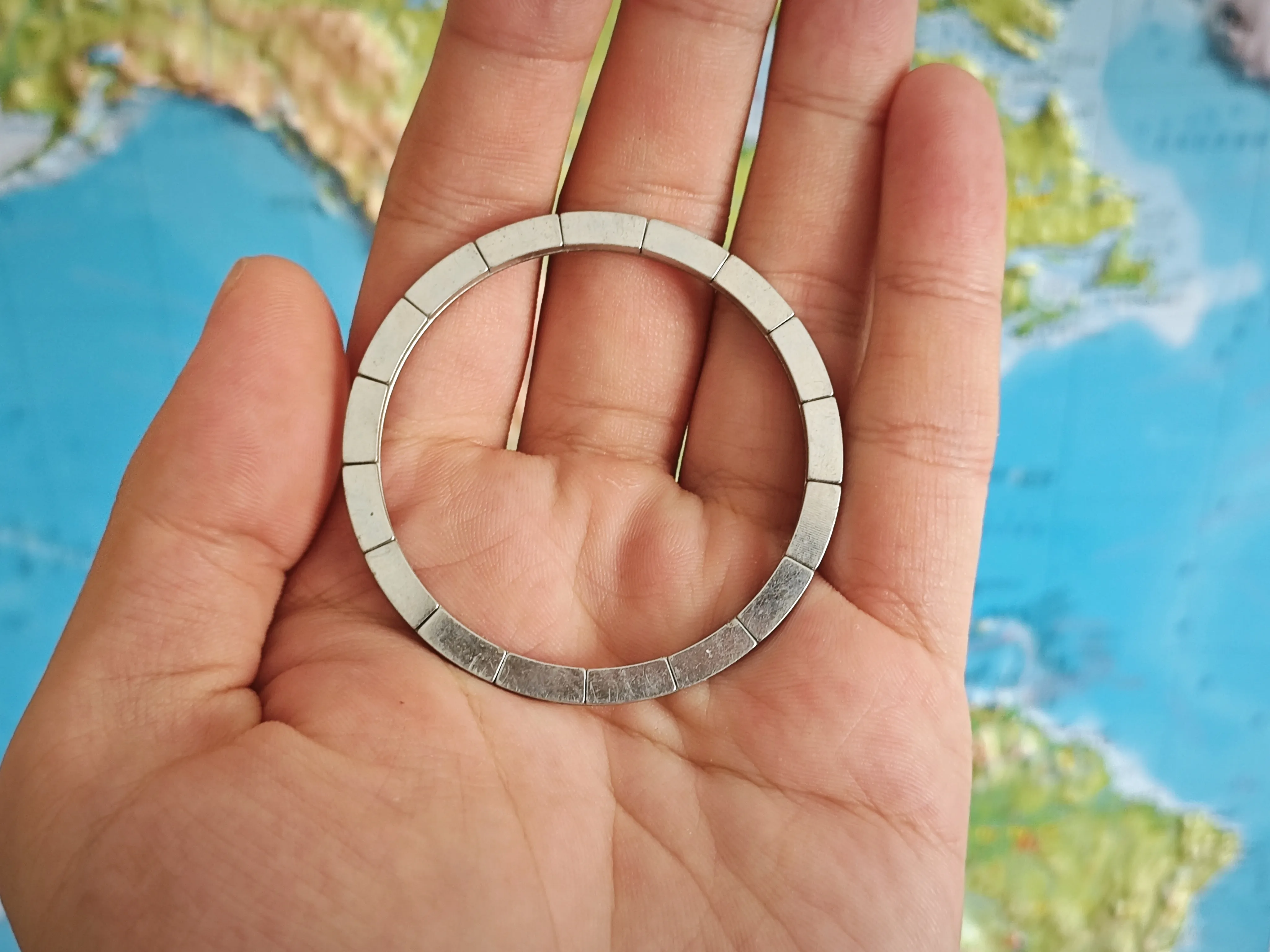
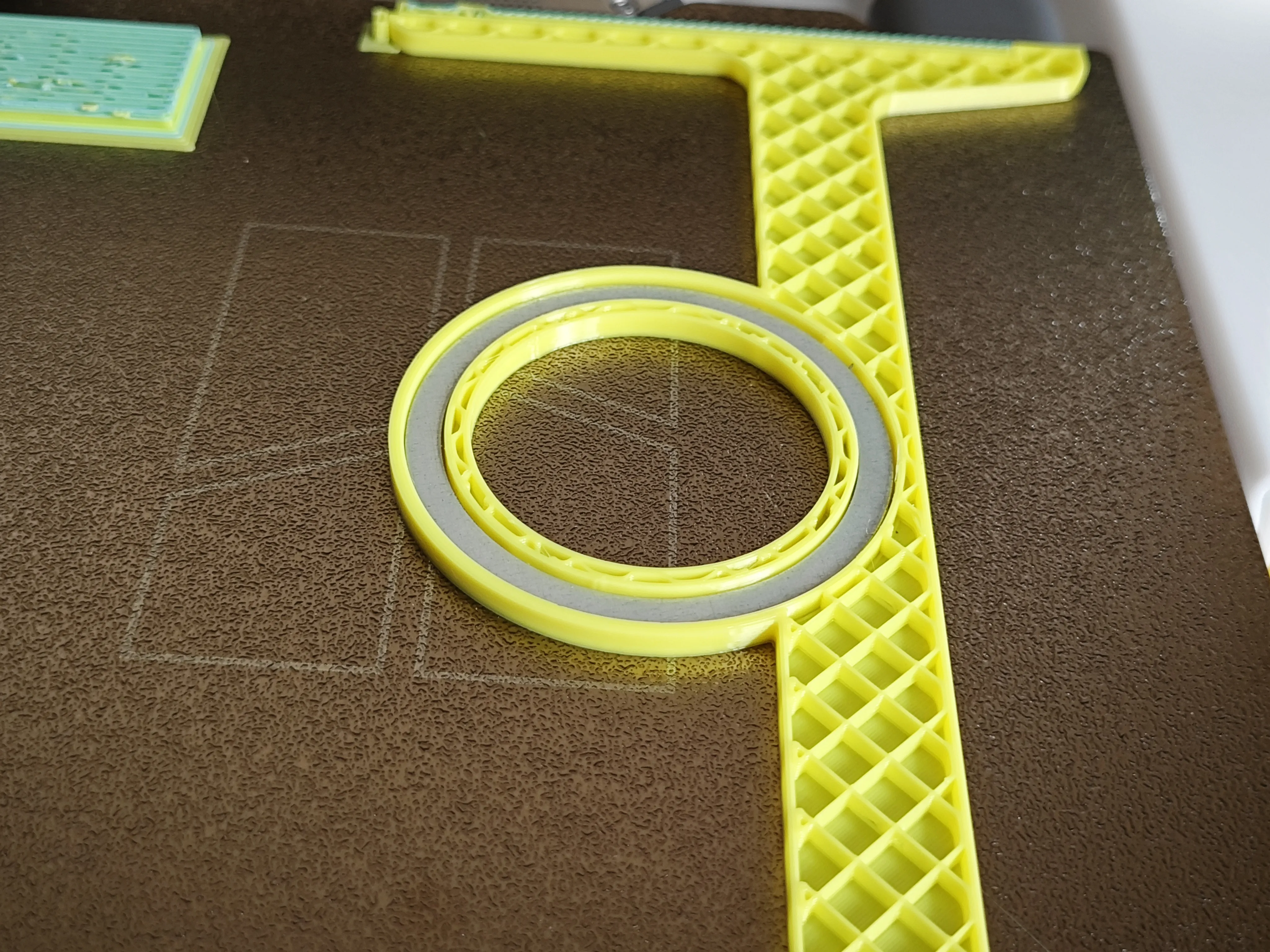
该模型需要一个magsafe磁铁,在打印中暂停,嵌入3D打印件中。可以在拼多多或淘宝购买magsafe磁铁,厚度应该小于2.5mm。
如果你有不同尺寸的masafe磁铁,可以在评论中告诉我,我将为你修改模型。
祝你玩得开心!
Introduction
To play the Delta emulator on ios, I made this stand that magnetically attaches the iPhone to the stand and mounts the joycon on the sides, turning the iPhone into a gaming handheld.
It has been tested to support all iPhone series with magsafe, and supports iPhone placement in portrait and horizontal orientation. The other vertical mini model on my homepage is more compact and portable, and supports iPhone portrait placement.
You'll need a magsafe magnet to pause in the print and embed in the 3D print. Magsafe magnet should be less than 2.5mm thick.
If you have a different size masafe magnet, let me know in the comments and I will modify the model for you.
Have fun with it!
打印方法
由于iPhone系列与Plus/Pro max系列的尺寸不同,因此模型文件分为iPhone版和iPhone Plus版。
由于iphone plus版长度较大,接近A1 mini的打印极限,不建议使用A1 mini打印,如没有其他机型,请使用我设置好的A1 mini打印配置添加支撑进行打印。
iPhone版打印方法
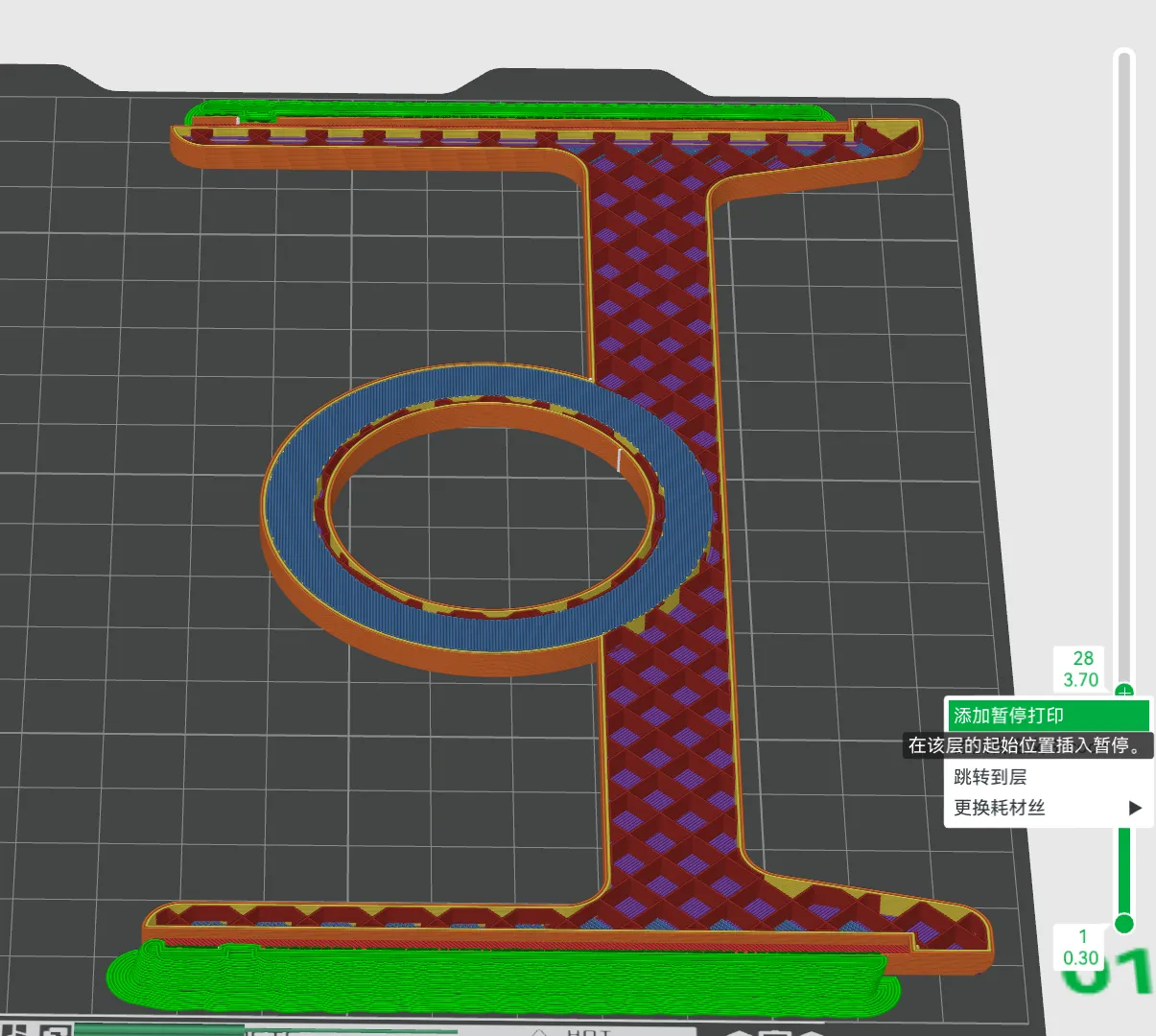
- 给模型添加树状支撑,切片后在magsafe封顶层添加暂停;
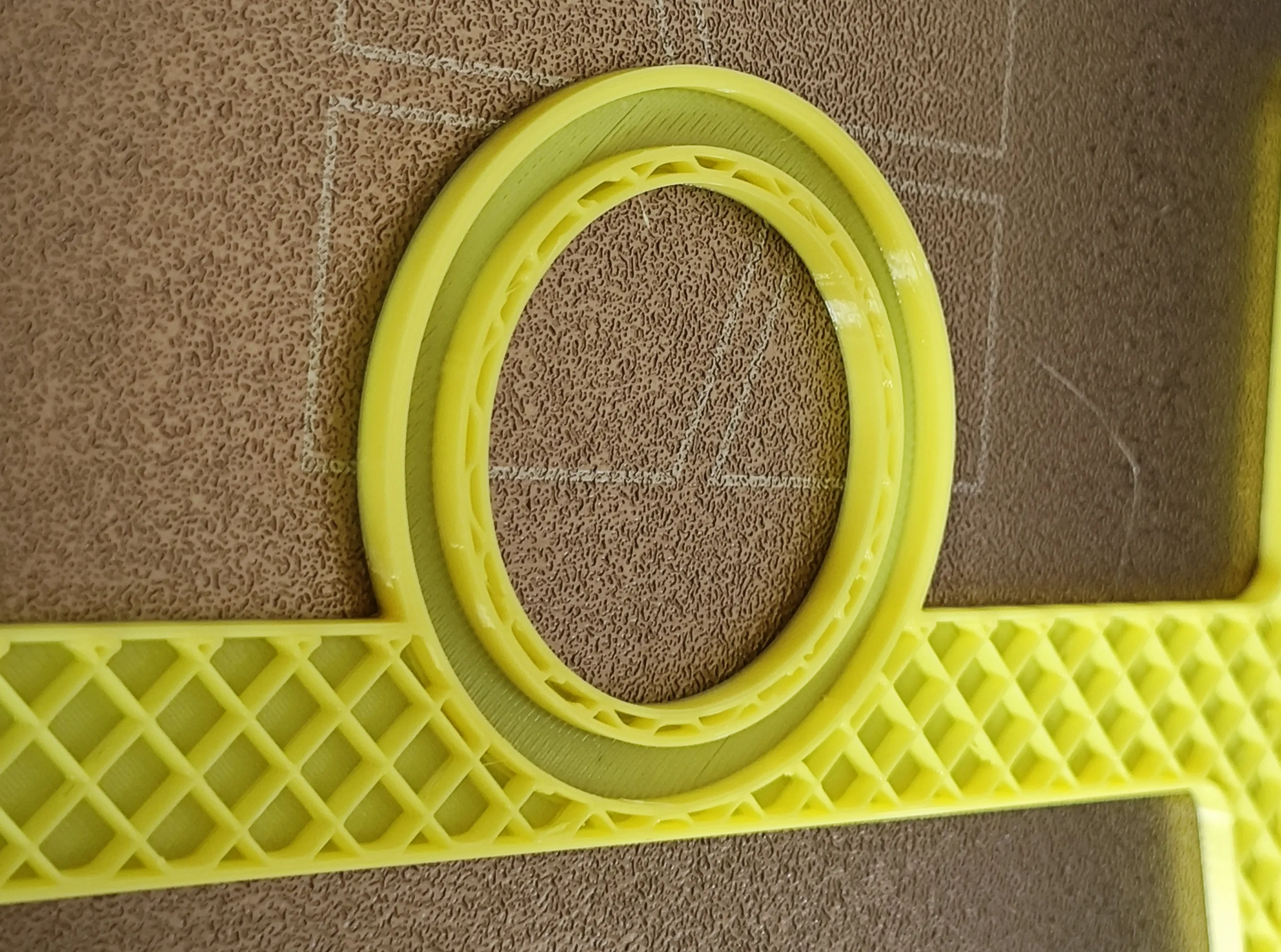
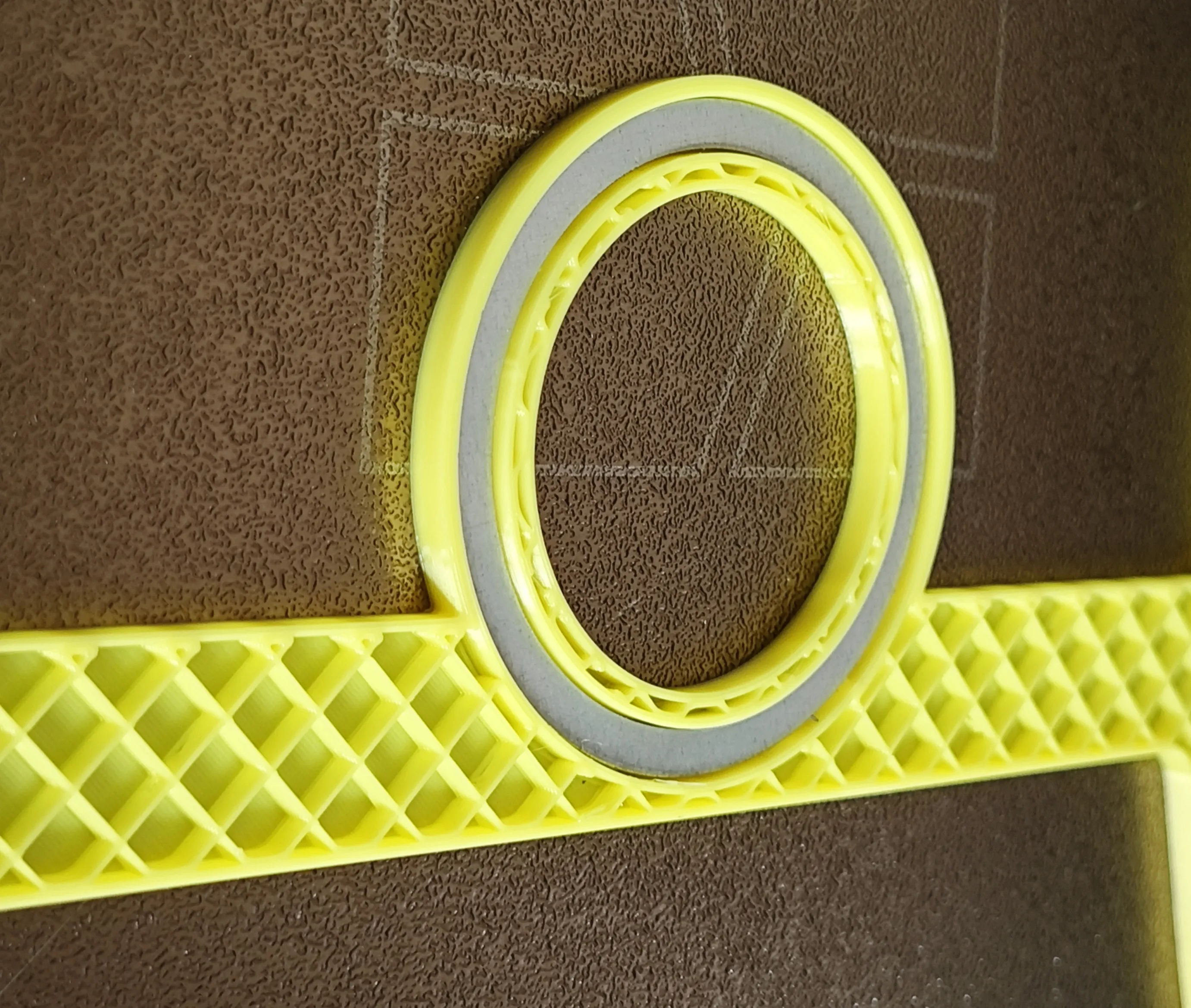
- 打印暂停后将magsafe磁铁放入凹槽中;
- 继续打印;
- 打印完成后拆除支撑。
How to print
Since the iPhone series is different from the Plus/Pro Max series, the model files are divided into iPhone version and iPhone Plus version.
Due to the large length of the iphone plus version, which is close to the printing limit of A1 mini, it is not recommended to use A1 mini to print. If you have to use A1 mini, please use the A1 mini print configuration I set up to add supports to print.
How to print for iPhone
- Add tree supports to the model, and add a pause on the top layer of the MagSafe cap after slicing;
- Place the MagSafe magnet into the groove after the print is paused;
- Continue printing;
- Remove the supports after printing is complete.
iPhone Plus版打印方法
如果你有A1/P1/X1等大尺寸机型,plus版打印方法与iPhone版一致,以下方法适用于A1 mini机型打印iPhone plus版。
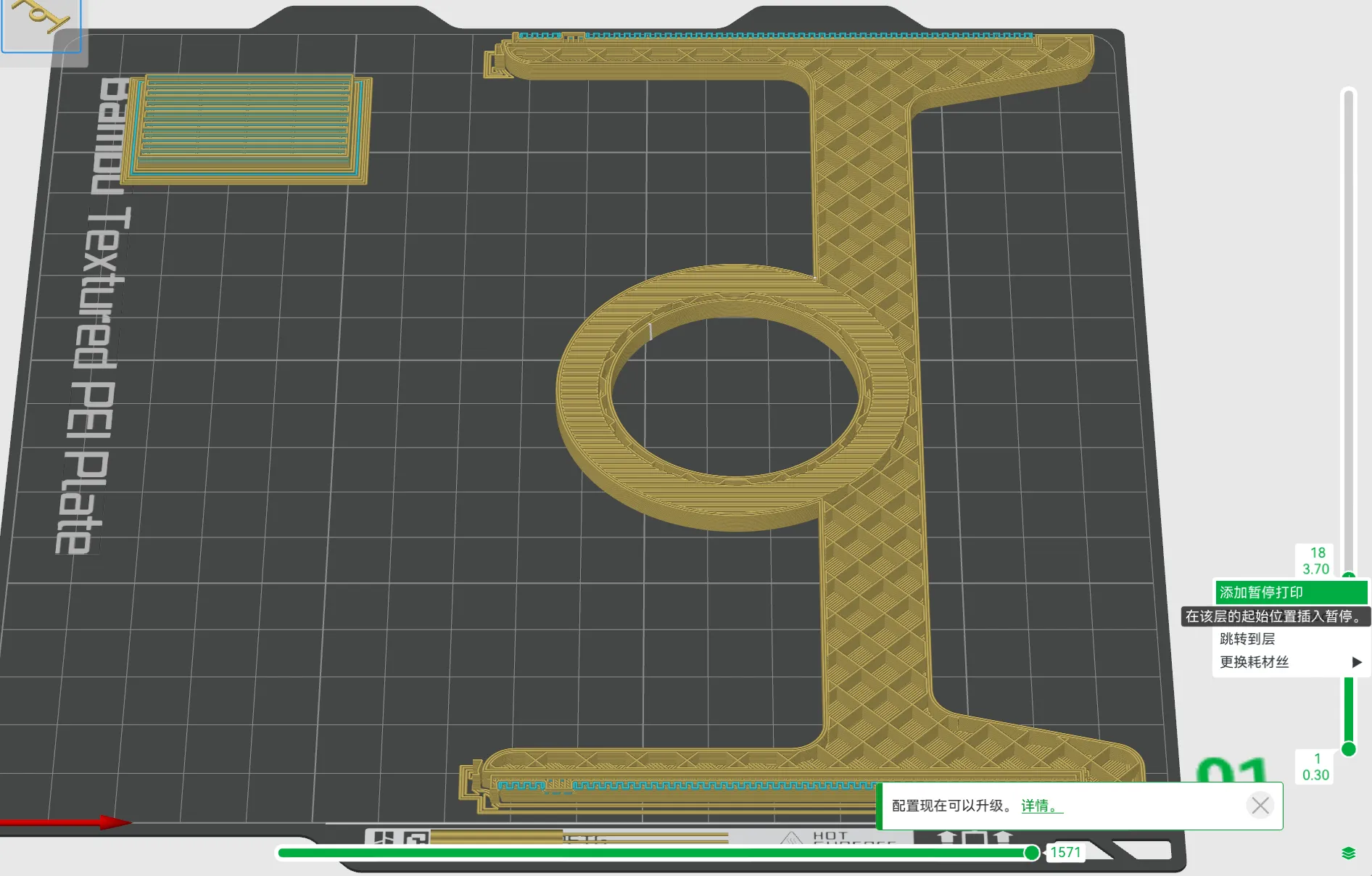
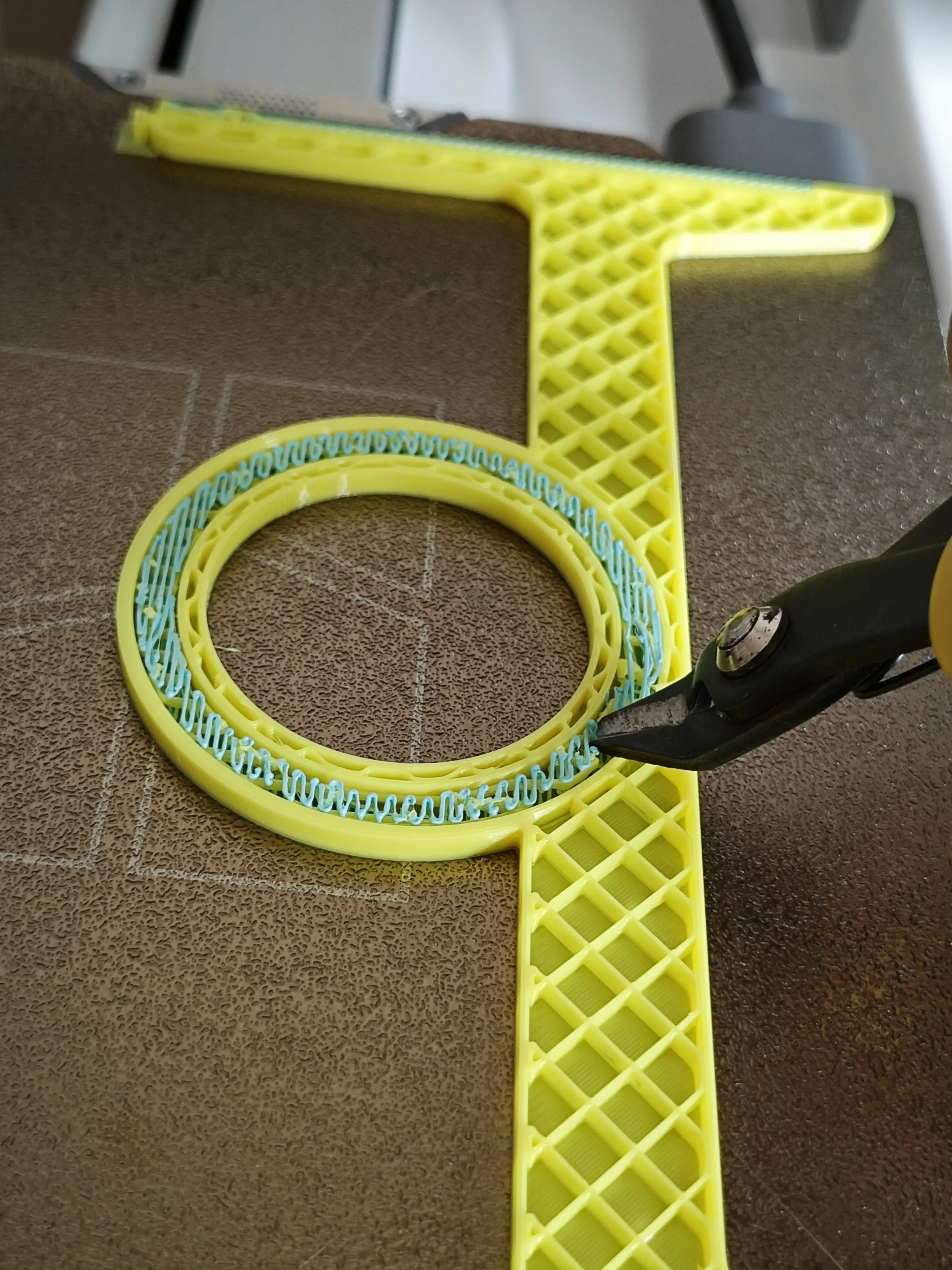
- 给模型添加普通支撑,支撑界面选择另一种材料,易于拆除;
- 切片后在magsafe封顶层添加暂停;
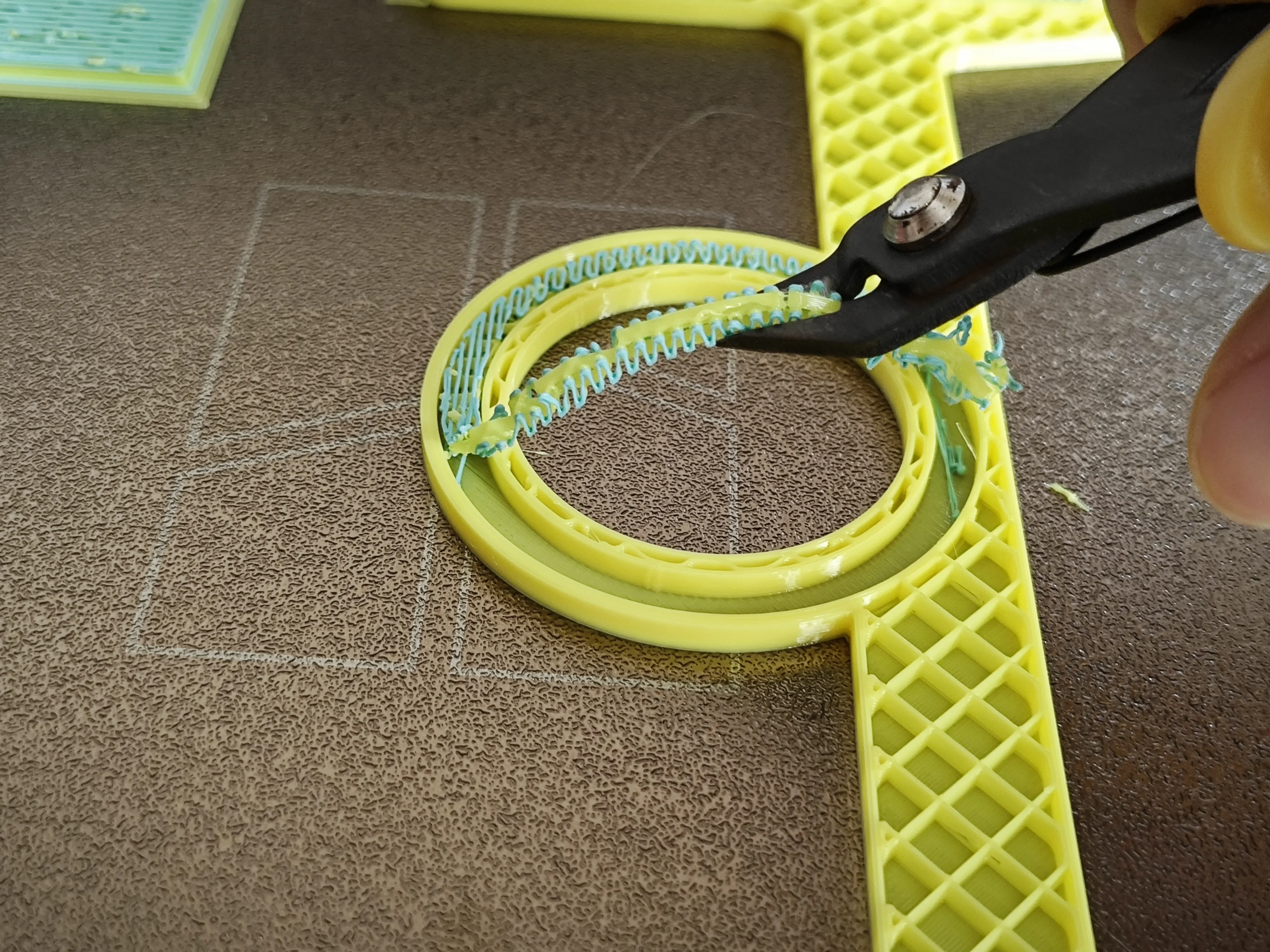
- 打印暂停后拆除magsafe凹槽中的支撑;
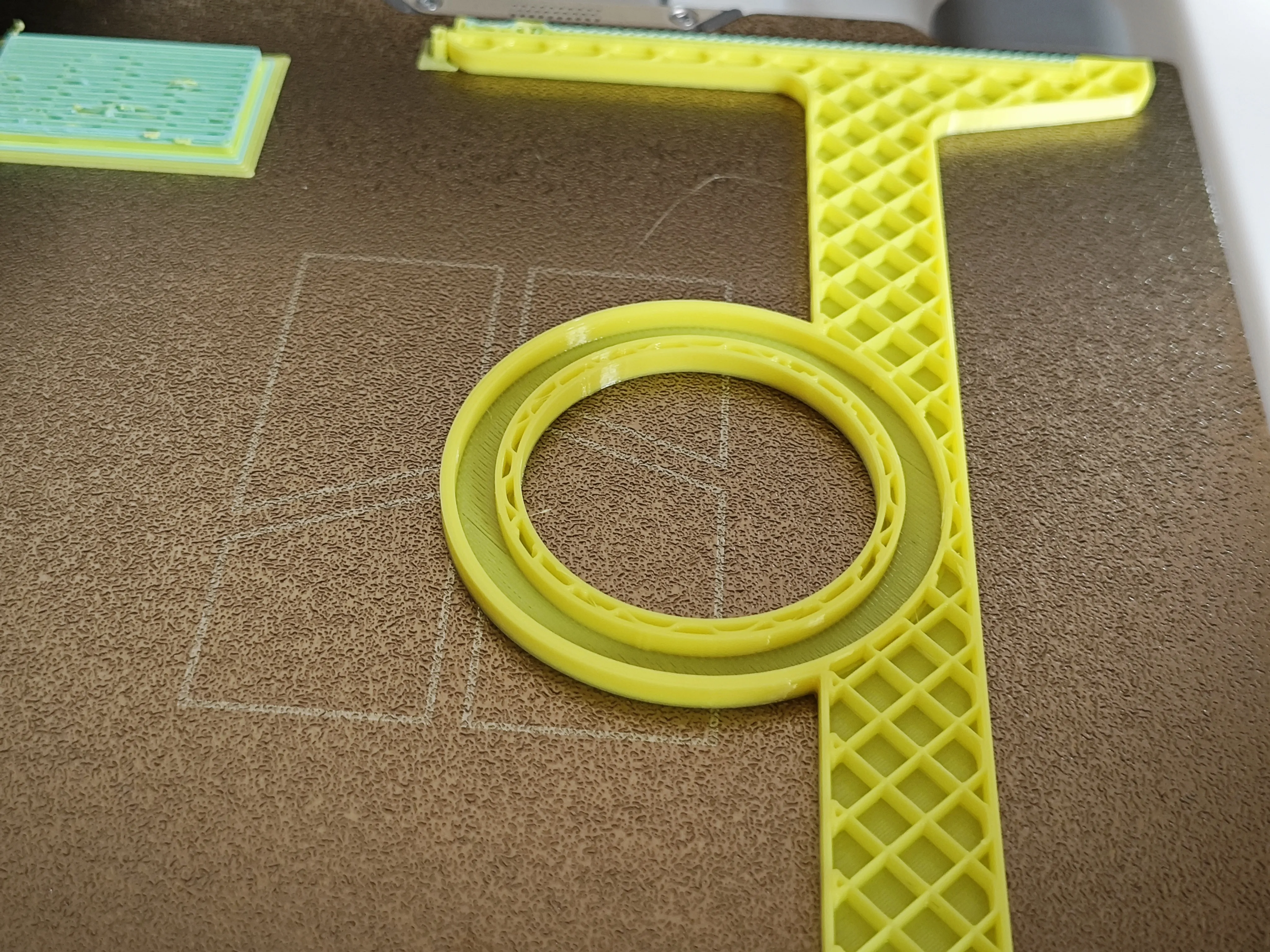
- 将magsafe磁铁放入凹槽中;
- 继续打印;
- 打印完成后拆除支撑。
How to print for iPhone Plus/Pro Max
If you have A1/P1/X1, the printing method of the plus version is the same as that of the iPhone version, and the following method is suitable for A1 mini printing.
- Add ordinary support to the model, and choose another material for the support interface, which is easy to remove;
- Add a pause on the top layer of the MagSafe cap after slicing;
- Remove the supports in the MagSafe grooves after the print is paused;
- Place the MagSafe magnet into the groove;
- Continue printing;
- Remove the supports after printing is complete.
License

You shall not share, sub-license, sell, rent, host, transfer, or distribute in any way the digital or 3D printed versions of this object, nor any other derivative work of this object in its digital or physical format (including - but not limited to - remixes of this object, and hosting on other digital platforms). The objects may not be used without permission in any way whatsoever in which you charge money, or collect fees.


Comment & Rating (16)