
Parametric Stackable Container with Screw Lid


Print Profile(1)



Description
Boost Me (for free)
Introducing the Stackable Container with Screw Lid, a highly customizable and practical design perfect for various uses such as storage, organization, and creative projects. Designed in OpenSCAD, this model provides flexibility for users to adjust dimensions and features according to their specific needs.
Features:
- Stackable Design: The containers can be stacked securely on top of each other, optimizing space and ensuring stability.
- Screw Lid: The screw-on lid ensures a secure closure, keeping contents safe and protected.
- Customizable Dimensions: Adjust the height, radius, wall thickness, and other parameters to fit your requirements.
- Chamfered Edges: Smooth chamfered edges give the container a polished and professional look.
- Parametric Flexibility: All key dimensions and features are easily adjustable via parameters, making it simple to create various sizes and styles.
Potential Uses:
- Storage Solutions: Ideal for storing small items, craft supplies, and hardware.
- Organization: Use in the kitchen, garage, or office to keep items neatly organized.
- Creative Projects: Customize and remix the design for unique projects such as lightboxes, fidgets, or personalized gifts.

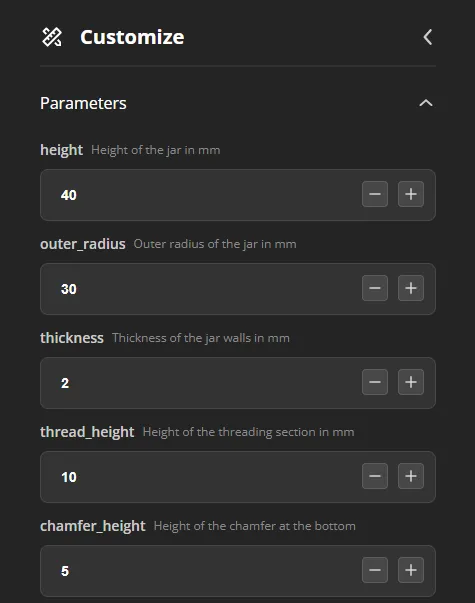
1. Adjusting Basic Parameters
In the "Parameters" section, you can modify the fundamental dimensions of the container:
height: Set the height of the jar in millimeters.
- Default: 50 mm
- Example: Adjust to 40 mm for a shorter jar.
outer_radius: Set the outer radius of the jar in millimeters.
- Default: 50 mm
- Example: Adjust to 30 mm for a narrower jar.
thickness: Set the wall thickness of the jar in millimeters.
- Default: 2 mm
- Example: Adjust to 3 mm for thicker walls.
thread_height: Set the height of the threading section in millimeters.
- Default: 15 mm
- Example: Adjust to 10 mm for shorter threads.
chamfer_height: Set the height of the chamfer at the bottom in millimeters.
- Default: 5 mm
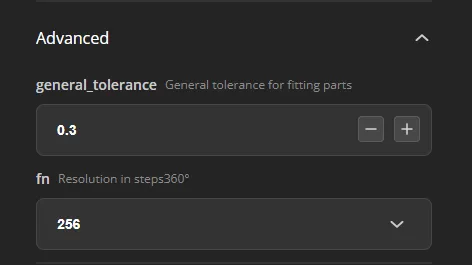
2. Advanced Settings
In the "Advanced" section, fine-tune the model for better fitting and resolution:
general_tolerance: Set the general tolerance for fitting parts in millimeters.
- Default: 0.3 mm
- Example: Adjust to 0.4 mm if needed.
fn: Set the resolution in steps per 360 degrees.
- Default: 256
- Example: Adjust to 128 for lower resolution.
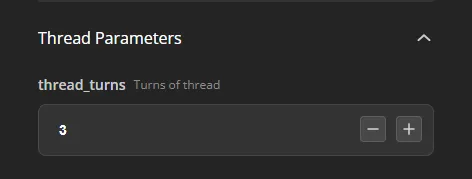
3. Thread Parameters
In the "Thread Parameters" section, adjust the threading characteristics:
- thread_turns: Set the number of turns of the thread.
- Default: 3
- Example: Adjust to 2 turns for fewer threads.

4. Enabling/Disabling Stackable Feature
In the "Features" section, toggle the stackable feature:
- stackable: Enable or disable the stackable feature.
- Default: true
License

You shall not share, sub-license, sell, rent, host, transfer, or distribute in any way the digital or 3D printed versions of this object, nor any other derivative work of this object in its digital or physical format (including - but not limited to - remixes of this object, and hosting on other digital platforms). The objects may not be used without permission in any way whatsoever in which you charge money, or collect fees.


Comment & Rating (211)