
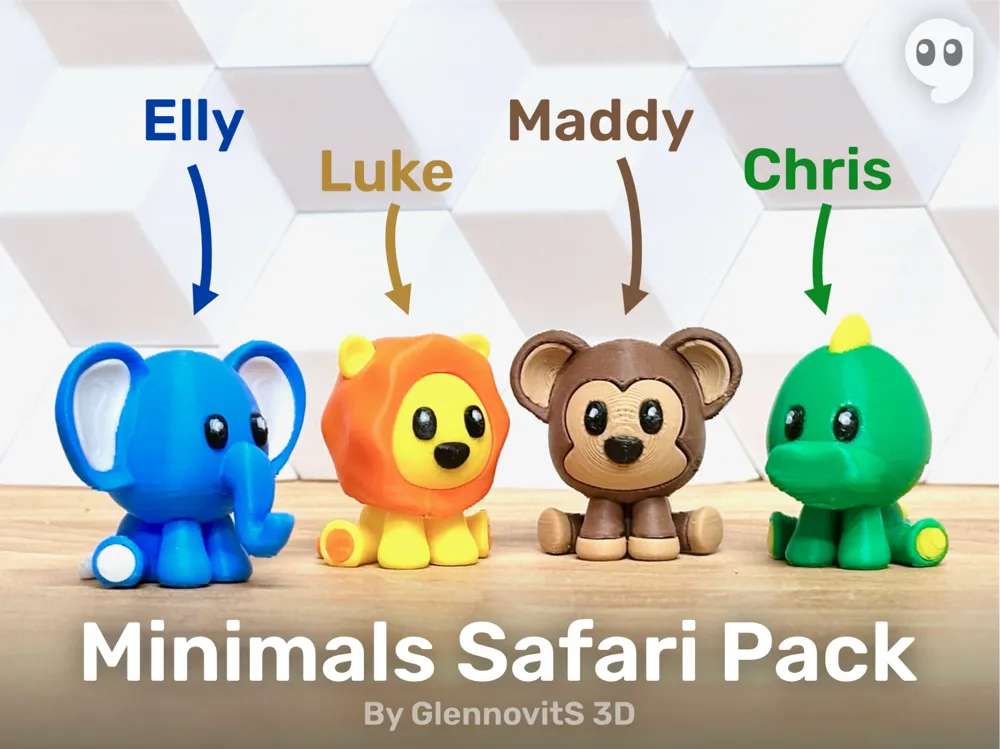
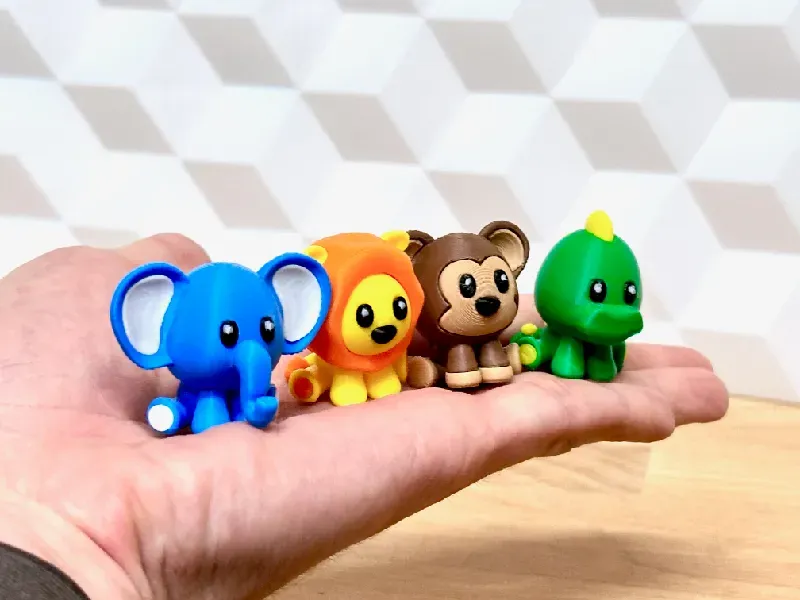
Minimals Safari Pack (elephant lion monkey croc)




Print Profile(9)


Description
| Welcome to GlennovitS3D. Join the Club on Printables.com to support creation of new models, get access to exclusive models, and get commercial rights, to sell prints of my models. Join today - GlennovitS3D - or check out my model collection 🗂️ and my popular models 🔥 |
Updates:
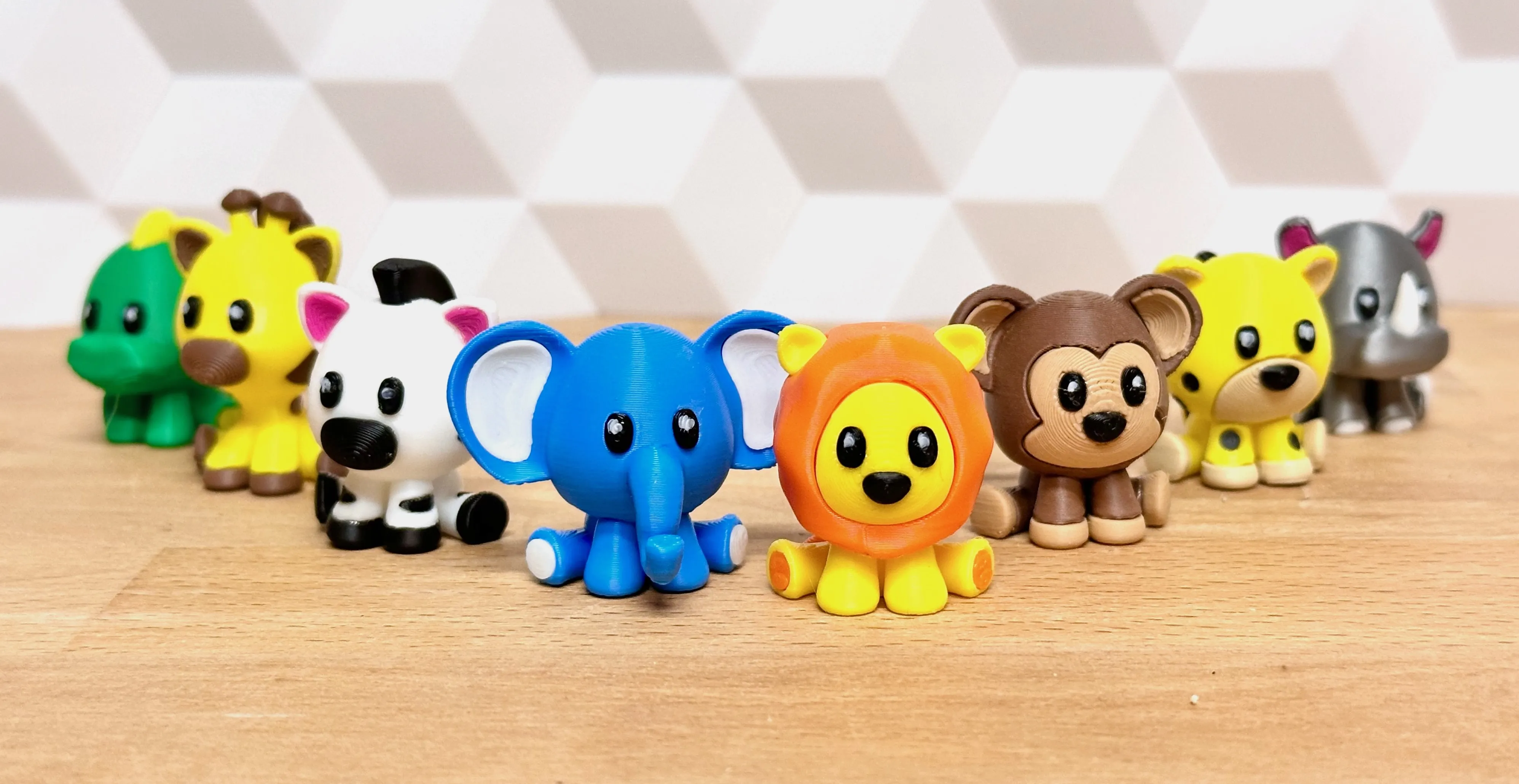
13. June 2024 - New Minimals Savanna Pack available! 🦓🦒🦏🐆
Animals.. but mini… Minimals! Enjoy this first pack/collection of safari Minimals!

Perfect for your desk or somewhere else, where they can sit and maybe bring a smile when you see them.
This collection contains 4 animals - but are there more coming?..
Overview
Say hi to your 4 new buddies:
- Elly Elephant 🐘
- Luke Lion 🦁
- Maddy Monkey 🐵
- Chris Crocodile 🐊
All of them comes in multiple versions:
- Single file (fx. Elephant.stl)
- Can be printed in single color
- ..or split to parts in slicer and printed easily in multicolor with an AMS
- Multiple files (different parts, to print in different colors seperatly and glued together afterwards)
| More Minimals or other fun models? I got you covered! Check out this Minimals collection - or this collection of fun models - everything from toys, to puzzles and games. |
Assembly
If you print the pieces seperatly (maybe to have multiple colors without an AMS), you need to glue things together. This requires a steady hand - they are small, and the pieces is really small. Now you are warned
Multicolor prints
This is optional - but looks nice! You can do like this (in Bambu Studio):
- Insert the single-file-version you want (fx. Elephant.stl)
- Right click on the model and click on Split > To parts
- In the left pane Process click on Objects
- Select individual parts of the model and choose filament for each.
Print instructions
Here is a few ideas to get started:
- Supports: Yes - overhangs like ears requires supports. I have mine set to Automatic Organic Tree supports with a Threshold angle of 25. Worked just fine
- Colors: paint in slicer
- Orientation: Printing the single-file-versions - just as they come. But if printing the pieces seperatly, you need to rotate them to optimal position (and even lowering some a bit ‘below’ the printbed. This is done for you in the Bambu Studio project files!
Happy printing!
License

You shall not share, sub-license, sell, rent, host, transfer, or distribute in any way the digital or 3D printed versions of this object, nor any other derivative work of this object in its digital or physical format (including - but not limited to - remixes of this object, and hosting on other digital platforms). The objects may not be used without permission in any way whatsoever in which you charge money, or collect fees.


Comment & Rating (1061)