
Bacteriophage vs Bacteria - diorama


Print Profile(1)

Description
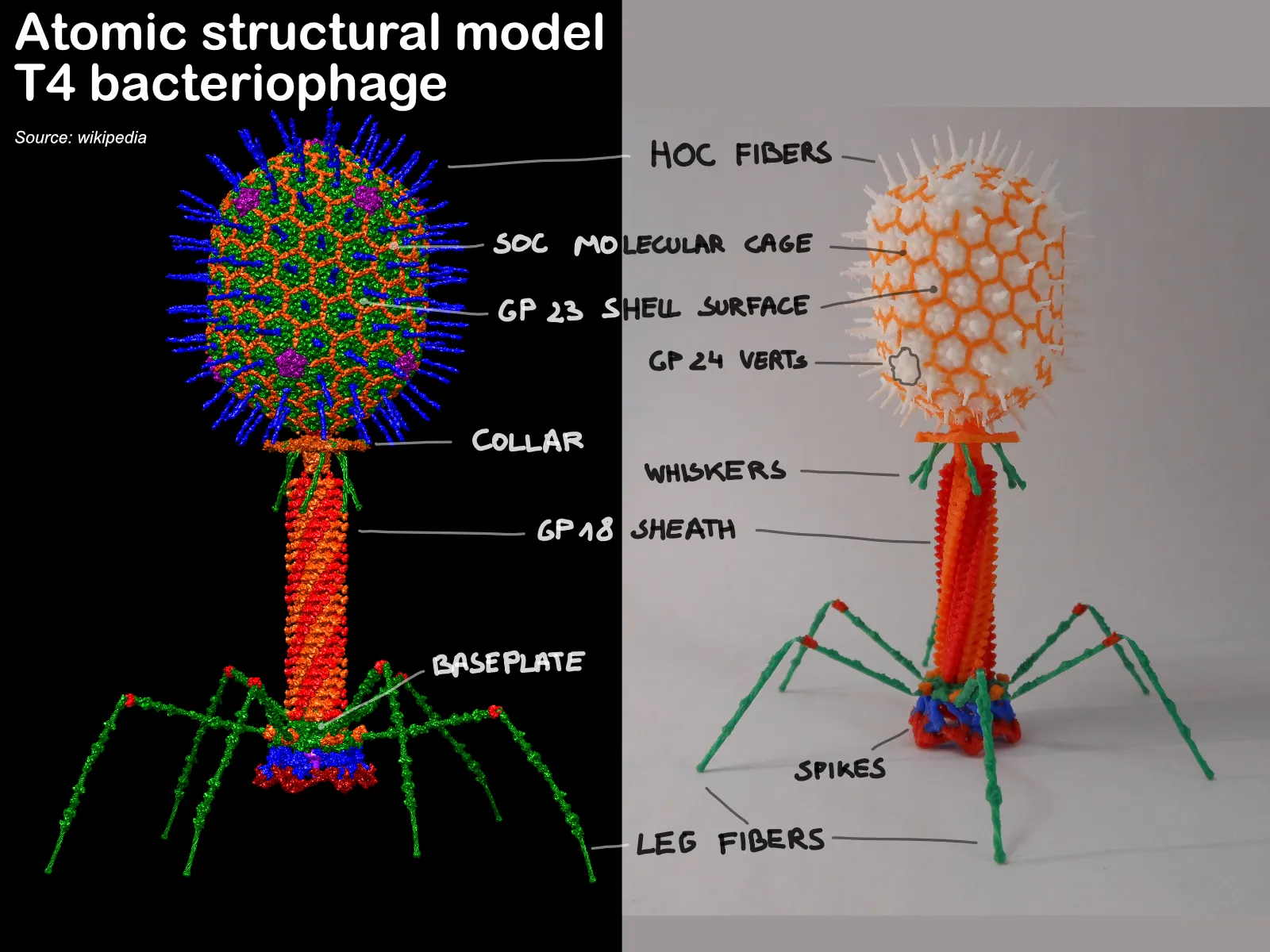
When Maker World announced the Master challenge, where they challenged us to make intricate structures or complex miniatures. I immediately thought about the biochemistry world. More specifically I choose to make a diorama of scientifically correct bacteriophages who attack a bacteria.
Bacteriophages, or phages, are viruses that infect bacteria. They are highly abundant and diverse, found in various environments like soil, water, and the human gut. Many phages have complex structures with a head and a tail, resembling a lunar lander.
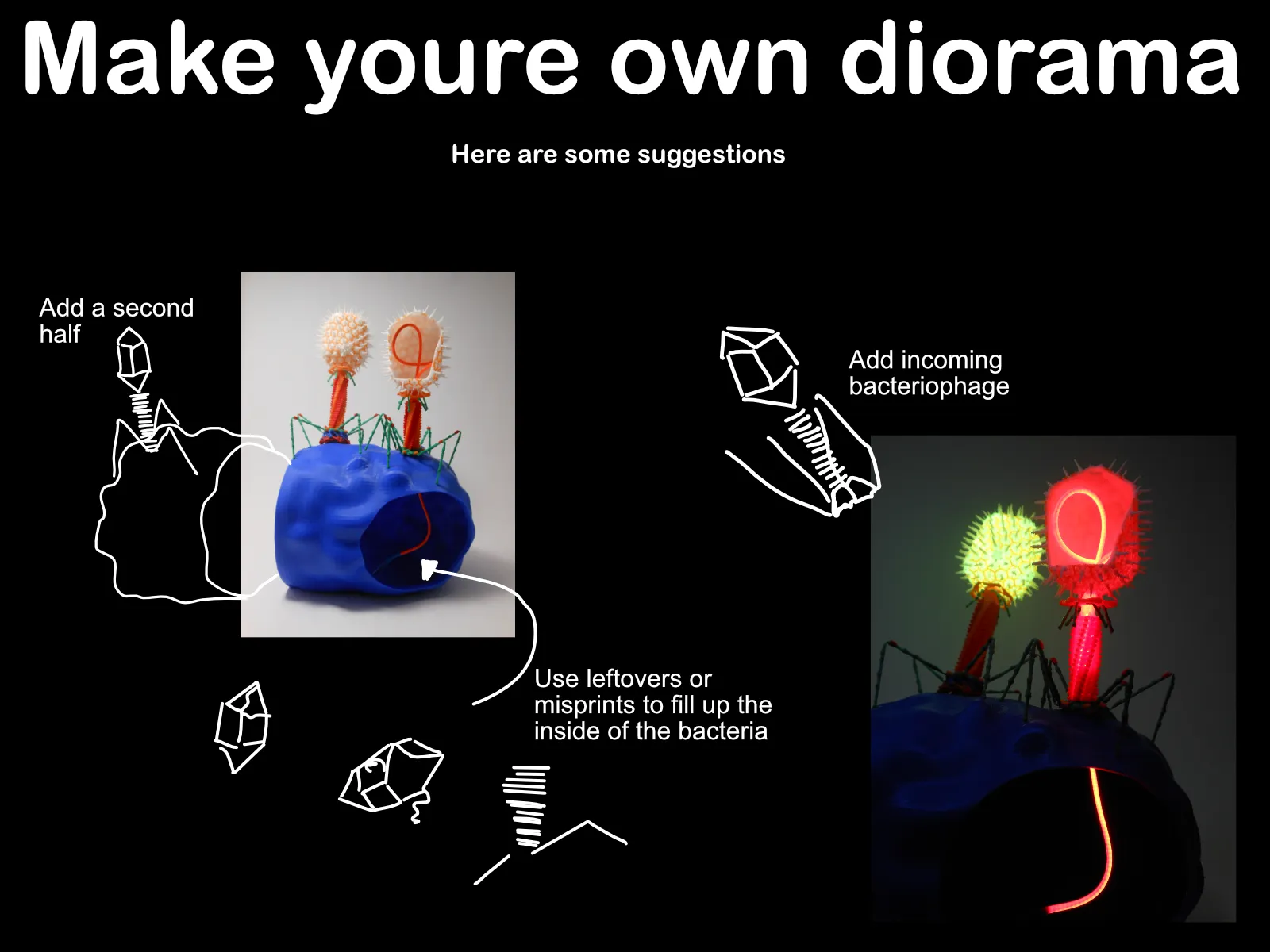
MAKE YOU'RE OWN DIORAMA:
First of all you'll need to print the bacteriophages, you can find the files at the top. Secondly a diorama is not complete without a base! I designed a bacteria that can function as a base. Follow the link to find the files to print this base (I didn't add it as a print profile here because it's printed with a 0.4mm nozzle)
https://makerworld.com/en/models/464703#profileId-373385
When you've printed all you're files, it's time to assemble them.

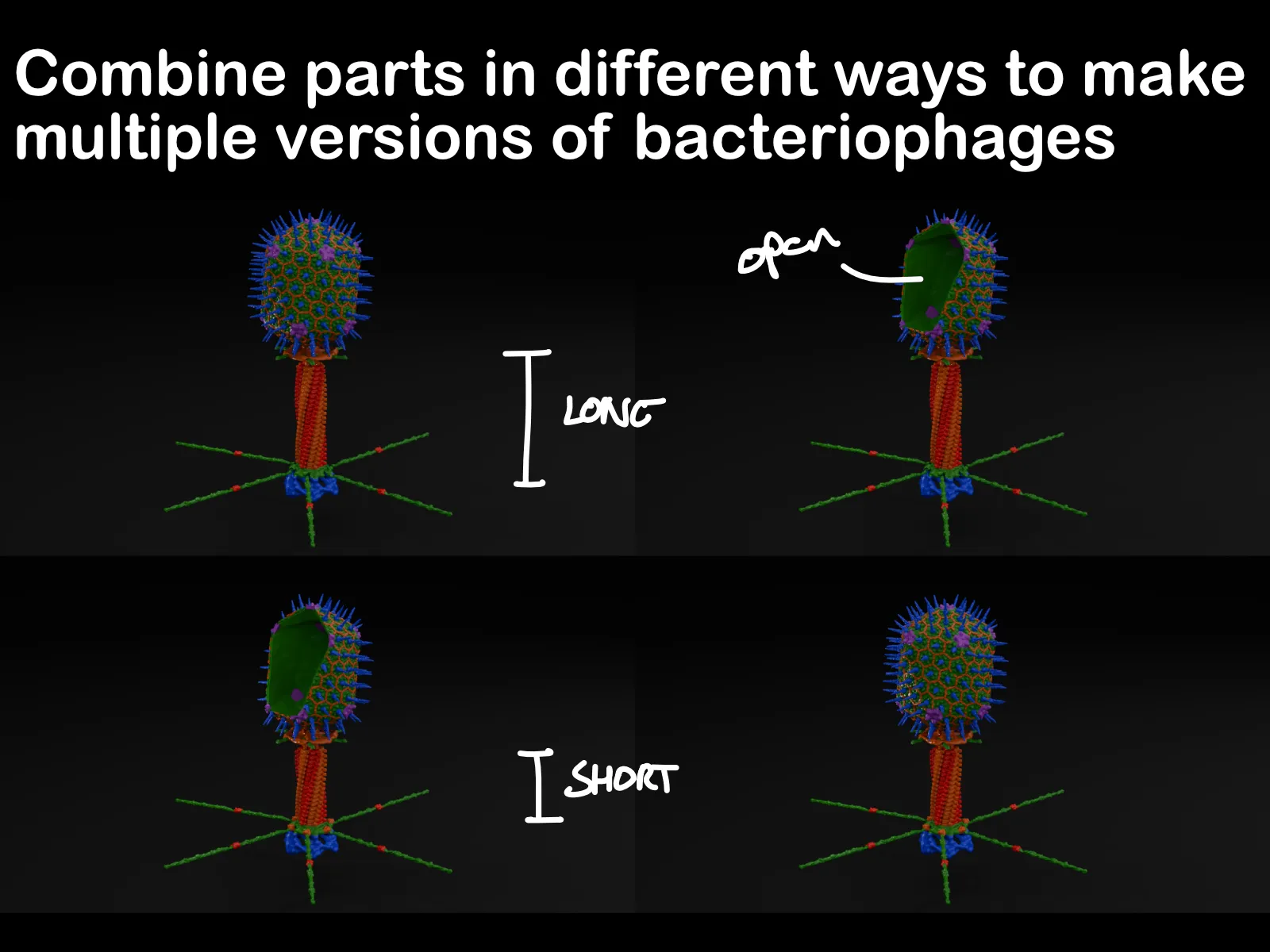
This diorama was also designed with versatility in mind. It was important to me that your diorama would be unique and would have your own touch to it. Here are some ways you can make these 3d printed parts into your own personal and unique diorama:
ASSEMBLY VIDEO:
PRINT SETTINGS:
I cannot stress enough, print bed adhesion is crucial!! When your first layer is successful the rest of the print will follow. To insure your first layer is perfect I suggest you use a glue stick or spray.
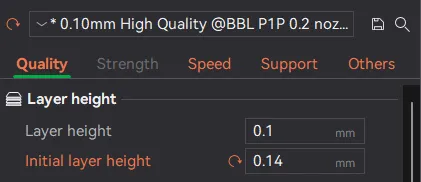
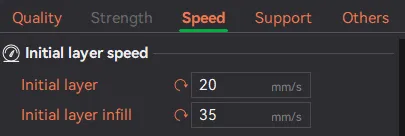
==> these are some settings that increased the chance of a successful first layer for me.
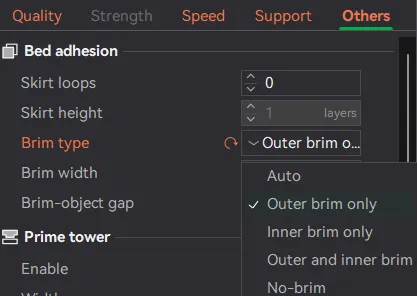
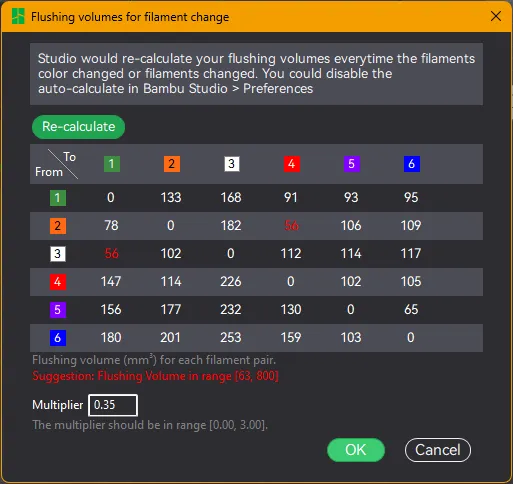
Because the bacteriophage is small and contains multiple colors, there are loads of filament switches and a lot of time/filament wasted. This is why I lowered the purging volume to 0.35. This minimizes waste and time.
The lowering of this value did not in any way affect the colors on my miniature phage.
If you only download the STL files, to slice them yourself. You'll need to scale them up to 2250%. You also need to repair the non manifold edges of the Head.
COLORS USED:
- Blue: Bambu PLA Basic, Blue 10601
- Red: Bambu PLA Basic, Red 10200
- Green: Bambu PLA Basic, Mistletoe Green 10502
- White: Bambu PLA Basic, Jade White 10100
- Purple: Bambu PLA Basic, Purple 10700
- Orange: Bambu PLA Basic, Orange 10300
I hope to see your diorama's soon :)) Enjoy printing
License

You shall not share, sub-license, sell, rent, host, transfer, or distribute in any way the digital or 3D printed versions of this object, nor any other derivative work of this object in its digital or physical format (including - but not limited to - remixes of this object, and hosting on other digital platforms). The objects may not be used without permission in any way whatsoever in which you charge money, or collect fees.


Comment & Rating (25)