Search models, users, collections, and posts

Collapsing Katana (Shinobu Style)
IP Report


Print Profile(5)

Optimal (PLA)
Designer
11.8 h
5 plates

0.16mm layer, 2 walls, 15% infill

16.9 h
6 plates

same as original designer + modifiers to correct blemish

23.5 h
5 plates

115% scale, 0.6mm nozzle, 0.3mm layer, 3 walls, 7% infill

9 h
4 plates
Click to see more
Open in Bambu Studio
Boost
2571
5970
451
277
6.9 k
2.6 k
Released
Description
Even though there are already a lot of different Collapsable Katana's out there, most of them either didn't work, needed a lot of gluing or they did not appeal to my daughter. So that's why I have re-created our own replica of Shinobu's Katana from Demon Slayer including a fitting Katana Stand.
Features of this Katana:
- Multi-color does not require AMS (the parts are separated on different plates so you can print them in different colors easily). There is just one part that has 1 color change at a specific height for use in AMS which give it a nice look if you want.
- Replaceable blades (the Pommel at the end of the handle is removable, so you can easily change blades)
- The handle has multi-color without any gluing → just print the 18 inlays in another color and then insert them into the handle. This way you get the wonderful looking Katana handle without the need of any glue.
- There is a stencil template for putting the cool Chinese letter's from Shinobu on this blade with ease. I have used a simple black EDDING spray to put them on. This is surely not required but gives a really cool look.
- A fitting Katana Stand is also included.
Assembly Guide:
- The print profile includes all the plates (B) by using 3 colors → PLA Silver, PLA Black and PLA Galaxy (Purple) - my daughter loved those colors, but surely you can adapt as you like. The Katana from the cover image was printed with this exact colors/profile.
NOTE: Do not use Silk PLA if you want to play with it (it looks great but does have a very bad Layer Adhesion, thus making the parts break too easily, you may also need additional support when printing). - All parts should be printed as is, they have been perfectly tested and printed with this profile.
- Especially the blade requires a well calibrated printer. I know many of the easy prints here just work, but they usually use a very simple blade profile with a bigger gap, which may not look realistic.
Anyway the 4 blades should print fine together and if they are sticking together slightly, either use some force to push them apart one by one or print them separate. Once you have them separated you can put them in from the back of the handle so they come out one by one at the front of the handle without being too loose so that they don't fall out - be sure to insert them in the right direction. If the 4 blades should not fit well together you can easily adapt the individual settings for each blade (Objects → Blade 1 to Blade 4) in order to increase or decrease the X-Y hole and/or contour compensation for your printer in order to get them fit together (the settings from this print profile should work well with BambuLab printers - tested on X1C).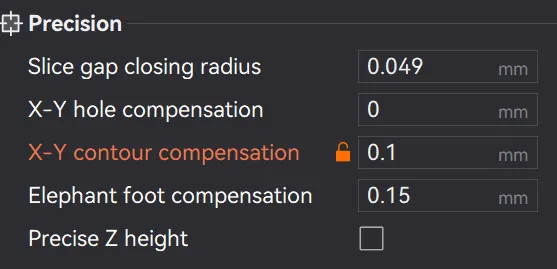
- The only part requiring support is the Tsuba with the "butterfly" design. Removing the support might be tedious, but it's not a problem because the surface doesn't need to be perfect. You'll be gluing the 8 Butterfly inlays over those spots, so the surface won't be visible anyway. 🤗
- Glue is required for connecting the Tsuba with the handle and the front and for putting the “butterfly” inlays into the Tsuba → So all green parts from the below explosion view (C) need to get glued together. I used normal super glue.
- The back (Pommel) must not be glued and should be a pretty tight fit, so you don't need to glue it and you are able to replace the blade from the back if it should ever break.
- The diamond inlays for the handle can be bend together slightly (be careful to not bend them too much so they don't break) so you can snap them into the handle slots one by one - no glue required (A).
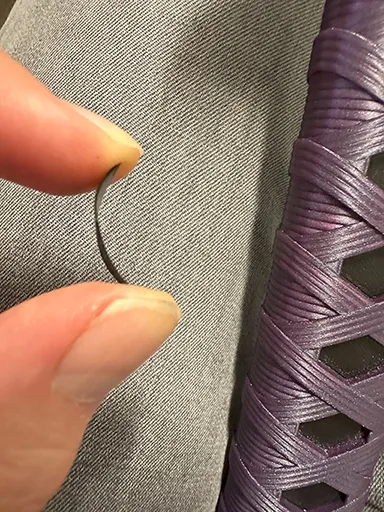
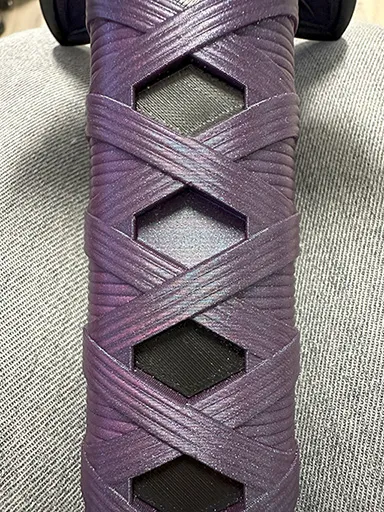
A) Inlay Assembly
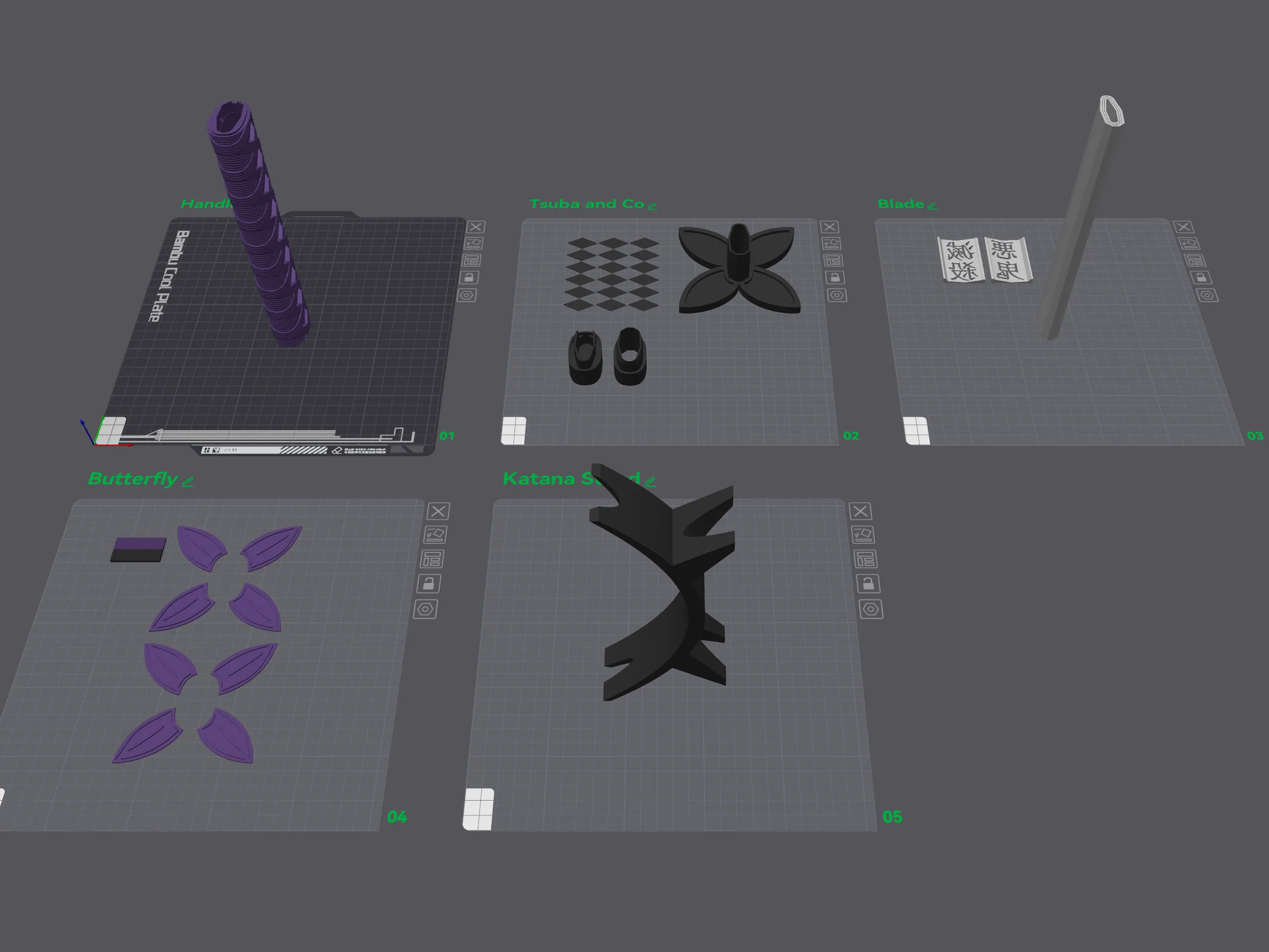
B) Printing Plates
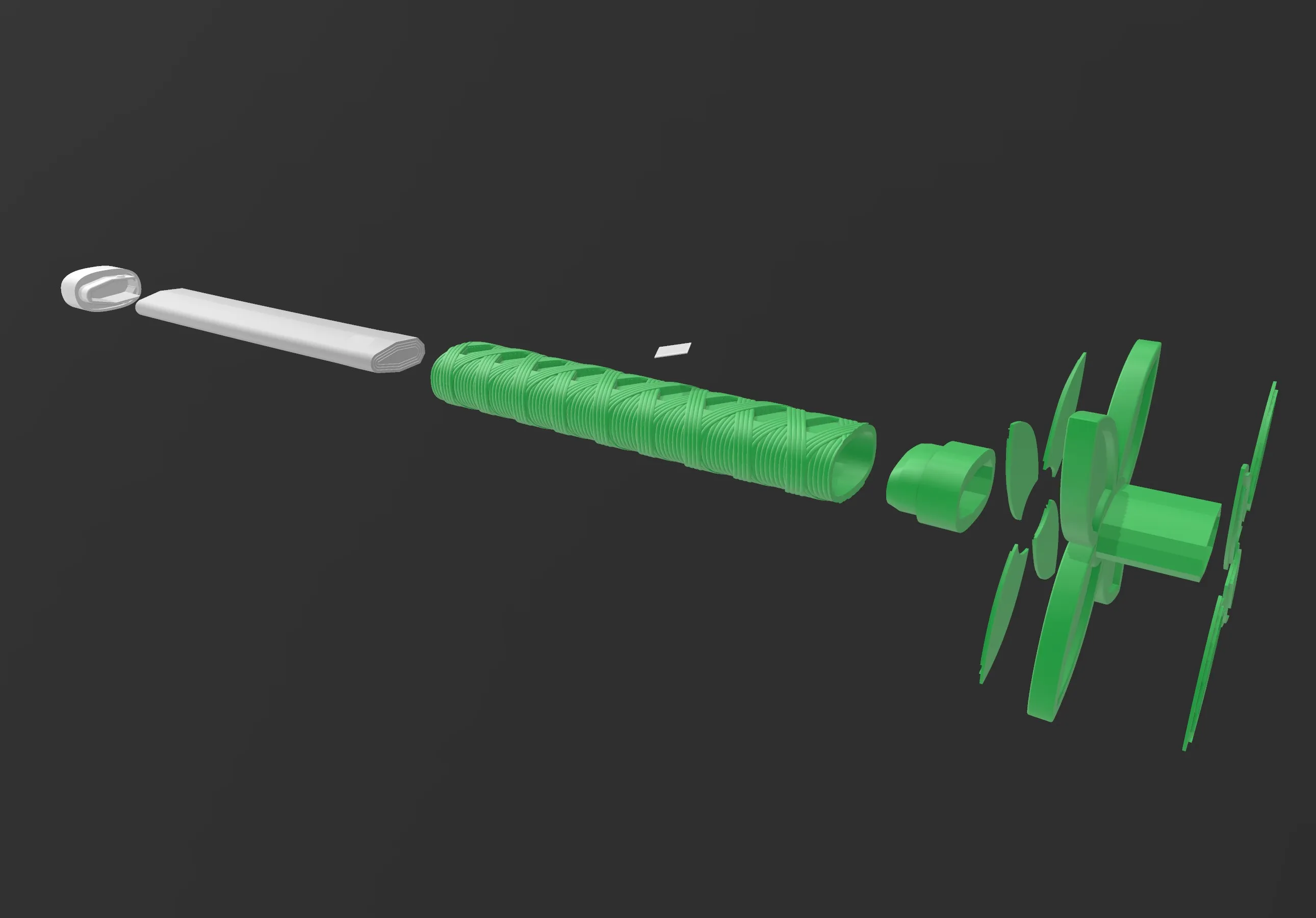
C) Explosion View
License

This user content is licensed under a
Creative Commons Attribution-Noncommercial-NoDerivatives


Comment & Rating (451)