
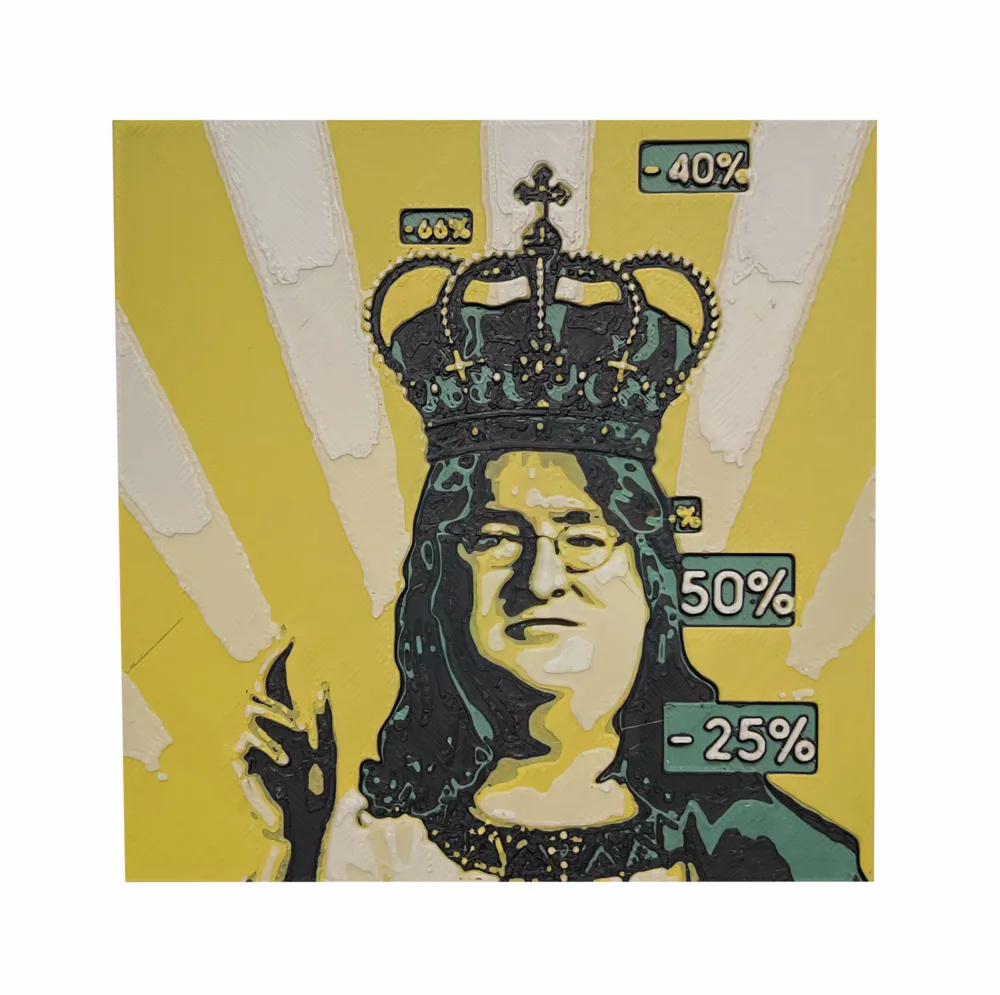

Print Profile(4)


Description
Swap Instructions:
Start with Black
At layer #6 (0.96mm) swap to Green
At layer #7 (1.12mm) swap to Black
At layer #10 (1.6mm) swap to Yelow
At layer #12 (1.92mm) swap to White for the rest.
0.16层高 对打印机0.4喷头毫无压力
上传了200x200 和100x100 两种尺寸的有AMS和没有AMS版本的打印配置,根据自己的配置选择
没有AMS的新手朋友,我为你们提供了保姆级步骤教学,其实非常简单的几步就可以完成。
(有AMS的朋友,选择对应配置选好对应颜色即可)
希望大家生活愉快,别让打印机歇着
0.16 layer height has no pressure on the printer's 0.4 nozzle
I have uploaded two printing configurations, 200x200 and 100x100, with and without AMS versions. Please choose according to your own configuration
For beginners without AMS, I have provided you with nanny level step-by-step teaching, which can actually be completed in a very simple few steps.
(For friends with AMS, select the corresponding configuration and color.)
Hope everyone has a happy life and don't let the printer rest
License

You shall not share, sub-license, sell, rent, host, transfer, or distribute in any way the digital or 3D printed versions of this object, nor any other derivative work of this object in its digital or physical format (including - but not limited to - remixes of this object, and hosting on other digital platforms). The objects may not be used without permission in any way whatsoever in which you charge money, or collect fees.


Comment & Rating (3)