Search models, users, collections, and posts

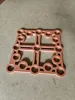
Dog hole jig / Lochraster Schablone

Print Profile(2)

All
P1S
P1P
X1
X1 Carbon
X1E
A1
H2D
H2D Pro
H2S
P2S
H2C
X2D
A2L

0.2mm layer, 2 walls, 15% infill
Designer
4.2 h
1 plate
5.0(41)

Sturdier template: PLA, 4 walls, 25% infill
5.4 h
1 plate
5.0(3)

Open in Bambu Studio
Boost
294
1206
75
72
1 k
521
Released 

Description

Content has been automatically translated.
Show original

Universal milling template for the production of a hole grid with a diameter of 19 mm or 20 mm

Detailed description and instructions can be found in the manual. The models of the necessary calibration ring and the bench dogs with 19 mm or 20 mm can also be downloaded from my profile page


Universal milling template for the production of a hole grid with a diameter of 19 mm or 20 mm

Detailed description and instructions can be found in the manual. The models of the necessary calibration ring and the bench dogs with 19 mm or 20 mm can also be downloaded from my profile page


Documentation (2)

Assembly Guide (2)
Handbuch_deutsch_b4cb3014-4fa4-4073-a239-c6f3092868ff.pdf
Manual_english_e212eba0-3474-48a7-acf3-7fbaef42bbc4.pdf

Comment & Rating (75)

(0/1000)

This template works perfectly Printed in black PETG hf It's exactly what I needed Thank you so much for sharing, I will boost
The designer has replied
Show original
designer
2
Reply
This has become a truly magnificent workbench I am most pleased that my milling template facilitated such a splendid result
Show original
0
Reply
very good so far I only had to print an extra ring to be able to make the holes with a 1/4 spiral drill bit and a 12 mm guide
(Edited)
Show original
1
Reply
Boosted
Perfect tool, precise, useful, great print profile, the manual is very helpful. The other prints with the Bench Dogs and Stop Rails look great as well. Vielen Dank Gaudi
The designer has replied
0
Reply
Thanks!
0
Reply
what is the best cutter to use? will this be ok?
The designer has replied
0
Reply
Yes, this cutter is fine. It should have a diameter of 19 mm or 20 mm, depending on which system you want. I described the necessary tools in the manual on page 2.
0
Reply
Print Profile
0.2mm layer, 2 walls, 15% infill
Very nice!
profile
1
Reply
Print Profile
0.2mm layer, 2 walls, 15% infill
No problems printing
(Edited)
0
Reply
Great design. Im going to give this a go instead of buying other expensive tools. One question, the calibration ring that you mention. Is this something that you have a model for or something that someone is expected to design and print themselves?
The designer has replied
1
Reply
Hello Spudicus, the calibration ring can be found as a STL or 3MF model under the download files, where you also downloaded the STL for the Dog hole jig. I hope this helps you, otherwise let me know.
0
Reply
Replying to @Gaudibursch74 :
Thanks heaps. Just clicked it and found it. Thanks again. I will have to give this template a go this weekend and come back to you with how i went
0
Reply
Hi there. I'm really having trouble finding the calibration ring - I'm new to this stuff. I've scanned this page for ages trying to find the link you described to @Spudicus, and still have had no luck. Could you help me out please? Thanks in advance.
0
Reply
I'm having a tough time finding how to download the calibration ring
The designer has replied
0
Reply
I don`t know why, but the file for the calibration ring isn`t show anymore on Makerworld, although it is uploaded to the page. I`ve reuploaded the file, without success solving the problem. This problem occurs since the last 5 weeks. Do anyone have an idea? Please post it in the comments. Thanx.
0
Reply
Replying to @Gaudibursch74 :
Hello, same problem, I am looking for the calibration ring. Is it possible to share it on another link or provide a plan to model it yourself thank you
Show original
0
Reply
Replying to @Dav42 :
Now the calibration ring is as a separate modell available.
0
Reply
Hi, a very cool idea and thank you for the design. After testing it I'd like to add a few remarks. The fit is perfect, but stability is an issue. Even with four aligned dog bolts the jig might flex diagonally and cause inaccuracy. By adding diagonal reinforcement studs from the corners to the center, this could be prevented. Another issue I had was the alignment from the edges. This is more a remark on the manual. By referencing from two edges, the table needs to be cut PRECISELY at 90°. Even 0.1 degree off will result in a deviations up to 2 mm after 1m. Try referencing only from the bottom edge and just for the first row from the side with the bolts. Top image on page 7 in the manual should be without edge referencing but only referencing previous holes below. Lastly I printed a small L-shaped piece to fit around the top right corner of the jig as the surface area for the plunge router was too small and it tended to tilt while plunging. Hope this is helpful information from my experience with this design.
The designer has replied
0
Reply
Thank you for your detailed comment and your proposals.
0
Reply
what router copy ring are you using? is it 27mm ID or OD?
1
Reply
