Search models, users, collections, and posts

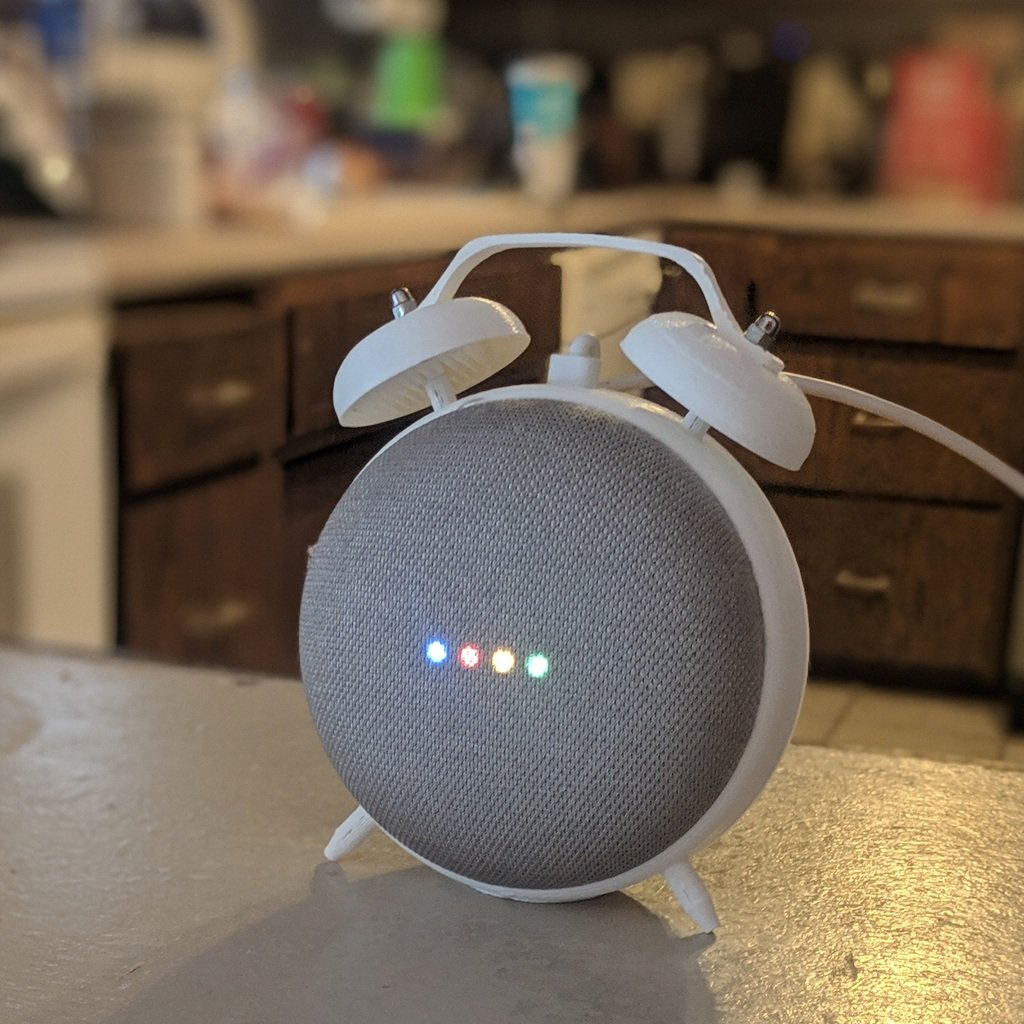
Google Nest Mini Retrò

Remixed by

Print Profile(1)

All
A1 mini
P1S
P1P
X1
X1 Carbon
X1E
A1
H2D
H2D Pro
H2S
P2S
H2C
X2D
A2L

PLA_(A1mini)_0.2mm layer, 3 walls, 10% infill
Designer
1.6 h
1 plate
4.2(62)

Open in Bambu Studio
Boost
336
1045
104
20
858
630
Released 

Bill of Materials

Maker's Supply Kits and Parts
Select all
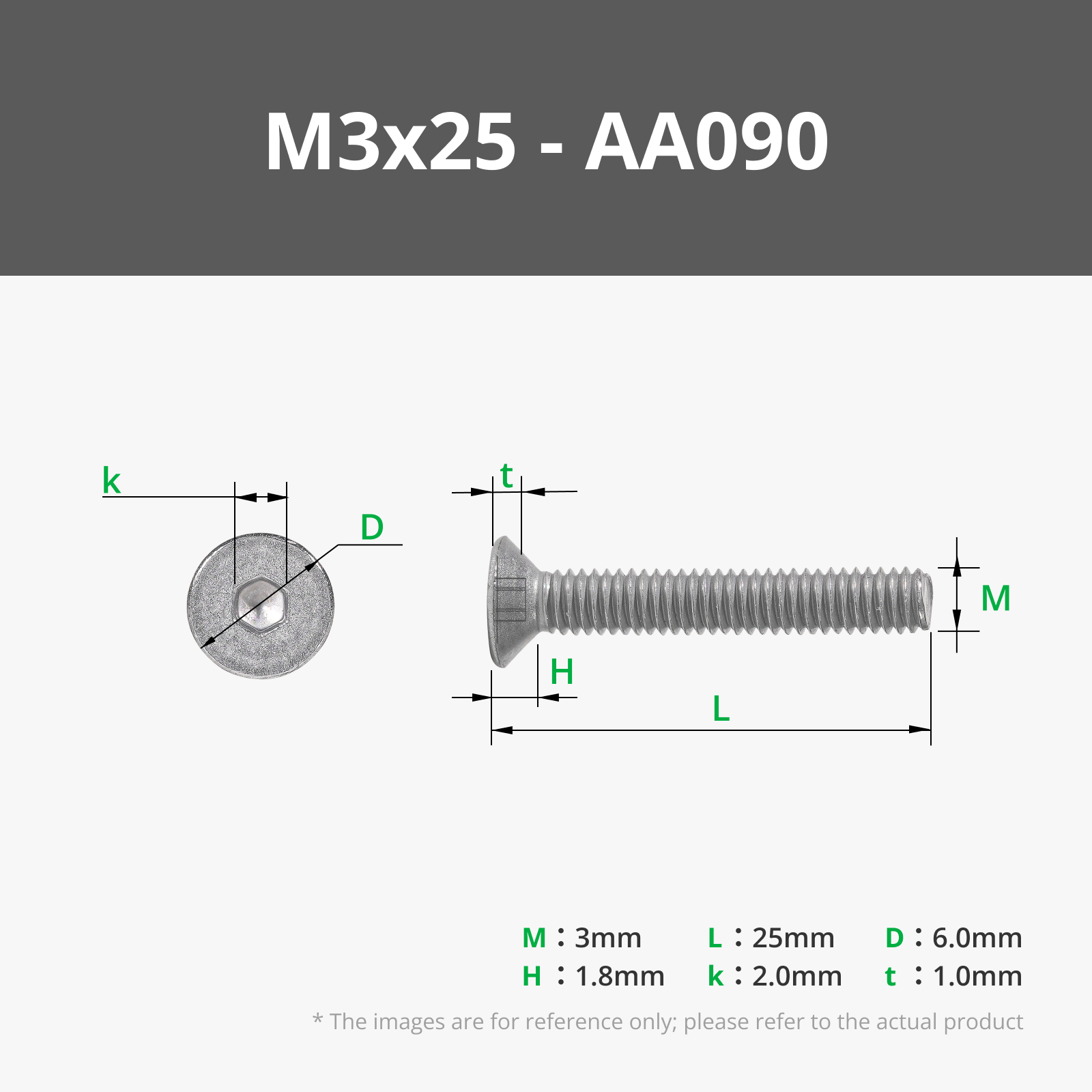
M3x25 FHCS Machine Screw (5PCS) - AA090
M3 Carbon Steel Hex Nut (20PCS) - AB005

Description

Google Home/Nest Mini Retrò


I'm also posting this Vintage stand for Google Home/Nest mini on MakerWorld.
A Remix made by me based on the excellent Yelt project.


REQUIRED HARDWARE:

  • x2 m3 25mm bolts
  • x2 m3 nut

P.S. Use my print profile or Print with supports (Only the main structure)

Comment & Rating (104)

(0/1000)

great profile, it printed beautifully. I ended up stuffing a Google mini into it because I did not realize at the time that the nest must be physically smaller. it would work, but my main concern is why the heck are there not four legs underneath? seems like it would have been easy to move the two existing legs closer to the front and add two identical ones to the rear to make it free standing. I don't really have a great place to lean it up against something. either way, looks cool, so I threw on some pictures. I haven't glued the nut caps on yet. thanks for the design!
The designer has replied
designer
1
Reply
it actually stands up well on its own, but it needs to be installed correctly. The two rear wings should not bend, basically the “Nest” needs to be pushed forward to the edge of the net. the two rear wings need to stay flat. this way the top hole will align with the USB port and everything will stay upright and well balanced. another tip is to use a “slim” USB cable. thin. so that it doesn’t affect stability. I only recently learned that there are “non USB” versions. This model is not suitable for them. sorry. I need to remember to add a highlight. bye
0
Reply
PS. the disk under the bell must be removed. let's say it is a print support. at the time I did not know how to avoid automatic print supports, so I created one directly in the .stl file
0
Reply
Replying to @TheMiguelBi :
omg I thought i lost my mind. I've been trying to figure out where the disc go and why they didn't show on the plate preview haha! are the caps supposed to be glued on? they have a hex shape but my screws are smaller and round.
0
Reply
Print Profile
PLA_(A1mini)_0.2mm layer, 3 walls, 10% infill
nice
profile
2
Reply
my first print is this one
The designer has replied
1
Reply
Welcome! 👍🏻
0
Reply
I printed it and had an issue with the cable (see attached photo). My old Google Home has a longer plug that does not fit the design. I had to cut into the clock, otherwise the front would not fit right around the Google Home. It worked though, I just want to inform makers who may also have an older Google Home.
The designer has replied
0
Reply
Through the hole where the USB cable should pass you can see some fabric in your photo Also the 2 flaps on the back are bent backward This is not the correct installation The mesh front of the speaker must reach the edge and the two rear flaps must not move! Insert it by keeping it resting and perfectly flat on a table Not so if over time they have changed the design, but on mine it works perfectly And I'm talking about an old, very old Google Home Mini! (When Nest was still another separate company!)
Show original
0
Reply
Replying to @TheMiguelBi :
There was no USB cable shipped with the very old models. I managed to get the power cable through the hole that was designed for the USB cable, but it was very hard, because the cable is at least twice at thick as USB plugs.
0
Reply
Print Profile
PLA_(A1mini)_0.2mm layer, 3 walls, 10% infill
Prints perfectly and the result looks great!
profile
1
Reply
I printed screws and nuts because I didn't have any It looks good, the print is clean, so I didn't put on the screw covers It's just barely balanced, it won't take much for it to tip over
Show original
0
Reply
Can you please share the files for those screws and nuts? I just have a frame sitting around because I do not have the hardware.
0
Reply
Print Profile
PLA_(A1mini)_0.2mm layer, 3 walls, 10% infill
very cute!
profile
1
Reply
Print Profile
PLA_(A1mini)_0.2mm layer, 3 walls, 10% infill
The profile uploader has replied
profile
1
Reply
Thanks for sharing your creation!
0
Reply
Print Profile
PLA_(A1mini)_0.2mm layer, 3 walls, 10% infill
the charging cable stays in tension and the speaker pops out of the clock
The profile uploader has replied
0
Reply
Avoid fabric cables and use thinner cables. The original Samsung is perfect. There's also a recess at the bottom to hold the cable in place. If you insert the speaker correctly, everything stays balanced. If it falls, you've done a poor installation. The rear fins must remain completely flat, just as they were on the print bed!
0
Reply
I use the original cable which came with the nest and I don’t want to buy other cables just to make it work. I don’t like workarounds and the 3 stars is a bit too much now after I read your comment. have a good day
(Edited)
1
Reply
How do you put the google nest mini in
The designer has replied
0
Reply
its gen 2
0
Reply
What you see in the photo is a very old Google mini. With a USB port. Long before they acquired Nest. 🤷🏻‍♂️ There are several comments that use it correctly and others that say it doesn't work. At this point I can't tell you what works with what. Mine works!
0
Reply