
Parametric Gift Box (Fusion 360)

Print Profile(14)


Description
Attention!
It seems like the actual version of Fusion has problems with projections inside some sketches.
This problem is definitively new since one of the last updates.
I uploaded a version with higher tolerance which works better.
(2025-09-30)
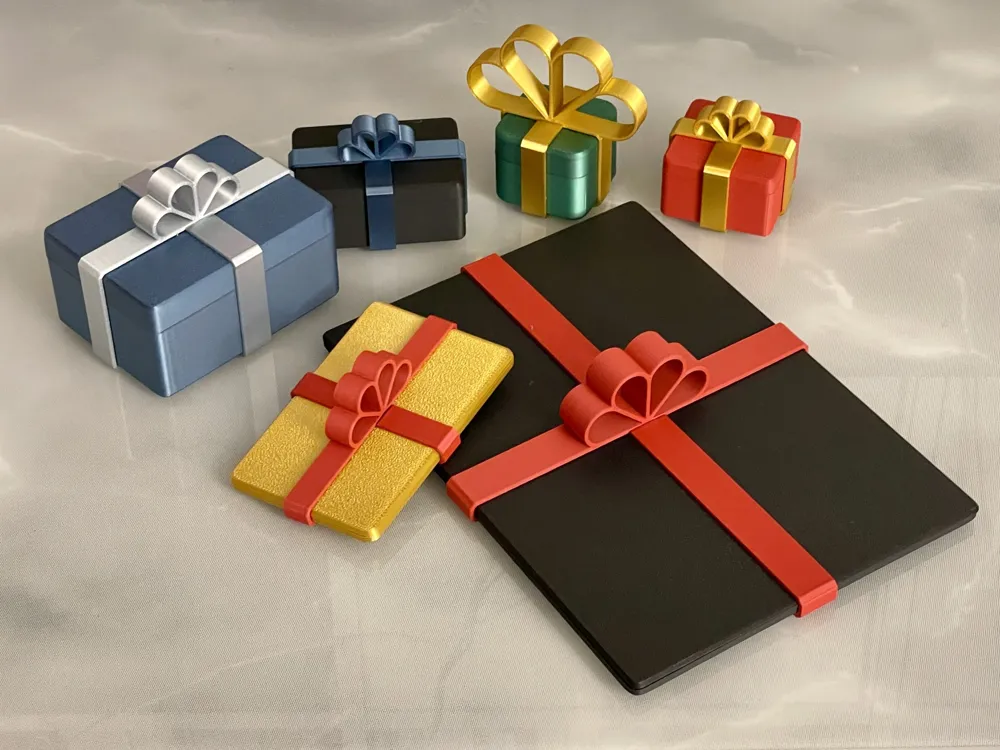
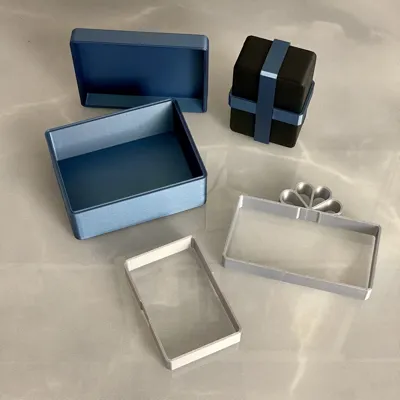
I uploaded many different sizes, but you can also make your own size using the uploaded "parametric Gift Box.f3d".
You need Autodesk Fusion 360 to set the parameters. It's free for private use.
Customization
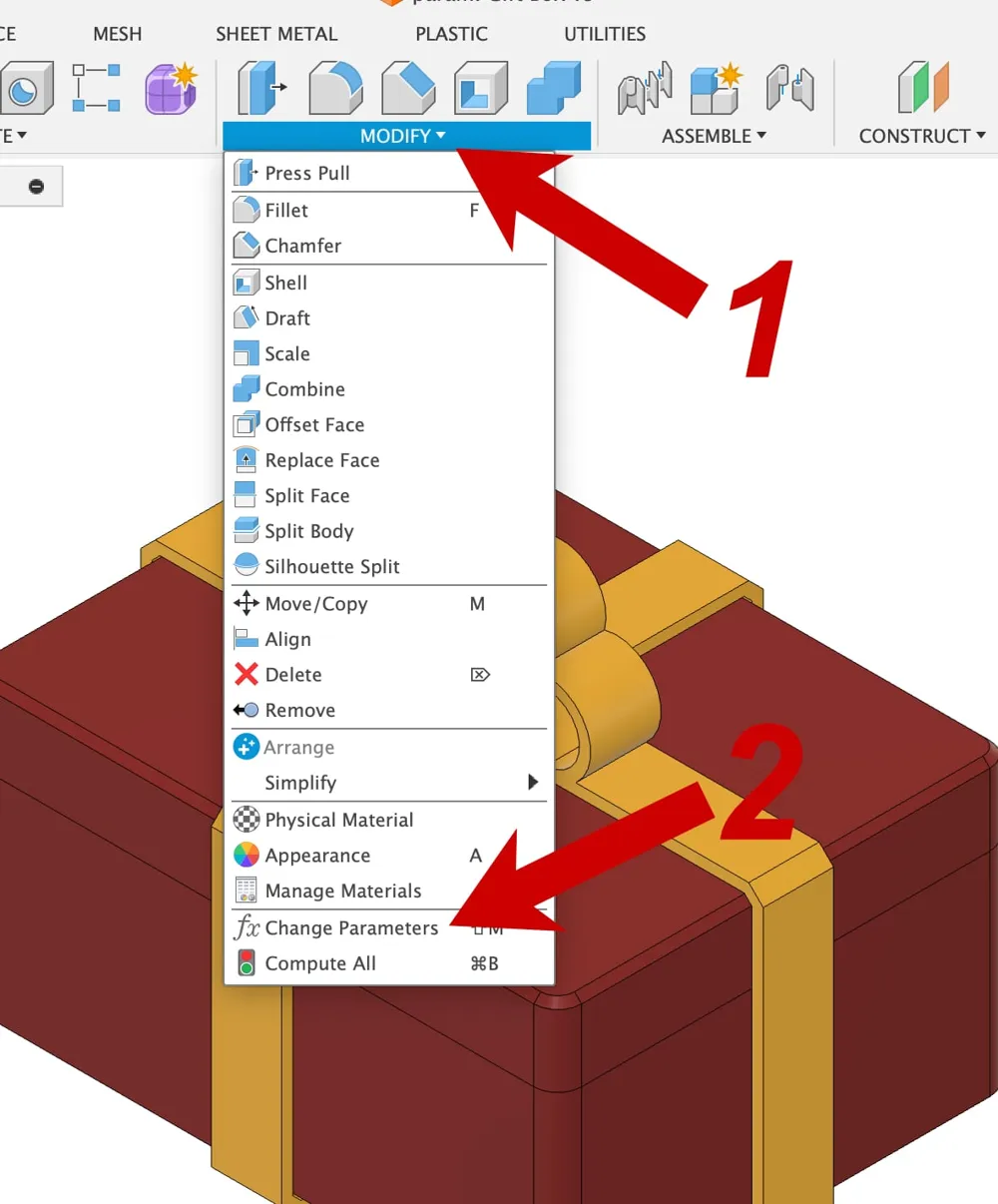
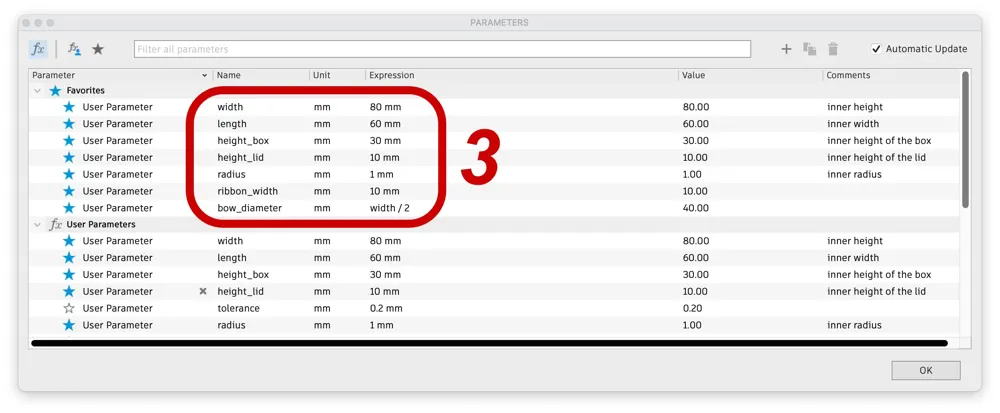
For those who are not familiar with Fusion here are very detailed instructions (see also the uploaded screenshots):
Open the file Parametric Gift Box.f3d in Fusion 360.
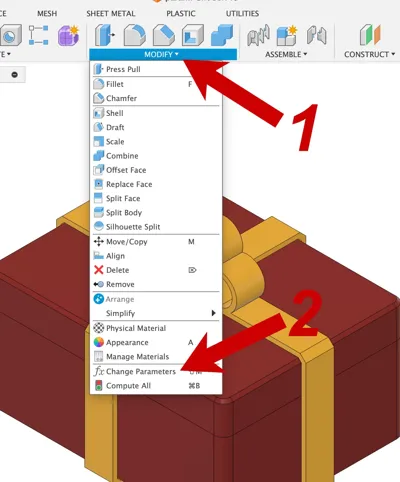
- Click Modify …
- … and Change Parameters
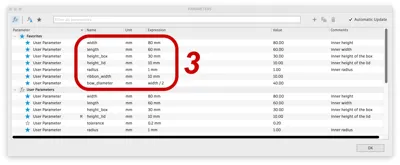
- In the following dialog you can edit the parameters. If the recalculation of the model fails just use the old value. Probably some other values need to be decreased (e.g. radius). Please use only reasonable values.
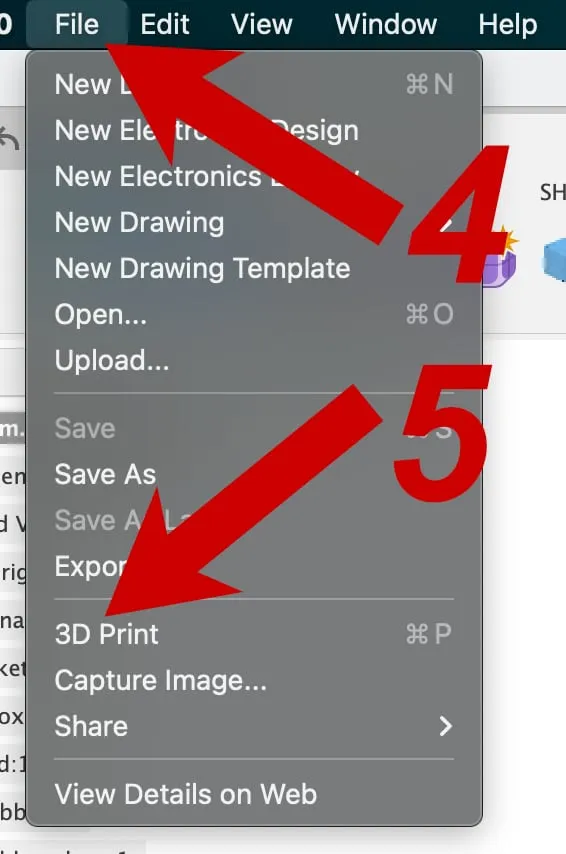
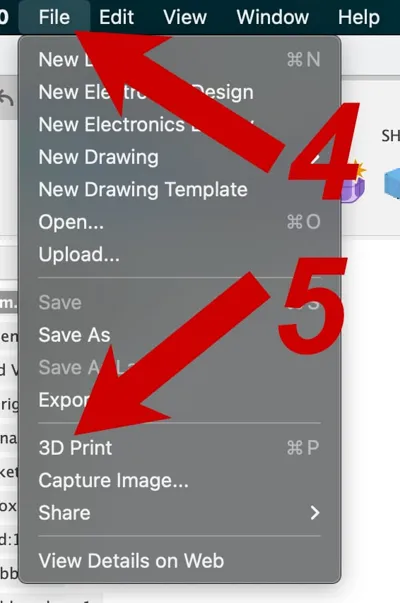
- Click File …
- … and 3D Print
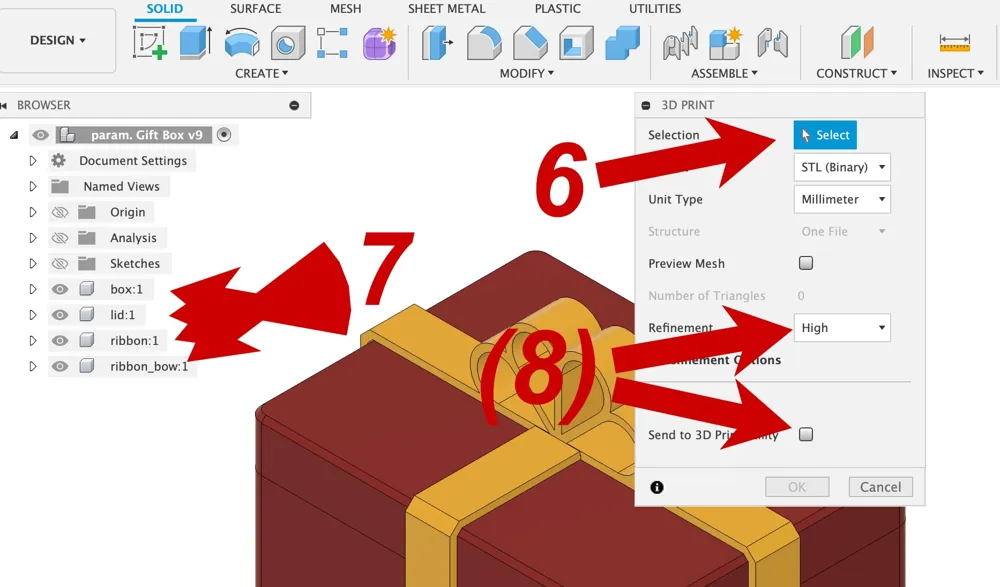
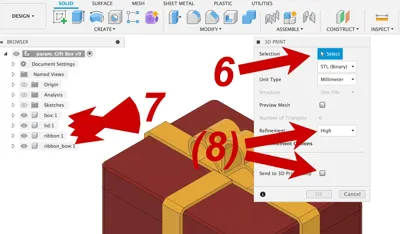
- In the following dialog click on Select …
- … and chose the component “box” in the browser on the left !!!
- Refinement should be high and Send to 3D Print Utility unchecked.
Click OK and select a destination to export.
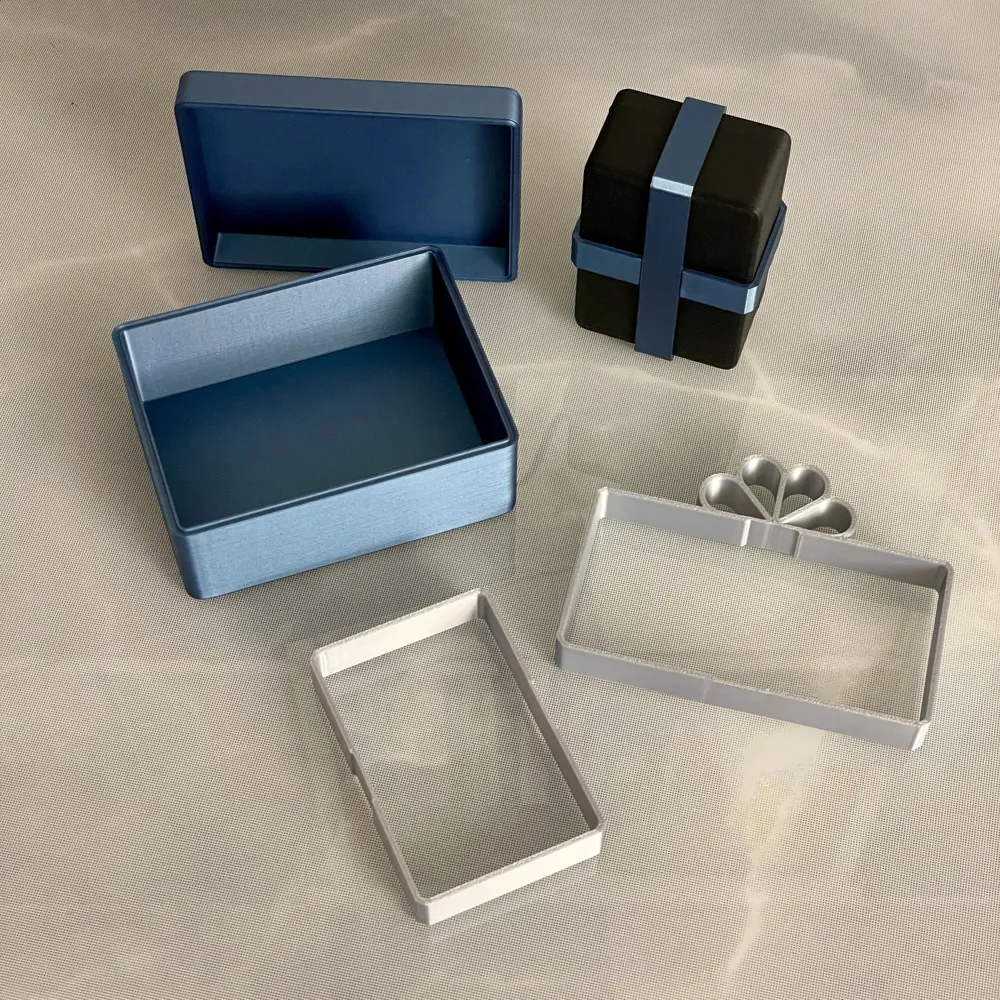
Repeat steps 4-8 for all four parts (box, lid, ribbon, ribbon_bow)!
Print Instructions
- 3 walls
- no support
- larger / longer parts may need a brim
I used PLA with .2mm layer height.
If you have any hints or suggestions please let me know.
I would love to see photos of your gift boxes …
License



Comment & Rating (221)