Search models, users, collections, and posts

Fillet diameter radius gauge | Workshop Coaster

Print Profile(2)

All
X1 Carbon
P1S
P1P
X1
X1E
A1
A1 mini
H2D
H2D Pro
H2S
P2S
H2C
X2D
A2L

EasyColor_0.2mm layer, 2 walls, 25% infill
Designer
2.8 h
4 plates
4.9(60)

0.2mm layer, 2 walls, 15% infill, ironing
3.6 h
4 plates

Open in Bambu Studio
Boost
268
769
66
28
1.2 k
467
Released 

Description

What it is

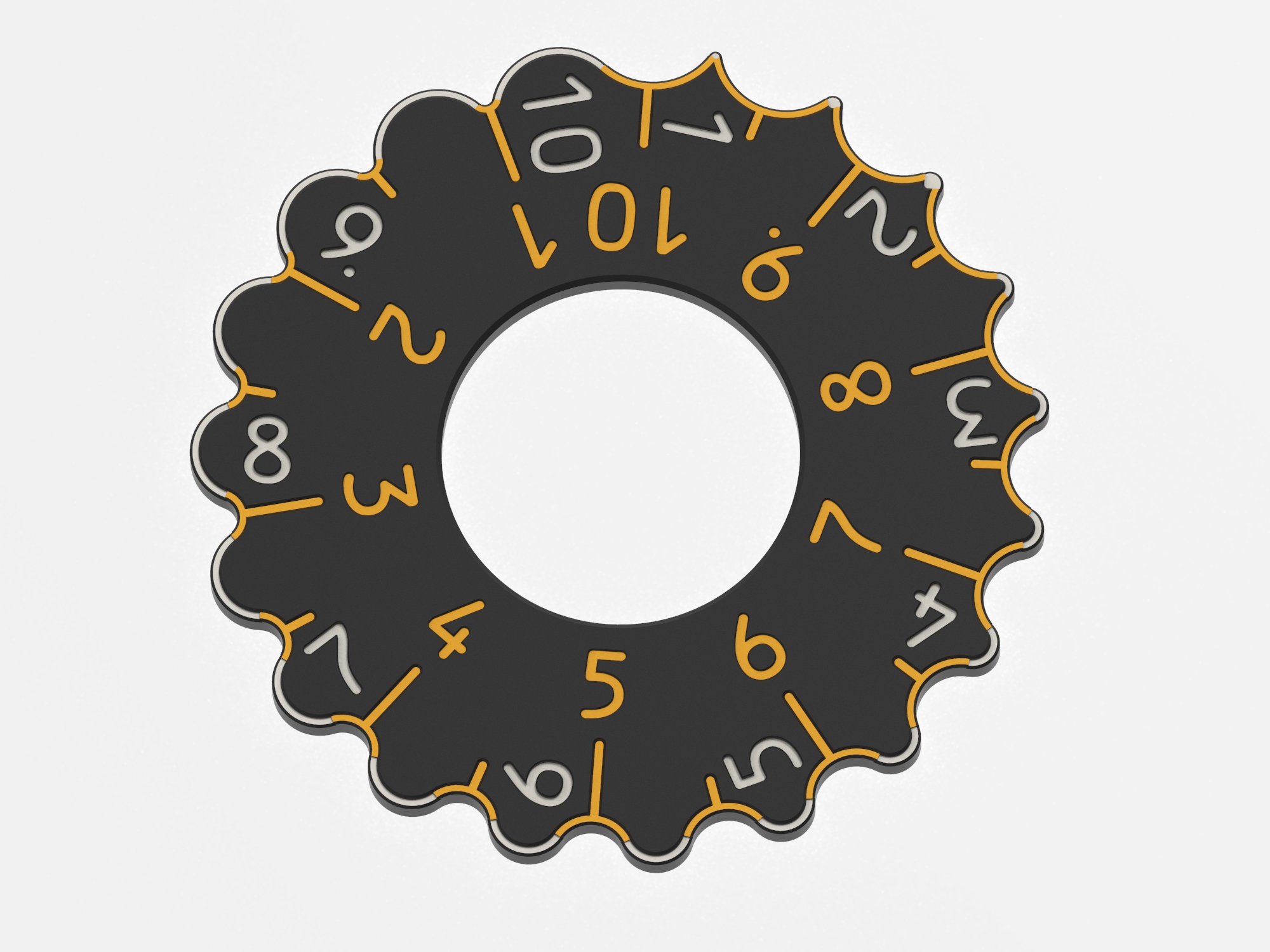
A compact gauge to determine inner and outer radii/diameter, ranging from 1 to 20 mm. It also works well as a coaster.

What to print

There are multiple variants awaiting you:
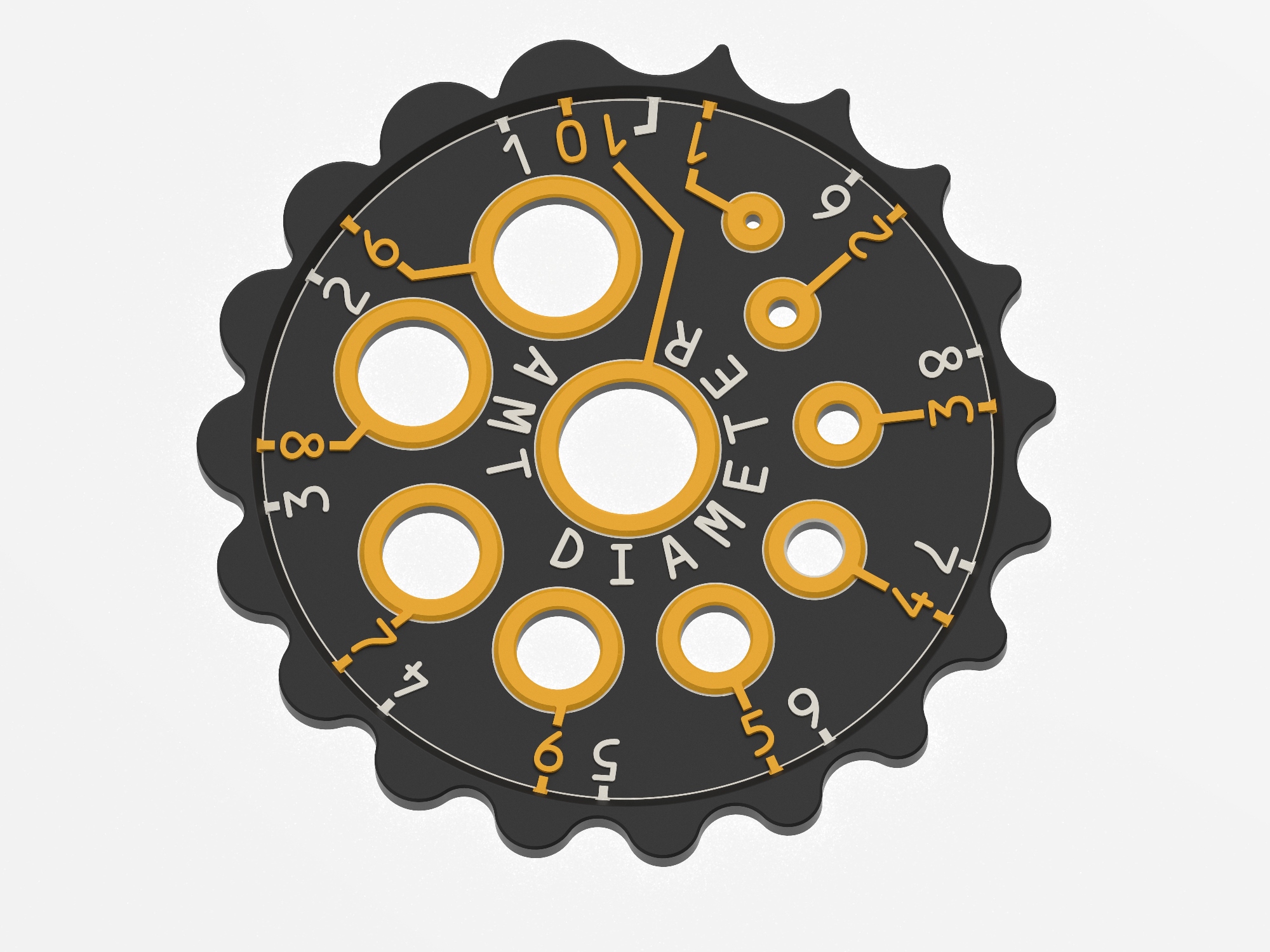
 

  • Central gauge version 1
    • measures from 1 to 10 mm in 0.5 mm increments
    • ring gauges for round stock, drills, … from 1 to 10 mm in 1 mm increments, clearance designed is 0.1 mm
  • Central gauge version 2
    • measures from 1 to 10 mm in 0.5 mm increments
    • central hole (35mm)
    • digits running cw/ccw like on the embracing gauge
  • Central gauge version 3
    • measures from 1 to 10 mm in 0.5 mm increments
    • central hole (26mm)
    • bigger depressed digits & coloured edges
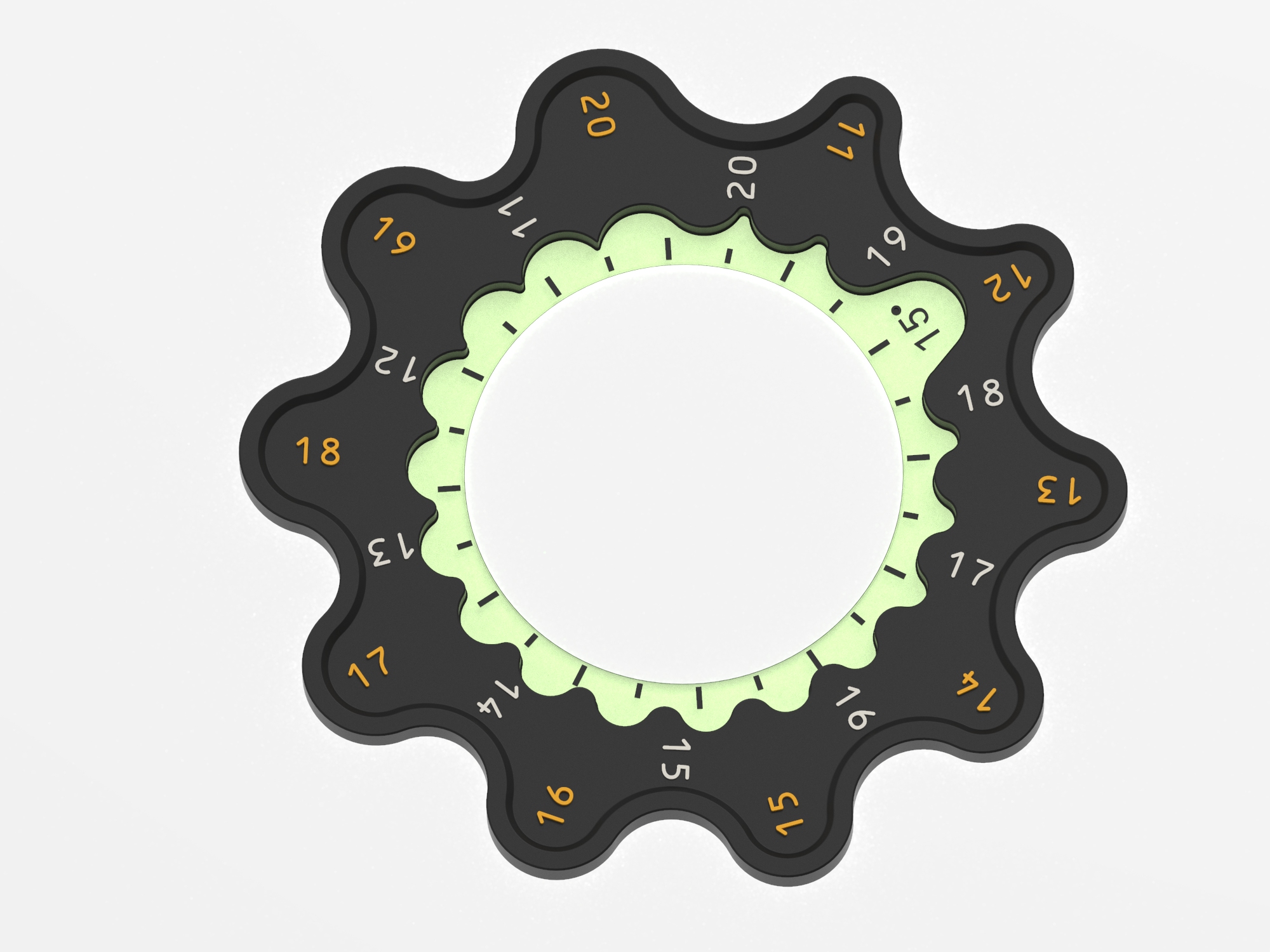
  • Embracing gauge version 1
    • measures from 11 to 20 mm diameter in 1 mm increments
    • 15° angular scale
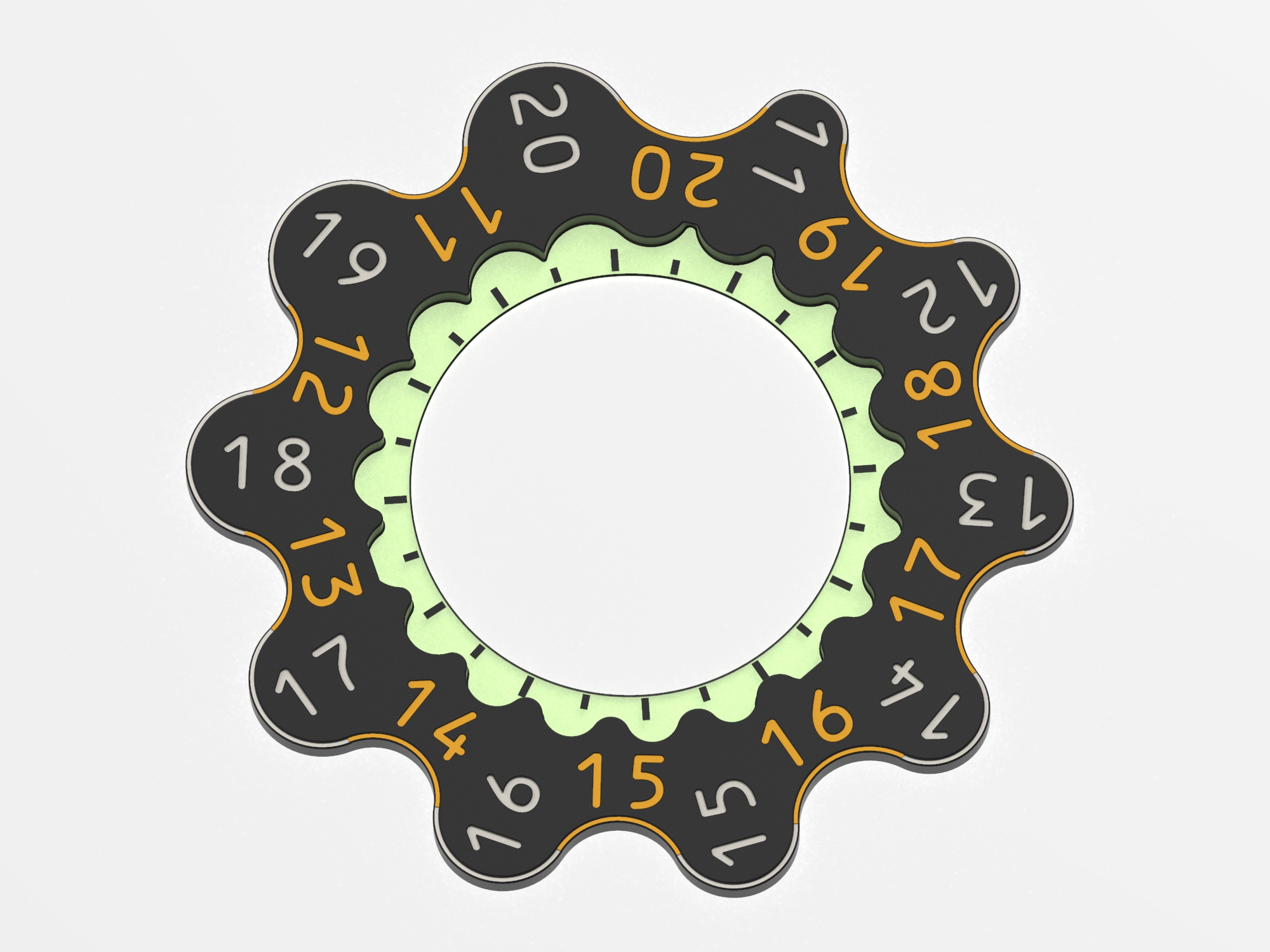
  • Embracing gauge version 2
    • measures from 11 to 20 mm diameter in 1 mm increments
    • 15° angular scale
    • huge depressed digits & coloured edges
    • snap fit with central gauges
  • Recommendable remixes
    • If you want this design expanded to measure up to 40mm (or as coaster for a beer-keg?) DavidsGotWood got you covered here with a next size up embracing gauge.
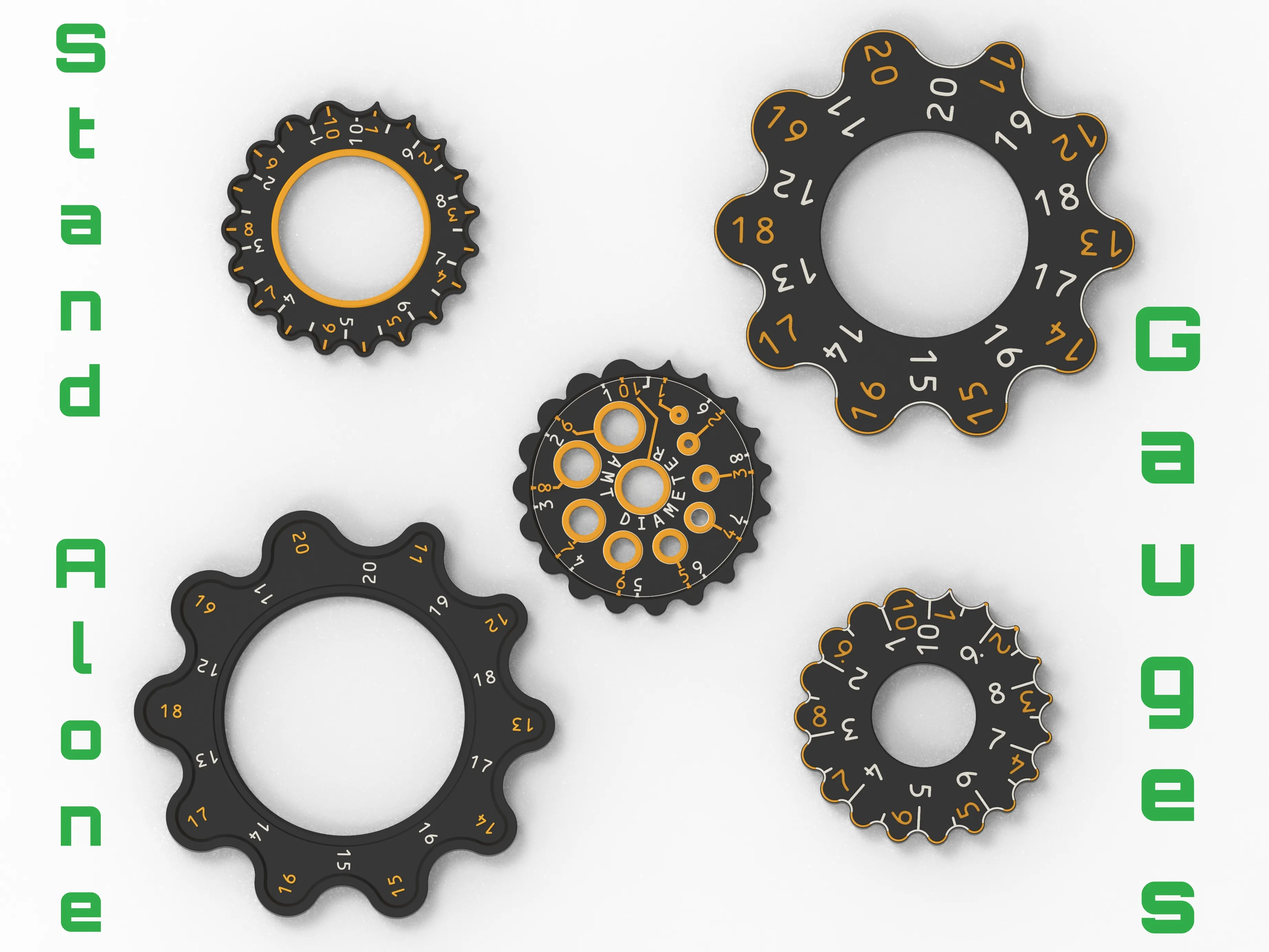
  • Stand alone variants
    • 5mm thick
    • no nesting but great to fidget with
    • available here

How to print

Recommended for printing is a 0.4 mm nozzle and 0.2 mm layer height. Printing with a 0.6mm nozzle and Arachne activated is possible, as can be seen in the pictures above.

A multi color version is just a matter of simple filament changes between layers. The digits on top differ in height by 0.2 mm which lets you print them in two colors. → The here orange depicted digits read the adjacent bulge diameter and are 0.2mm higher than the white ones, which read the adjacent inside curvature.

Material at one's discretion, I used PETG in four different colors.

What next

There may be improvements and modifications based on feedback given here.

If you prefer a smaller tool for the same task, my Diameter Worm may be a good choice.

Measuring instead of gauging angles can be done with my printable Vernier bevel protractor.

Mentions

Credits to Archimedes of Syracuse, who absolutely died for circles and Carl Friedrich Gauß.

Comment & Rating (66)

(0/1000)

Print Profile
EasyColor_0.2mm layer, 2 walls, 25% infill
good recommended settings and the split model made for an easy slice and quality print! I only wish I had higher contrast filaments to use
profile
3
Reply
Print Profile
EasyColor_0.2mm layer, 2 walls, 25% infill
Works great. Thank you for sharing.
profile
3
Reply
Compact and practical. Nice contrast with the colors!
2
Reply
Print Profile
EasyColor_0.2mm layer, 2 walls, 25% infill
good options to choose from and brilliant integrated design the only part i haven't been able to work out how to use yet is the angle finder as you have to guess the centre. pla in gold silk and green sparkle all in all good print and design
profile
2
Reply
Print Profile
EasyColor_0.2mm layer, 2 walls, 25% infill
Love the design, printed without any issue. Thanks ! Bambu PETG green and extruder PETG white and black
profile
1
Reply
Print Profile
EasyColor_0.2mm layer, 2 walls, 25% infill
printed in pla
0
Reply
Print Profile
EasyColor_0.2mm layer, 2 walls, 25% infill
Awesome tool for reverse engineering. Printed very quickly with minimal waste. I used black, red and yellow PLA Basic. Thanks for the great model.
0
Reply
Print Profile
EasyColor_0.2mm layer, 2 walls, 25% infill
Very useful. I did the color change with pauses without the AMS, and it came out great.
0
Reply
Print Profile
EasyColor_0.2mm layer, 2 walls, 25% infill
One of the best radii measurement models I've found on here! I modified the models a bit including printing it in multi-color from an A1 without an AMS - just add some pauses at the appropriate places. In addition, I added a negative part in the shape of a 6x2 magnet into the ring body of each model to be able to magnetically slap them on my workbench. Can definitely recommend both!
0
Reply
Print Profile
EasyColor_0.2mm layer, 2 walls, 25% infill
Nice tool!!!
0
Reply