
Filament sinkage rate calibration mean test | 40min Fast and Precise
Print Profile(1)
Description
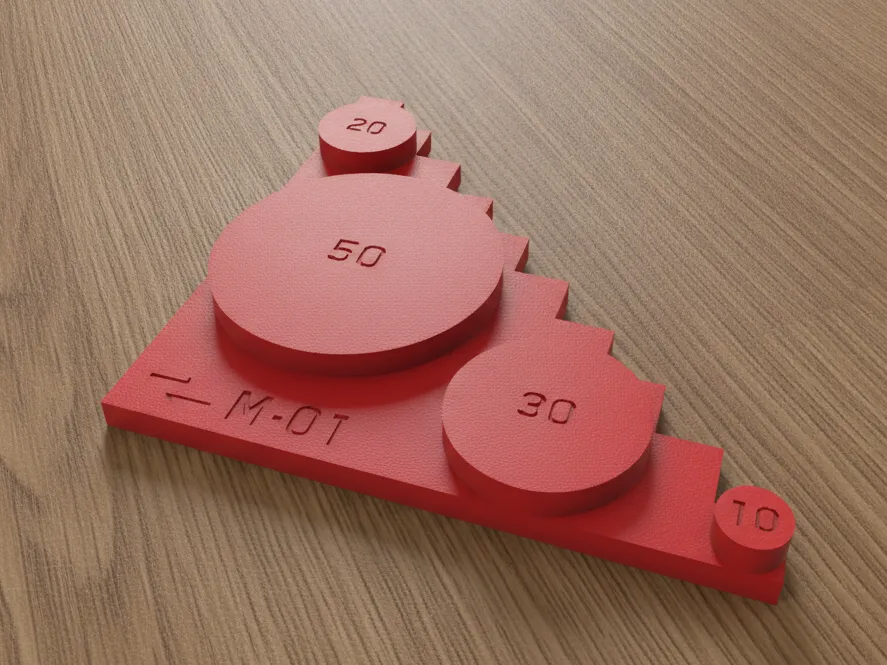
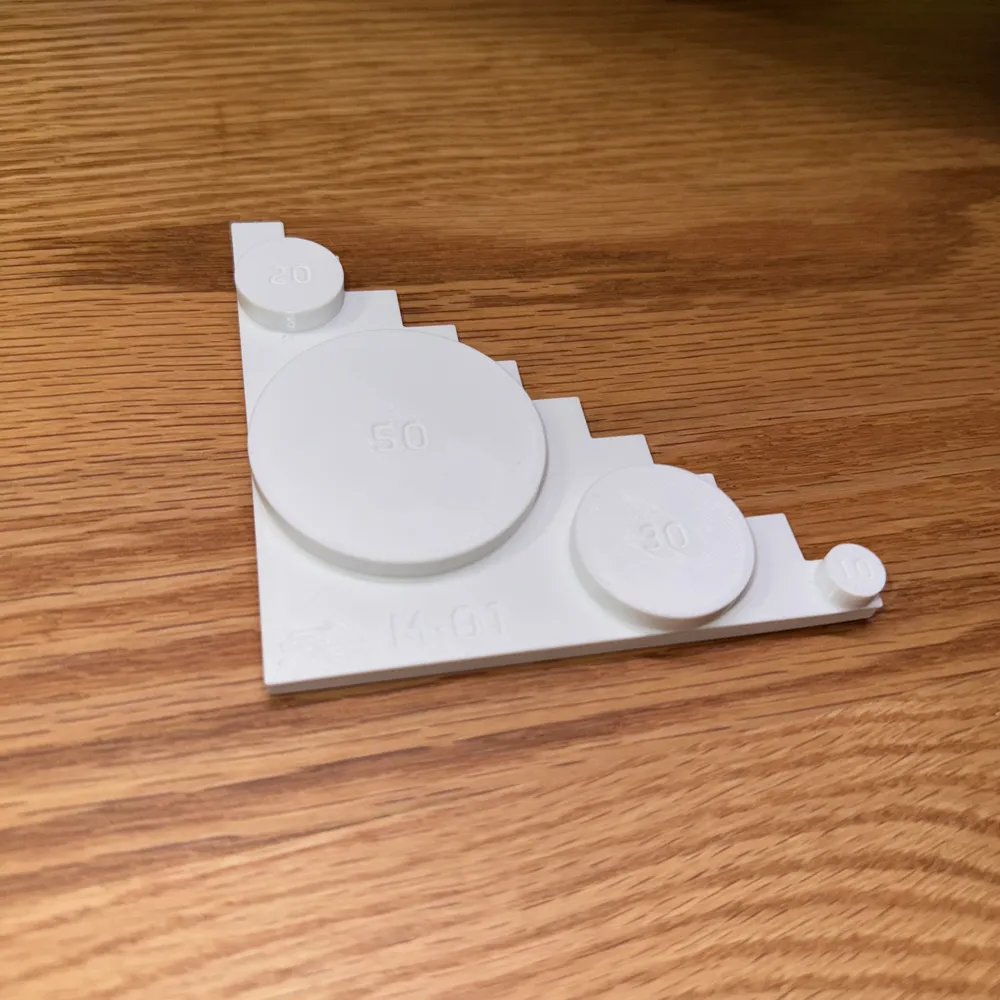
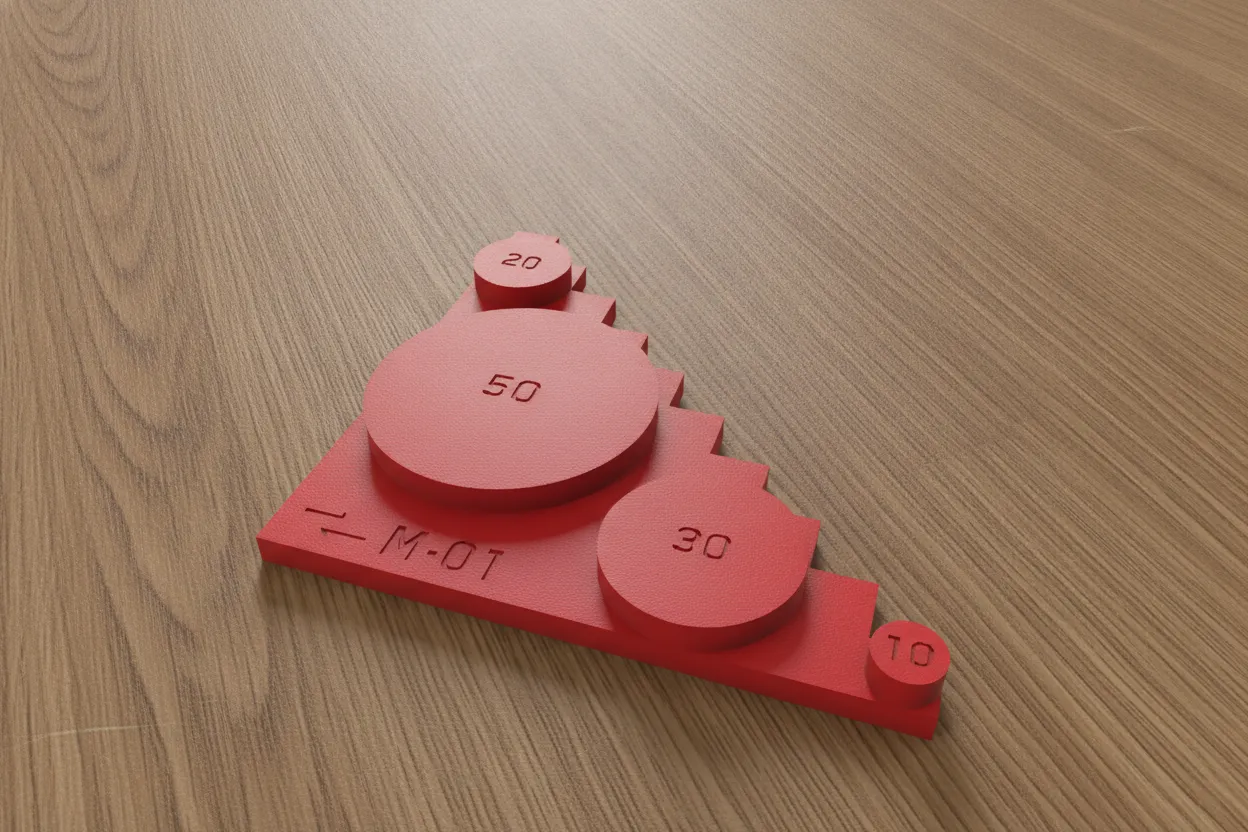
〔Benchmark〕M·01 Filament sinkage rate calibration mean test
Please be sure to read the guide before the first test
As a 3D printing enthusiast who enjoys exploring the impact of parameters on prints, I've seen many new and even experienced users in comment sections questioning the author's models for tolerance issues and other problems. However, the actual reason is likely a significant difference in filament sinkage rate used by the user compared to the author, or the use of mixed filaments. Therefore, for all models that require assembly, I recommend performing a filament sinkage rate calibration test first.
On one hand, I personally need to test many filament brands; on the other hand, existing community models almost all have large errors from single measurements, which led to the design of this model. Based on common caliper specifications, the printing time has been shortened as much as possible (< 40min), specifically designed for this test project, and offers both fast and precise measurement methods to meet different needs.
At the same time, I also plan to expand this into a benchmark model series〔Benchmark〕, adhering to the principle of saving material and time, to share with more 3D printing enthusiasts and help everyone achieve better print quality. If you are interested, please follow and boost to encourage me to release more practical models.
Test Preparation
- Open the slicer software, in the [Project Filament List], select the filament to be tested
If the filament type used for the test does not exist in the system, please click the gear icon in the [Project Filament List] to open settings, click [Custom Material] to add a filament type (as shown below). For material presets, third-party manufacturers generally select [Generic PETG] for PETG and [Generic PLA] for PLA
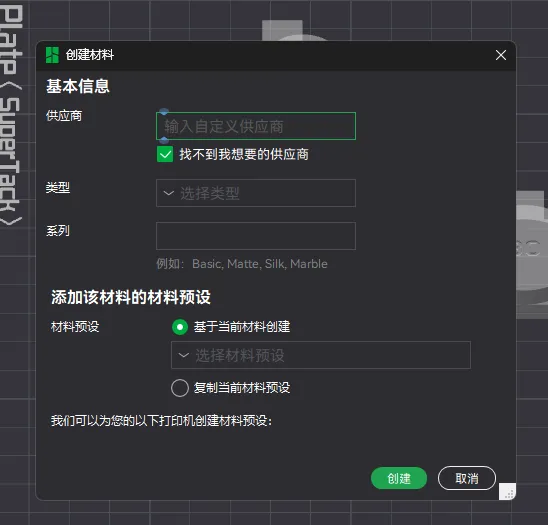
- If not added, please set the filament correspondence on the [Device] page and then return to the [Project Filament List] to add it
Click the details button next to the filament name in the [Project Filament List], click [Edit], view and confirm that the [Basic Information] - [Shrinkage] option value of the selected filament is correct

- If this is your first time testing this filament, it should be as shown in the image above (100%). After completing the test, simply fill in the averaged sinkage rate K
- If you are performing multiple rounds of tests to achieve a more precise sinkage rate value, this option should already have the sinkage rate K* from the previous test filled in. After completing this test, fill in the averaged sinkage rate K from this round divided by the sinkage rate K* from the previous test
Fast Test
- Use calipers to measure the 4 cylinders in the upper part of the model
- Calculate sinkage rates K1 K2 K3 K4 separately based on the reference values (mm) marked on the cylinders
- Sum K1 K2 K3 K4 and divide by 4 to get the average sinkage rate K in fast mode
Precise Test
- Use calipers to measure the steps in the lower part of the model, where the X and Y axis reference values for each step on the model are 10mm
- Calculate sinkage rates K1 K2 K3 …… Kn separately based on the measured sections (recommended: 10mm, 20mm, 30mm …… 100mm)
- Sum K1 K2 K3 …… Kn and divide by n to get the average sinkage rate K in precise mode (if needed, it can also be combined with fast measurement to get the average)
👇Love my model? Click below to see more practical models!

Boost Me (for free)
🚀Free Boost = 📦Design Supply 👆Follow me and you won't miss my updates!
License

You may create derivative works based on this object, provided that all such derivative works are published exclusively on the MakerWorld platform and include proper attribution to the original creator. You may not share, upload, host, distribute, or publish this object—or any derivative work of this object—on any other digital platform, marketplace, or distribution channel. Commercial use of this object and any derivative works is strictly prohibited. This includes, but is not limited to, selling, renting, sublicensing, or using the object in any context in which you receive monetary compensation or other financial benefits.


Comment & Rating (0)