
Candy Pocket Macropad | Bluetooth, Macros, Bad USB
Print Profile(1)
Bill of Materials
Description
If this model was useful, please like it and follow me for more designs.
Boost Me (for free)
It's free and directly supports my work.
Membership
Personal prints are free. To sell prints, join my membership to get a commercial license.
Want to support my work? You can buy me a coffee.
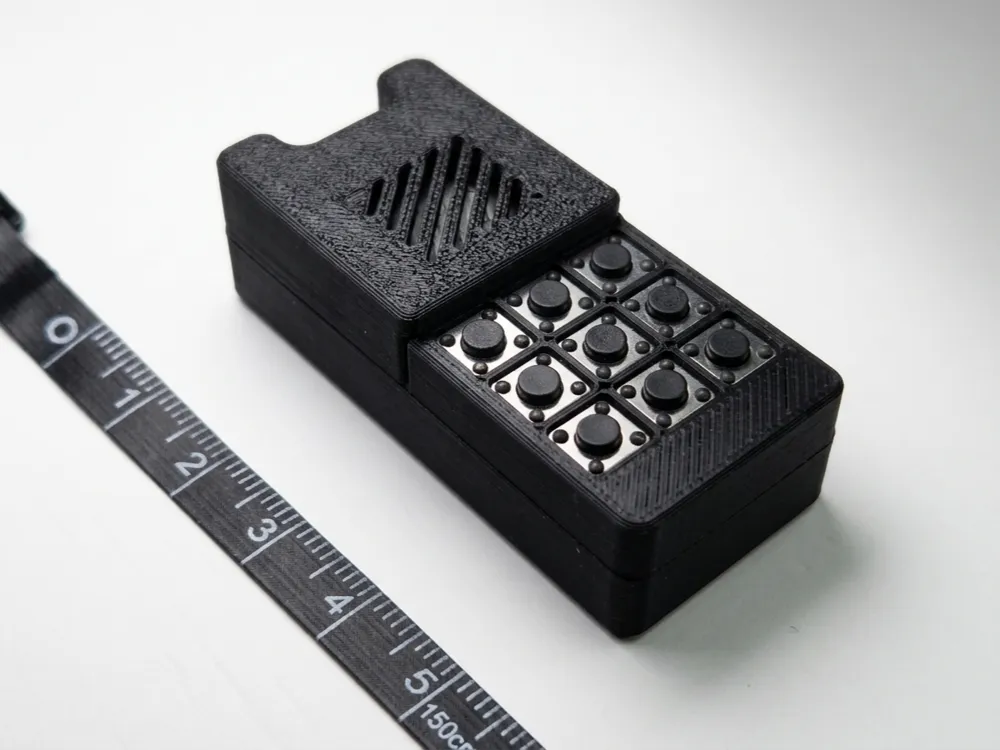
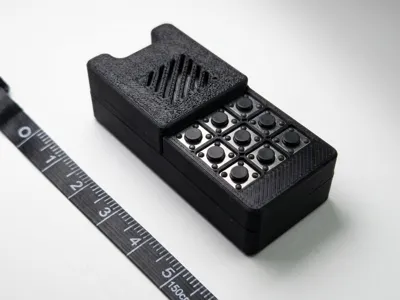
Candy: Pocket Bluetooth Macropad with online customization, Macros support
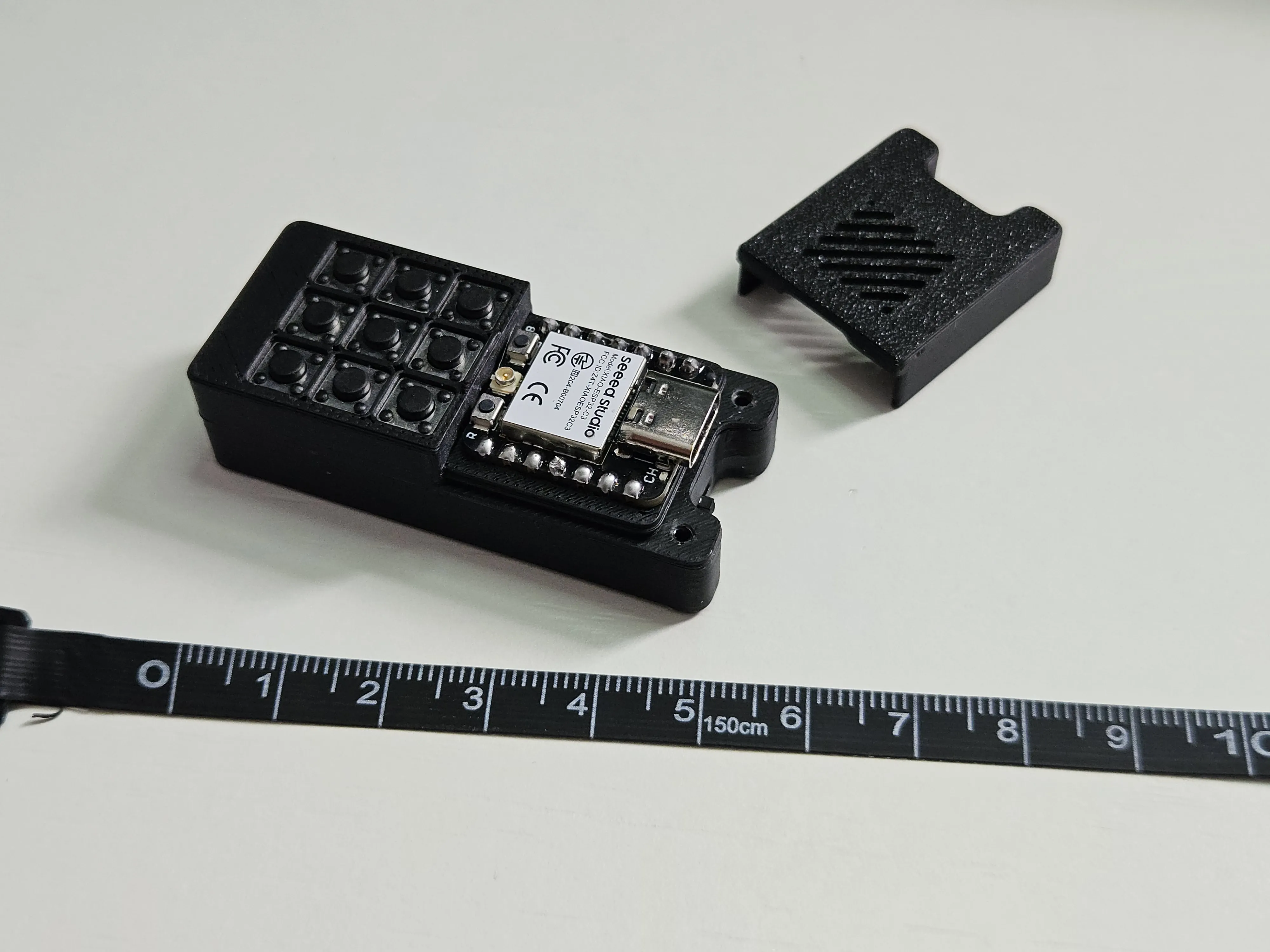


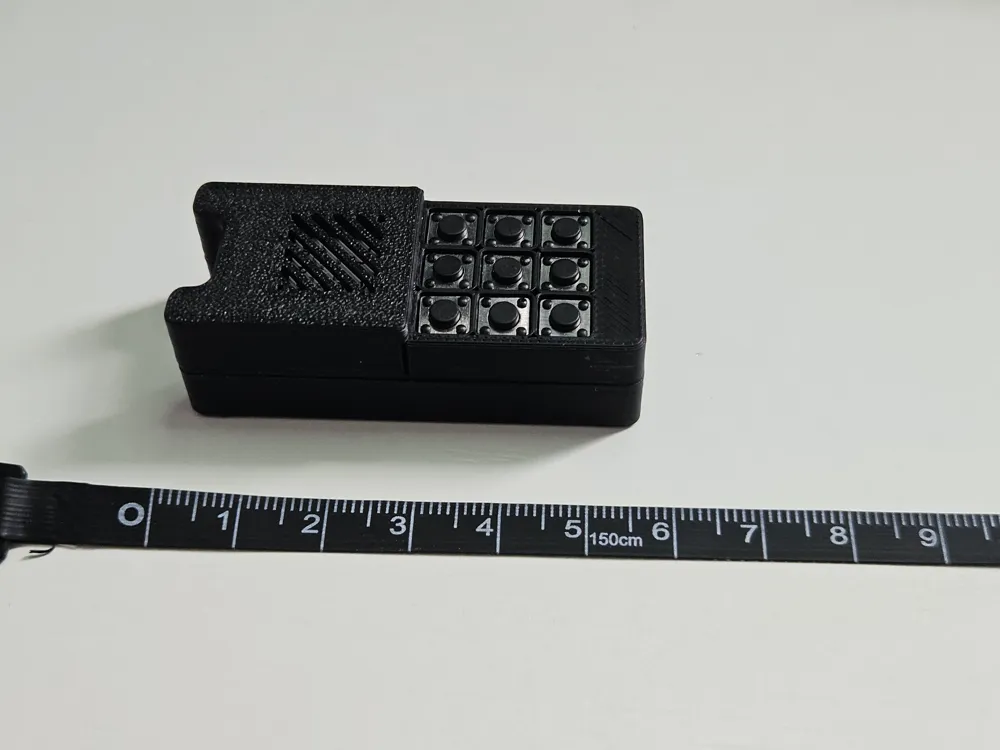
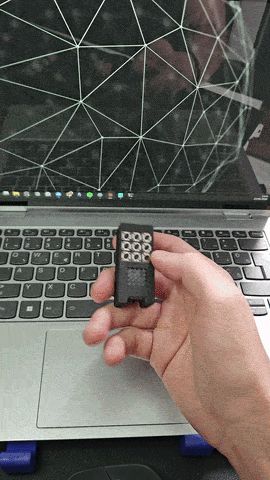
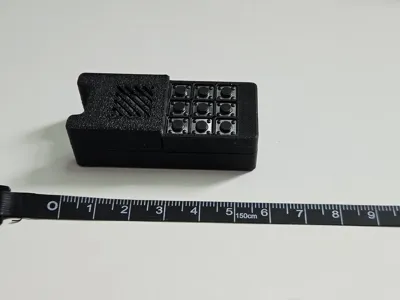
This is Candy: tiny, pocket-sized device with 9 keys that becomes whatever you need: a Bluetooth macropad, a layered shortcut pad, a media remote, or a wireless Rubber Ducky / BadUSB that fires off scripted keystroke payloads. It pairs like an ordinary Bluetooth keyboard with your PC, Mac, phone, or tablet, and you reprogram every key from your browser: no app, no IDE, no re-flashing. Built on a Seeed XIAO ESP32-C3 with a small LiPo, it slips in a pocket and runs on battery.
For Source code, instructions and more, visit GitHub page
How easy is it to customize?
Very. There's nothing to install. Open the customizer, connect candy to the PC, click a key, pick what it should do, and hit Write to device. Changes apply instantly and survive reboots and firmware updates. There are one-click macro templates (Like Rick Roll) to get you started, and you can export/import your whole layout as JSON.
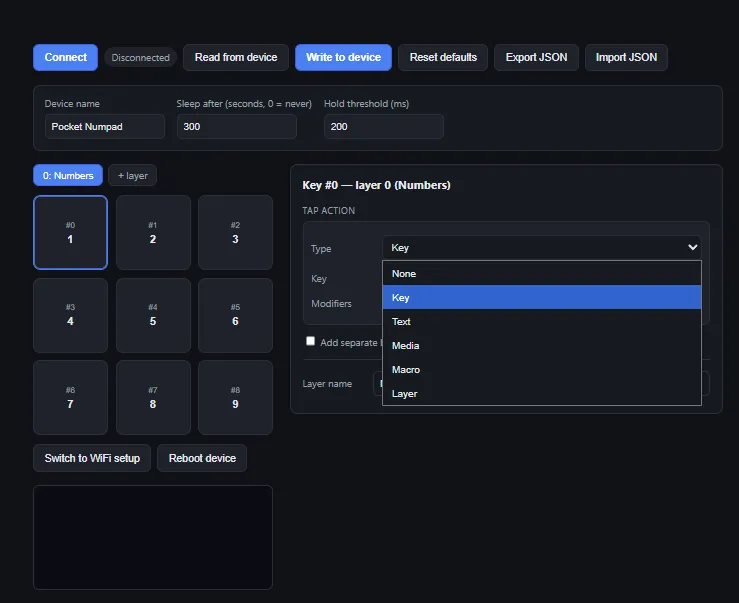
Open the web flasher, go to the Flash firmware tab, plug in over USB-C, and click Install. That's it
One device, many uses
- Pocket Bluetooth macropad. Pair it once and every key sends whatever you mapped: a single key, or a shortcut combo with Ctrl / Shift / Alt / Win. Works anywhere a BLE keyboard works.
- Layers for way more than 9 keys. Add as many layers as you like and switch between them with a momentary (hold) or toggle key. Nine physical buttons turn into dozens of actions.
- Macros: type whole strings or scripts on one press. Open apps, paste boilerplate, run commands, automate logins, anything you can type. Macros use a simple Ducky-style script (STRING, DELAY, GUI, ENTER, …).
- Ready-made macro templates. One click drops in working examples: a Rickroll, open Notepad, run a command from the Run box, lock the PC, a Hello World, so you can see how it works and tweak from there.
- Bluetooth Rubber Ducky / BadUSB. Because macros are just scripted keystrokes, the device doubles as a wireless keystroke-injection tool: a pocketable, re-programmable BadUSB that talks over Bluetooth instead of a USB stick. (Use it only on devices you own or are authorized to test.)
- Media remote. Map keys to volume, play/pause, next/prev: a tiny pocket bluetooth remote.
- Long-press actions. Give any key a second function on hold.
- Battery powered & pocketable. Small LiPo, an on/off slide switch, and the XIAO's built-in charger. It deep-sleeps when idle and wakes on a keypress.
What you need (Bill of Materials)
| Qty | Part | Notes / link |
|---|---|---|
| 1 | Seeed XIAO ESP32-C3 | The brains + BLE + LiPo charger. Seeed Studio |
| 9 | Tactile switch, 6×6×4.3 mm (2-pin) | The keys. AliExpress |
| 1 | LiPo battery 402030, 200 mAh | Fits the pocket case. AliExpress |
| 1 | Slide switch SS12D00 (3-pin, on/off) | Power switch. AliExpress |
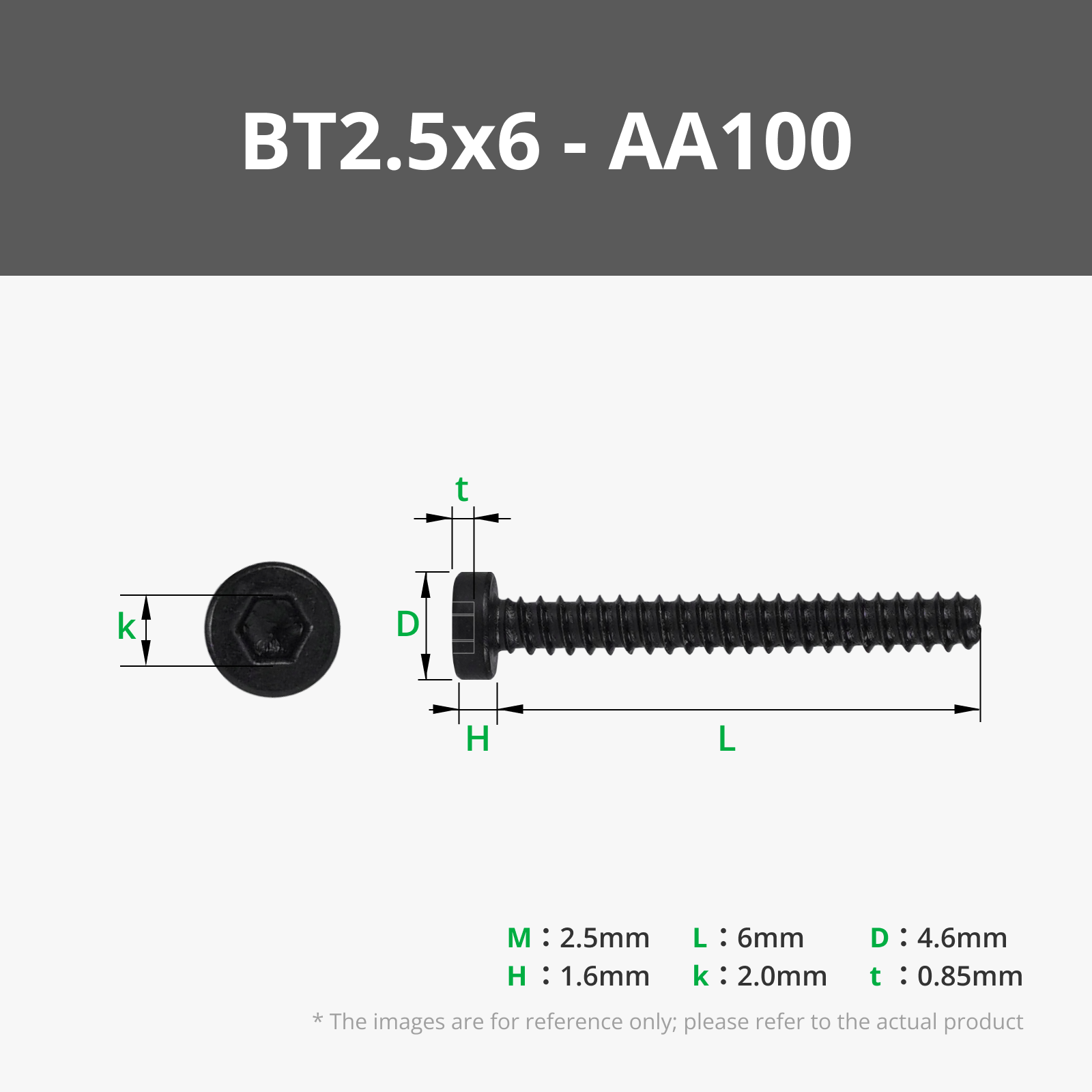
| 3 | Bambu Lab BT2×5 self-tapping screw (SHCS) | Holds the case together. Bambu Lab Store |
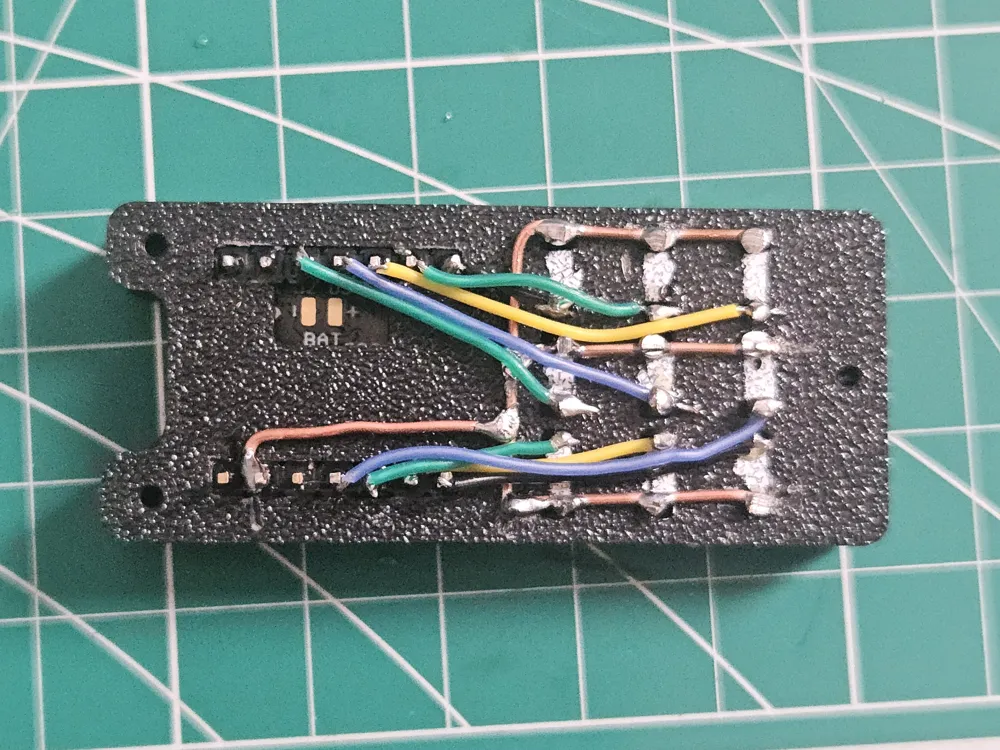
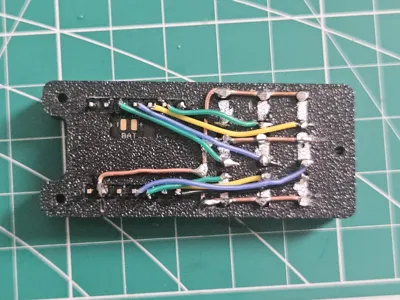
Wiring diagram
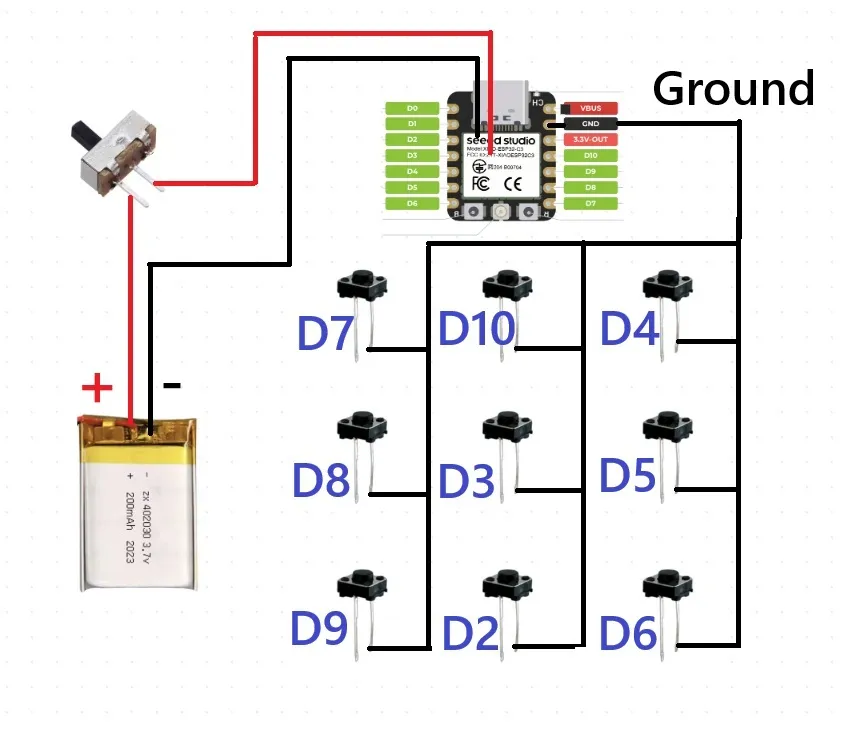
Enjoy printing!
Click here to see my other designs.
License

You shall not share, sub-license, sell, rent, host, transfer, or distribute in any way the digital or 3D printed versions of this object, nor any other derivative work of this object in its digital or physical format (including - but not limited to - remixes of this object, and hosting on other digital platforms). The objects may not be used without permission in any way whatsoever in which you charge money, or collect fees.


Comment & Rating (1)