
Print Profile(1)

Description
Boost Me (for free)
If you like this model, a boost really helps and supports more future designs!
Membership
Want to sell prints of this model? Get a commercial license and access to my full catalog.
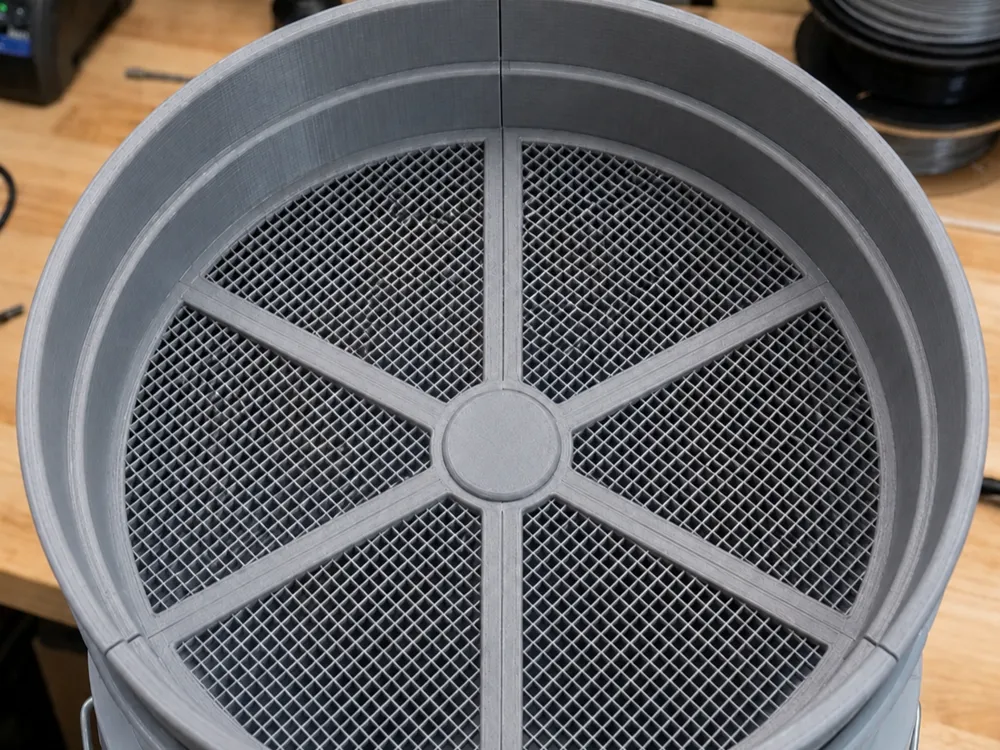
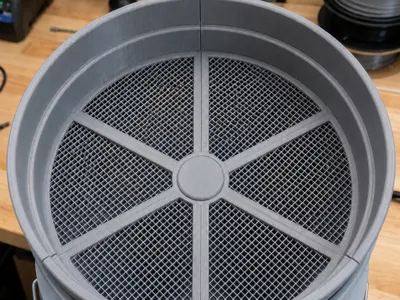
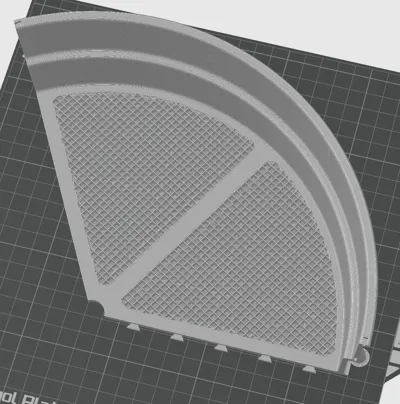
This is a heavy-duty, modular sieve system designed to fit perfectly inside a standard 5-gallon bucket. Originally created for sorting feeder insects (like roaches) efficiently, this versatile sifter can be used for a wide variety of tasks—including gardening, composting, sorting parts, or DIY projects.
By utilizing the full diameter of a 5-gallon bucket, it allows you to process massive amounts of material at an incredible speed.
🔄 Stackable Multi-Stage Sorting
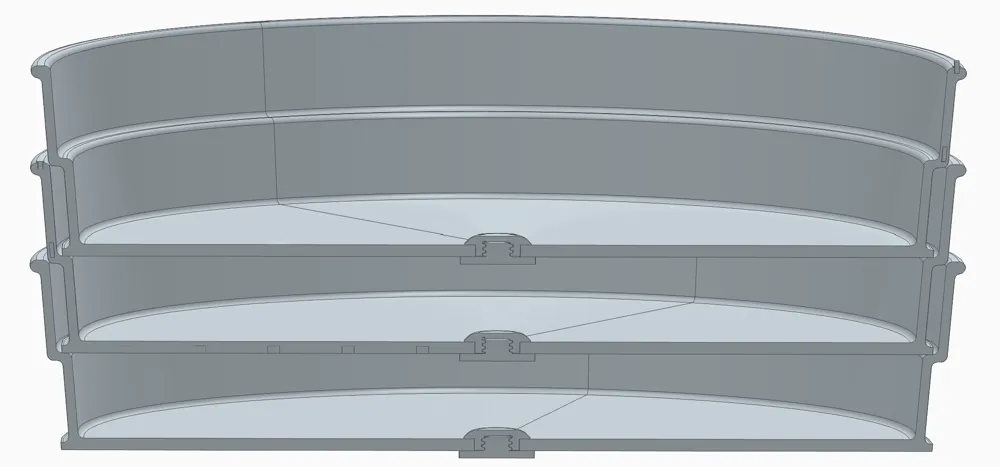
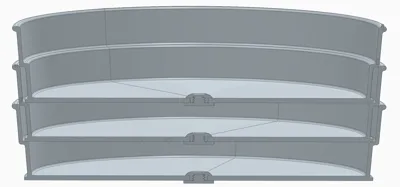
The killer feature of this design is that the sieves are fully stackable! Each layer adds approximately 2.8 cm of depth. This allows you to stack multiple sieves with different mesh sizes on top of each other inside a single bucket. You can sort your material into multiple size categories in a single shake, saving you massive amounts of time.
Key Features
- Massive Capacity: Built to span the entire width of a 5-gallon bucket for maximum surface area and lightning-fast sorting.
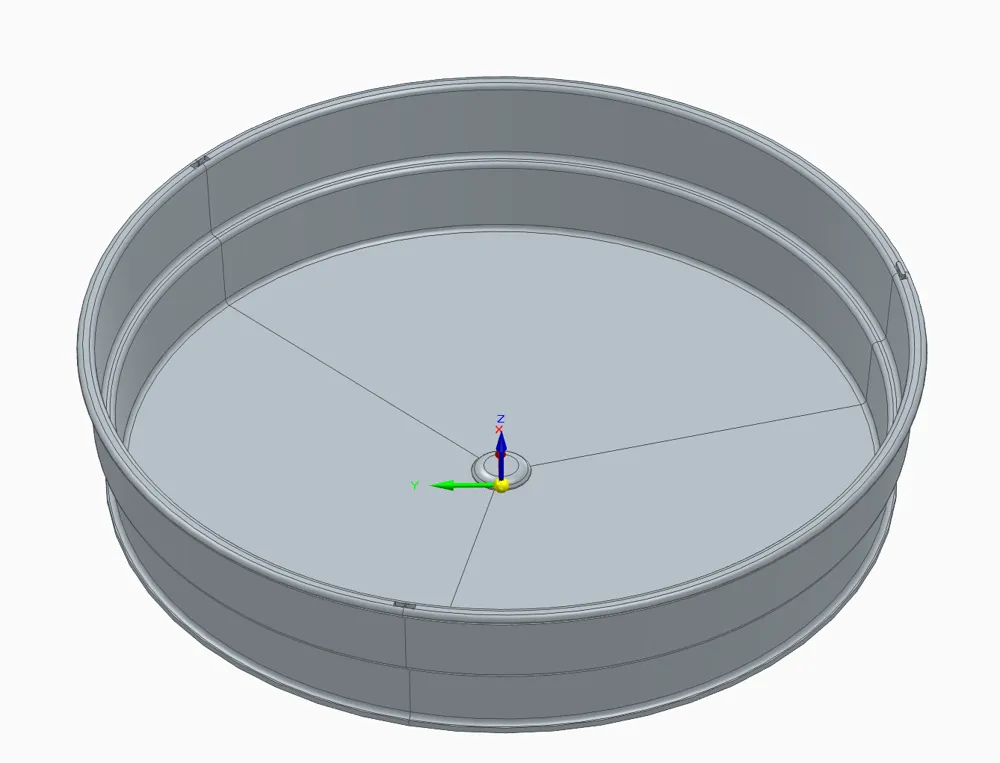
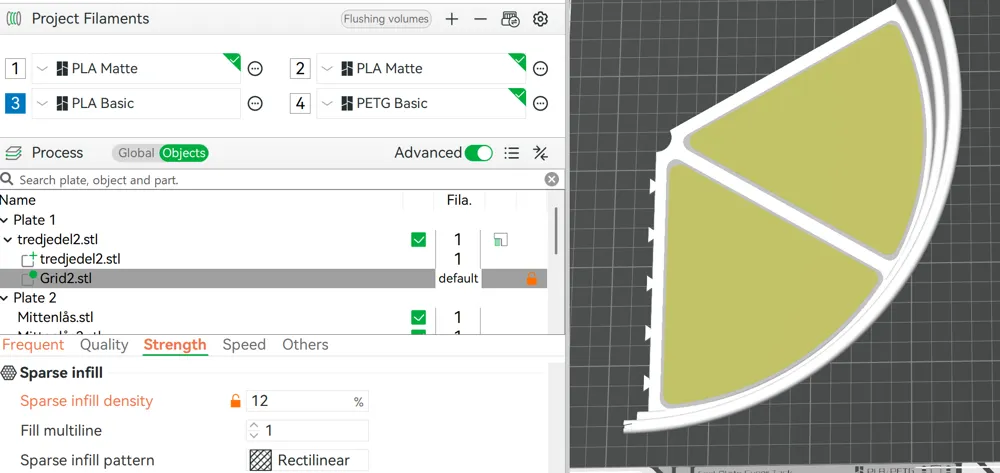
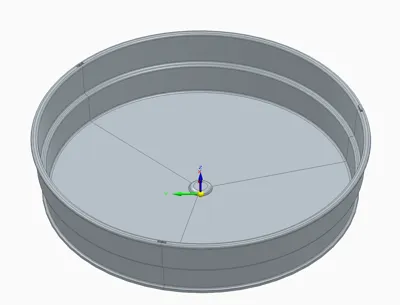
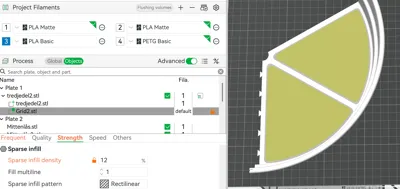
- 100% Customizable Mesh Size: The CAD model features a solid bottom. The sieve mesh is generated entirely within your slicer! Change the hole sizes and patterns instantly without modifying the 3D model.
- Smart Modular Design: Divided into 3 interlocking segments to allow printing on standard-sized build plates (like Bambu Lab X1/P1/A1).
- Heavy-Duty Stability: Designed with solid reinforcing bars running through the middle of each section to prevent sagging under heavy loads.
How to Customize the Mesh Size (Bambu Studio)
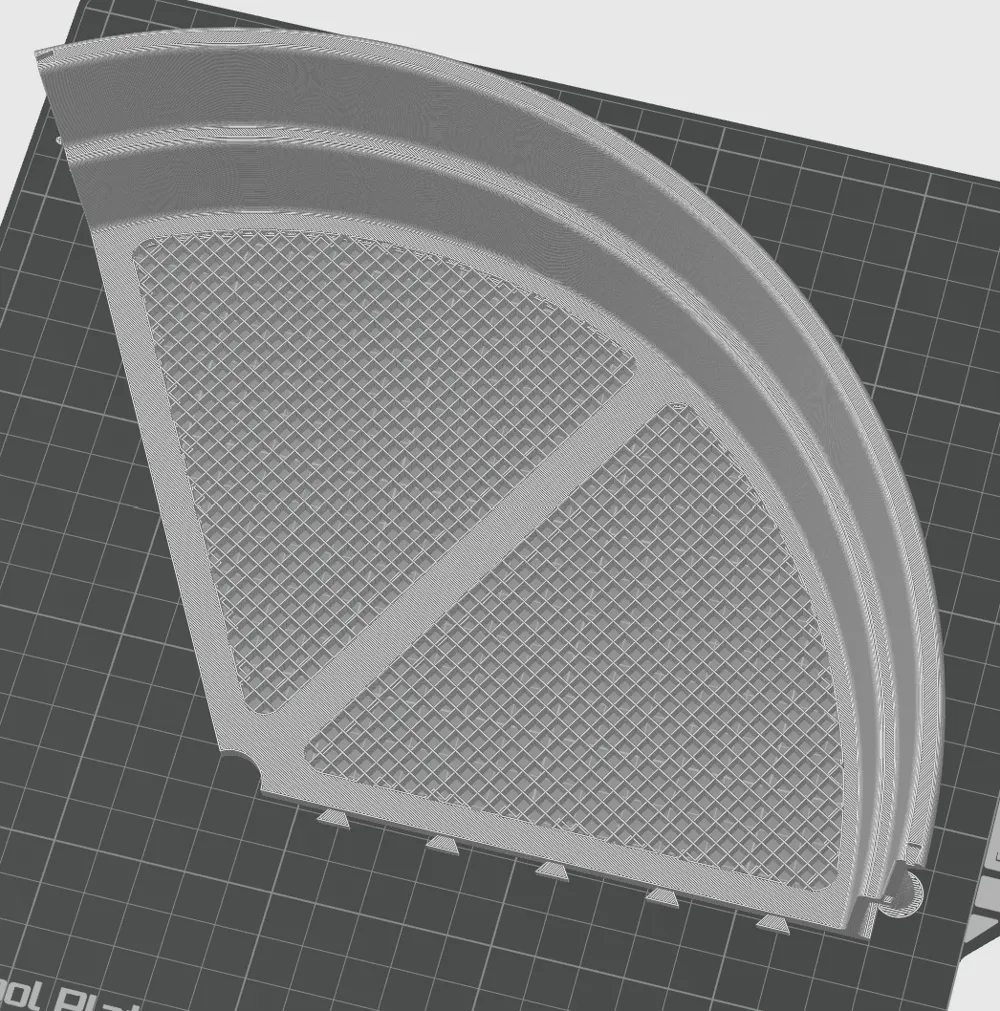
Since the base model has a solid bottom, you control the sieve size using the Modifier in your slicer (as seen in last picture):
- Load the model into Bambu Studio.
- Locate the Modifier for the outer bottom sections (the center hub and main support beams should remain solid).
- Adjust the Hole Size: Change the Infill Percentage (%) to get the exact hole size you need.
- Change the Mesh Pattern: Experiment with different infill patterns (e.g., Grid for standard square mesh, Gyroid for unique sorting, or Triangles)
License

You may create derivative works based on this object, provided that all such derivative works are published exclusively on the MakerWorld platform and include proper attribution to the original creator. You may not share, upload, host, distribute, or publish this object—or any derivative work of this object—on any other digital platform, marketplace, or distribution channel. Commercial use of this object and any derivative works is strictly prohibited. This includes, but is not limited to, selling, renting, sublicensing, or using the object in any context in which you receive monetary compensation or other financial benefits.


Comment & Rating (1)