
Australia World Cup 2026 HueForge
Print Profile(1)

Description
☕ Enjoying my work? Consider buying me a coffee – buymeacoffee.com/jdau
Boost Me (for free)
I hope you find something here that you enjoy printing. Ratings, Boosts, and requests are always welcome, and they help keep new designs coming.
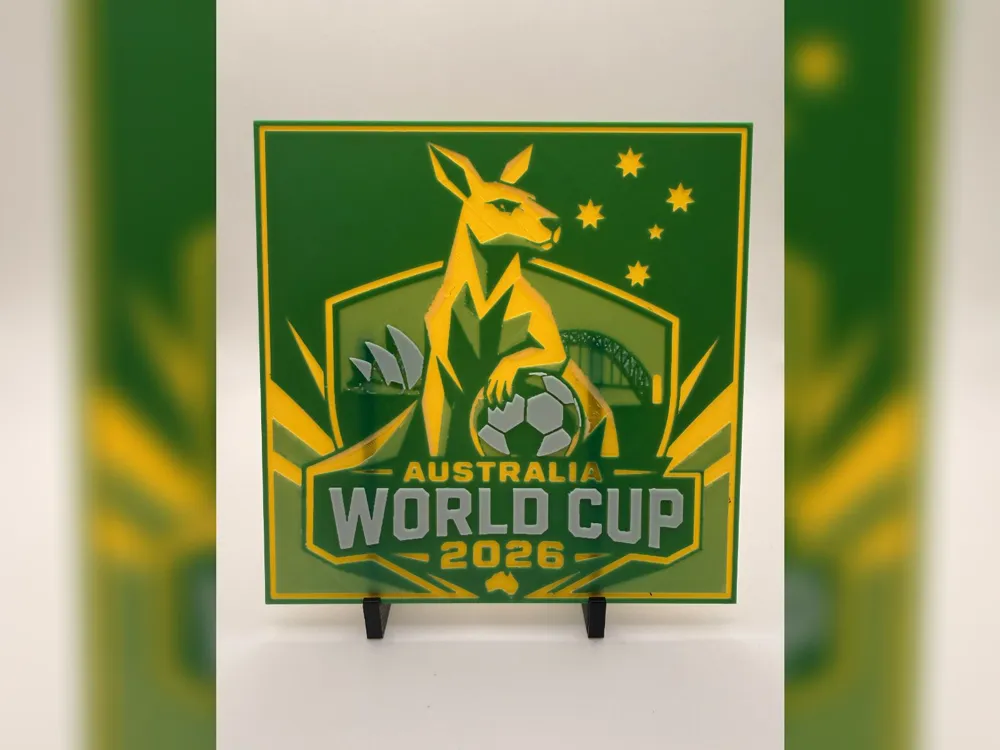
A clean green-and-gold Australia World Cup 2026 HueForge print featuring a stylised kangaroo with a football, Southern Cross stars, Sydney-inspired landmark silhouettes, and bold tournament typography for Socceroos supporters and football fans.
Print Settings:
- 100% infill
- Sparse Infill Pattern: Rectilinear
- Turn off "Detect Narrow internal solid infill"
- 0.08mm layer height
- 0.16mm base layer
- Model size: 150x150mm
- Optional: You can use a height range modifier up to 0.48mm to print the solid base layers at a higher layer height, such as 0.24mm.
Filaments used:
- PLA BambuLab Basic Sunflower Yellow
- PLA BambuLab Basic Jade White
- PLA BambuLab Basic Mistletoe Green
This print uses 3 unique filaments.
Similar filament colours may be used, including close Bambu Lab or equivalent alternatives, but results may vary depending on filament brand, colour, transparency, and calibration.
Swap Instructions:
- Start with Sunflower Yellow.
- At layer #8 (0.72mm), swap to Jade White.
- At layer #12 (1.04mm), swap to Mistletoe Green.
- At layer #15 (1.28mm), swap to Jade White for the rest.
Extra Tips for hueforge prints!
- Set your filament temps to 10c lower ~ 210c
- Ensure detect narrow internal solid infill is off
- Resizing! Ensure that you unselect “uniform scale”, and only modify the X & Y axis, the Z axis MUST remain the same
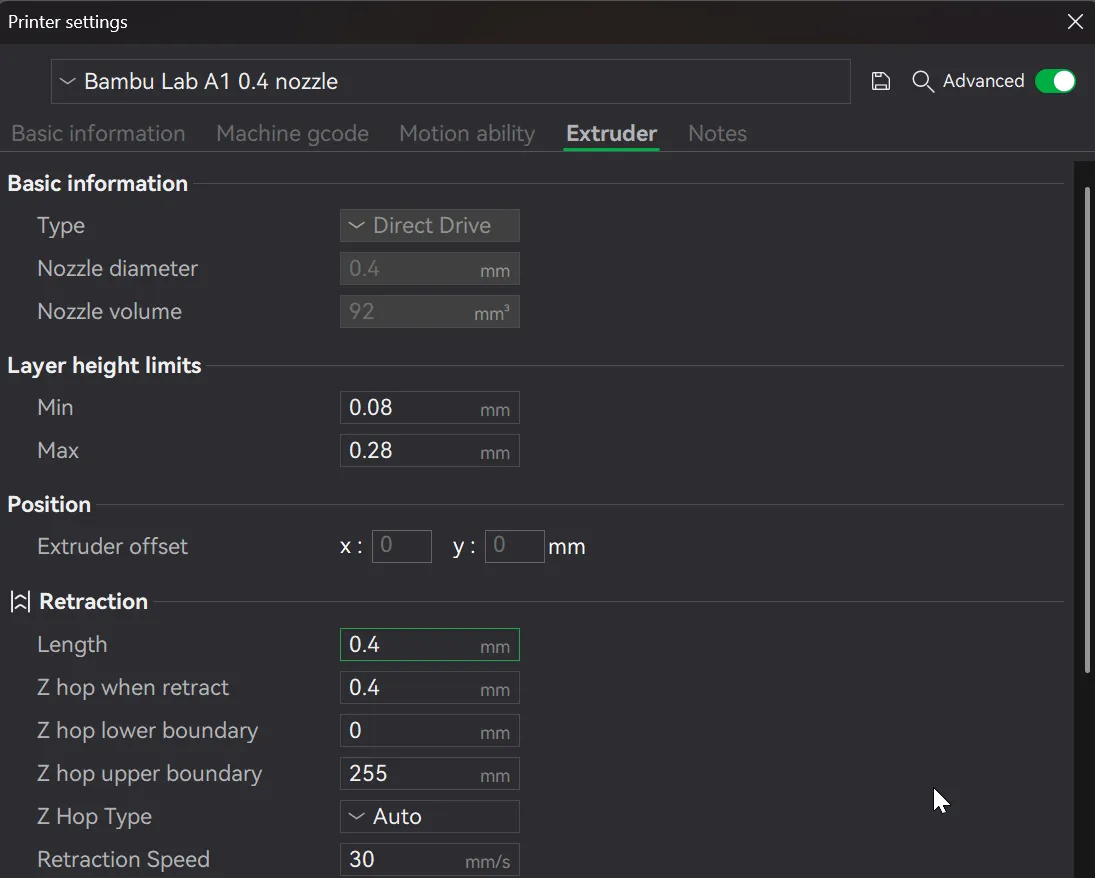
Setting your retraction length to ½ of what it currently is will reduce stringing
To speed up printing, you can use a height range modifier - Only do this after the swaps/pauses have been inserted and the model sliced first!
i.e. where a model has the following listed: "Optional height range modifier supported up to 0.72mm where noted."
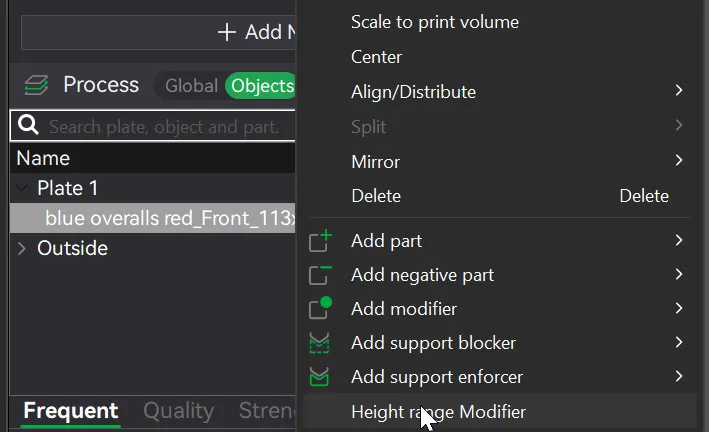
1. Right click on the body under the Objects tab, and select height range modifier
2. Change the two values specified below
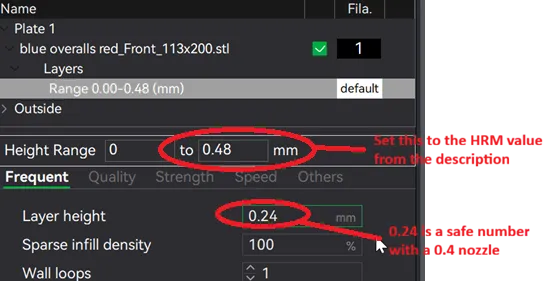
3. Reslice and watch your print time drop down!
License



Comment & Rating (0)