
ESP32-S3 1.28" Waveshare Plane Radar
Print Profile(1)
Description
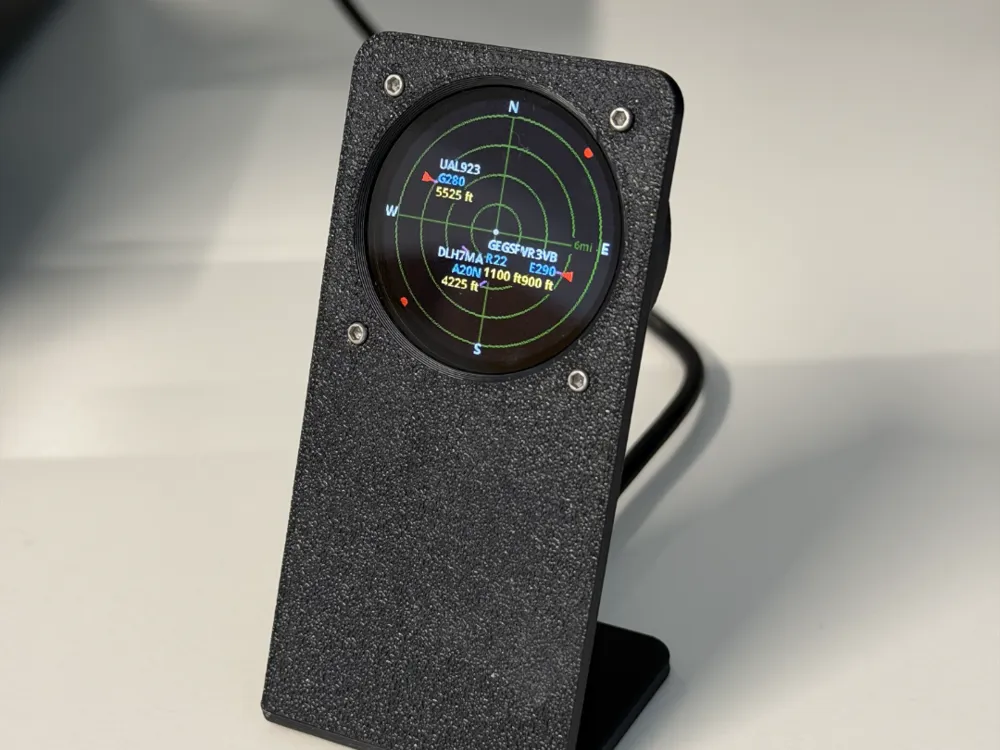

A fork of ESP32 C3 Plane Radar by the matixovi — modified for the Waveshare ESP32-S3-1.28 Touch board.
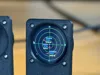
A round 1.28 inch GC9A01 screen on a Waveshare ESP32-S3-1.28 Touch that shows live aircraft near your location. Sonar-style grid, callsigns and altitude.
It connects to your home WiFi and pulls live flight data from adsb.fi.
Set your lat/lng and choose km or miles on the setup page. The built-in boot button cycles through range options (5 / 10 / 15 / 25 km). Distant aircraft are shown as red dots on the rim.
This variant takes advantage of the Waveshare ESP32-S3-1.28's integrated GC9A01 display - no wiring required. The display, touch controller, and screen are all on-board.
Parts
| Part | What to look for |
|---|---|
| Waveshare ESP32-S3-1.28 | Round 1.28" GC9A01 display, touch |
| USB-C cable | Must be a data cable. |
No breadboard, no jumper wires. The display is already on the board.
No wiring needed
The Waveshare ESP32-S3-1.28 has the GC9A01 display, CST816S touch controller. This fork remaps the firmware to use the board's native SPI pinout.
| Function | GPIO |
|---|---|
| MOSI (SDA) | GPIO 11 |
| SCLK (SCL) | GPIO 10 |
| CS | GPIO 9 |
| DC | GPIO 8 |
| RST | GPIO 12 |
| BL (backlight) | GPIO 40 |
These are handled in firmware.
Flash the firmware
- Download the release .bin from my forked repo GitHub Releases.
- Put the board in download mode: unplug USB, hold BOOT, plug USB in, wait 2 seconds, release BOOT. If that doesn't work: hold BOOT, tap RESET, release BOOT.
- Open https://web.esphome.io/ in Chrome or Edge.
- Choose Install (no need to set up a new ESPHome device).
- Select your serial port and the downloaded .bin.
- When complete, unplug, wait a few seconds, plug back in without holding BOOT.
WiFi setup
Connect to PlaneRadar-Setup, then open http://plane-radar.local or http://192.168.4.1. Enter your home WiFi SSID, password, and latitude/longitude. Save and wait for reboot.
The ESP32-S3 supports both 2.4 GHz and 5 GHz WiFi.
Credits
Original design and firmware by matixovi — ESP32 C3 Plane Radar. This is a hardware fork only, adapting the enclosure and pin mapping for the Waveshare ESP32-S3-1.28 Touch board.
License



Comment & Rating (12)