
Parametric Speaker Terminal Cup Generator
Print Profile(1)
Description
Boost Me (for free)
Press the Customize button to customize!
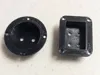
Parametric Speaker Terminal Cup Generator
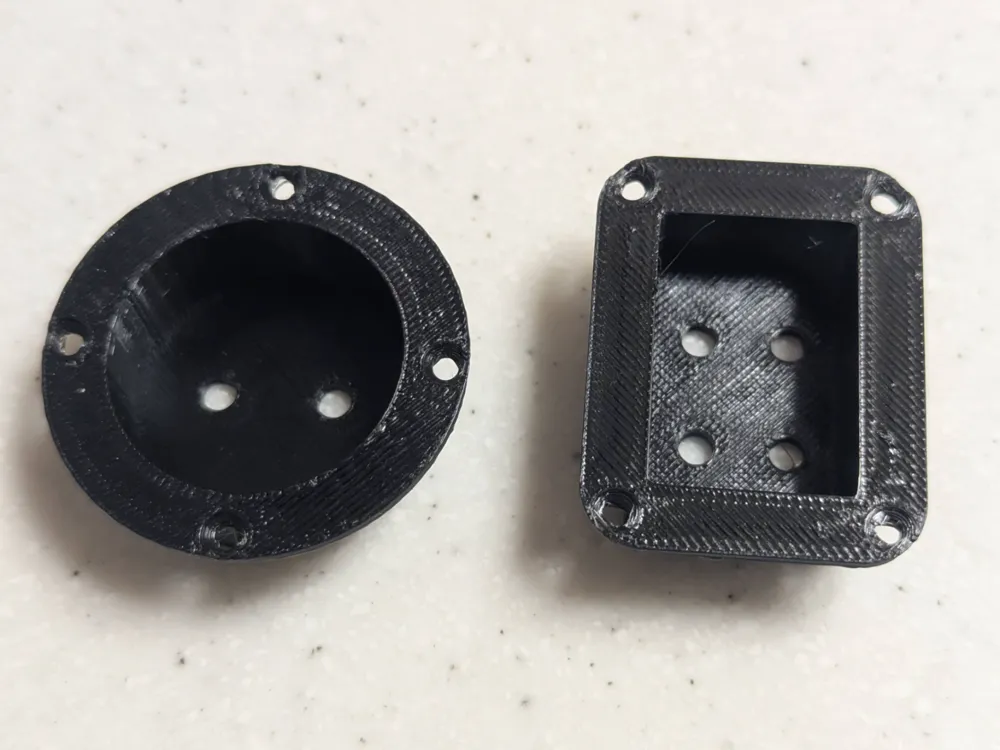
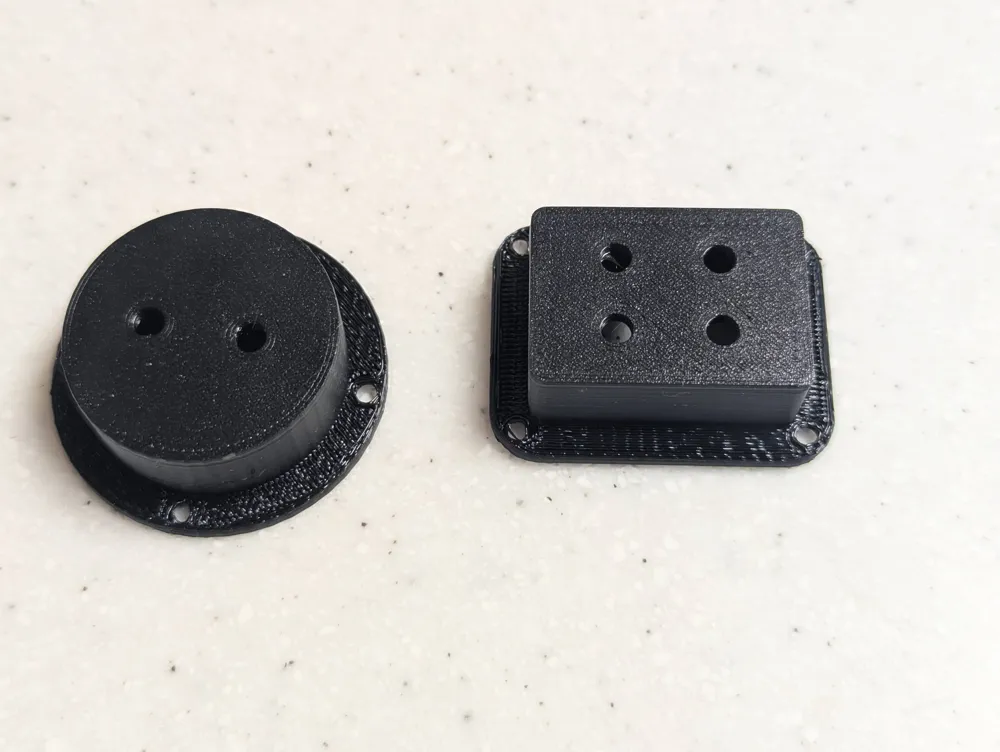
Need a terminal cup that actually fits your build? This fully parametric generator lets you dial in every dimension for a perfect fit, whether you're building a custom speaker cabinet, replacing a damaged cup, or designing something non-standard.
Key Features
- Round or Rectangle body: Switch between circular and rectangular profiles to match your cabinet cutout.
- Fully Parametric Dimensions: Set cup width, height, depth, wall thickness, and flange size independently. Cup depth goes all the way to 0 for a flush terminal plate.
- Blank Panel Option: Set terminal columns and rows to 0 to print a solid blank panel, useful for covering unused cutouts or as a base for custom labels.
- Flange with Countersunk Screw Holes: 1–8 mount holes with fully configurable shank diameter, countersink diameter, and countersink angle (82° US or 90° metric). Corner holes are automatically positioned along the 45° diagonal of the flange corner radius so there's always sufficient material around each hole.
- Custom or Auto Hole Spacing: Auto-centers mount holes in the flange border, or enter a fixed center-to-center spacing to match an existing pattern.
- TPU Gasket View: Switch to the gasket view to print a matching TPU sealing ring with a selectable inner clearance gap for easy installation.
- Prints Face-Up: Oriented with the back panel on the bed and the cup opening facing up. The flange overhangs the cup walls at the top; use grid or snug supports there.
Parameters
| Section | Key Parameters |
|---|---|
| Cup Shape | Round or rectangle body |
| Cup Dimensions | Width, height, depth, wall thickness |
| Flange | Border width, thickness, corner radius |
| Terminal Panel | Columns, rows, hole diameter, X/Y spacing |
| Mounting | Count (1–8), shank dia, countersink dia/angle, custom spacing |
| Gasket | Thickness, inner gap |
| View | Cup or gasket |
How to Use
- Pick your shape: Set body_shape to round or rectangle.
- Set your dimensions: Match cup_width, cup_height, and cup_depth to your cabinet cutout. Set cup_depth to 0 for a flush panel.
- Configure terminals: Set terminal_columns and terminal_rows to match your terminal hardware spacing. Set both to 0 for a blank panel.
- Mount holes: Adjust mount_count and countersink parameters for your screws. Enable use_custom_spacing if you need to match a specific hole pattern.
- Print the gasket: Switch view to gasket, load your TPU filament, and print the sealing ring. Adjust gasket_inner_gap if it's a tight fit.
- Export the STL, download the optimized print profile from this page, delete the sample models off the plate, and import your STL into it.
Printing Tips
- Cup: Print with the default face-up orientation. The flat back panel on the bed gives a clean terminal-side surface. Use grid or snug supports under the flange overhang at the top. 4 walls recommended for strength.
- Gasket: Print flat in TPU (95A works well). No supports needed. 2–3 walls, 20% infill.
- Material: PETG or ABS recommended for the cup; better heat and humidity resistance inside a cabinet than PLA.
Designed in OpenSCAD. All source parameters are visible and editable in the Customizer.
License

You shall not share, sub-license, sell, rent, host, transfer, or distribute in any way the digital or 3D printed versions of this object, nor any other derivative work of this object in its digital or physical format (including - but not limited to - remixes of this object, and hosting on other digital platforms). The objects may not be used without permission in any way whatsoever in which you charge money, or collect fees.


Comment & Rating (0)