
All-in-One Calibration Test + Full Guide
Print Profile(1)
Description
Full guide in the description, read before printing!
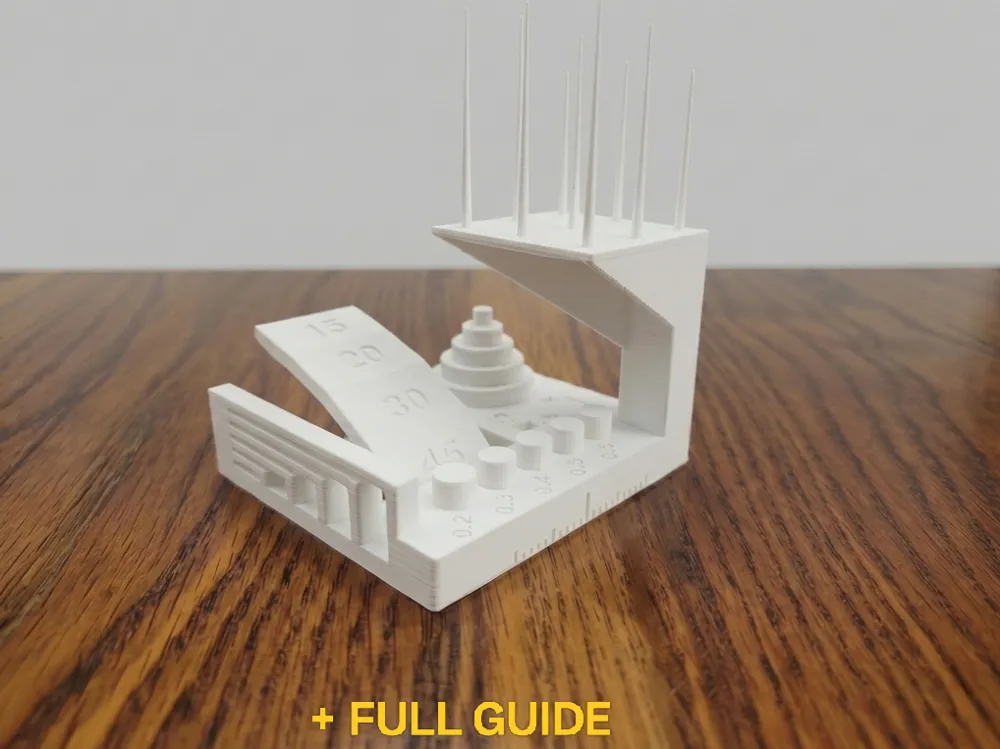
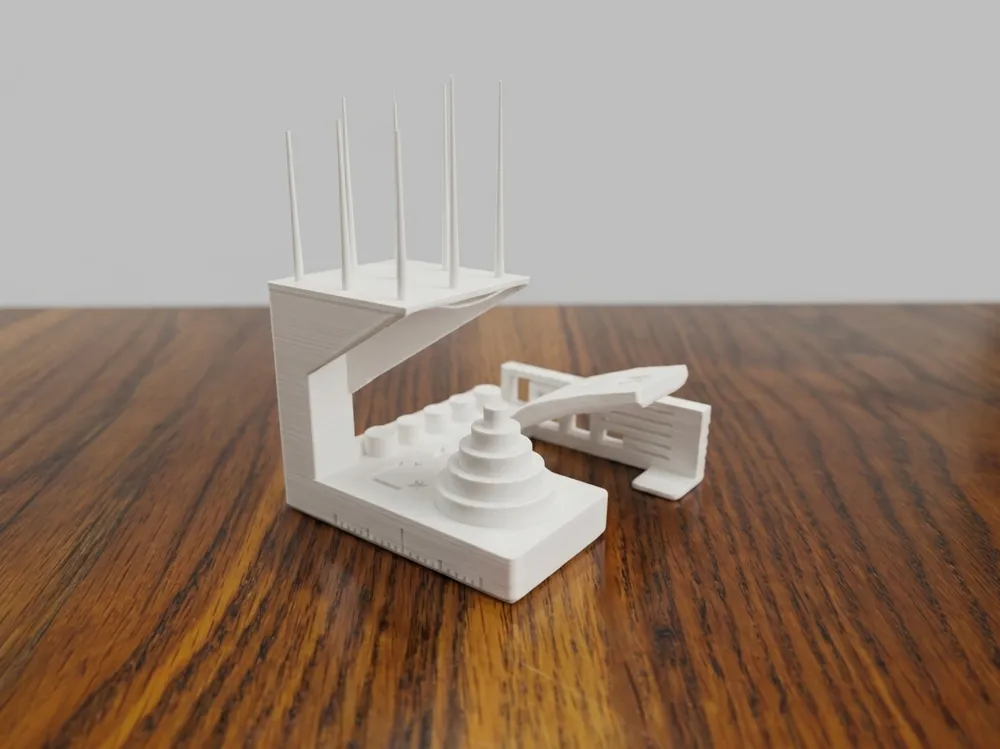
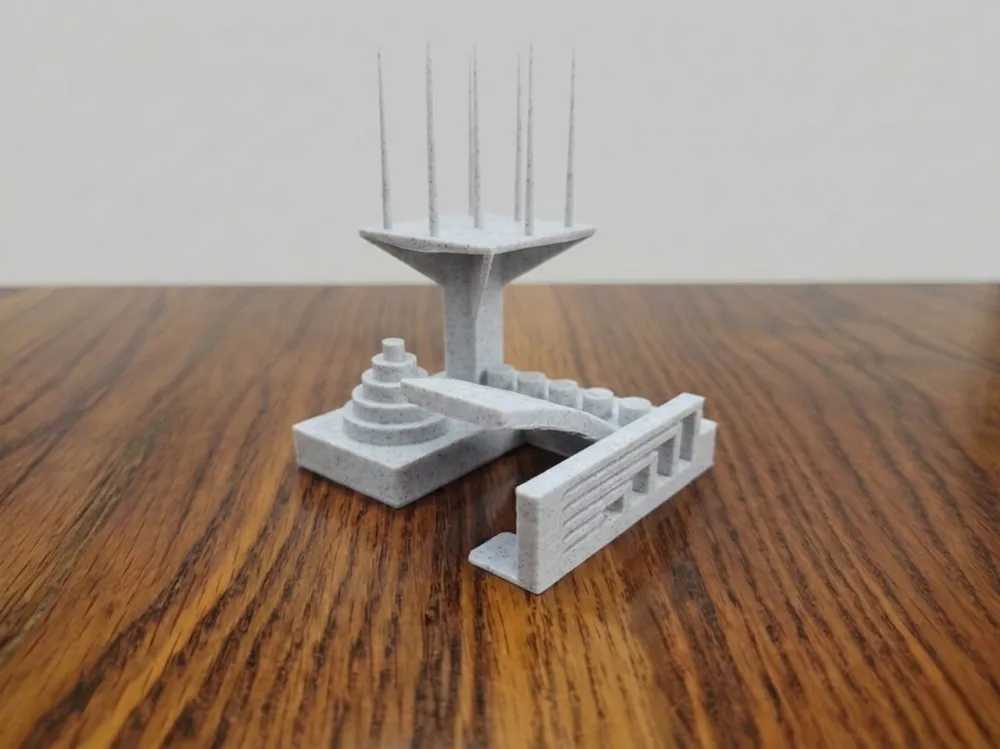
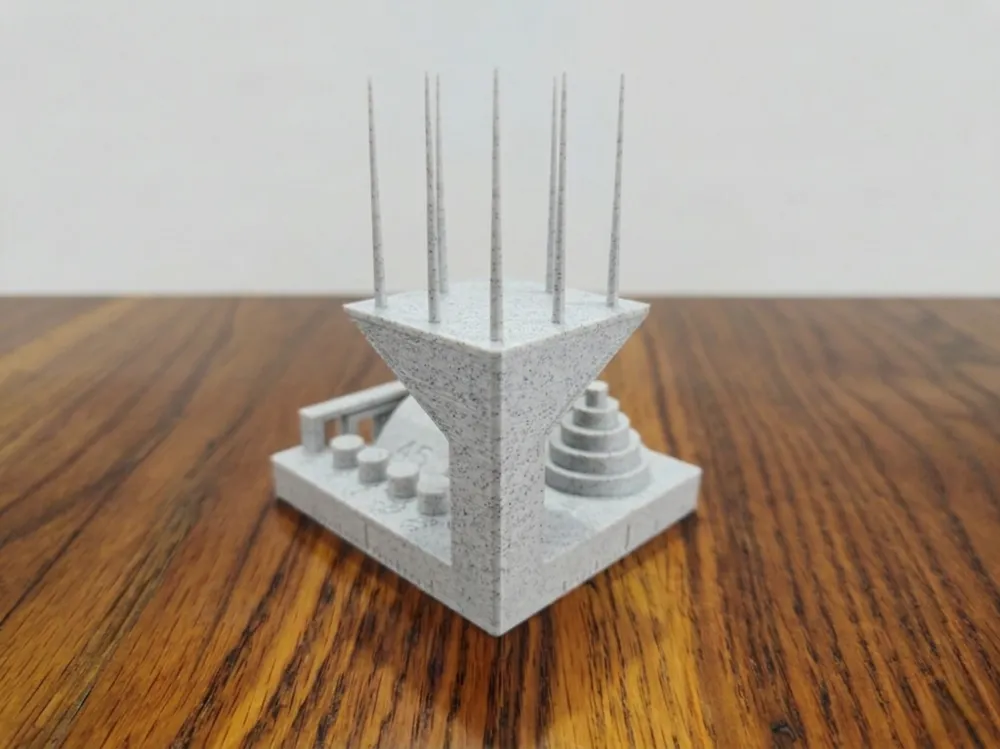
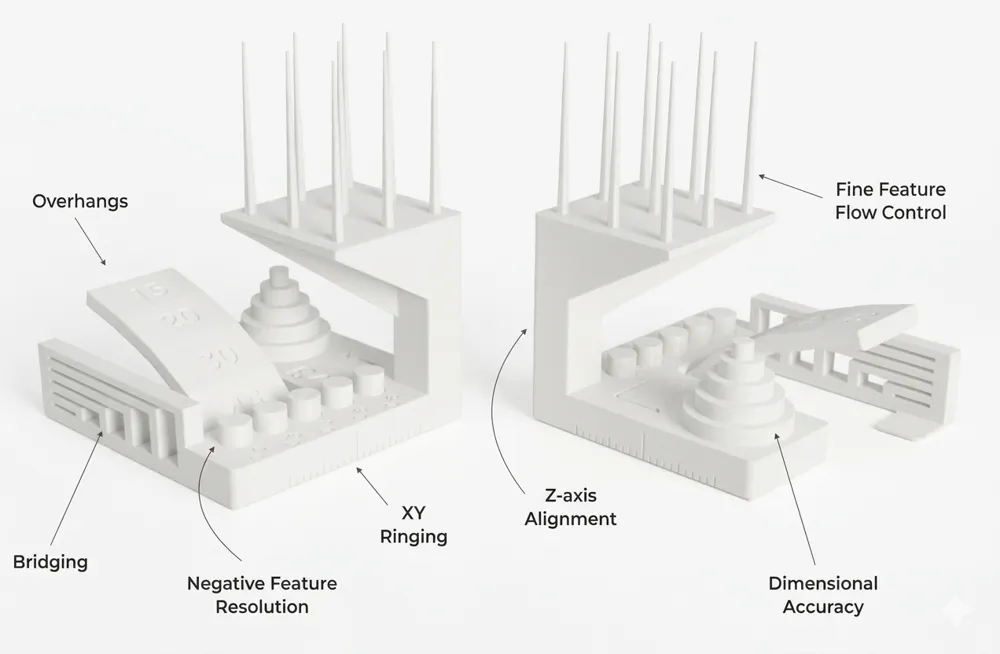
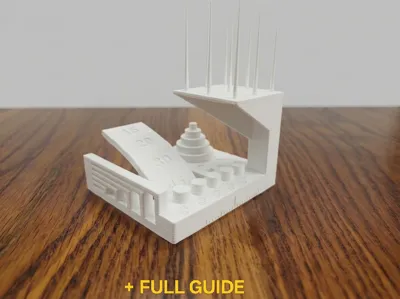
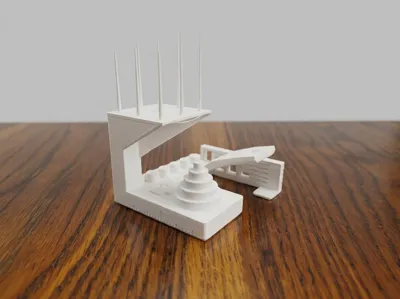
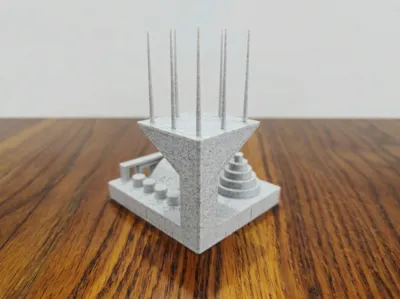
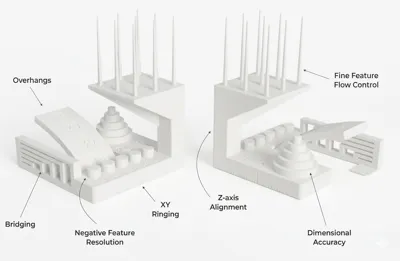
This test model was originally created by Autodesk & Kickstarter in collaboration with Andreas Bastian. I'm sharing it here on MakerWorld with a simplified guide because the original documentation can be hard to follow. All description images are from the original guide. My print photos are the white model.
Original model and full documentation: https://github.com/kickstarter/kickstarter-autodesk-3d
This guide is optimized for PLA/PLA+. PETG users may see different results - see notes where relevant.
To get the most out of this test, you will need a caliper (or at least a ruler). Print time is approximately 2 hours depending on your filament and settings. Print without supports.
For best results use a standard speed profile and 0.2mm layer height. Make sure your first layer is well calibrated; on Bambu Lab printers use the Z offset slider on screen or in Bambu Handy, or run Auto Bed Leveling from Device > Calibration. A bad first layer affects multiple tests simultaneously.
For Bambu Lab printer-specific guides, visit the official wiki at wiki.bambulab.com and search for the relevant topic (flow rate calibration, retraction, vibration compensation, belt tension) filtering by your printer model.
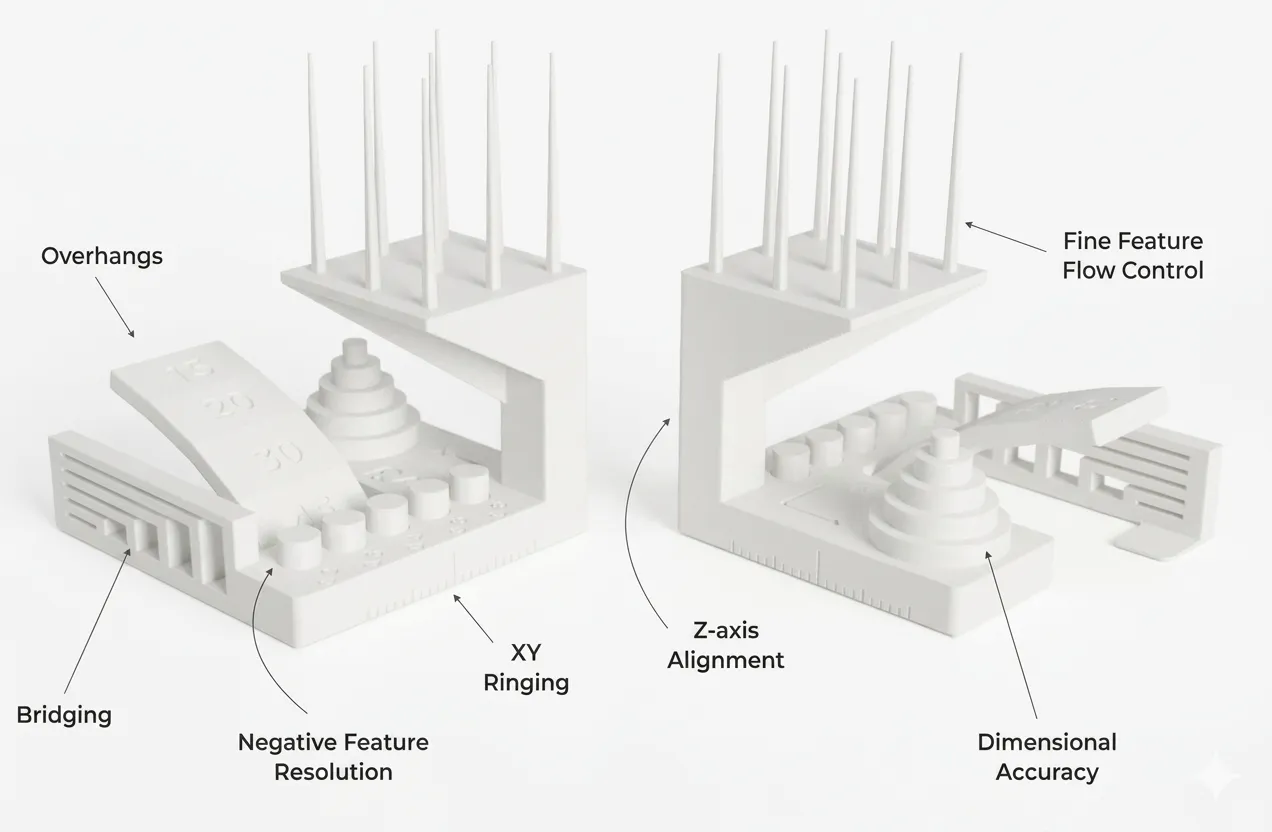
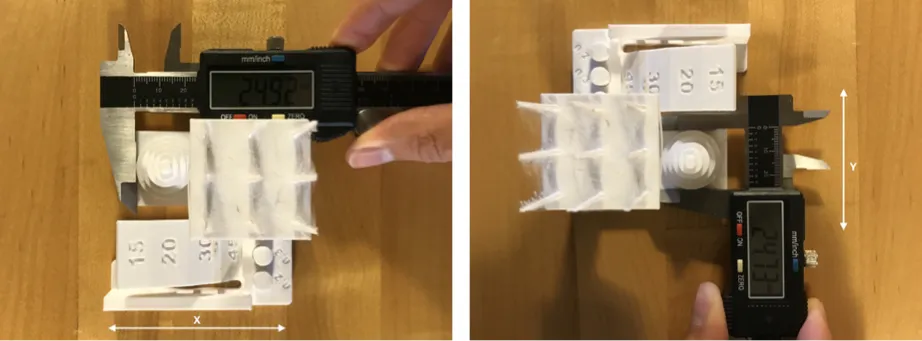
1. Dimensional Accuracy
Measure each tier of the dimensional accuracy section with calipers, then compare the printed value to the expected digital dimension. Do this for both X and Y axes.
Good result: printed dimensions match digital values within ~0.2mm.
If not: a consistent error on both axes means your flow rate or extrusion multiplier needs calibration. A significant difference between X and Y specifically indicates backlash (mechanical play in the motion system) → check belt tension. In Bambu Studio use the Flow Rate calibration tool under Device > Calibration.
BambuLab Official Guide → https://wiki.bambulab.com/en/software/bambu-studio/calibration_flow_rate
2. Fine Flow Control / Stringing
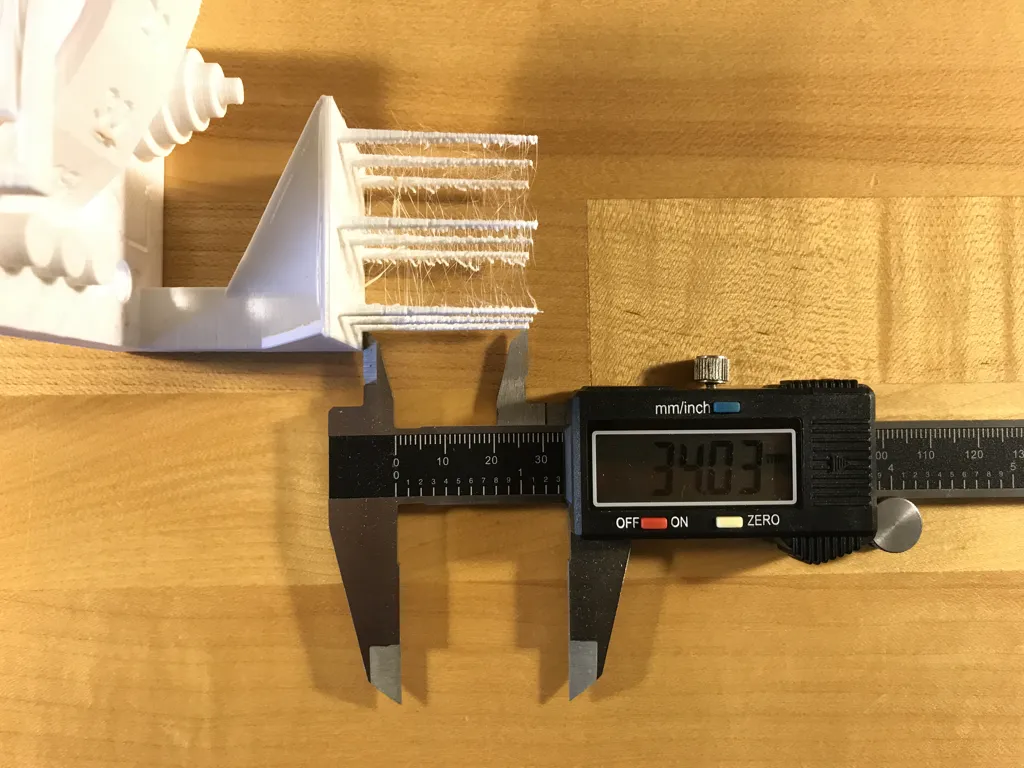
Measure the height of the shortest spire on top of the print with calipers. Visually check for thin threads of material connecting the spires.
Good result: all spires fully formed, no threads between them.
If not: stringing is usually caused by temperature too high or retraction not optimized. In Bambu Studio go to Filament Settings > Retraction and increase retraction distance or speed. Alternatively reduce print temperature by 5°C at a time. If neither helps, your filament may be wet - dry PLA at 45-50°C for 4-6 hours before reprinting.
PETG note: PETG strings much more easily than PLA even when well calibrated. It is also more sensitive to moisture - dry at 65°C for 6-8 hours. Expect some stringing at 30° bridging angles even with optimal settings.
BambuLab Official Guide → https://wiki.bambulab.com/en/software/bambu-studio/calibration_pa
3. Fine Negative Features
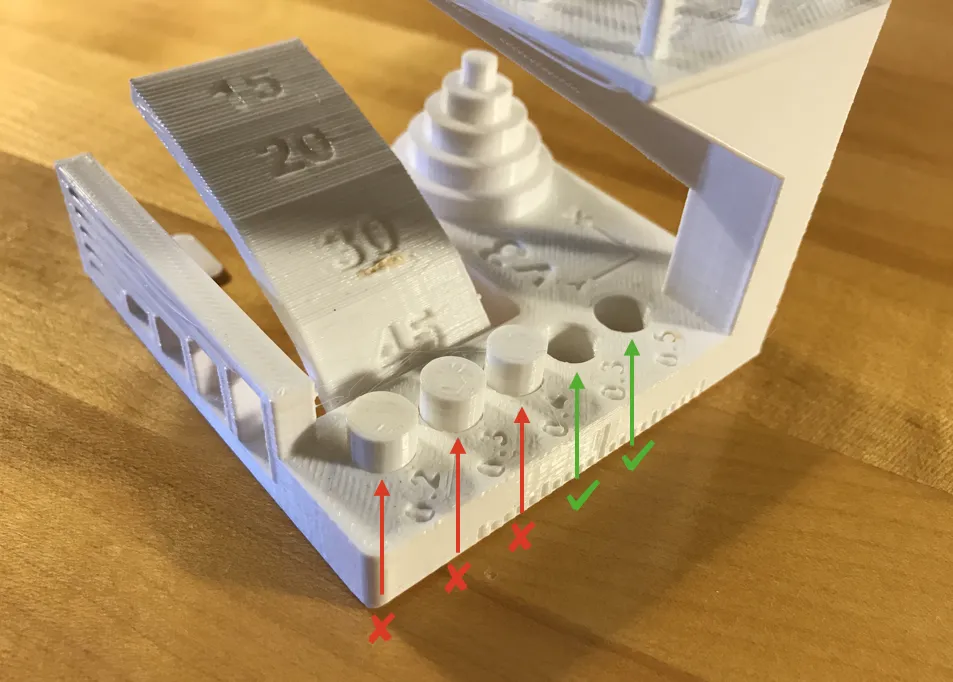
Try to remove all pins from their holes using only your fingers, no tools.
Good result: the more pins come out cleanly, the better your tolerance and extrusion calibration..
If not: if pins are fused to the holes, your tolerances are too tight - likely over-extrusion or elephant foot (first layer spreading outward) at the base; in Bambu Studio, elephant foot can be corrected under Quality > Elephant Foot Compensation. If pins break when removing them, your layer adhesion may be too low (increase temperature) or wall count too low.
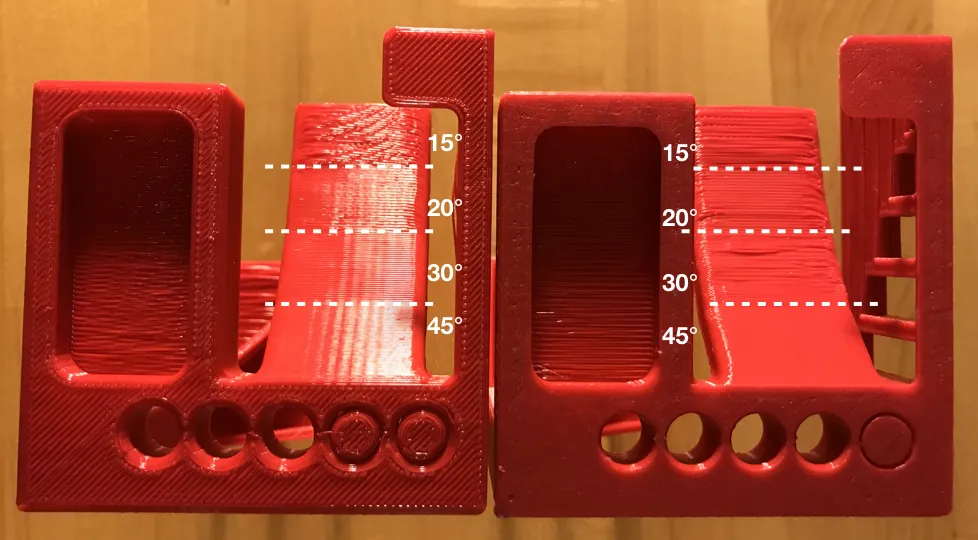
4. Overhangs
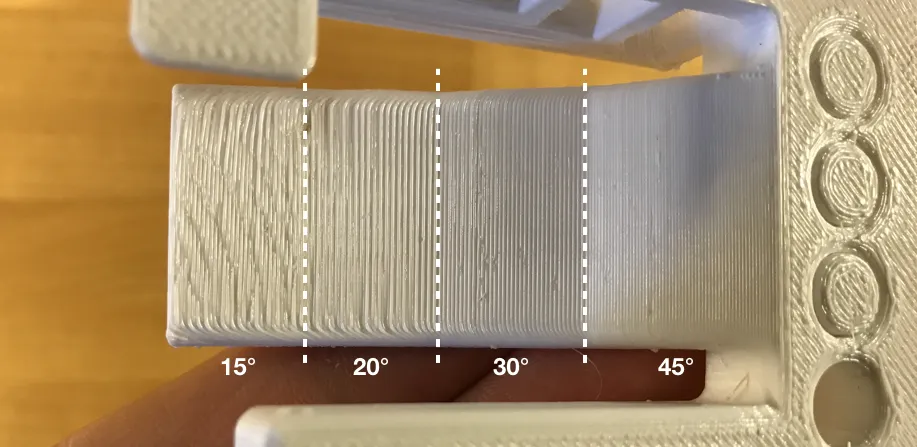
Visually inspect the overhang ramp surfaces at 15°, 20°, 30° and 45° angles.
Good result: all four overhang surfaces are clean and smooth with no drooping.
If not: sagging at lower angles (15-20°) means your cooling is insufficient - increase fan speed. If even 45° sags, check that your part cooling fan is working correctly. Reducing print speed on overhangs also helps.
PETG note: PETG requires more cooling on overhangs. If you see sagging even at 30-45°, increase fan speed gradually - PETG tolerates more fan than commonly believed at standard temperatures.
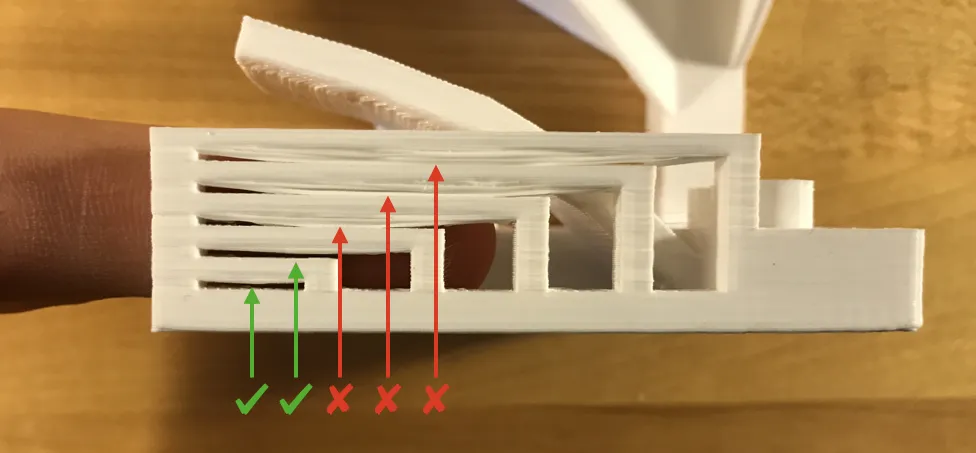
5. Bridging
Inspect whether the bridge surfaces have sagged and made contact with the surface beneath.
Good result: all bridges are flat and clean with no contact below.
If not: sagging bridges indicate insufficient cooling or bridging speed too high. Increase fan speed or reduce bridge flow rate in your slicer settings.
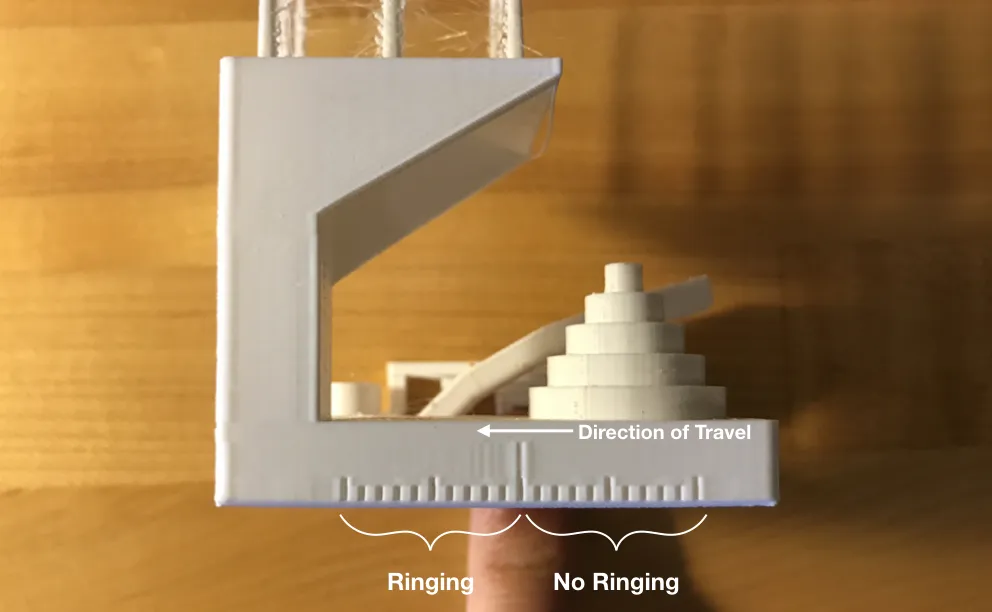
6. XY Ringing / Resonance
Illuminate the print from the side and visually inspect the ringing (wave pattern visible on walls after sharp corners, also called ghosting) feature surface for wave or ripple patterns.
Good result: smooth surface with no ripple visible on either X or Y side.
If not: visible ringing means your printer has vibration issues. On Bambu Lab printers this is largely handled automatically by input shaping, but if you see it you can try reducing print speed, especially for perimeters. On other printers, check belt tension and frame rigidity (run Vibration Compensation calibration from Device > Calibration in Bambu Studio).
BambuLab Official Guide → https://wiki.bambulab.com/en/general/printer-calibration
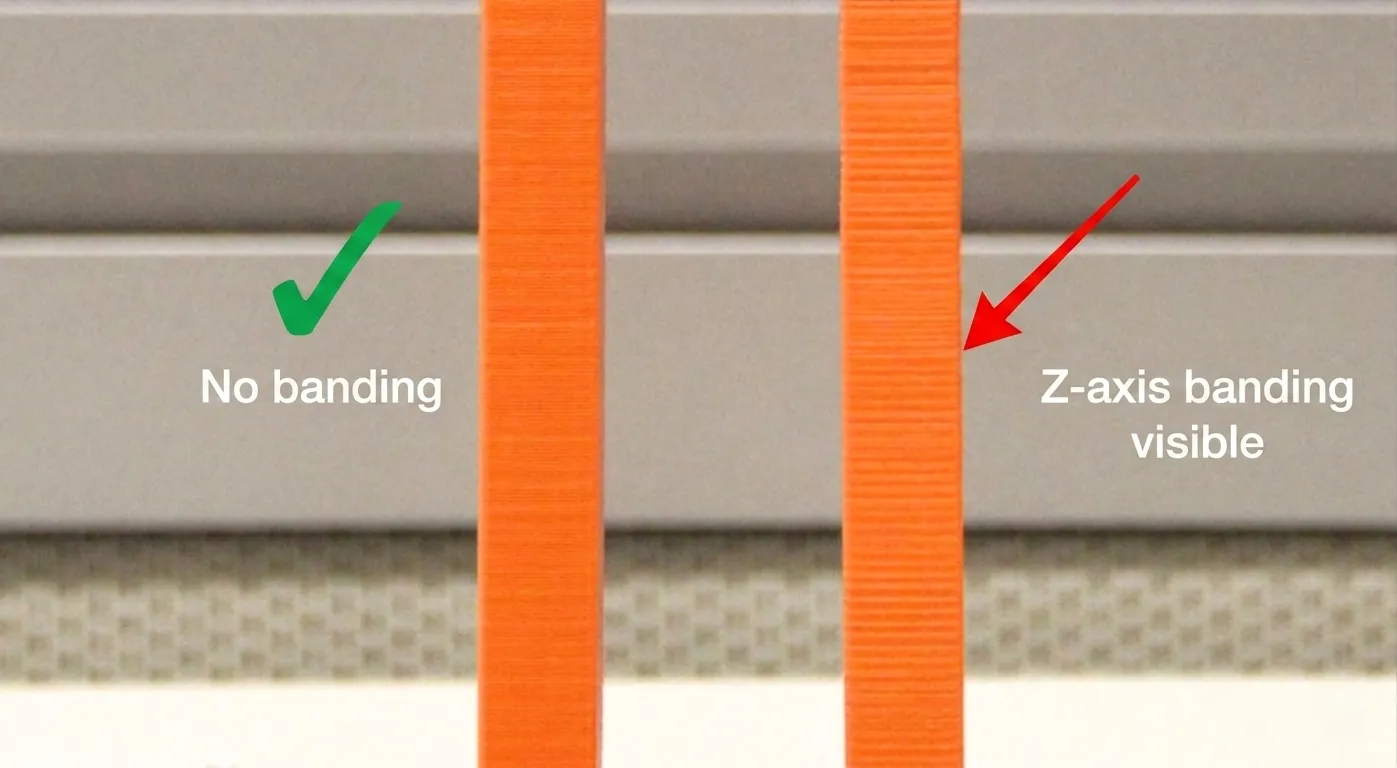
7. Z-axis Alignment
Look at the pillar supporting the fine positive features. Check for a repeating layer shift pattern.
Good result: pillar surface is smooth with no periodic banding.
If not: banding with a regular repeating pattern matching the leadscrew pitch indicates a Z-axis mechanical issue. Check that your leadscrew is clean, lubricated and straight. On Bambu Lab printers this is rarely an issue.
Hope this helps, especially if you're new to dialing in your printer!
Boost Me (for free)
Grazie mille per il supporto! 🚀😎
Check out my other models! https://makerworld.com/it/@Kitch3DStudio
Documentation (2)
This remix is based on

License



Comment & Rating (0)