Search models, users, collections, and posts

Sony iPhone 17 Pro Max Holder
IP Report
Print Profile(0)
Add the first print profile to earn points
Boost
1
0
0
0
1
0
Released
Description
Content has been automatically translated.
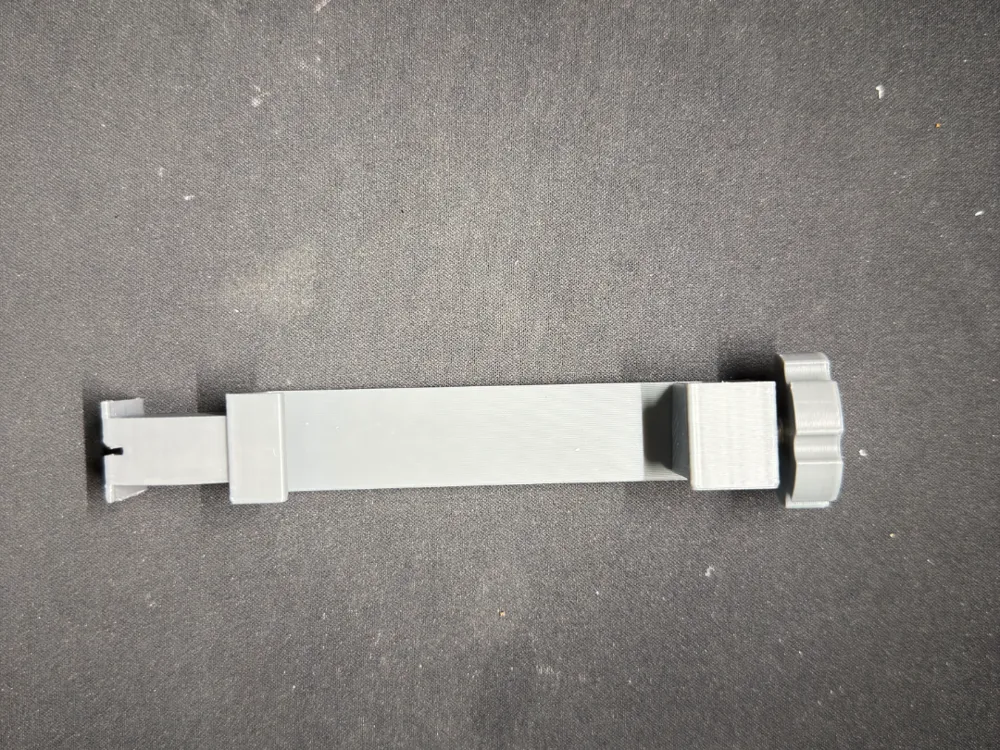
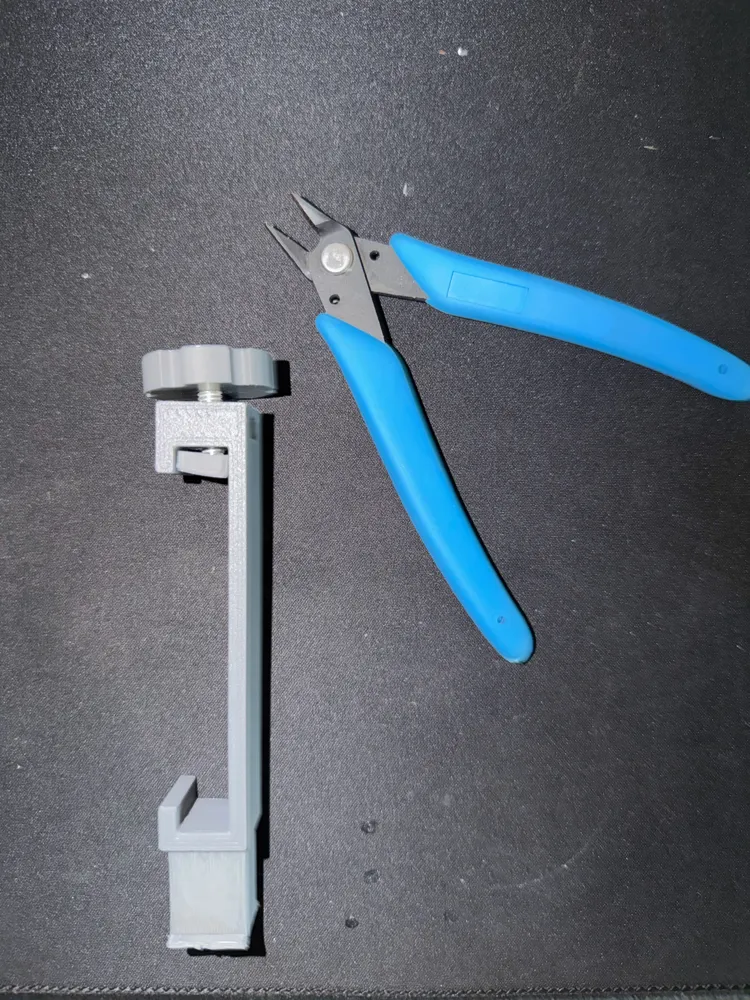
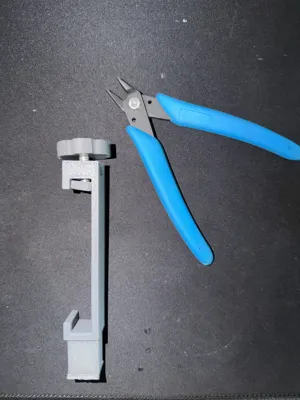
Hardware needed for assembly (A few cents at the hardware store)
- 1x Standard M6 nut (slips into the slot on the back of the upper block).
- 1x M6 hex head screw (recommended length: 30 mm or 40 mm). The screw head should be press-fitted under the printed knob (you can help by gently heating it or securing it with a drop of epoxy/superglue).
How to assemble
- Thread the M6 nut into the slot on the back of the upper support.
- Insert the screw into the knob.
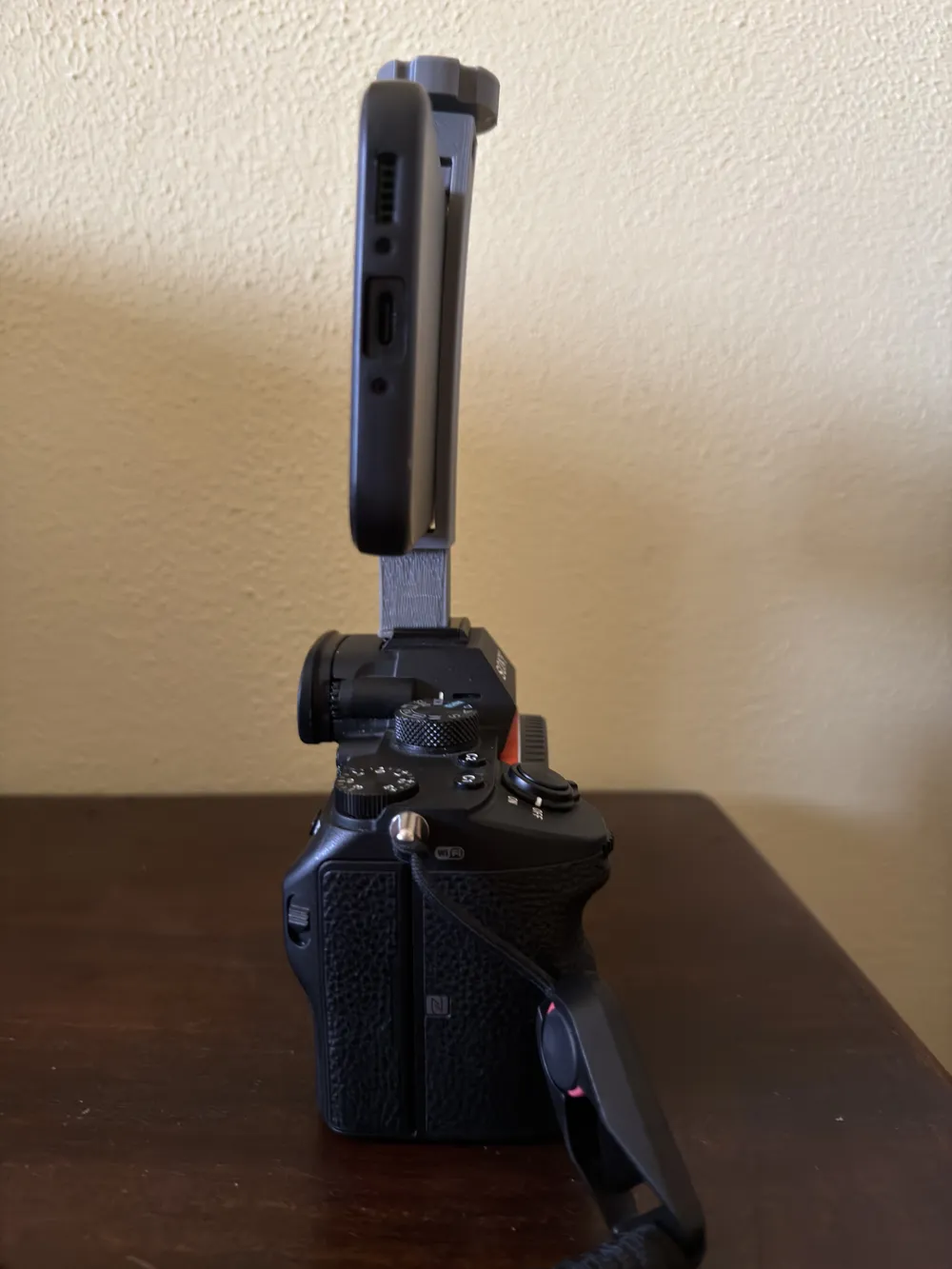
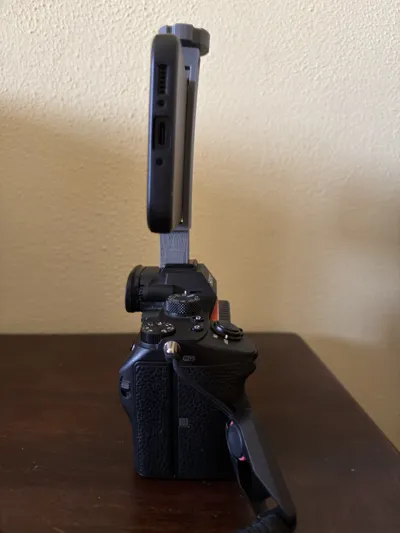
- Insert the iPhone 17 Pro Max into the clamp.
- Place the Pressure Pad on top of the phone (this will protect the smartphone).
- Screw the knob from above: the tip of the screw will push into the small recess of the pressure pad, distributing pressure evenly and locking the phone without any effort or risk of scratches.
Slicing Notes (Ender 3 V3 KE)
- Export the three objects separately from FreeCAD by selecting them one by one in the left tree and going to File -> Export (.STL).
- Main_Body_Clamp: As before, print it lying on its side (X or Y side resting on the build plate). This way, the flash shoe will be indestructible. You will only need supports inside the empty phone channel.
- Knob_Screw and Pressure Pad: Print them flat on the build plate, they don't need supports. Use a high infill (40-50%) for the knob so it can withstand torsion when tightening.
License

This user content is licensed under a
Creative Commons Attribution


Comment & Rating (0)