
Print Profile(1)
Description
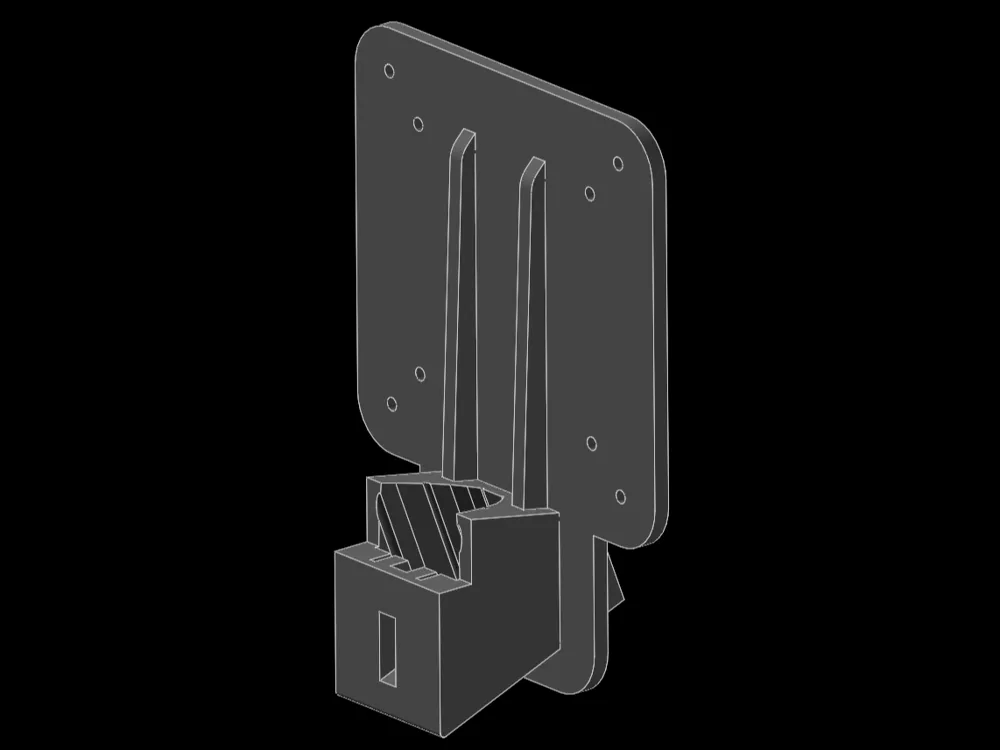
VESA Mounting Interface Standard Adapter for the LG 22MP58VQ-P monitor
Converts the bespoke stand fitting of the LG 22MP58VQ-P to VESA MIS-D 100 and 75, allowing the user to mount the display onto any VESA compliant mounting hardware. Designed in four parts to be easy to print on small print beds without using supports.
Specifications
- VESA MIS-D, 100, 75 compliant
- For LG 22MP56VQ-P. Monitors with similar identification are likely incompatible. Please verify compatibility before producing the model
- Number of parts: 4
- No supports, rafting, skirts, brimming, or other stability-enhancing procedures are required
Minimum print bed dimensions: 179.23x130x55.1 cm
Assembly
Step-by-step Instructions:
- Insert the two trusses into the adapter block.
- Slide the VESA plate onto the assembly. At this stage, the pieces assembled and should stay together on its own, but will break apart under load. Do not use the adapter without gluing the assembly. The author of this model claims no liability.
- Glue pieces together using an appropriate glue.
Cyanoacrylate-based super-glues are generally sufficiently effective for PLA, but are dangerous to handle. Please exercise caution during the application of this glue. Ask an adult for help. - Wait for the glue to dry. Please refer to your glue manufacturer's instructions on glue drying times if unsure.
- Assembly complete, the adapter is ready for use.
Usage
To use the adapter, first remove the original stand from the monitor by pressing the hidden tab using a long and narrow tool. Then, slide the adapter onto the fitting. It should not come loose unless the tab is pressed again. The adapter is now attached and can be used to mount the monitor.
To remove the adapter from the monitor press the tab to remove and pull up. This may require some force. Do not attempt to remove the adapter without pressing the tab.
Licensing
This work is licensed under CC BY-NC 4.0.
License



Comment & Rating (0)