
Print Profile(1)
Bill of Materials




Description

If you’d like to sell prints of this model, as well as all my past and future models,
you can get a Commercial License on my Patreon!


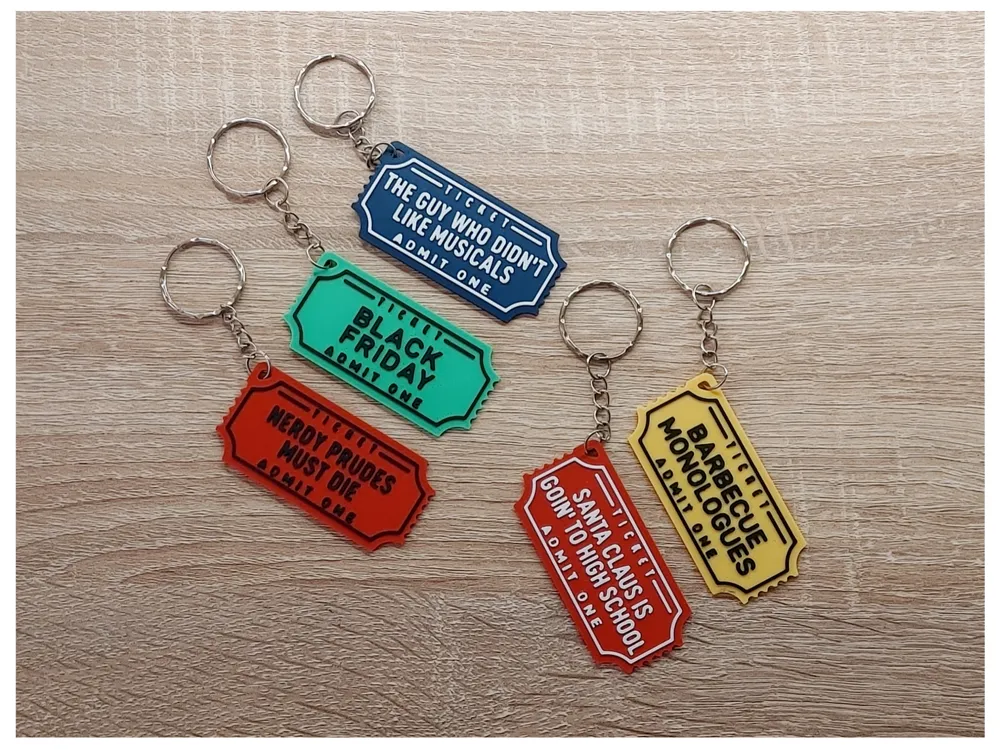
Starkid Inspired Ticket Keychains 🎟️
Print your own movie ticket-style keychains inspired by the iconic Hatchetfield universe from Starkid. This collection includes designs for The Guy Who Didn’t Like Musicals, Black Friday, Nerdy Prudes Must Die, plus the in-universe shows Barbecue Monologues and Santa Claus Is Goin’ to High School.
Lightweight, easy to print, and perfect for musical fans, collectors, and fellow Hatchetfield enthusiast. 🎭
✨ 3mf file ready
✨ No supports needed
✨ Perfect for gifts, artist tables, or just treating yourself
Filaments Used in Pictures:
Bambulab - PLA Matte - Ivory White
Bambulab - PLA Matte - Charcoal
Bambulab - PLA Matte - Dark Red
Bambulab - PLA Matte - Dark Blue
Bambulab - PLA Matte - Lemon Yellow
Bambulab - PLA Matte - Grass Green
How to customize in bambuslicer:
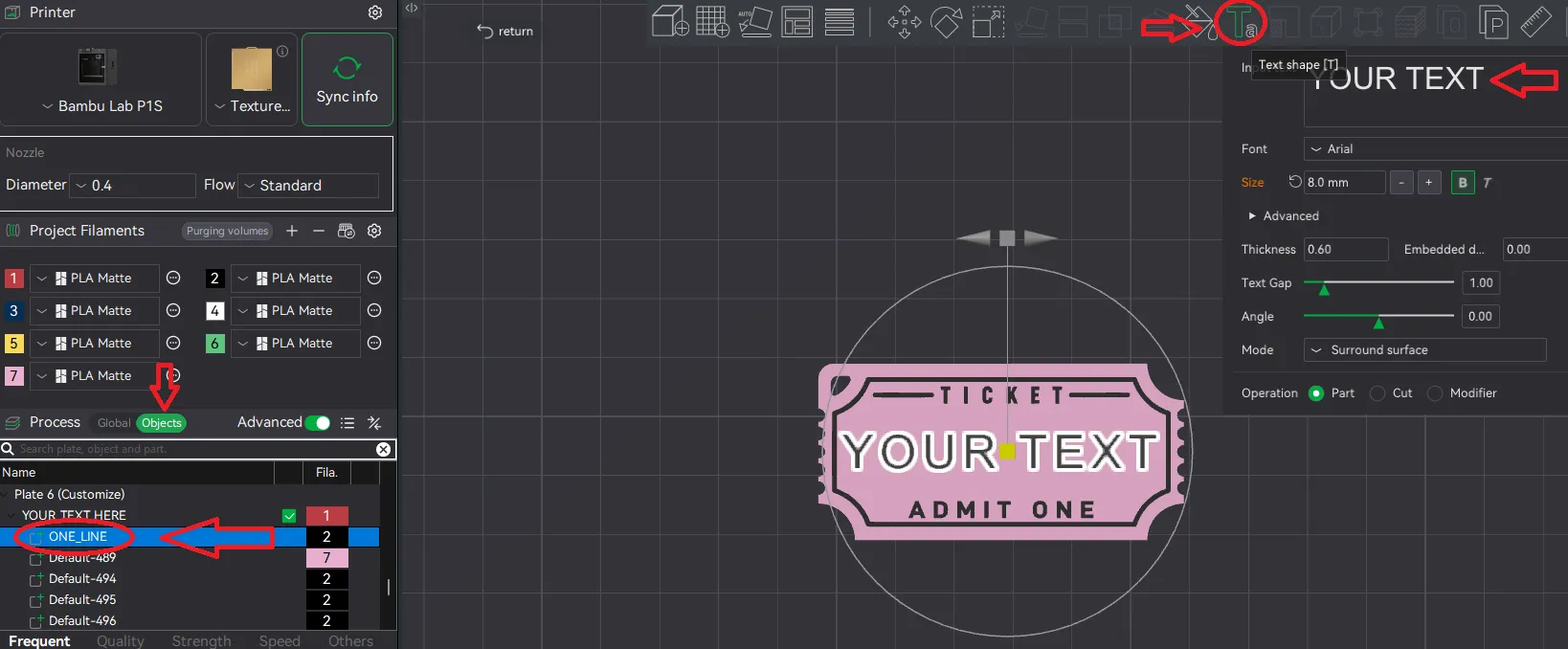
Select the text ONE_LINE on the left side in your slicer under Objects → while selected, click on the top selection options on the big "T" (Text shape) → change “YOUR TEXT” to your prefered text
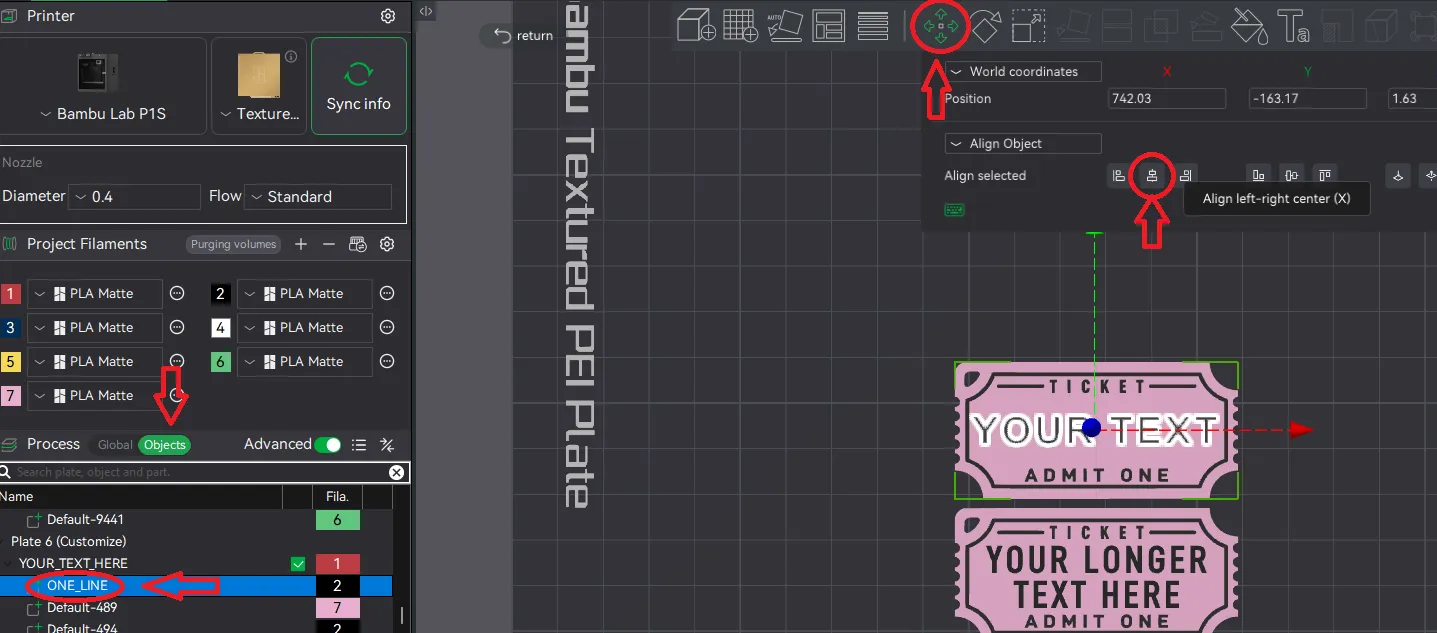
If your text has more or less letters than the place holder text you will have to align it so it is in the middle of your keychain.
Select the text ONE_LINE on the left side in your slicer under Objects → while selected, click on the top selection options on "Move" → click “Align left-right center”
Congratulations! You just changed the text!💖
If you like this design, drop me a like, follow or even a boost 💖
Boost Me (for free)
License

You shall not share, sub-license, sell, rent, host, transfer, or distribute in any way the digital or 3D printed versions of this object, nor any other derivative work of this object in its digital or physical format (including - but not limited to - remixes of this object, and hosting on other digital platforms). The objects may not be used without permission in any way whatsoever in which you charge money, or collect fees.


Comment & Rating (0)