Protect your mechanics with industrial-grade flexible covers, perfectly tailored to your projects!
Introducing FLEX-BELLOWS, much more than a simple dust cover creator. This powerful parametric generator (powered by OpenSCAD) is the perfect solution for robotics, CNC machines, automotive applications, and advanced DIY. Finding a commercial off-the-shelf bellows for discontinued vehicles, or one that fits odd diameters or misaligned axes, is often impossible. This tool solves the problem at its root, allowing you to engineer protective covers with smooth transitions, integrated flanges, and complex routing paths.
FLEX-BELLOWS gives you total control over the geometry for your specific needs, ensuring mechanical performance true to your chosen material. Fully optimized for 3D printing in TPU and other flexible filaments.
Key Features
Advanced Spatial Geometry (Offset & Twist): This is the real game-changer of the model. Are your attachment points misaligned? No problem. The generator allows you to translate the output relative to the input (X/Y Offset) and even apply a global Twist. Ideal for complex joints in irregular spaces.
Integrated Mounting Flanges: Forget glue. You can enable customizable mounting flanges on both the input and output, defining thickness, chamfers, and even the exact number and position of screw holes for a professional structural mounting.
Elbows and Curves (Angled Routing): Need the tube to make a 45° or 90° turn before the bellows section begins? The system supports the insertion of parametric Elbows with customizable radii to bypass obstacles in your design.
O-Ring & Zip-Tie Grooves: The cuff sections feature an advanced system for adding protruding rings or recessed Grooves. Perfect for ensuring a watertight seal with O-rings or providing a solid seat for classic zip-ties.
Total Wave Profile Customization: You are not limited to the classic "zigzag". Choose between sinusoidal, triangular, trapezoidal, or scalloped profiles. Furthermore, you can apply a profile distortion (Skew) to create "sawtooth" bellows that compress preferentially in a single direction.
Extreme Geometries & Transitions Support: Smoothly blends a square input into a circular output, or even complex ellipses and polygons (hexagons, octagons). The transitions between the rigid cuff walls and the thin bellows walls are mathematically calculated to eliminate stress concentration points.
Special Features
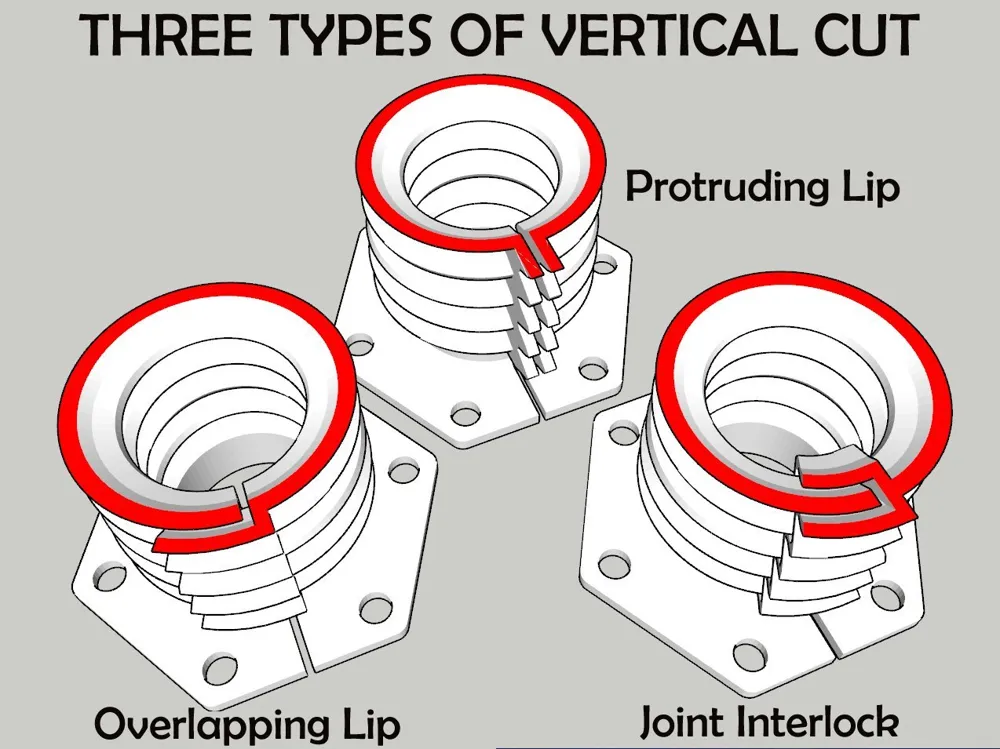
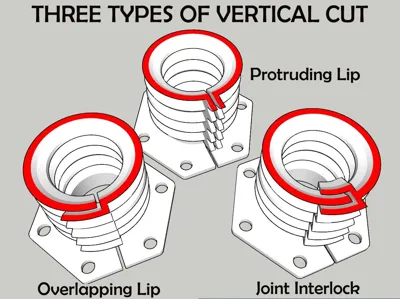
Longitudinal Open Architecture (Split & Retrofit System): This architecture features an advanced parametric longitudinal split engineered for zero-disassembly installation, eliminating the need to disconnect existing cables or piping. The design natively compensates for manufacturing tolerances (clearance) and allows a 360° rotation of the split axis for optimal orientation based on clearance or aesthetic constraints. Users can choose between a simple cut or advanced interlocking geometries tailored to specific mechanical and sealing requirements.
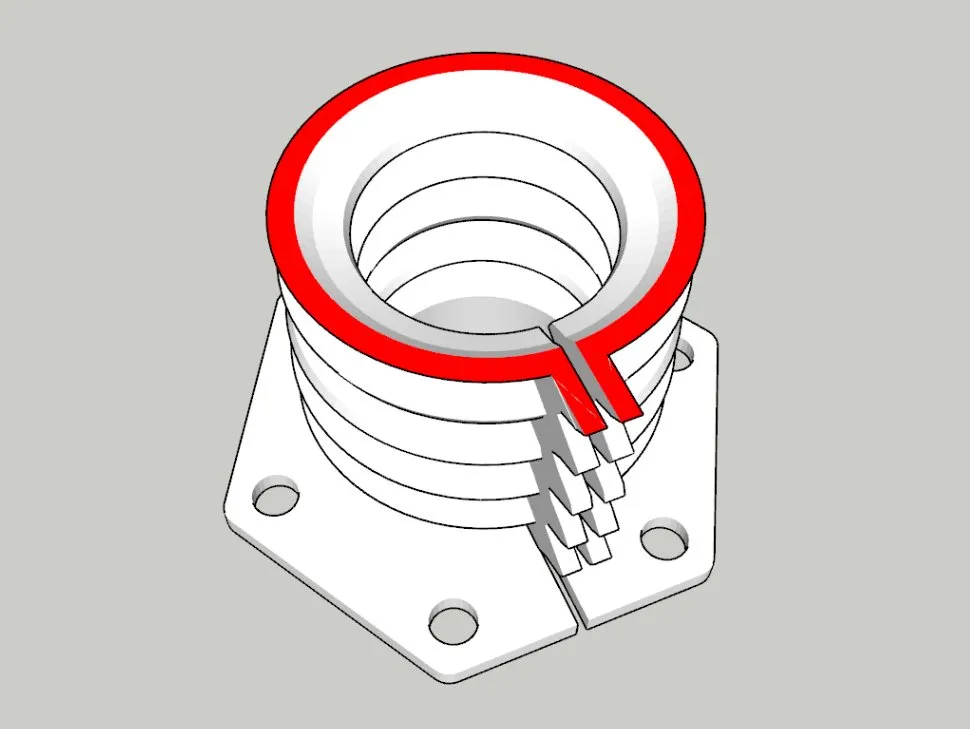
Protruding Lip System: This design features two external flanges projecting outward along the longitudinal split. These parallel tabs can be easily clamped with zip ties, secured with screws, or permanently heat-welded using a soldering iron tip to ensure rigid mechanical fastening and flawless adhesion without affecting the internal clearance.
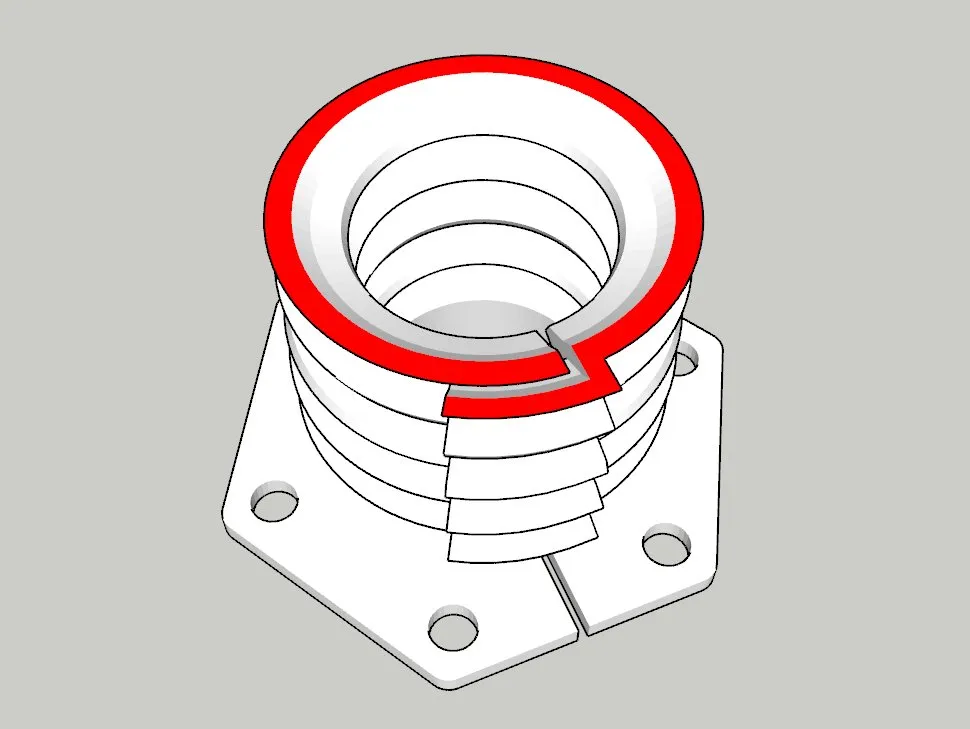
Overlapping Lip: Features a shingle-style overlap where one edge covers the other to shield against dust and liquids.
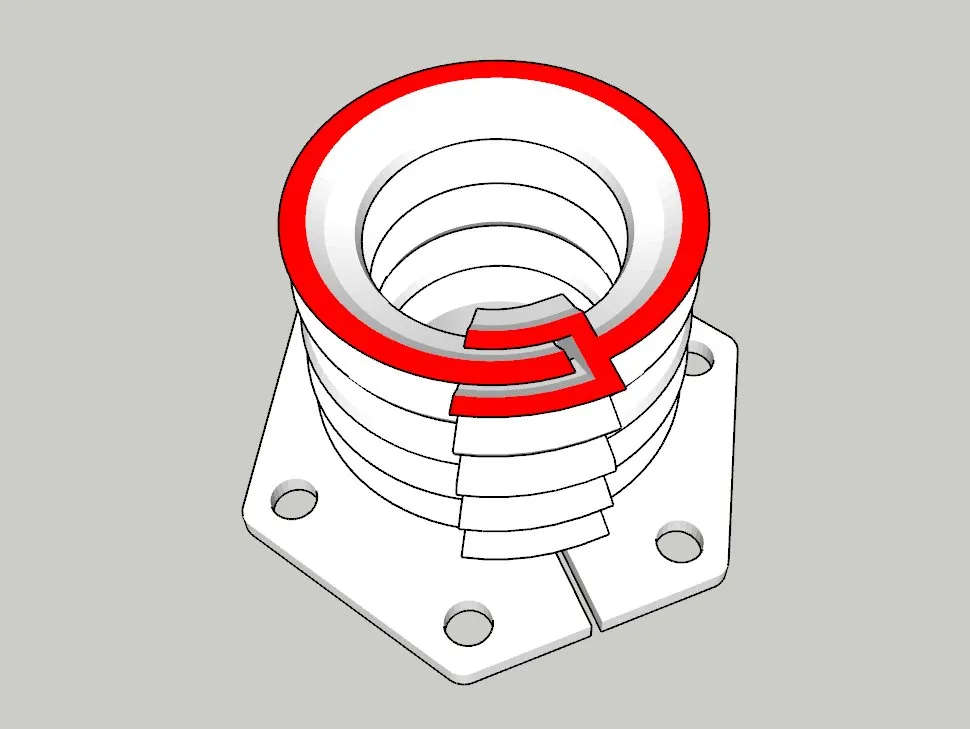
Joint Interlock: Utilizes the geometry of a male/female mating feature to ensure the structural stability of the component. Leveraging the flexibility of TPU, the joint can be made completely airtight by applying a specific liquid adhesive along the mating line.
Examples of Generable Models
Here are just a few examples of what you can create with this generator.
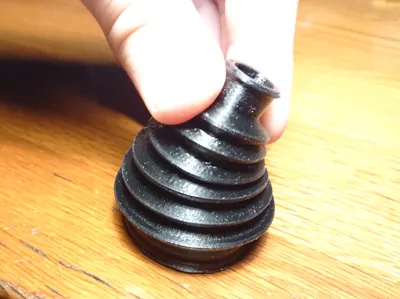

Automotive CV Joint Boot: A bellow styled like those used for car axle shafts, designed for high flexibility and dynamic movement.
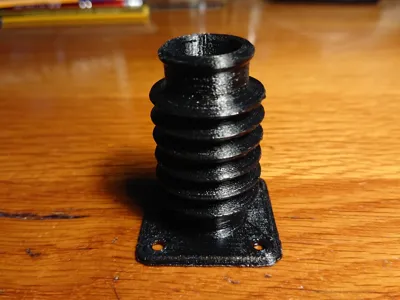


Classic Cylindrical: The standard, reliable bellow featuring perfectly circular input and output cuffs.
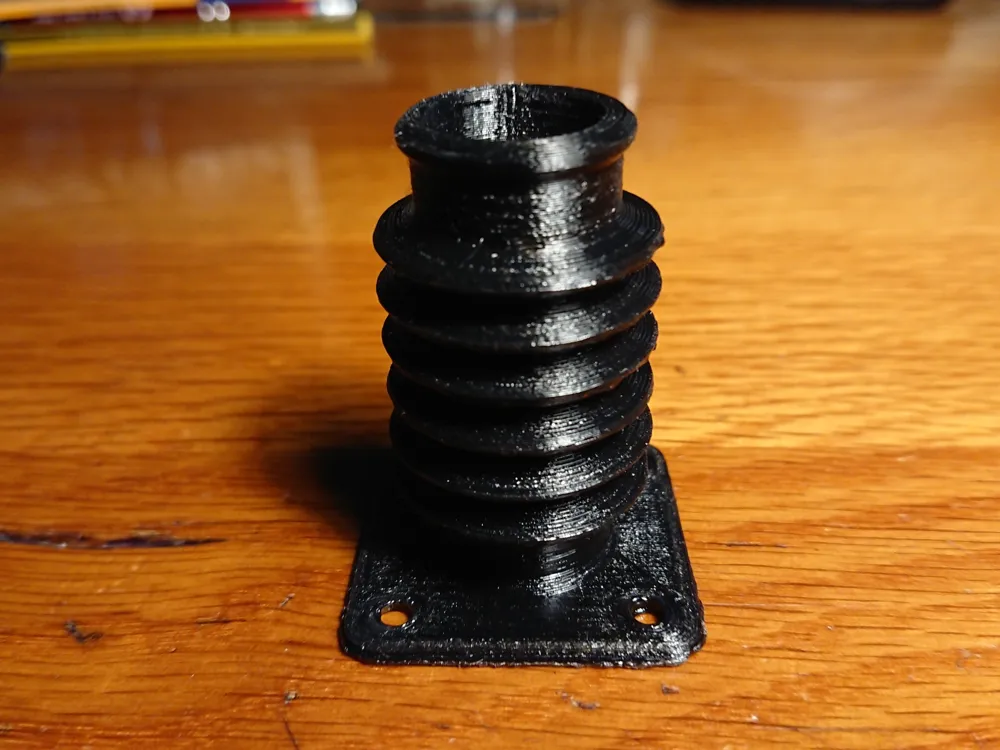
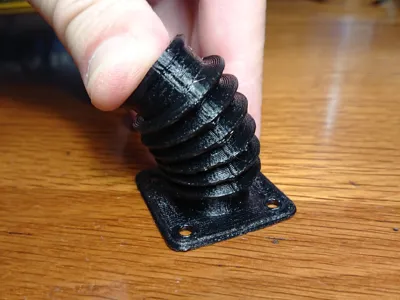

Square Input Flange: A custom design featuring a square structural mounting flange on the input side.

Angled Output (Elbow): Features a circular input flange and a curved routing (elbow) on the output side to bypass structural obstacles.
Elliptical Profile: Specifically designed to fit non-standard housings, with both input and output in an elliptical shape.
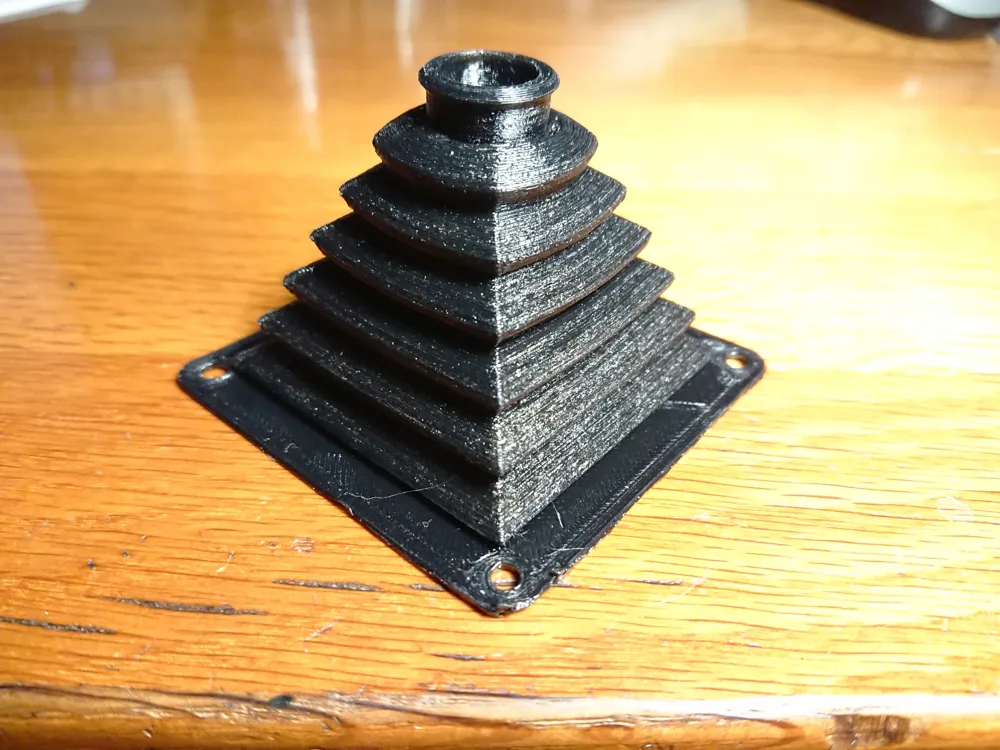
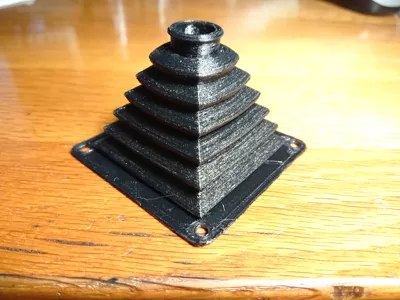

Gear Shift Boot (Square to Circular): A smooth geometric transition from a square base to a circular top, typical of automotive manual transmission shifters.

Dual Flange & Elliptical Body: A highly engineered joint featuring integrated mounting flanges on both ends, joined by a fully elliptical bellows section.
3D Printing & Customizer Guide
Whether you are generating your STL file or setting up your slicer, follow these guidelines to ensure the maximum mechanical durability of your FLEX-BELLOWS:
Optimization via Customizer (MakerWorld / OpenSCAD)
Use the Customizer panel to input your measurements. The model includes a "Show_Cross_Section" feature to let you check internal thicknesses before exporting.
The "Fast Rendering" feature leverages the Manifold engine to show you real-time changes without annoying lag!
Material Recommendations
TPU (Thermoplastic Polyurethane): The material of choice. A 95A TPU is perfect for rigid bellows and CNC dust boots. If you need extreme flexibility and compression, opt for a softer TPU (e.g., 85A or 82A).
TPE / PCTPE: Great for applications requiring high chemical resistance (e.g., motor oils or linear guide greases).
Build Plate Tip: TPU adheres incredibly well to PEI sheets. On smooth plates, consider using a glue stick—not for adhesion, but as a "release agent" to avoid damaging the bed after printing.
Infill & Walls (Crucial for TPU)
Bellows Wall Thickness: In the generator, the Bellows_Wall_Thickness parameter defines the wave thickness. For perfect prints, set this value as an exact multiple of your nozzle diameter (e.g., for a 0.4mm nozzle, set 0.8mm or 1.2mm).
Arachne Engine: In your slicer settings, make sure the "Arachne" perimeter generator is enabled. It is essential for printing thin walls continuously without micro-retractions (which cause stringing and holes in TPU).
Infill: The bellows walls will print as 100% continuous perimeters. For thicker flanges and cuffs, use a Gyroid infill at 15-25% to retain some elasticity under stress.
Orientation & Supports (Crucial Slicing Note)
The mathematical design of this model is intended to make your extruder's life easier:
Orientation: Print the bellows vertically, placing the input or output on the build plate. Use the Base_Orientation option in the code to automatically flip the entire piece depending on which flange is wider (to get the largest contact surface on the bed).
Support-Free: If you maintain reasonable geometric angles, the bellows wave will print perfectly in TPU without any internal or external supports. Enable supports (standard or tree) ONLY if you have generated 90-degree Elbows or flanges with overhanging holes.
Setup & Daily Us
Putting your newly printed joint to use is straightforward:
Creation: Measure the hardware to be protected (e.g., rod diameter and housing diameter), input the data into the generator, download the STL, and print.
Installation: Slip the bellows onto your mechanical parts.
Fastening: If you generated Grooves, insert a nylon zip-tie or a rubber O-ring and tighten. If you used flanges, secure them with flat-head screws for a permanent, torsion-resistant anchor.
Original Design & Media Note

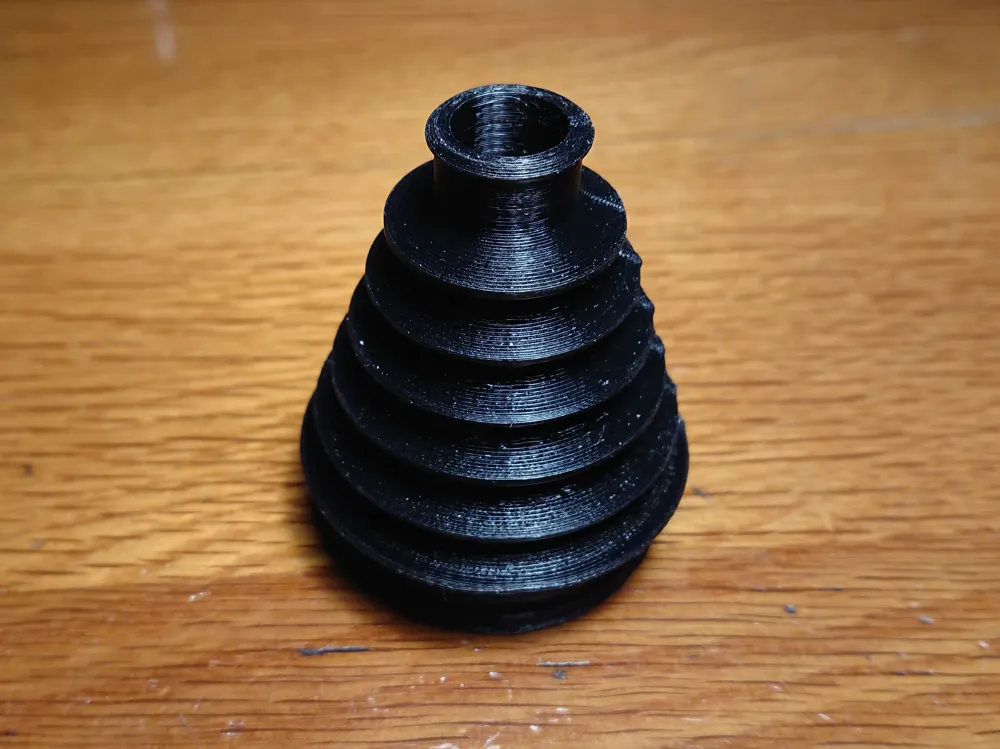
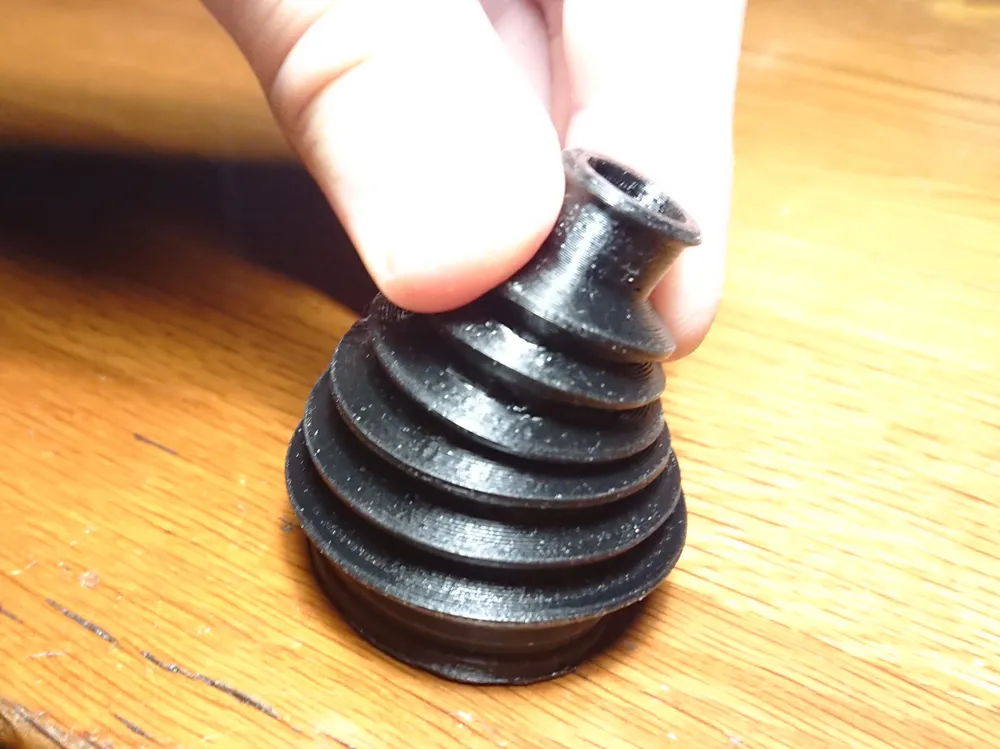
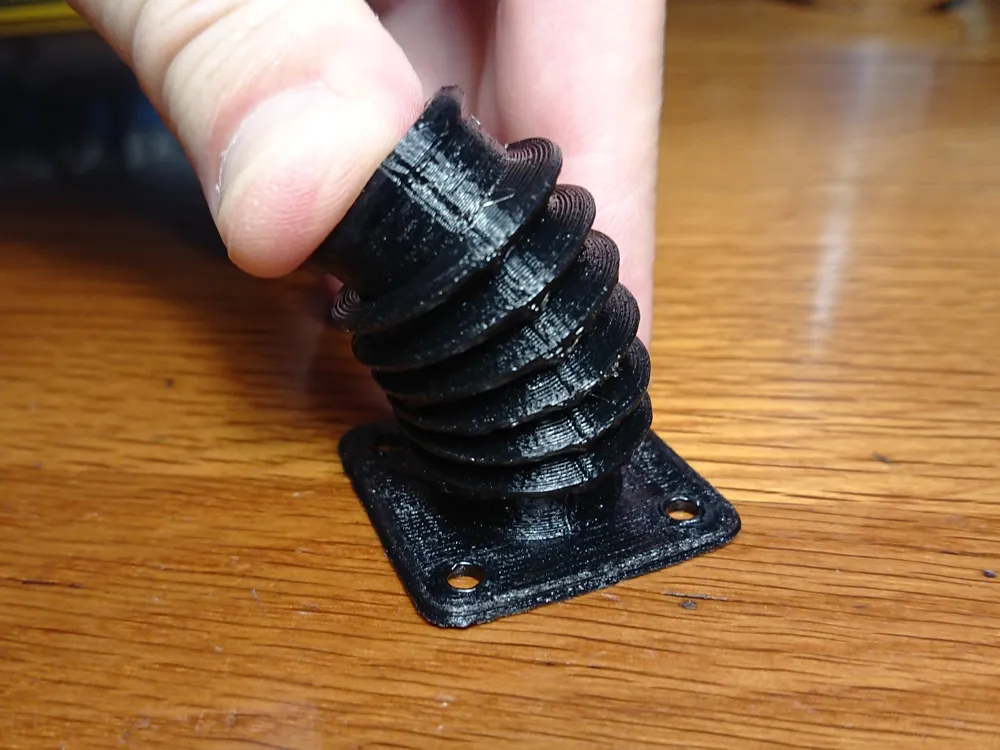
The 3D design was created entirely by me from scratch, specifically designed and optimized for 3D printing. Please note that while the promotional video includes some AI-generated conceptual images to illustrate the model's theme, the gallery features several real photographs showcasing the actual 3D-printed model.
Support the Creator!
If you like this model, please consider leaving a LIKE , giving it a BOOST, or sharing a photo of your print in the Comments/Makes section. Seeing your prints is incredibly motivating and helps independent creators a lot! Happy printing!
This user content is licensed under a Standard Digital File License.
You shall not share, sub-license, sell, rent, host, transfer, or distribute in any way the digital or 3D printed versions of this object, nor any other derivative work of this object in its digital or physical format (including - but not limited to - remixes of this object, and hosting on other digital platforms). The objects may not be used without permission in any way whatsoever in which you charge money, or collect fees.


![Flex-Bellows v60 [ Type A ] 0.2mm layer - TPU](https://makerworld.bblmw.com/makerworld/model/USd3cec7c06dc1e0/779736808/instance/cf2946cd8816b147.gif?x-oss-process=image%2Fresize%2Cw_100%2Fformat%2Cjpeg)
![Flex-Bellows v60 [ Type C ] 0.2mm layer - TPU](https://makerworld.bblmw.com/makerworld/model/USd3cec7c06dc1e0/779733398/instance/f1f63de44b6e7b81.gif?x-oss-process=image%2Fresize%2Cw_100%2Fformat%2Cjpeg)




Comment & Rating (22)