
ArUco Markers Generator
Print Profile(1)
Description
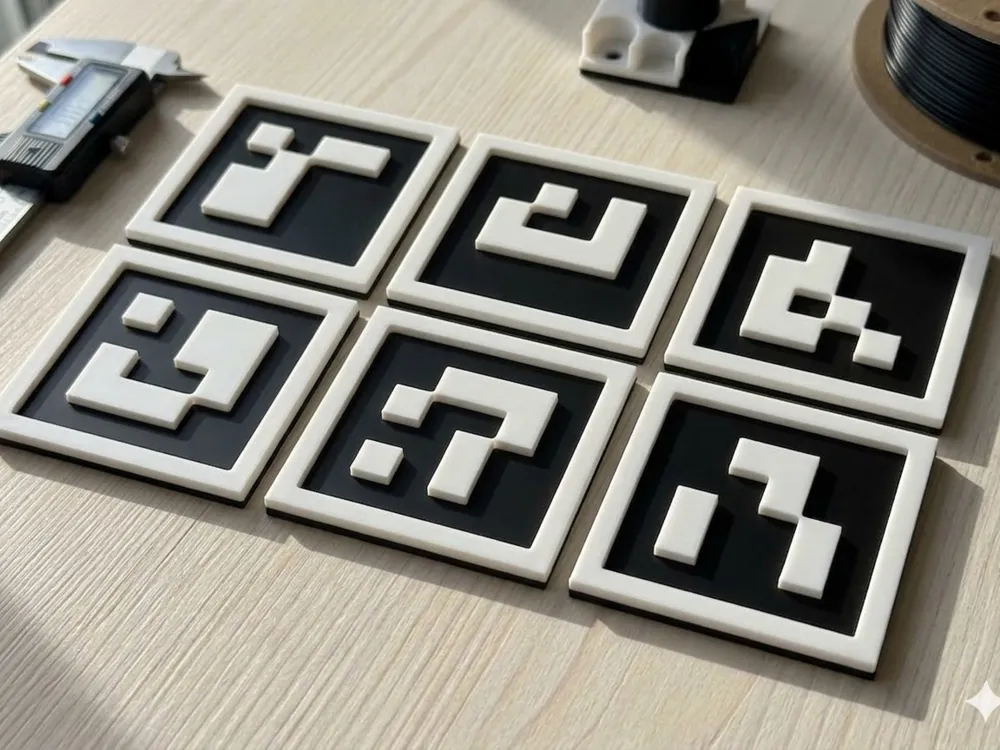
Parametric ArUco / AprilTag Marker Tiles
Fully parametric ArUco and AprilTag marker tiles, designed for two-color FDM printing without an AMS. All marker data is embedded directly in the OpenSCAD file — no external scripts or libraries needed.
Features
- Supports 10 marker dictionaries: AprilTag 16h5, 25h9, 36h10, 36h11, ArUco Original, DICT_4X4_1000, DICT_5X5_1000, DICT_6X6_1000, DICT_7X7_1000, and MIP 36h12
- Generate a single marker or an entire grid by setting a first and last ID
- Fully adjustable cell size, quiet-zone margin, base height, and top height
- Black base and white top are separate objects for easy color assignment in Bambu Studio
Printing
The marker is split into two parts at the base height:
1. Export with render_part = 1 (Black base) and render_part = 2 (White top)
2. Import both STLs into Bambu Studio as a multi-part object and assign your filament colors
No AMS required — if printing single-color, simply pause at the first layer above base_h and swap filament manually.
Customizer parameters
- marker_dict — choose your dictionary from the dropdown
- first_id / last_id — range of marker IDs to generate
- grid_cols — number of columns in the output grid (0 = auto)
- cell_size — size of one data cell in mm
- margin — quiet-zone border width in mm
- base_h / top_h — layer heights for each color
- render_part — select which part to export
License



Comment & Rating (0)