
Flexi Elephant – flexi Print in Place
Print Profile(1)

Description
Boost Me (for free)
Do you like this flexi elephant? Then I would be very happy about a boost. Thank you for your support!
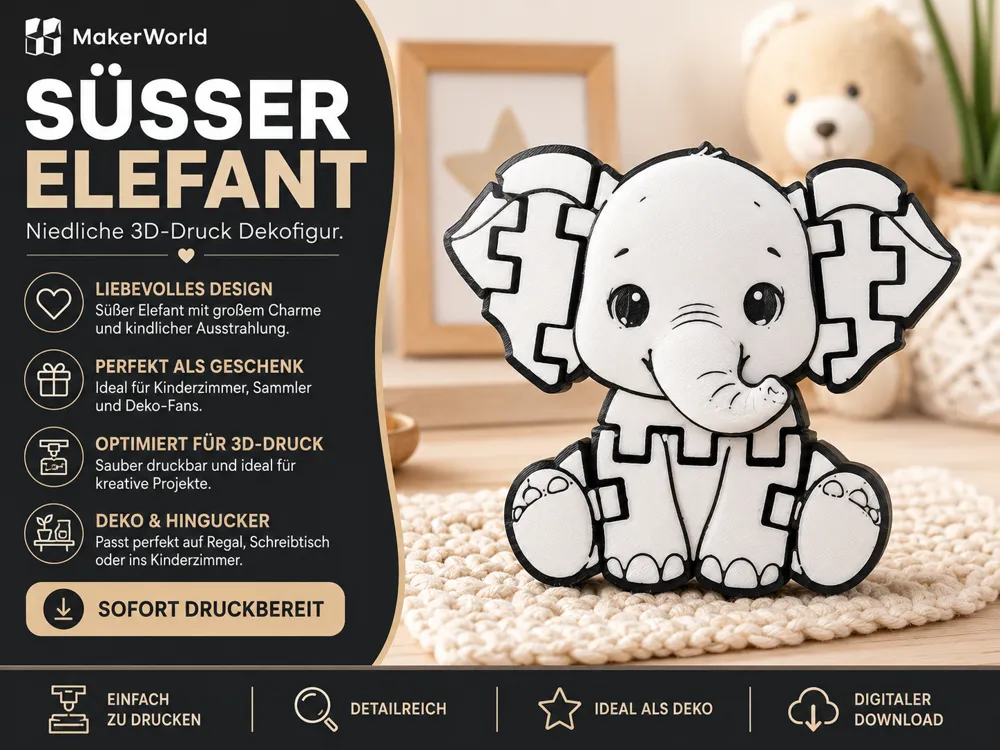
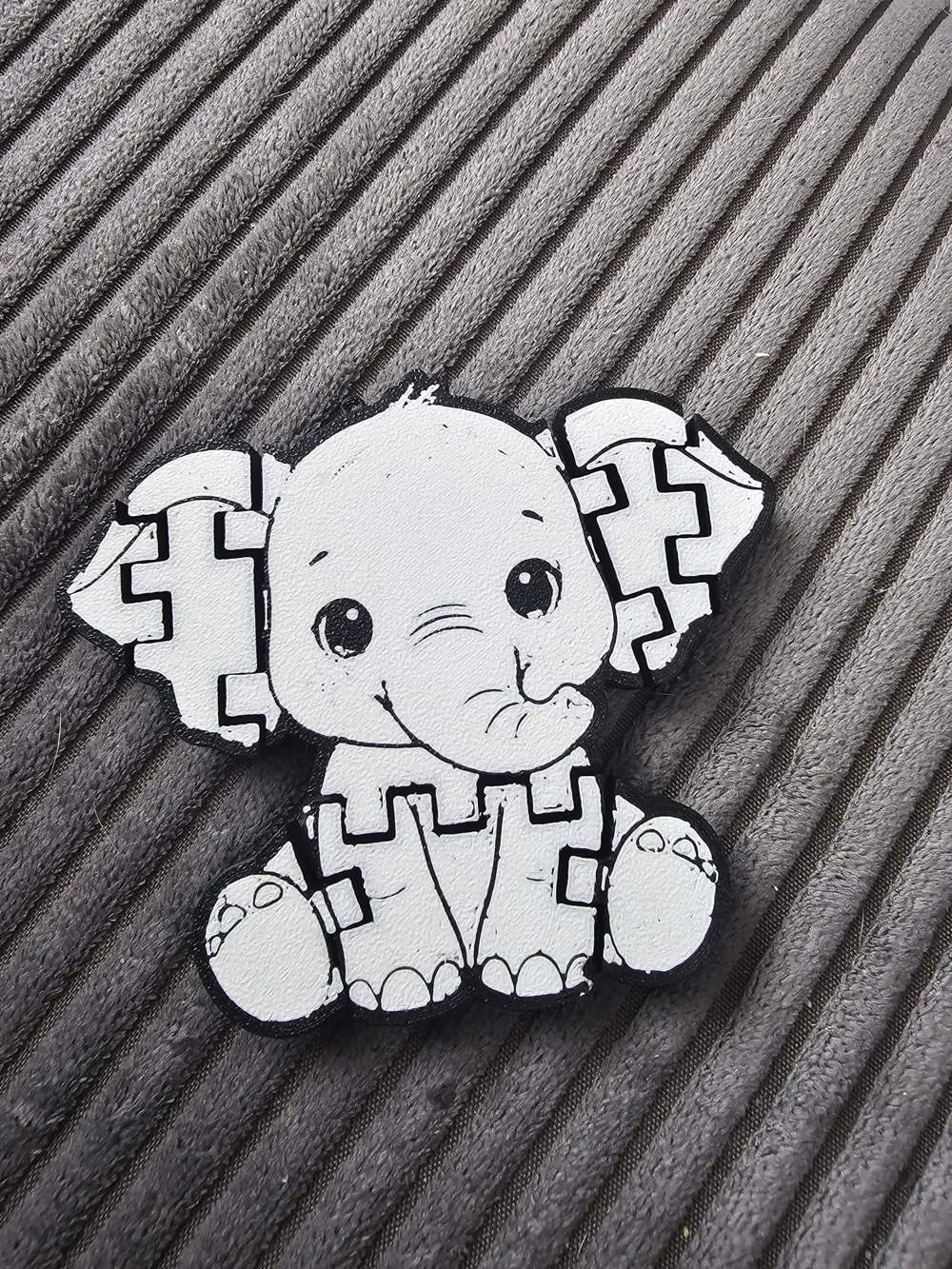
This flexi elephant is a cute and straightforward 3D print for anyone who likes Print in Place animals, small fidget models, and playful desk toys. The model features a cute elephant with movable segments and can be printed directly as a finished part – without assembly.
Thanks to its flat, segmented design, the elephant is ideal as a small toy, souvenir, desk decoration, or gift idea. The movable elements make the model especially interesting for children, animal fans, and anyone who enjoys collecting flexible 3D prints.
The elephant also looks very nice in a single color and is perfect for a quick print in between. With its friendly face and clear shape, the model is a real eye-catcher and also a great small everyday project for the 3D printer.
Suitable for:
- Print in Place animal models
- small gift ideas
- children and animal fans
- desk decoration or fidget toy
- quick and cute 3D prints
Advantages:
- cute elephant design
- flexible and Print in Place
- no assembly required
- ideal as a small toy or desk toy
- quick and easy to print
- also very nice in a single color
Printing notes:
- PLA is very well suited
- the model is designed without supports
- a clean first layer helps for freely movable joints
- gently detach the segments after printing
- ensure good dimensional accuracy so that the joints function smoothly
Note:
Depending on the printer, material, and tolerances, the movable parts may need to be slightly loosened after printing. To do this, gently move the segments and do not force them apart.
License

You may create derivative works based on this object, provided that all such derivative works are published exclusively on the MakerWorld platform and include proper attribution to the original creator. You may not share, upload, host, distribute, or publish this object—or any derivative work of this object—on any other digital platform, marketplace, or distribution channel. Commercial use of this object and any derivative works is strictly prohibited. This includes, but is not limited to, selling, renting, sublicensing, or using the object in any context in which you receive monetary compensation or other financial benefits.


Comment & Rating (0)