
Parametric Threaded Container – Customize It!
Print Profile(3)
Description
Parametric Threaded Container – Customize It!
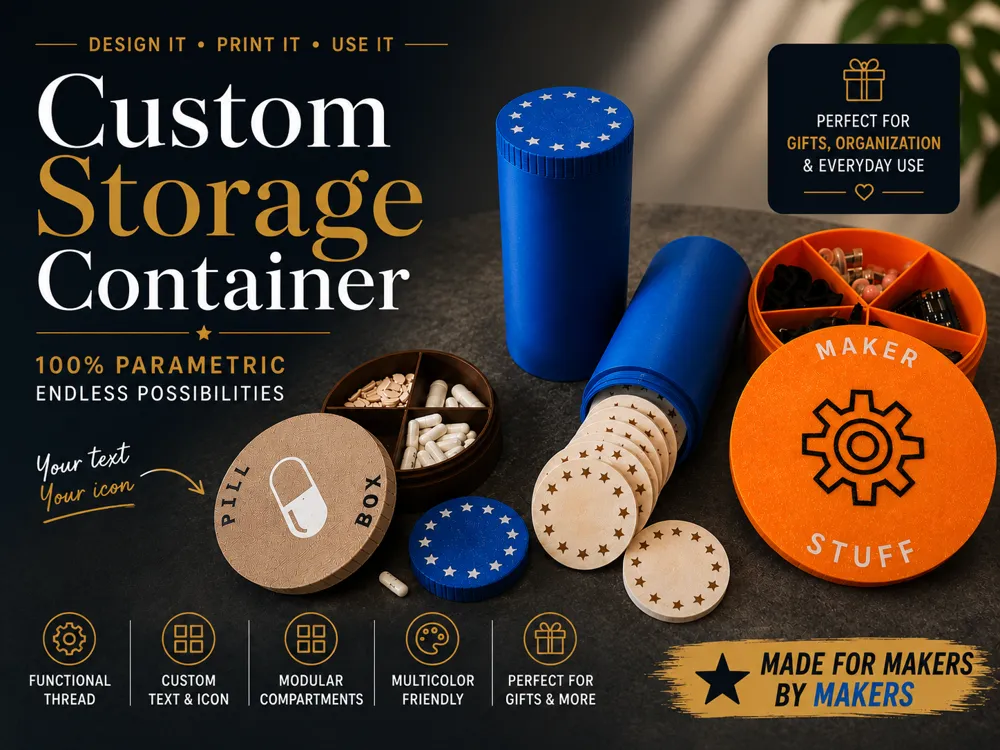
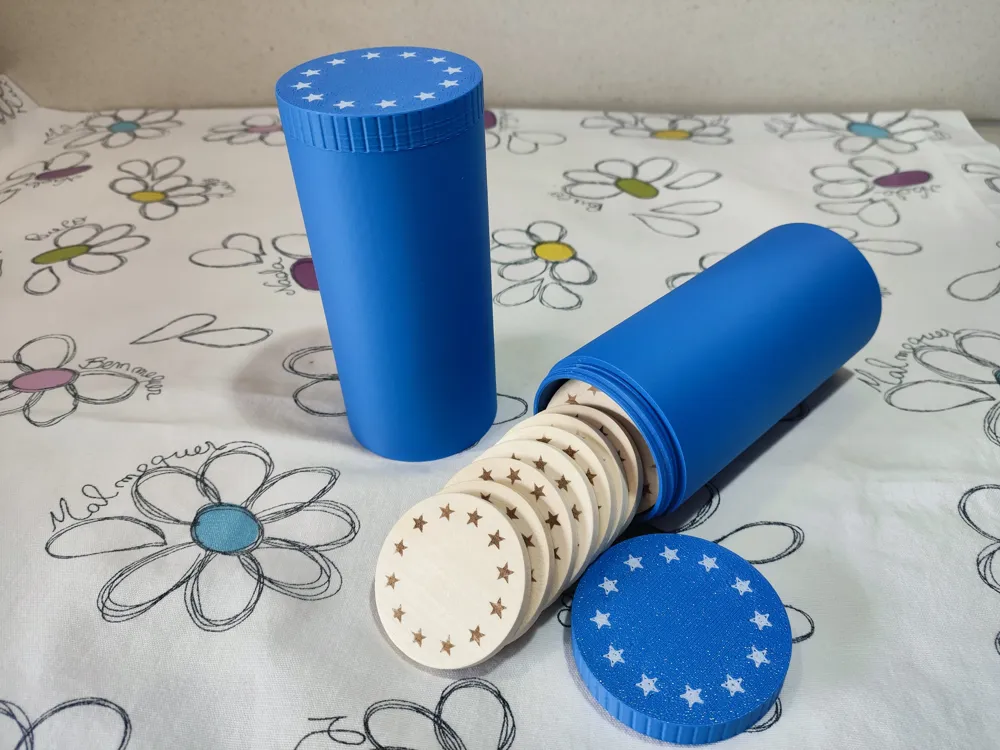
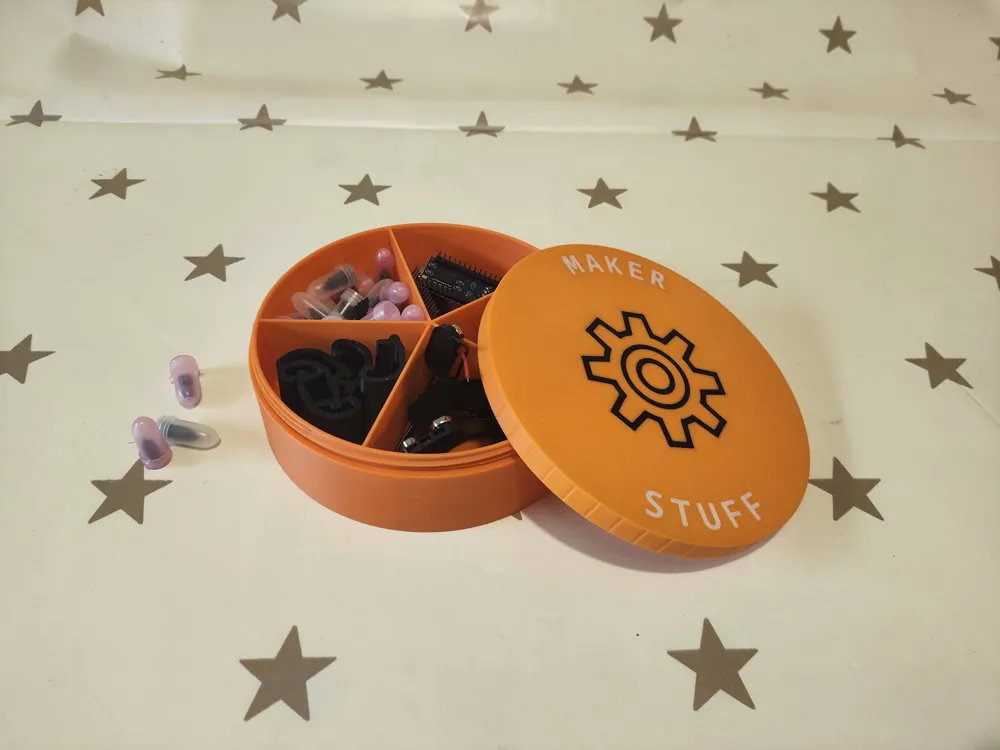
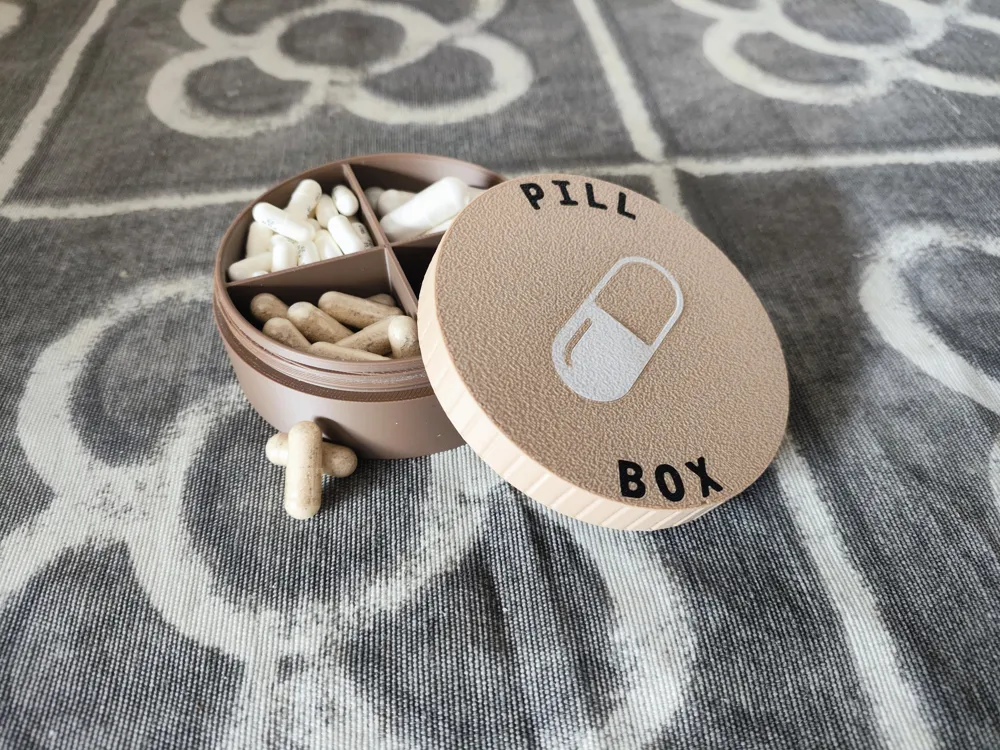
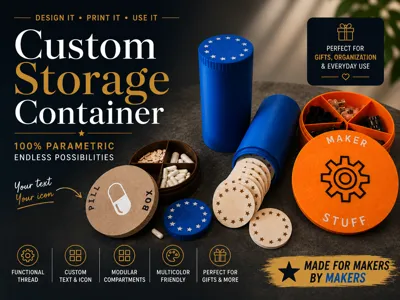
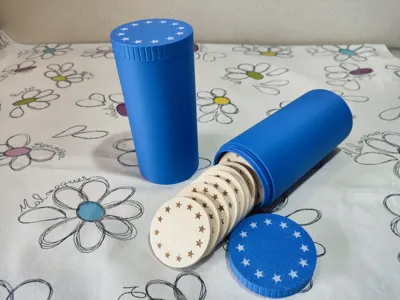
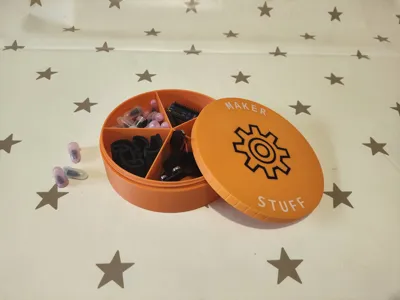
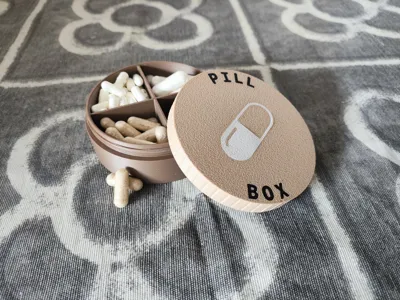
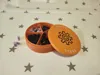
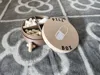
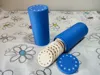
Stop searching for the perfect container — just print it. This fully parametric model lets you design exactly the box you need: the right size, the right closure, the right look. A pill box for your bag, a parts organizer for your workshop, a token tube for your favorite board game, a travel container for your next adventure. Whatever you need to store, this container can be shaped to fit it perfectly.
The screw-top lid closes securely and reopens smoothly every time. No loose lids, no rattling parts. Just a clean, solid, satisfying click when it locks in place.
Two closure styles — choose what works best for you
Continuous thread works just like a classic screw cap: rotate the lid several turns to open or close. Ideal when a rock-solid, airtight seal is the priority — think pills, spices, or anything you don’t want spilling in your bag.
Quick closure uses multiple short helical segments so the lid locks with just a short push-and-twist — typically less than a quarter turn. Perfect when you open and close the container frequently and want to do it in one quick motion.
Make it yours — decoration options
The lid is a canvas. You can engrave any emoji directly into the surface, or use the Flush color mode to fill the recess with a second filament color for a sharp, professional inlay effect. Add up to two lines of circular text — one arcing over the top, one curving along the bottom — each with its own font, size, spacing and position. Use it to label what’s inside, add a personal message, or give the container a custom identity.
Parameters explained
Main parameters
| Parameter | What it does |
| container_height | Usable interior height in mm (20–200). This is the space available inside, not the total printed height. |
| inner_diameter | Usable interior diameter in mm (20–200). Sets how wide the inside of the container is. |
| inner_divisions | Number of internal compartments. 1 = open space, no dividers. 2 = two halves. Up to 6 equal pie-slice sections. |
| grip_texture | Adds vertical grip grooves for easier opening. Apply to the Lid, the Container body, Both, or None. |
| emoji_enable | Turns the emoji decoration on or off. |
| emoji | The emoji character to engrave on the lid top. Any emoji supported by the Noto Emoji font works. |
| emoji_size | Size of the emoji in mm (6–50). |
| emoji_style | Engraved: recessed mark in the lid material. Flush color: the recess is filled with a colored inlay — works best with an AMS or similar multi-material system. |
| top_text | Text curved along the upper arc of the lid. Leave empty to disable. |
| top_text_font | Font for the upper circular text. Supports any font available in OpenSCAD / MakerWorld. |
| top_text_size | Letter height in mm for the upper text (2–12). |
| bottom_text | Text curved along the lower arc of the lid. Leave empty to disable. |
| bottom_text_font | Font for the lower circular text. |
| bottom_text_size | Letter height in mm for the lower text (2–12). |
| top_text_margin | Distance in mm between the lid edge and the outer side of the text. Controls how close the text sits to the rim. Applies to both arcs. |
Container – Advanced
| Parameter | What it does |
| container_wall | Thickness of the container walls and bottom in mm (1.2–5). Thicker walls = stronger container, heavier print. |
| inner_bottom_radius | Radius of the rounded fillet at the inside bottom corner (0–20). A larger value makes the bottom more bowl-shaped, helping small objects slide out instead of catching in the corner. Set to 0 for a sharp flat bottom. |
| inner_divider_wall | Thickness of the internal divider walls in mm (0.8–4). |
| container_color | Preview color for the container body. Matches Bambu Lab PLA filament names for an accurate preview in MakerWorld. |
| flush_body_with_lid | When enabled, the container body diameter matches the outer diameter of the lid, giving a clean uniform silhouette. When disabled, the body is narrower and only the threaded neck reaches lid width. |
Lid – Advanced
| Parameter | What it does |
| lid_height | Total height of the lid in mm (8–50). Must be tall enough to accommodate the thread zone. |
| lid_wall | Thickness of the lid top and side walls in mm (1.2–5). |
| lid_color | Preview color for the lid. |
Thread – Advanced
| Parameter | What it does |
| thread_style | Selects between Continuous (classic multi-turn screw) and Quick (short push-and-twist). |
| thread_height | Height of the threaded zone in mm (6–50). Taller = more thread engagement = stronger grip. The lid height must be at least this tall. |
| thread_depth | Radial depth of the thread profile in mm (0.6–2). Deeper threads grip better but need a well-calibrated printer. |
| fit_clearance | Radial gap between the container neck and the lid bore (0.10–0.8 mm). Increase if the lid feels tight; decrease if it wobbles. Start with the default and adjust by 0.05 mm steps. |
| thread_groove_clearance | Extra clearance inside the lid thread groove (0.05–0.5 mm). Helps the thread mesh smoothly without binding. |
| thread_flank_angle | Angle of the thread flanks in degrees (30–55). 45° is the recommended default — it avoids unsupported overhangs that are hard to print without supports. |
| thread_crest_flat | Truncates the thread tip to create a small flat crest (0–0.6 mm). Flatter crests are easier to print and reduce the risk of stringing at the tip. |
| thread_pitch | Distance between thread turns in mm (2–6). Only used by the Continuous closure. Larger pitch = coarser thread, fewer turns to open. |
| quick_thread_starts | Number of independent thread segments for the Quick closure (2–6). More starts = shorter twist to close, but less engagement per start. |
| quick_thread_arc | Angular sweep of each Quick thread segment in degrees (60–360). 180° means each segment spirals half a turn. Shorter arc = faster close, less grip. |
| quick_thread_margin | Empty space at the top and bottom of the Quick thread zone in mm (0–3). Keeps threads away from the edges for cleaner geometry. |
Grip Texture – Advanced
| Parameter | What it does |
| grip_rib_count | Number of grip grooves around the circumference (12–96). More ribs = finer texture. |
| grip_rib_depth | Radial depth of each groove in mm (0.2–1.2). Deeper grooves are easier to grip but more visible. |
| grip_rib_width | Tangential width of each groove in mm (0.4–3). Wider grooves leave less material between them. |
| grip_margin | Empty margin at the top and bottom of the textured zone in mm (0–3). Keeps the grip away from edges. |
Emoji – Advanced
| Parameter | What it does |
| emoji_depth | Engraving depth for the emoji in mm (0.2–1.2). Deeper = more visible recess. |
| emoji_x / emoji_y | Fine horizontal and vertical adjustment of the emoji center position in mm. Useful for emojis that render slightly off-center depending on the font. |
| emoji_color | Preview color for the emoji inlay (Flush color mode only). |
Top / Bottom Circular Text – Advanced
| Parameter | What it does |
| top_text_spacing | Letter spacing multiplier (0.6–1.6). 1.0 = natural spacing. Increase to spread letters further apart along the arc. |
| top_text_style | Engraved or Flush color — same logic as the emoji style. |
| top_text_depth | Engraving depth for the upper text in mm (0.2–1.2). |
| top_text_angle | Center angle of the upper text arc in degrees (0–355). 90° places the text at the top of the lid as viewed from above. |
| top_text_color | Preview color for the upper text inlay. |
| bottom_text_spacing | Letter spacing multiplier for the lower arc text. |
| bottom_text_style | Engraved or Flush color for the lower arc text. |
| bottom_text_depth | Engraving depth for the lower text in mm. |
| bottom_text_angle | Center angle of the lower text arc. 270° places it at the bottom of the lid. |
| bottom_text_color | Preview color for the lower text inlay. |
Print notes
- No supports needed.
- Recommended layer height: 0.2 mm, nozzle: 0.4 mm.
- For Flush color decoration (emoji or text inlays), a second filament color is printed into the engraved recesses. This works best with an automatic filament changer such as a Bambu Lab AMS or similar multi-material system, which handles the color swap seamlessly. You can also do it manually by adding a filament change pause in your slicer at the right layer, but an AMS makes the process effortless — especially if the inlay is thin.
- Optimized for Bambu Lab printers and MakerWorld — preview colors are mapped directly to Bambu Lab PLA filament names, so what you see in the customizer matches your actual filament.
License

You may create derivative works based on this object, provided that all such derivative works are published exclusively on the MakerWorld platform and include proper attribution to the original creator. You may not share, upload, host, distribute, or publish this object—or any derivative work of this object—on any other digital platform, marketplace, or distribution channel. Commercial use of this object and any derivative works is strictly prohibited. This includes, but is not limited to, selling, renting, sublicensing, or using the object in any context in which you receive monetary compensation or other financial benefits.


Comment & Rating (0)