
Cessna 172 Magnetos Switch
Print Profile(1)
Description
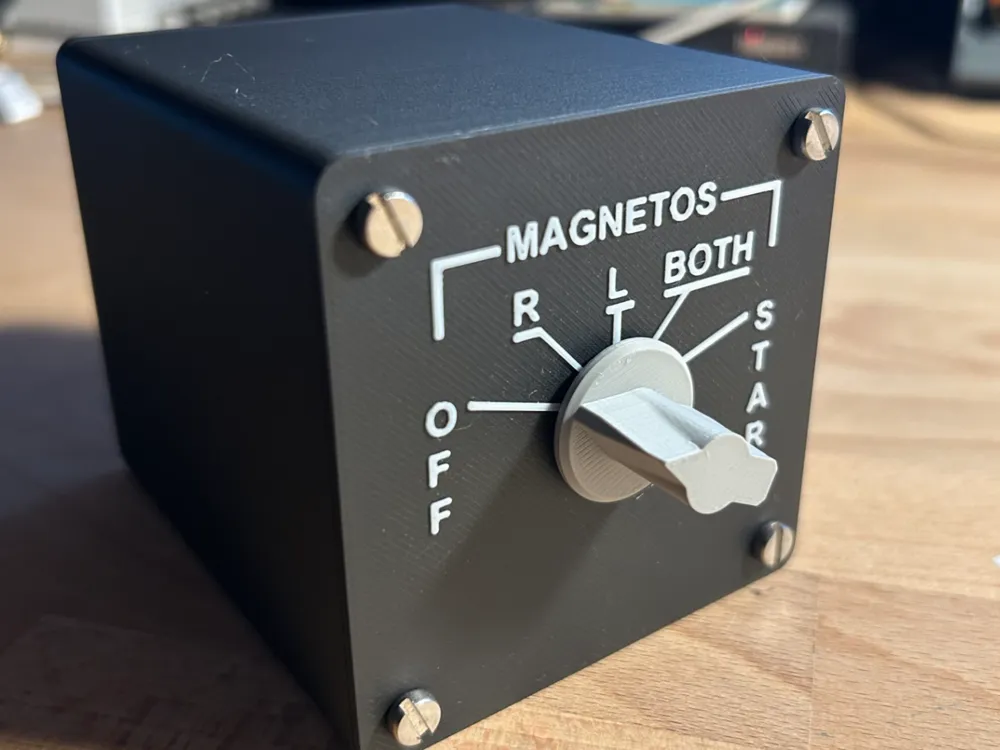
Cessna 172 Magneto Switch — Microsoft Flight Simulator (Xbox & PC)
Take your cockpit immersion to the next level with a fully functional, 3D-printed magneto switch panel for Microsoft Flight Simulator 2024. Flip through OFF, Right, Left, Both, and Start just like the real thing — no PC required, works natively on Xbox Series S/X.
What is it?
This is a standalone physical magneto/starter switch module for Microsoft Flight Simulator. It uses a real 12-position rotary switch mounted in a 3D-printed enclosure, controlled by a Raspberry Pi Pico that acts as a USB HID keyboard. Plug it in and MSFS sees it as a keyboard — no drivers, no software, no configuration tools needed.
Turn the knob and your in-game engine responds. It's that satisfying.
Features
- Works on Xbox Series S/X and PC — plug and play via USB hub
- 5 active positions: OFF, R (right magneto), L (left magneto), BOTH, START
- Authentic Cessna 172 panel layout with engraved labelling
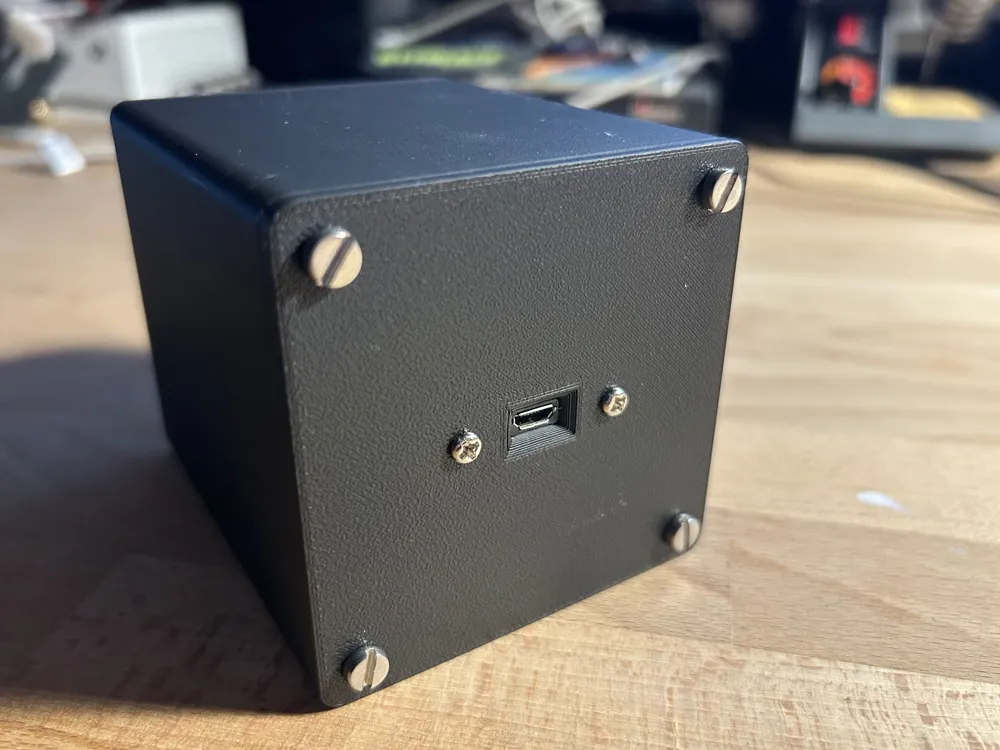
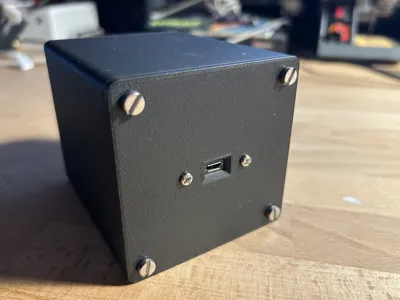
- Compact enclosure with rear-panel USB port for a clean installation
- Open source firmware — easy to customise key bindings
- Can be used standalone or alongside the matching main switch panel
Parts needed
| Part | Notes |
|---|---|
| Raspberry Pi Pico | Standard Pico, not Pico W |
| 12-position rotary switch | Common GND type, one pin per position |
| Micro USB 2.0 Male to Female extension cable | For the rear panel USB port |
| M3 screws | For closing the enclosure |
How it works
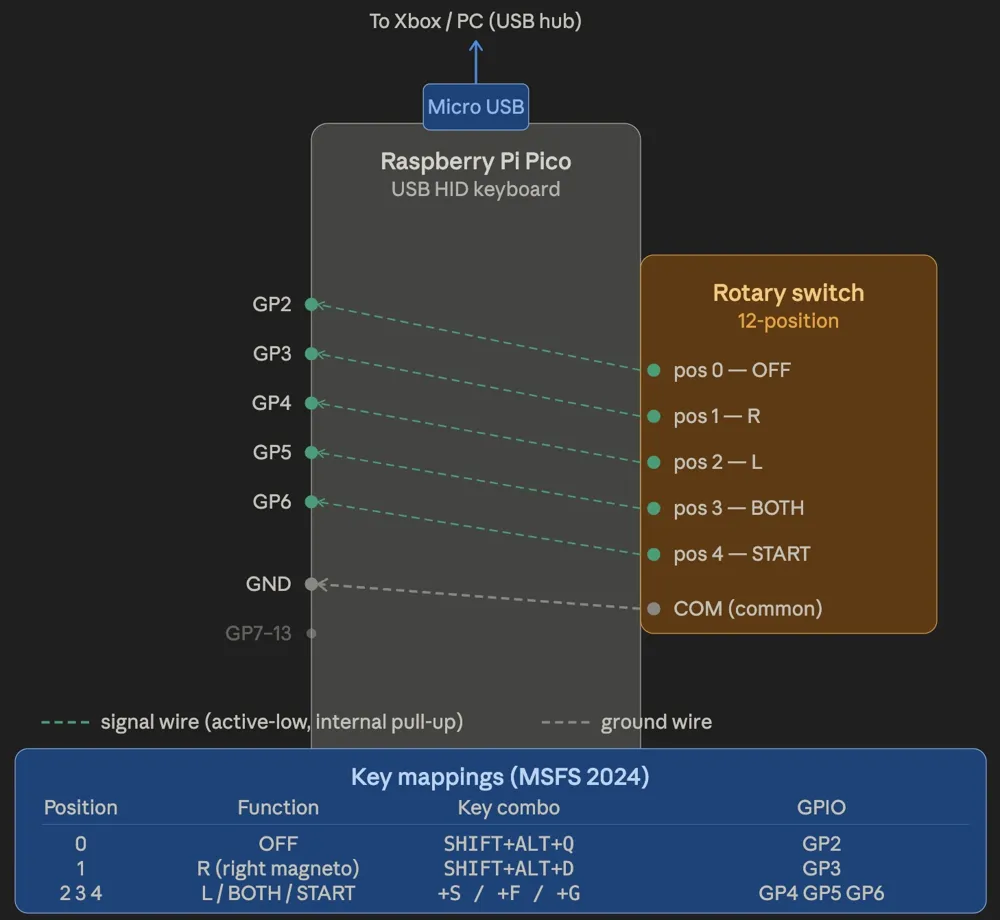
The Raspberry Pi Pico is programmed as a USB HID keyboard using the Arduino IDE with the Earle Philhower RP2040 board package. When you turn the rotary switch, the Pico detects the active position and sends the corresponding key combination to MSFS — no intermediate software required.
Default key bindings (configurable in MSFS):
| Position | Function | Key combo |
|---|---|---|
| 0 | Magnetos OFF | SHIFT + ALT + Q |
| 1 | Right magneto | SHIFT + ALT + D |
| 2 | Left magneto | SHIFT + ALT + S |
| 3 | Both magnetos | SHIFT + ALT + F |
| 4 | START | SHIFT + ALT + G |
Wiring
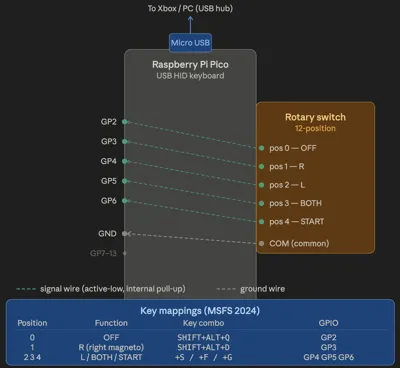
The rotary switch uses one GPIO pin per position with the common wired to GND. The Pico's internal pull-up resistors do the rest — no external components needed.
| GPIO | Rotary position | Function |
|---|---|---|
| GP2 | Position 0 | OFF |
| GP3 | Position 1 | R |
| GP4 | Position 2 | L |
| GP5 | Position 3 | BOTH |
| GP6 | Position 4 | START |
| GND | Common | — |
Positions 5–11 on the rotary switch are left unconnected.
Firmware
Firmware is written in C++ for Arduino IDE. Flash it to the Pico using the Earle Philhower RP2040 board package (Raspberry Pi Pico board, Adafruit TinyUSB USB stack). Full source code is included in the files.
Part of a larger project
This module is designed to work alongside the Cessna 172 Main Switch Panel (soon on MakerWorld), which covers avionics, lighting, and other cockpit switches. Both panels connect to your Xbox or PC via a USB hub and operate completely independently.
Happy flying!
Documentation (1)
License

You shall not share, sub-license, sell, rent, host, transfer, or distribute in any way the digital or 3D printed versions of this object, nor any other derivative work of this object in its digital or physical format (including - but not limited to - remixes of this object, and hosting on other digital platforms). The objects may not be used without permission in any way whatsoever in which you charge money, or collect fees.


Comment & Rating (1)