Search models, users, collections, and posts

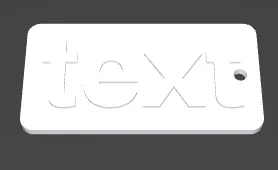
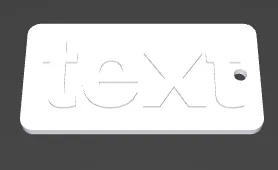
Customizable key fob multiple colors without AMS




Print Profile(0)
Add the first print profile to earn points
Boost
5
9
1
0
7
2
Released
Description
Content has been automatically translated.
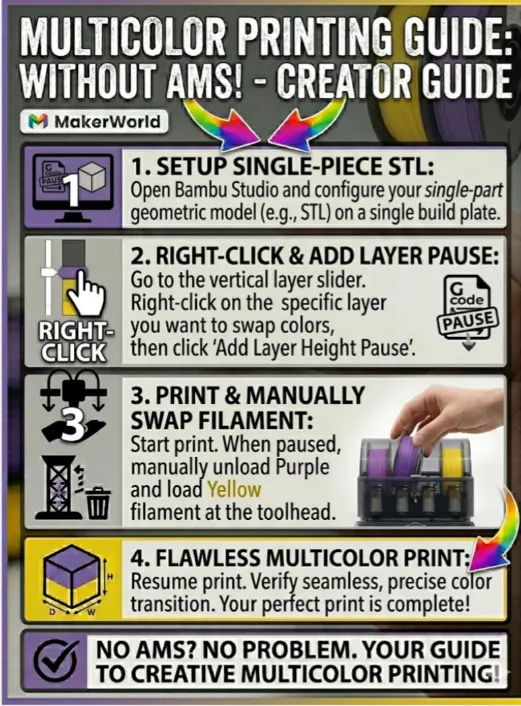
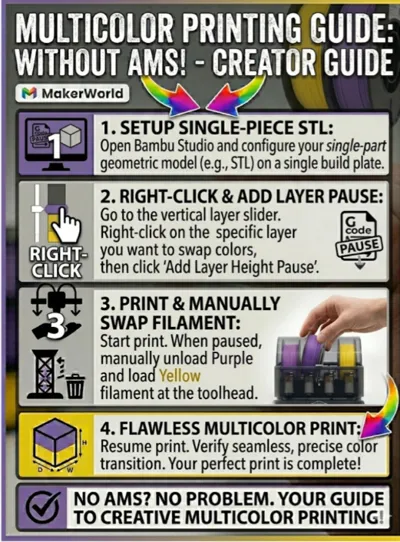
🎨 Multicolor Printing – WITHOUT AMS Guide
You don't have an AMS (Automatic Material System), but still want to print cool, multicolor models
No problem This model is optimized so you can easily make color changes manually It is
perfect for beginners and anyone who wants to save filament 🛠 How it works (Quick Guide):
This model uses the "Pause at Height" function in your slicer (e.g. Bambu Studio or
OrcaSlicer) Load model: Open the STL file in Bambu Studio Select layer: After slicing
move the vertical slider on the right to the layer where you want to change the color A
Add pause: Right-click the plus symbol on the slider and select "Add pause" Print: Start the print
The printer automatically pauses at the selected spot and moves the print head to the side
Change filament: Unload the old filament, load the new color, and click "Resume" on the
printer 💡 Why this model No AMS required: Works on any 3D printer (A1 mini, P1P, P1S, X1C,
etc) Clean separation: The layer pause ensures a crisp color edge Material saving: Since
no purge tower is needed, you waste almost no filament ⚙️ Recommended print settings:
Layer height: 0.2 mm (Standard) Infill: 15% (Grid or Gyroid) Support structures: Not required Material: PLA (in
two contrasting colors for the best effect) Do you like the model I would be happy if you
give it a Like ❤️ and share a photo of your print in the comments Happy printing #3DPriority
#Multicolor #NoAMS #BambuStudio #Tutorial #FidgetToy

HOW TO ADD A PRINT PAUSE
Boost Me (for free)
PLS boost for more multicolor Prints without AMS
License

This user content is licensed under a
Creative Commons Attribution-Noncommercial-NoDerivatives


Comment & Rating (1)