
MTG Mana Counter Set — 6 colors, twin-dial
Print Profile(0)
Description
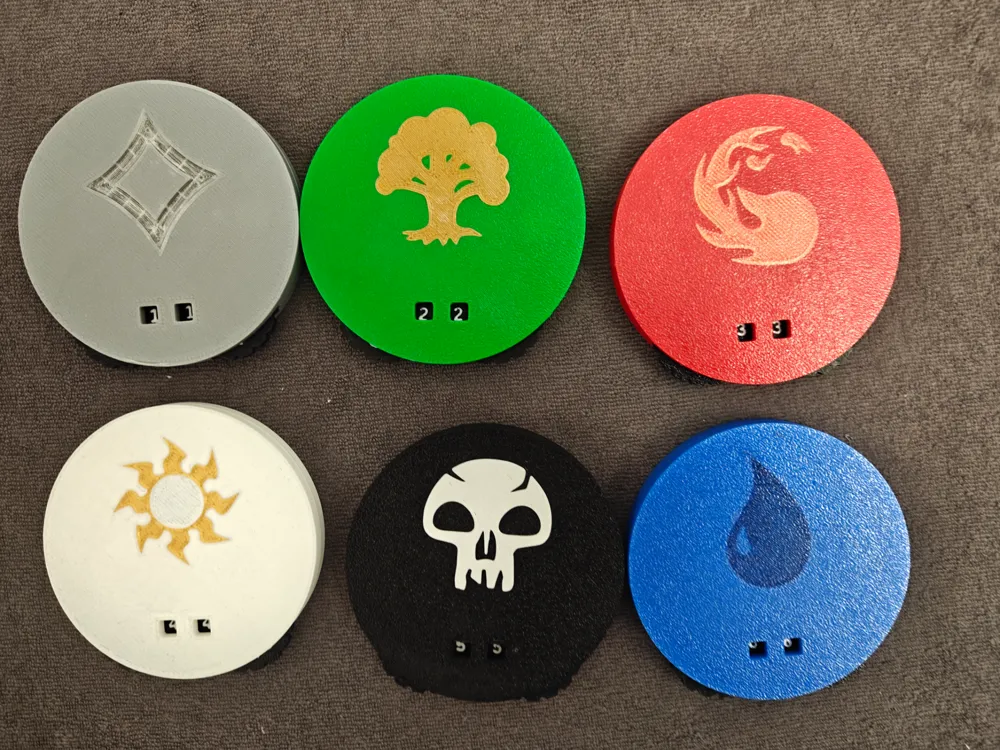
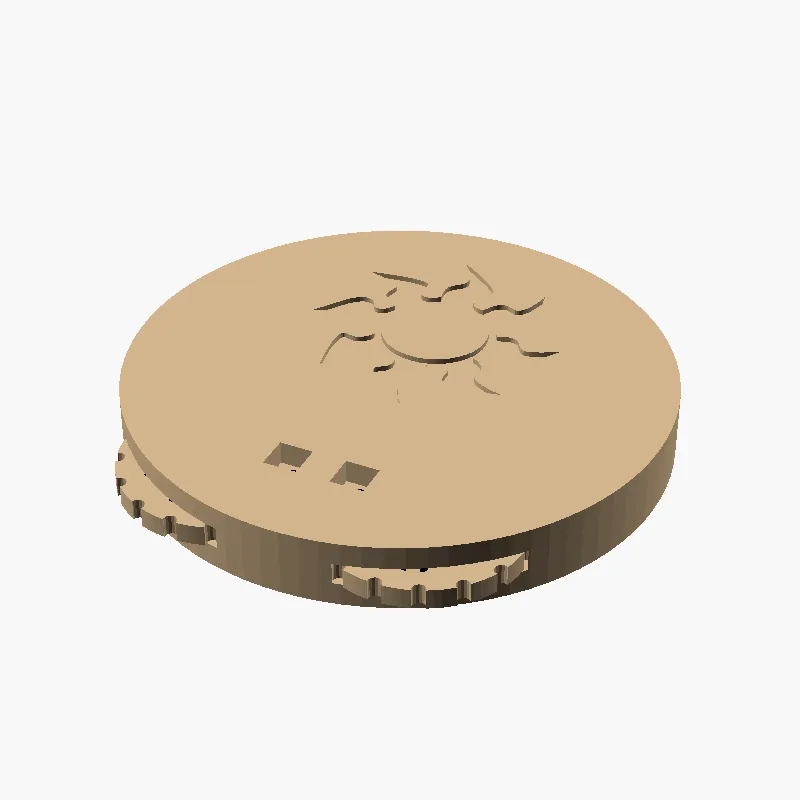
Six MTG mana / life counters in one bundle — one per colour
(**White / Blue / Black / Red / Green / Colourless**). Each counter
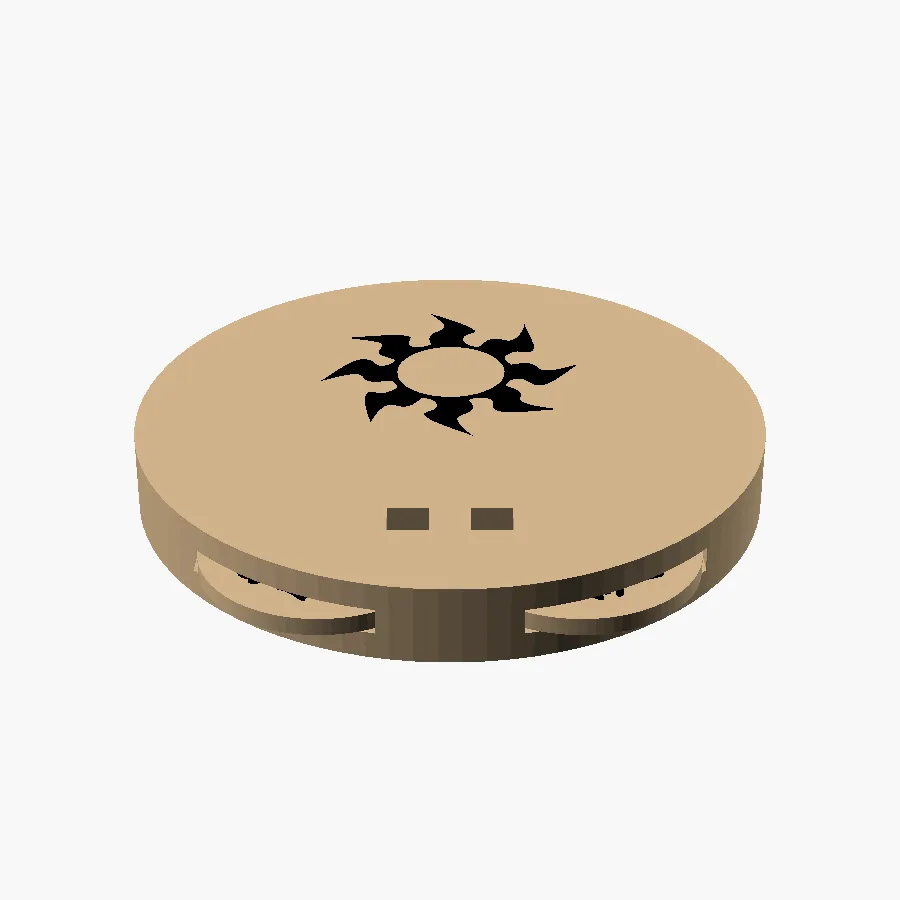
is a small disc with two thumb-twistable dials behind a window: the
**left dial reads tens**, the **right dial reads ones**, range
**00-99**. The mana symbol for the colour is engraved into the top
face in a contrast colour (looks great with AMS).
Originally built for Magic: The Gathering life tracking and
Commander damage, but works for any board / card / RPG game where
you need a clicky 00-99 mechanical counter.
## What's in the bundle
- 6 × `half_combined.stl` — one per colour (W U B R G C). Each is the
full half-shell + its mana symbol pre-aligned in one file.
- 2 × `dial_combined_*.stl` — left dial + right dial. Same two dials
go inside every counter regardless of colour.
- `mana_counter.scad` — parametric source if you want to retune
clearances, change disc size, or add a custom symbol.
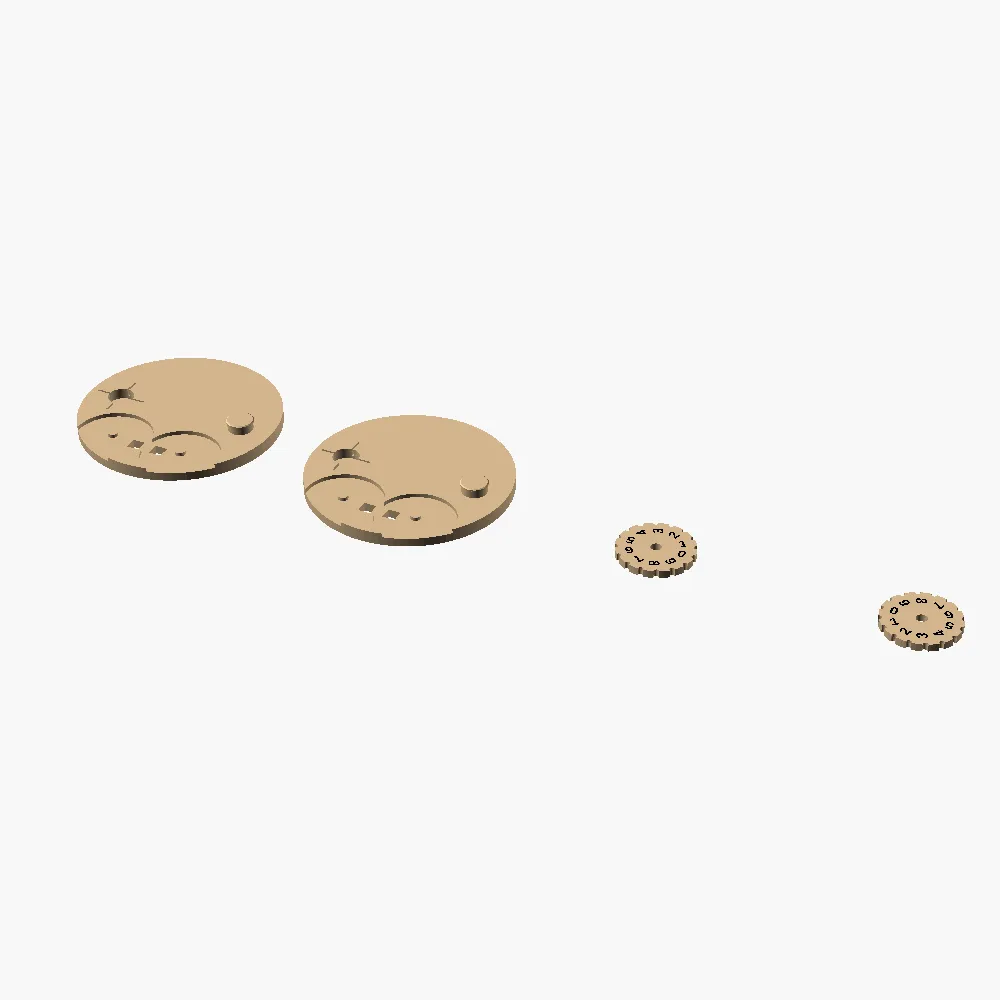
Per counter you print **2 halves of the colour you want + 1 left
dial + 1 right dial = 4 parts**.
## How it goes together (per counter)
1. **Place a left dial and a right dial** on a flat surface, digit
faces up. The two dials are mirror-pair, so the digit ring on
each one is oriented to read upright through its own window.
2. **Drop one half-shell** on top of the dials, mana-symbol side up.
The dials seat into recessed cavities on the half's inside face.
3. **Flip a second copy of the same half-shell** 180° around its
horizontal axis (mana symbol now points down) and place it on
top of the first. The clamp post and bore on the two halves are
intentionally on **opposite X positions**, so flipping one half
lines them up.
4. **Press the two halves together by hand.** A 0.25 mm diametral
interference + a four-slit slotted bore lets the clamp ridge pop
past the bore body with a firm push and a faint click, then the
ridge is trapped in the pocket above. **Permanent assembly — do
not over-tighten in a vise; press by hand.** Once snapped, the
halves can't separate but the dials inside spin freely.
5. **Twist a dial** by grabbing its exposed rim. About a third of
each dial's circumference protrudes past the disc boundary so
your thumb can engage it directly — no stylus needed.
Repeat for each colour you want from the bundle. The two dials are
the same across colours, so for the full set you need **6 left
dials + 6 right dials + 6 pairs of half-shells**.
## Two-colour print (Bambu Studio + AMS)
Each `*_combined.stl` is an ASCII STL with **two named solids in one
coordinate frame** — the body / wheel as one solid, the symbol /
digits as the other. Recipe:
1. Import a combined STL in Bambu Studio (e.g. `w/half_combined.stl`).
2. Right-click on the imported model → **"Split to Parts"**.
3. The two solids become two sub-objects, *positions intact*.
4. Assign filament A (body / structural colour) to the body or wheel
sub-part. Assign filament B (accent / contrast) to the symbol or
numbers sub-part.
5. Repeat for every combined STL you want to print.
The mana symbols already use the canonical WUBRG colour scheme but
the print is parametric — paint them whatever suits your taste.
> Why combined STLs? Bambu's "Add Part" workflow re-arranges
> coordinates, which would put the mana symbol off-centre. Single
> ASCII STL with two named solids + Split-to-Parts preserves
> alignment exactly. (Background in this repo's CLAUDE.md under
> "Multi-Color (Bambu Studio AMS)".)
## Single-colour print (no AMS)
Works fine — Split-to-Parts is optional. Print the combined STL as a
single object in any one colour and the symbols / digits show up as
crisp **engraved recesses** instead of inlays. Still very legible,
just less colourful.
## Print settings
- Bambu Lab P2S or any 0.4 mm FDM
- 0.2 mm layer height, 3 walls, 15-20 % infill
- PLA Basic — works perfectly. PETG also fine.
- **No supports.** All overhangs are ≤ 45° including the clamp post.
- Halves print **mana-symbol-face DOWN** on the bed so the engraved
symbol is the first layer (best surface) and the inside features
build up cleanly.
- Dials print **flat on bed**, either face down — the digit recesses
are symmetric.
## Tuning
The default clamp interference is 0.25 mm diametral — "permanent
but pushable by hand". If your printer is over-extruding, the
halves may not seat fully; back off `post_ridge_d` from 10.65 down
to 10.55 in the .scad and reslice. If they feel loose, push the
ridge up to 10.75. The `snap_fit_post_and_slotted_bore.md` research
in the source repo has more on the technique.
## Source
Full parametric `.scad` is included in the download. Variables at
the top control disc size, clamp interference, mana symbol scale,
dial diameter, digit font, and number relief depth. Re-export any
half with a different colour via:
```
openscad -D 'mana_sym="w"' -D 'part="half_body"' -o w/half_body.stl mana_counter.scad
```
Fan content for **Magic: The Gathering** — not affiliated with
Wizards of the Coast.

License

You shall not share, sub-license, sell, rent, host, transfer, or distribute in any way the digital or 3D printed versions of this object, nor any other derivative work of this object in its digital or physical format (including - but not limited to - remixes of this object, and hosting on other digital platforms). The objects may not be used without permission in any way whatsoever in which you charge money, or collect fees.


Comment & Rating (0)