
K2 Slide-On Nozzle Size Indicator
Print Profile(1)



Description
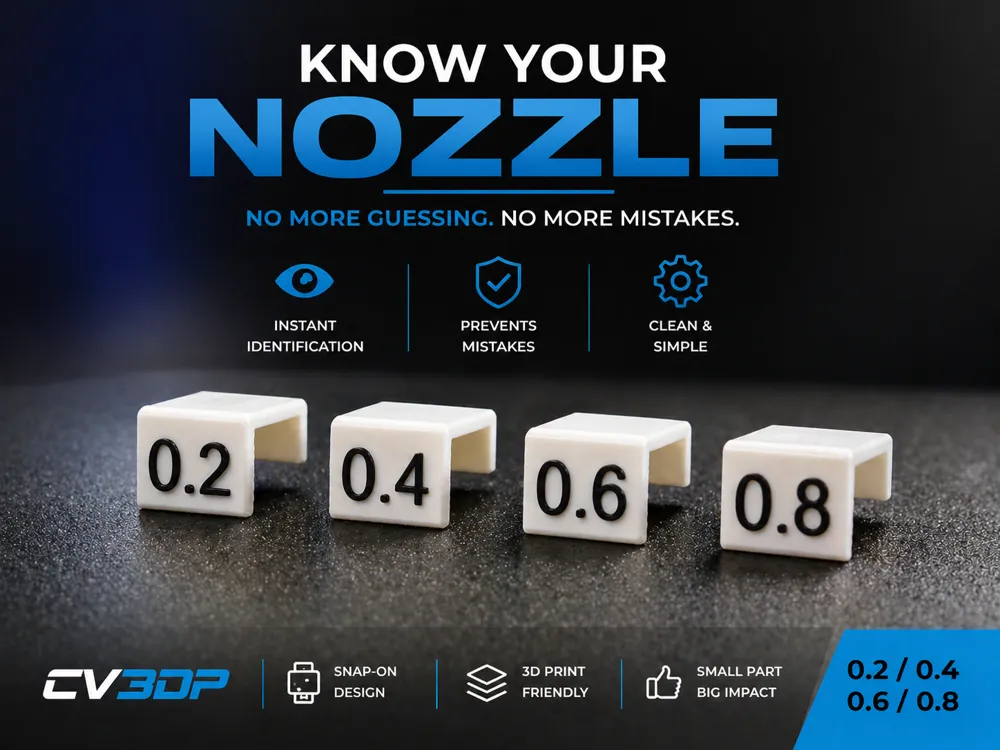
🔥 Nozzle Size Indicators – Know What’s Installed (CV3DP)Stop guessing what nozzle is in your printer.
I own a few printers and sometimes I forget what nozzles are in each printer. These Nozzle Size Indicators are designed to slide directly onto your screen so you always have a clear, visible reminder of the nozzle currently installed. Whether you're running a 0.2 for detail or a 0.8 for speed, you’ll know instantly — no more mismatched slicer settings or ruined prints.
⚡ Why You Need These:
Instant visual confirmation of installed nozzle
Prevents wrong profile mistakes (we’ve all done it)
Clean, slide-on design – stays in place
Bold, easy-to-read numbers
Perfect for single or multi-printer setups
🧠 Real-World Use:
Switch nozzles → slide on the matching indicator → print with confidence.
No more second guessing. No more wasted filament.
Boost Me (for free)
Got a Boost? This is the perfect model to use it on and help keep high‑quality free designs coming!
License

You shall not share, sub-license, sell, rent, host, transfer, or distribute in any way the digital or 3D printed versions of this object, nor any other derivative work of this object in its digital or physical format (including - but not limited to - remixes of this object, and hosting on other digital platforms). The objects may not be used without permission in any way whatsoever in which you charge money, or collect fees.


Comment & Rating (0)