Search models, users, collections, and posts

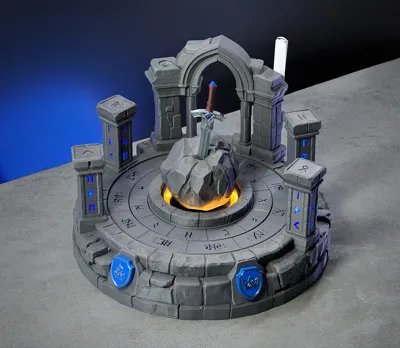
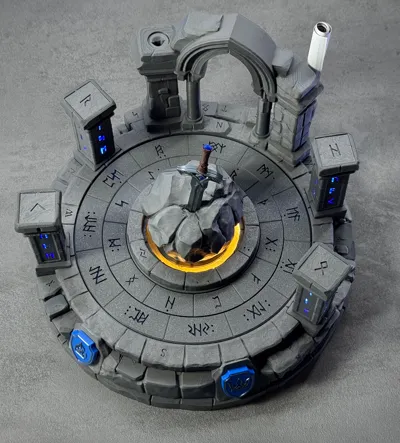
Excalibur - The Puzzle
Print Profile(2)
All
P1S
P1P
A1
H2C
H2D
P2S
X1
X1 Carbon
H2D Pro
H2S
X1E
X2D
A2L

EXCALIBUR Main V4
EXCALIBUR Main V4
Designer
51.6 h
15 plates
4.9(12)

Excalibur Plants V4
Excalibur Plants V4
Designer
21.7 h
3 plates
5.0(2)

153
433
155
0
101
76
Released 

Bill of Materials

Maker's Supply Kits and Parts
Select all
1.4x20mm Basic (100PCS) - RA002
M2x6 SHCS Machine Screw (20PCS) - AA022
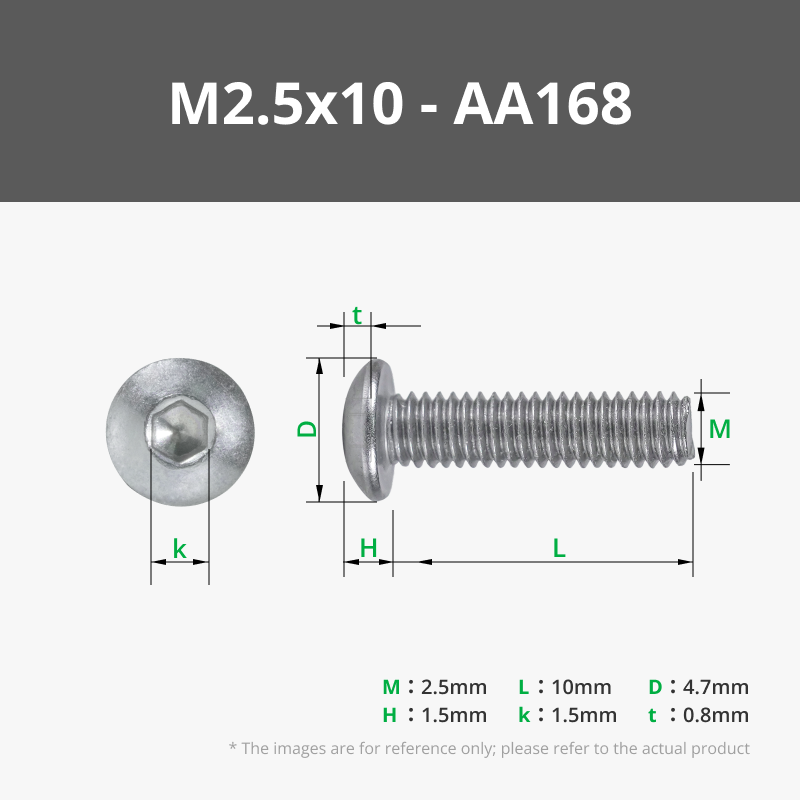
M2.5x10 BHCS Machine Screw (20PCS) - AA168
M2.5x6 BHCS Machine Screw (20PCS) - AA050
D4x2 mm Round Magnet (20PCS) - CA001
100mm Wire Pair with SH1.0 (5PCS) - IC004
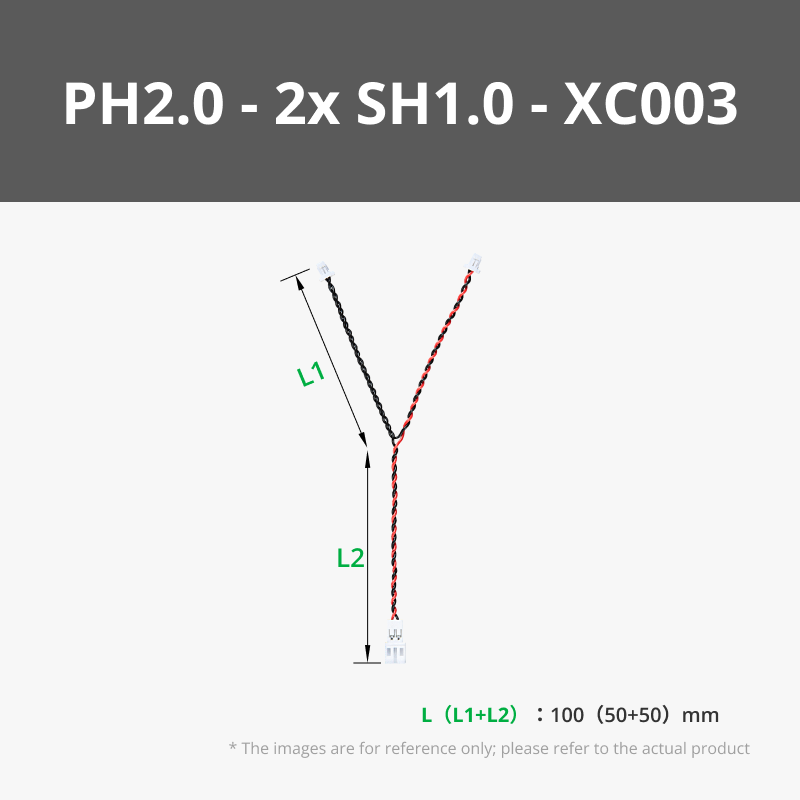
100mm Wire Pair with PH2.0(2PCS)  - IC008
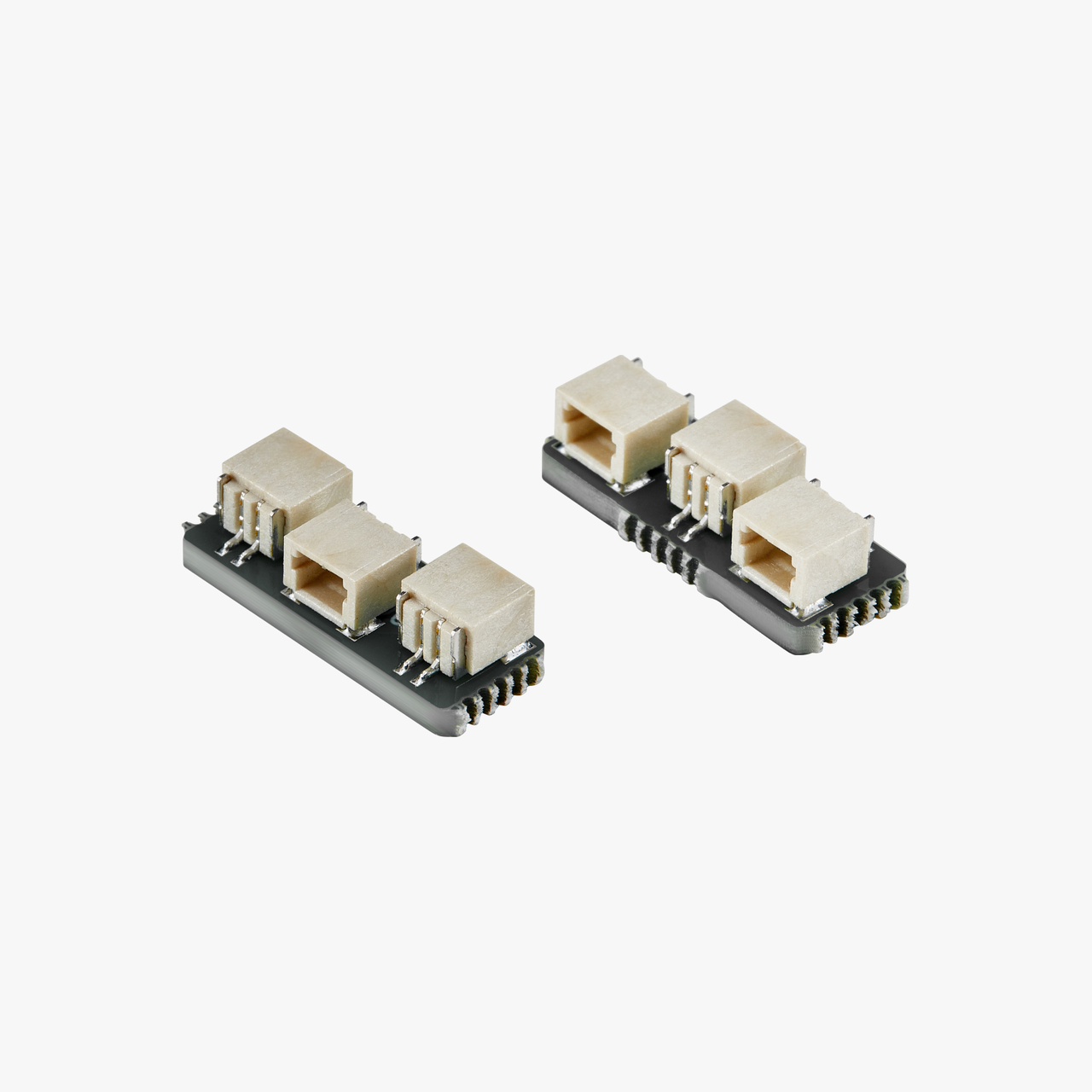
SH1.0 to PH2.0 Power Adapter Board (2PCS) - XA014
SH1.0 to Dual SH1.0 Adapter (2PCS) - ZH090
AAA Battery Case with PH2.0 Connector (1PCS) - IA004
4 White 3030-LED Board with SH1.0 Connector 5V (2PCS) - KB001
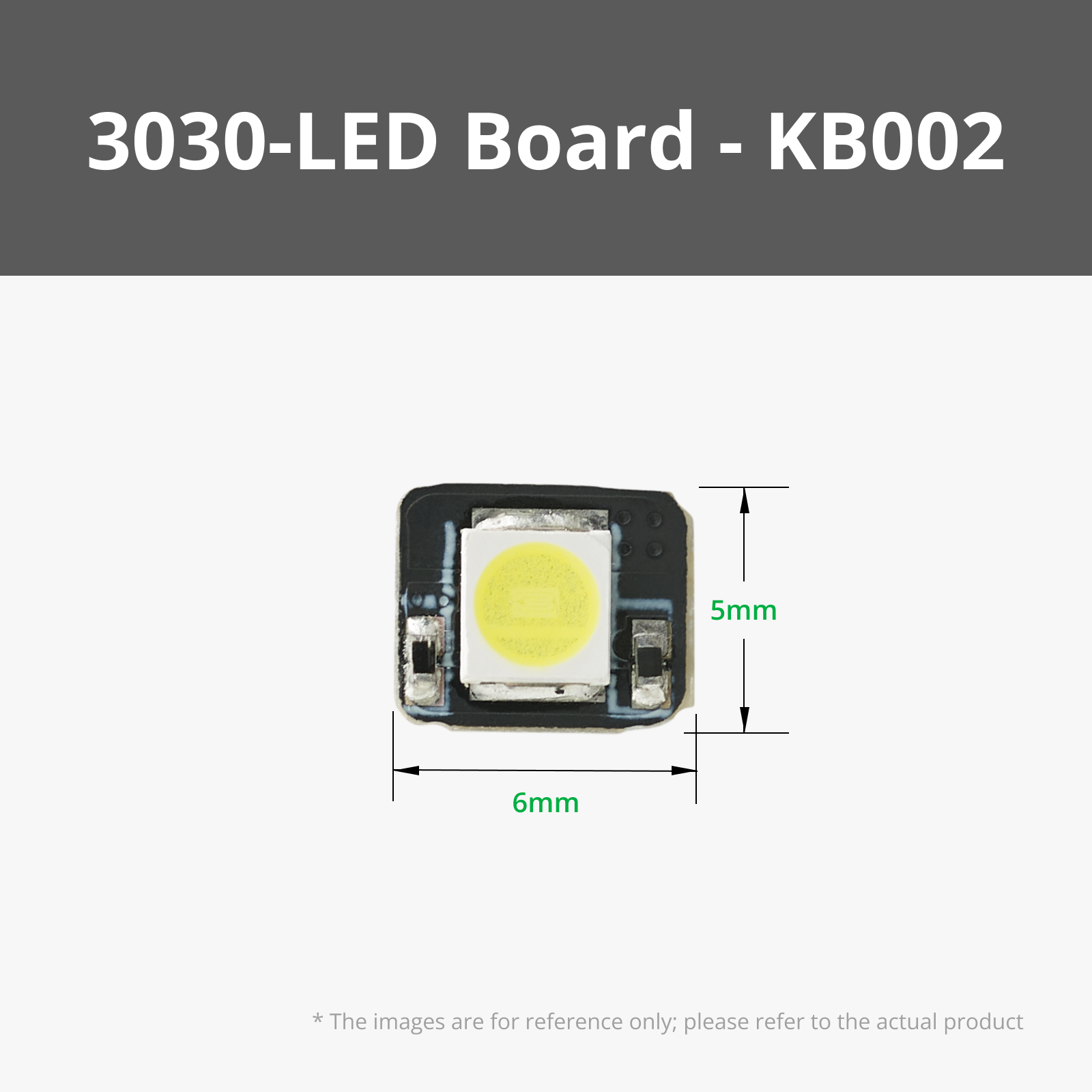
1 White 3030-LED Board with SH1.0 Connector 5V (2PCS) - KB002
Power Distribution Board (PDB) - 4 Channels (1PCS) - IA005
Self-Locking Button Switch with SH1.0 Connector (2PCS) - IA006
Momentary Button Module (1PCS) - XA008
200x1mm (1PCS) - KA008
N20 Single Shaft Worm Gear Motor 25rpm (1PCS) - LA008
Bambu Filaments
Select all
Silver (13109) / Filament with spool / 1 kg
Black (10101) / Refill / 1kg
Blue (10601) / Refill / 1kg
Blue (13611) / Filament with spool / 1 kg
Dark Gray (10105) / Refill / 1kg

Description

EXCALIBUR – The Puzzle

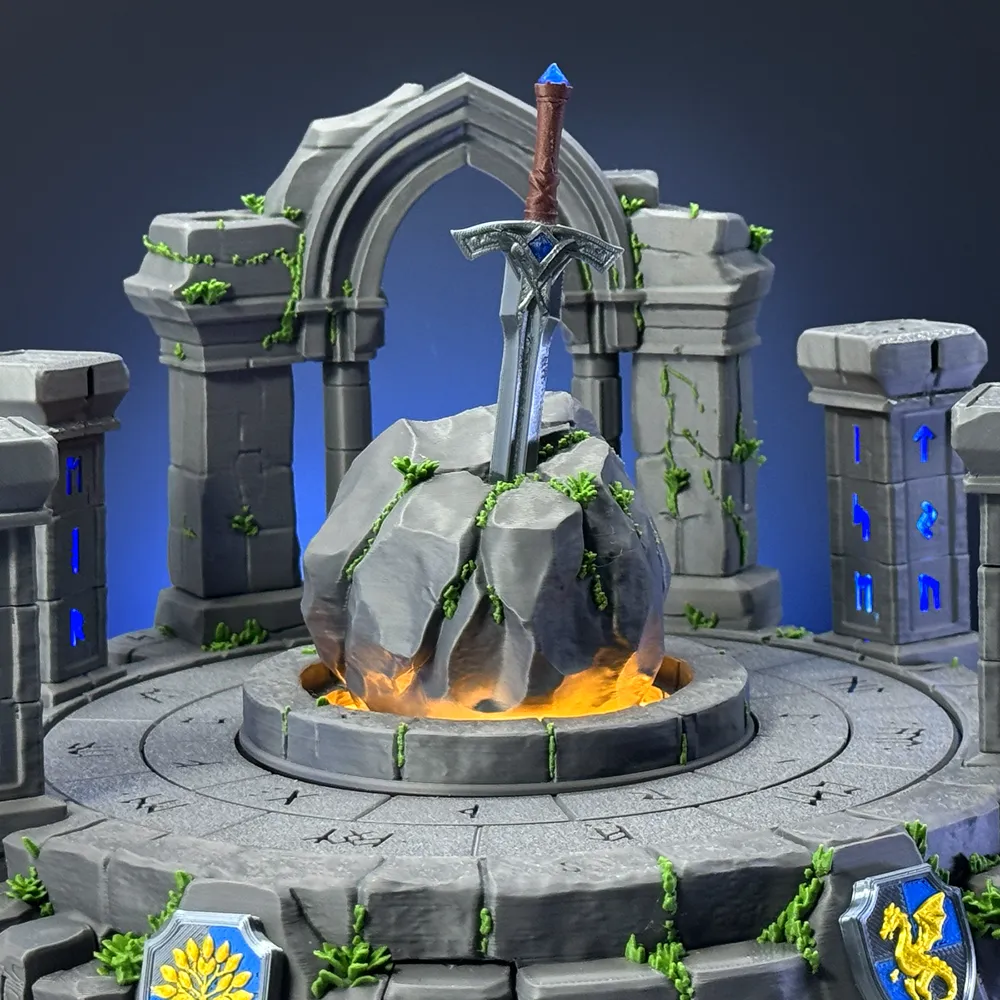
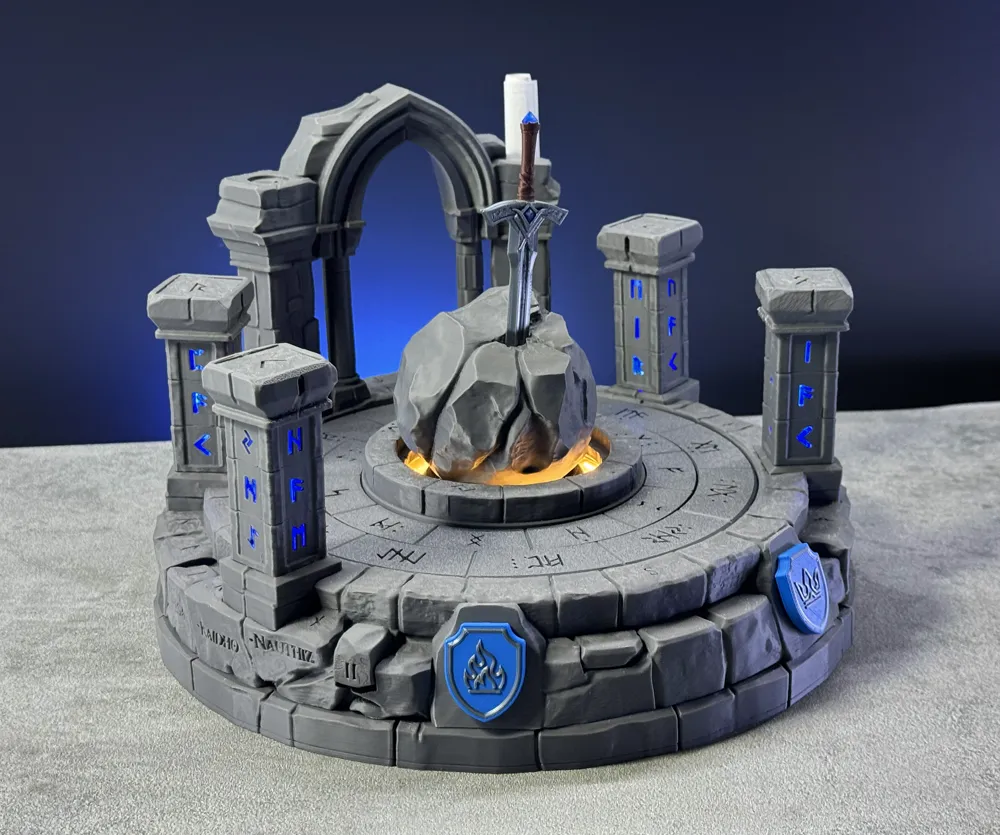
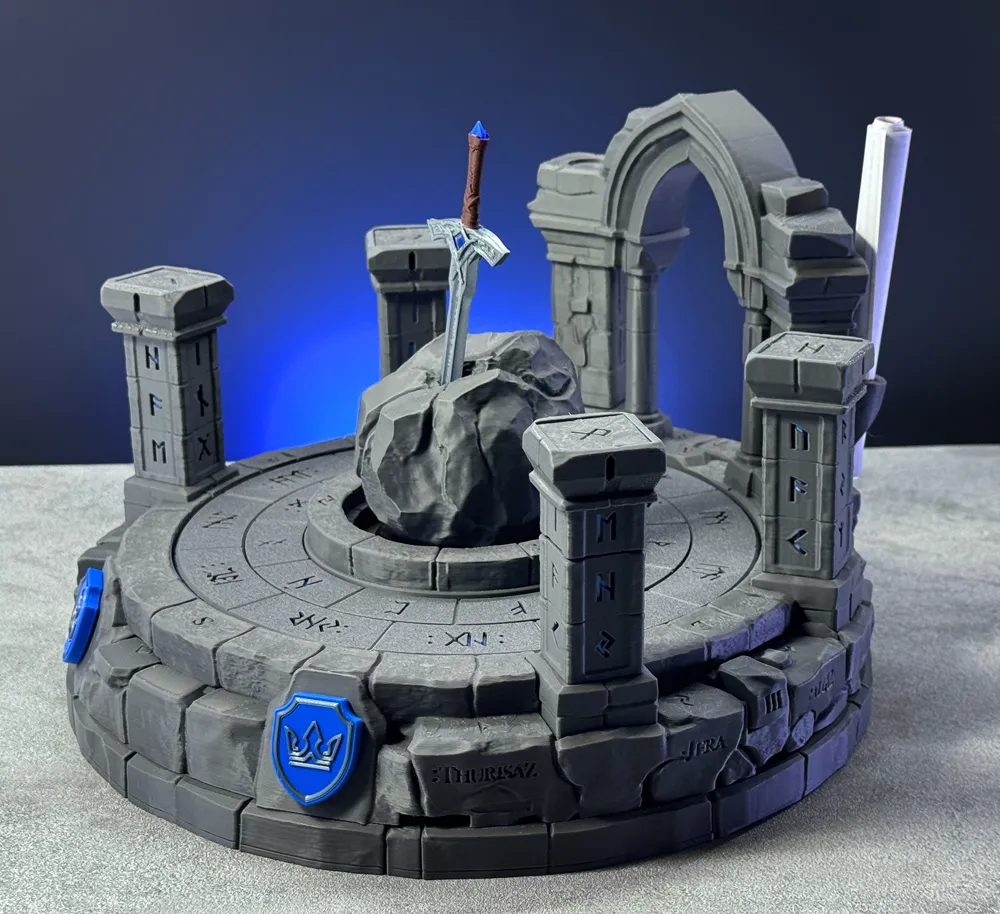
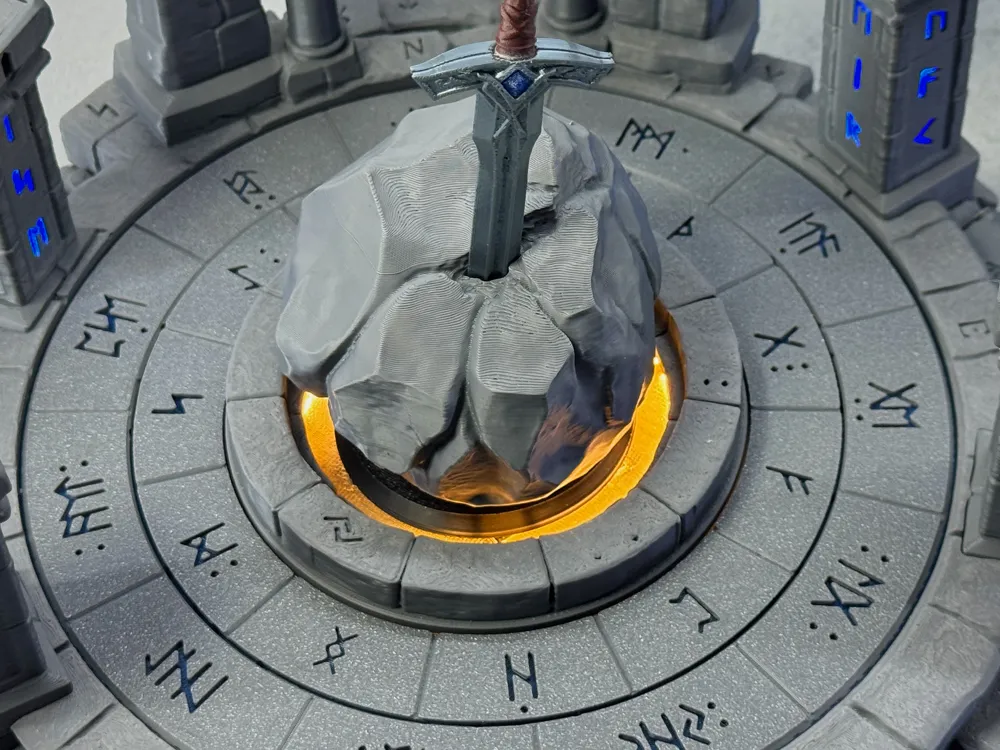
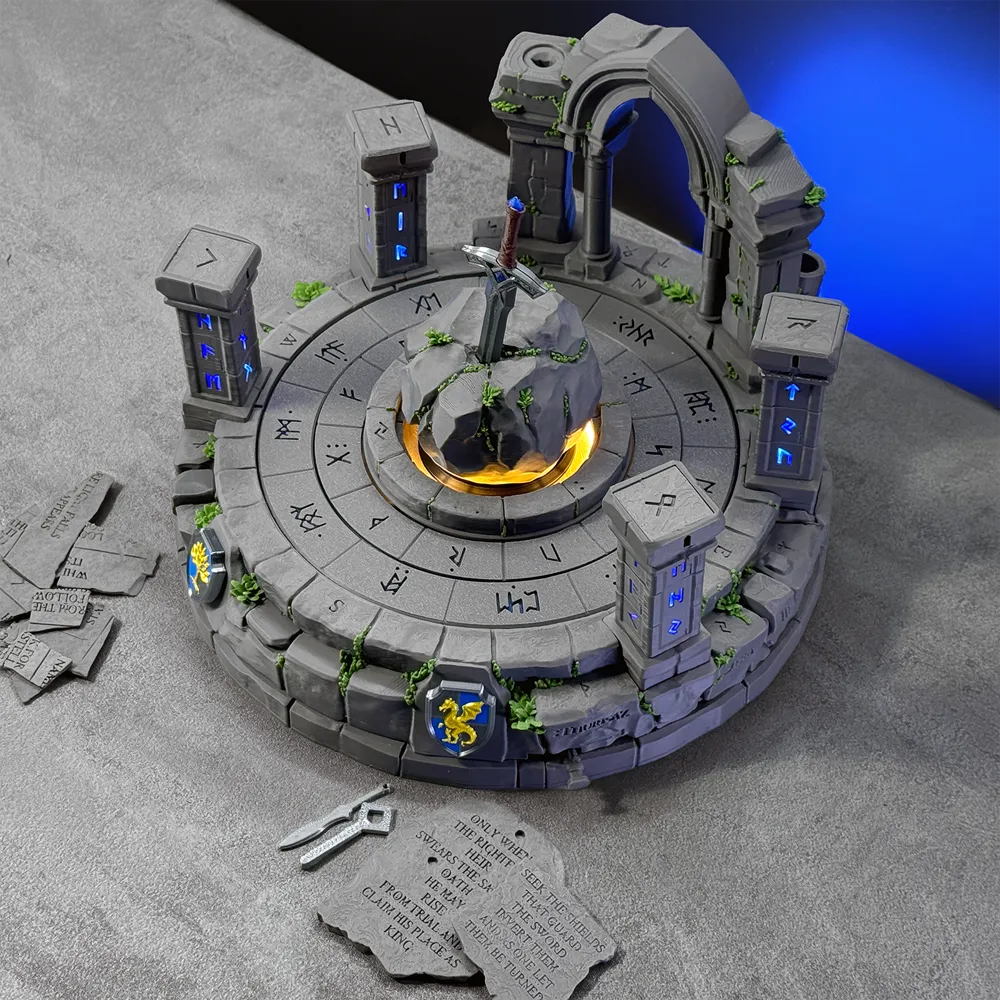
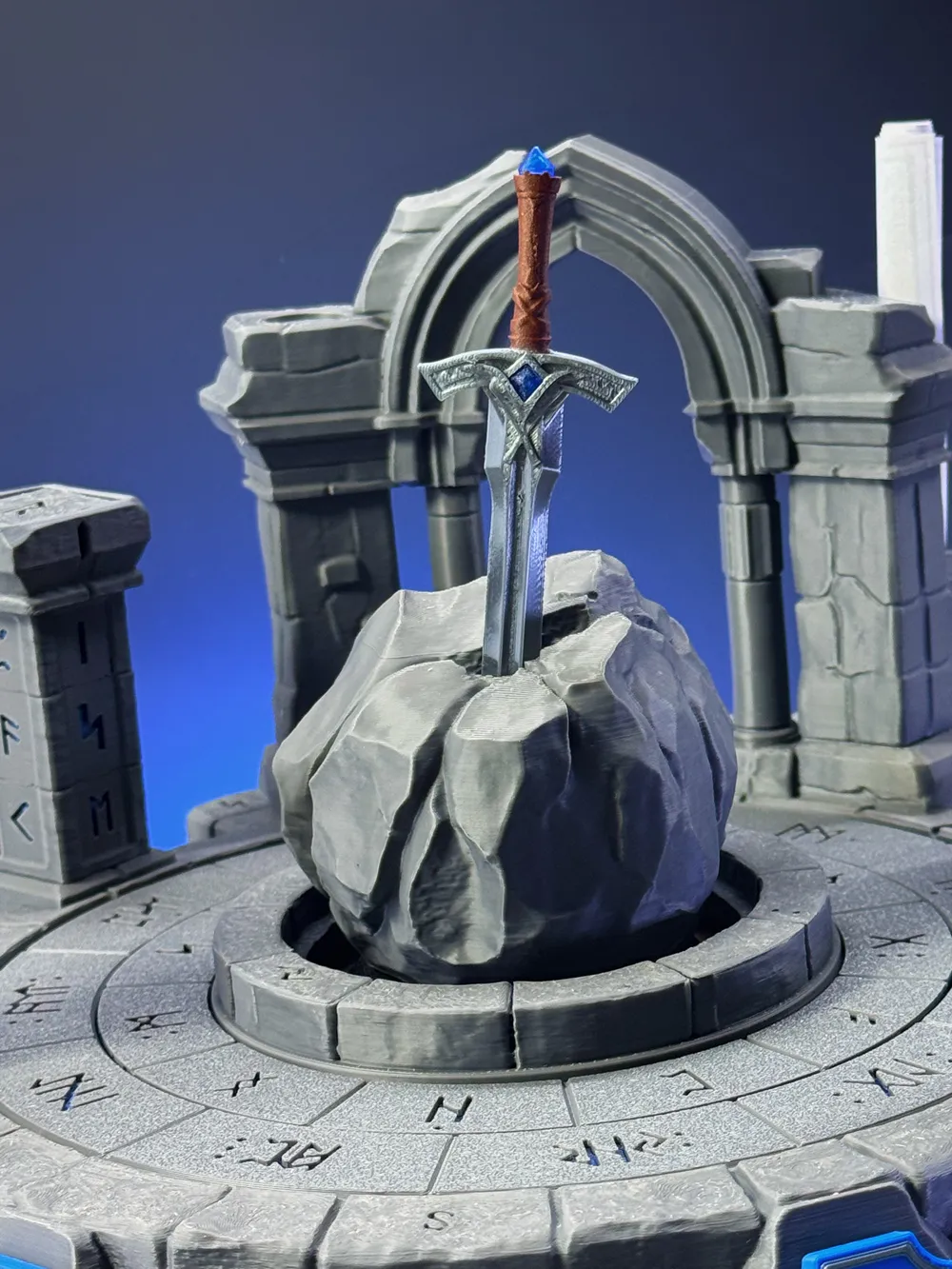
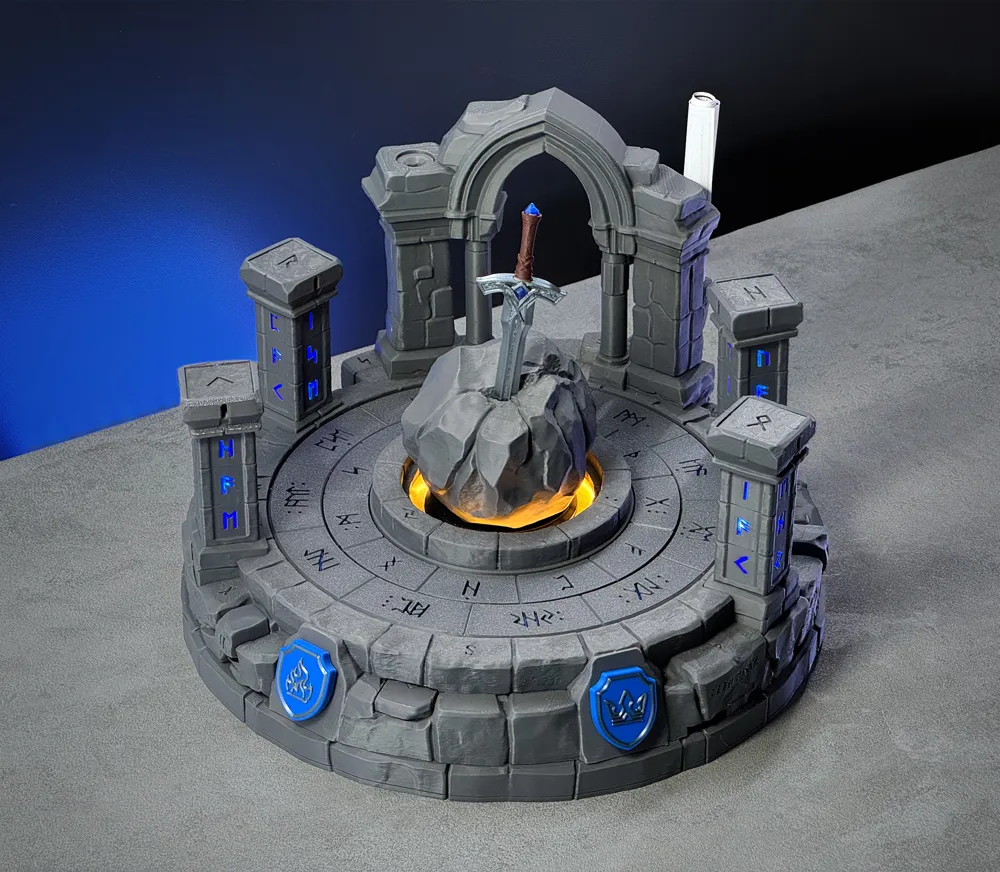
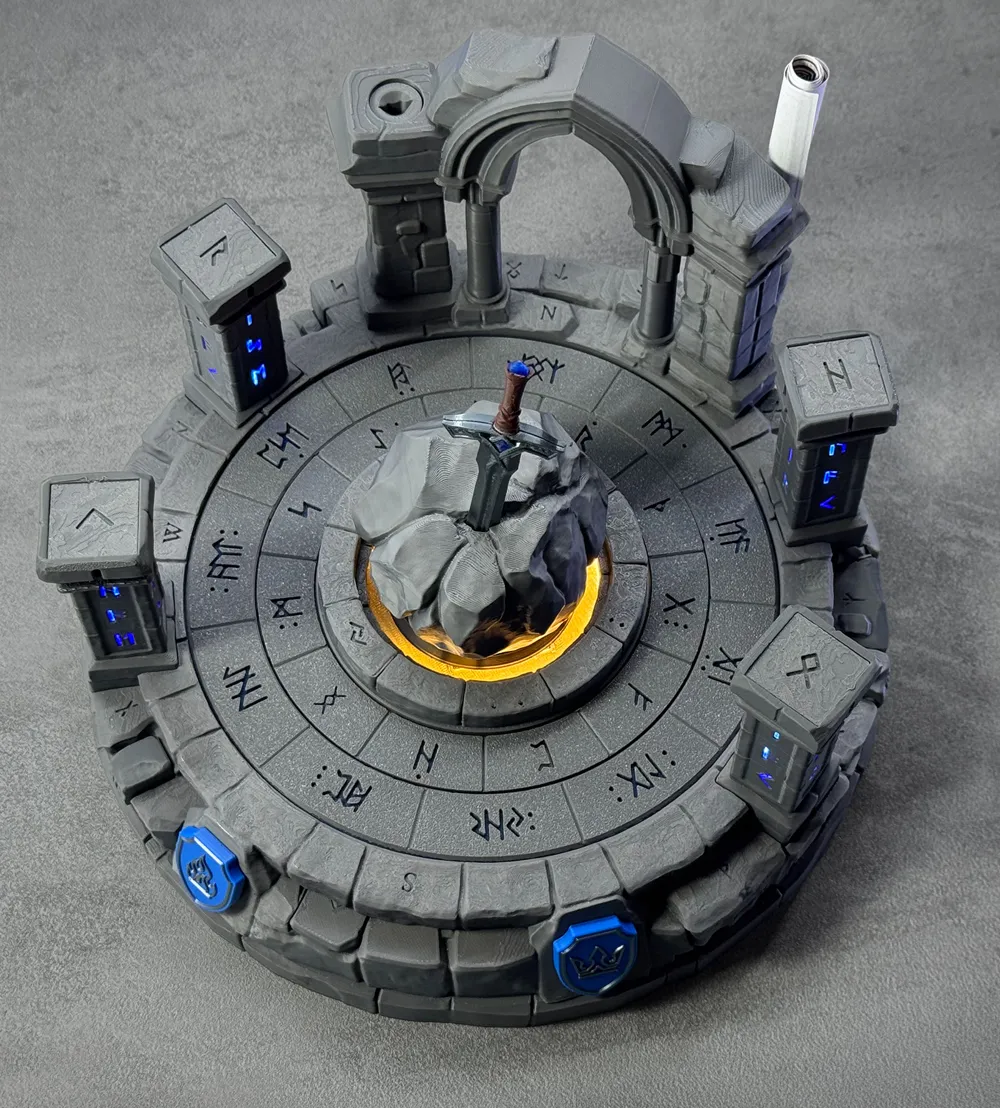
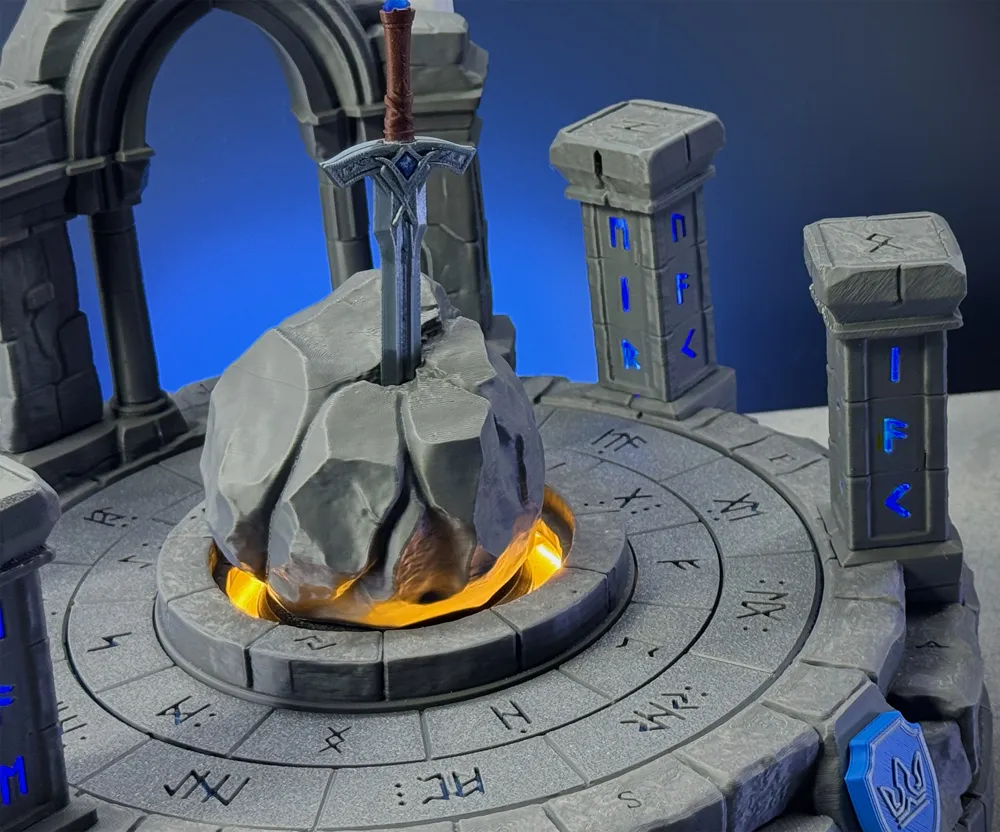
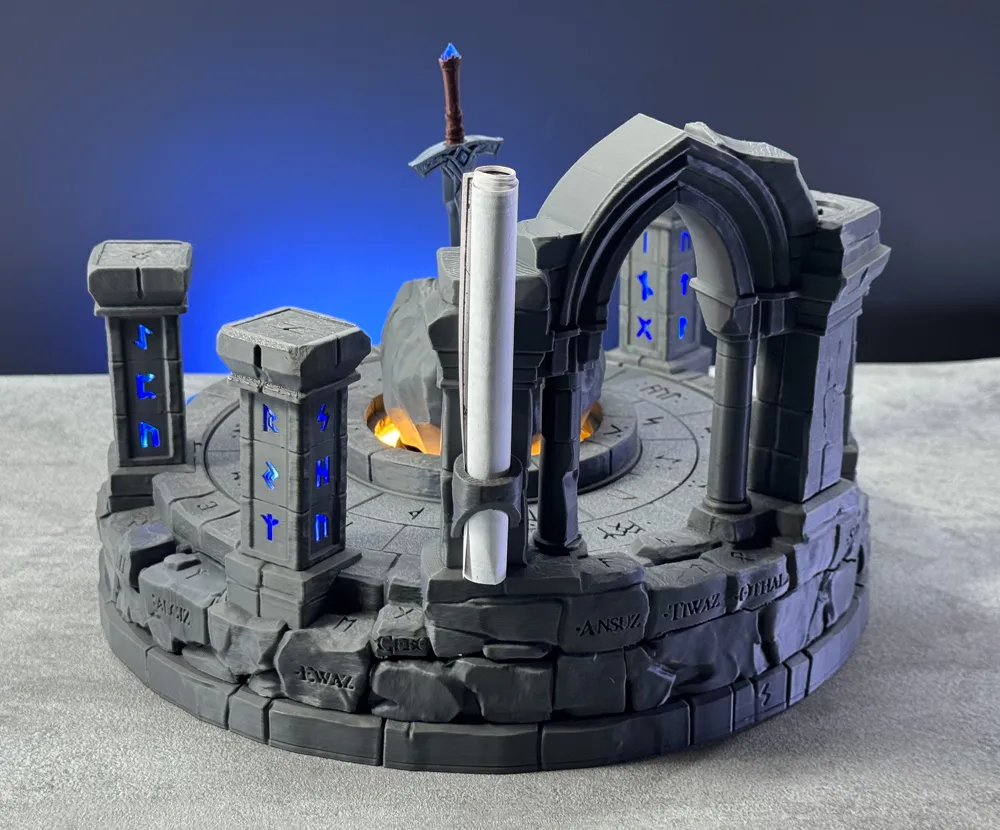
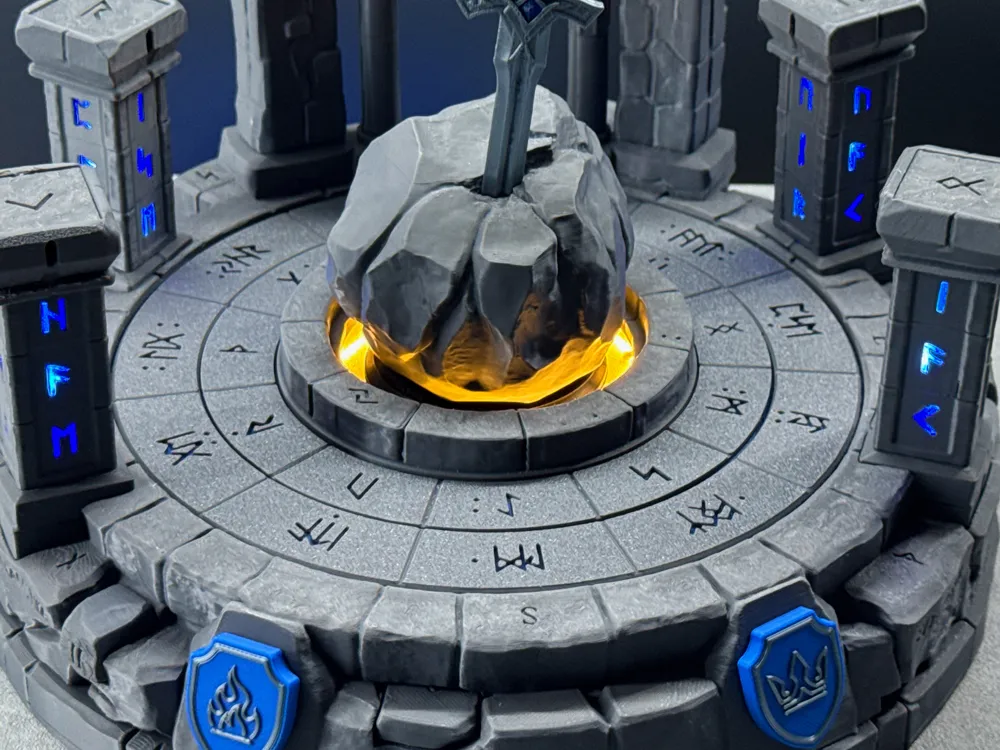
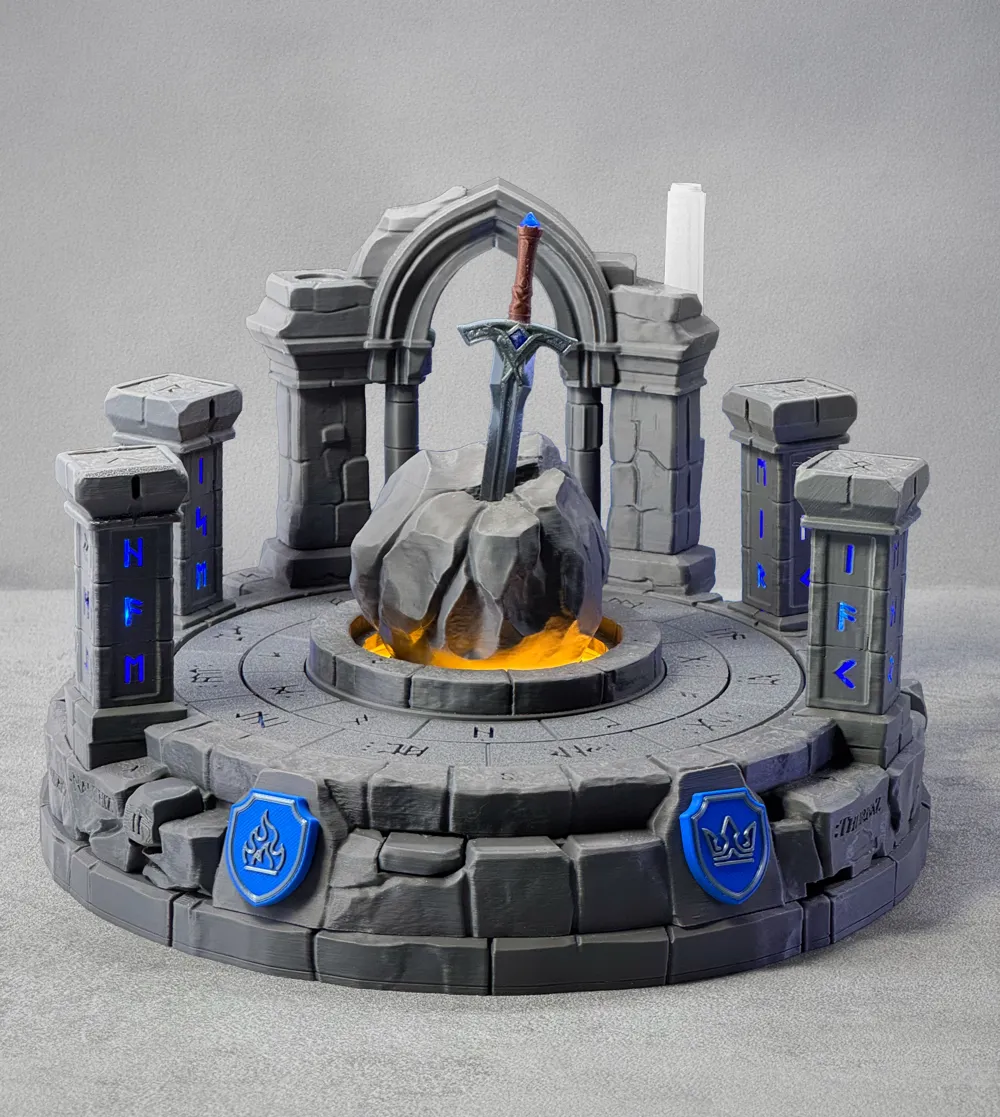
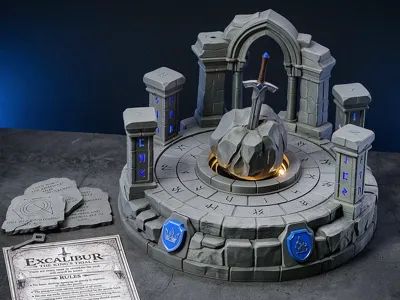
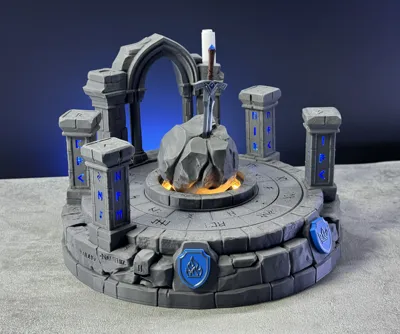
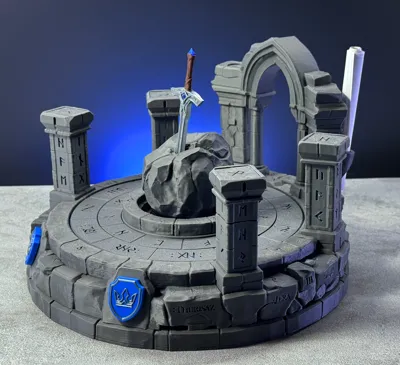
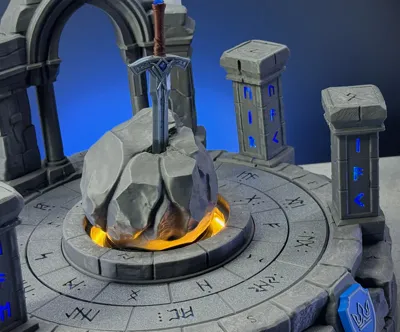
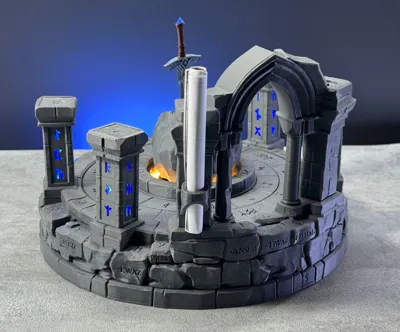
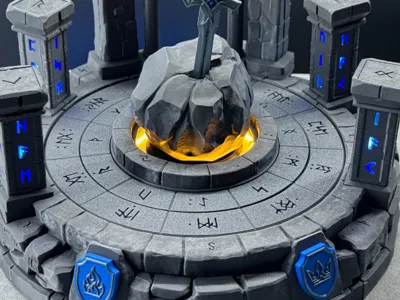
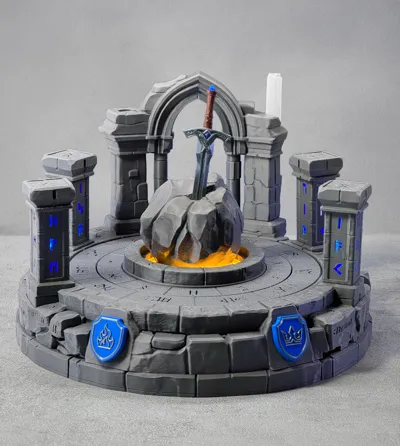
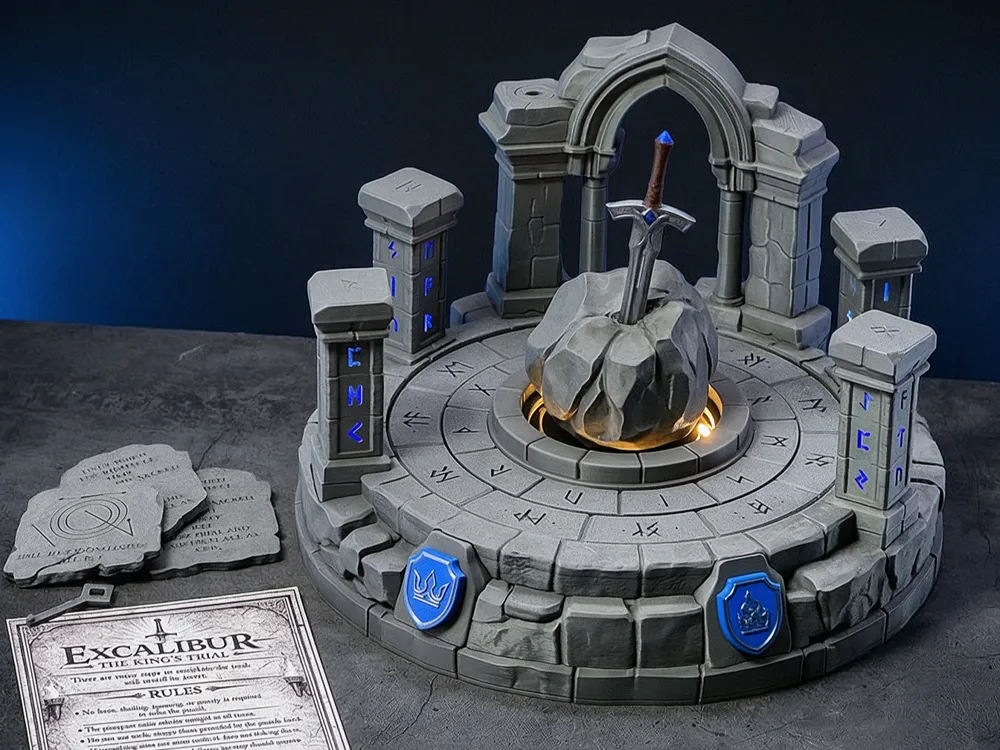

Excalibur is a fantasy-inspired tabletop puzzle experience that combines 3D printing with simple electronics to create a fully interactive escape-room-style challenge. Designed as a sequential puzzle journey, each solved mechanism unlocks the next. Hidden interactions, mechanical triggers, and subtle clues guide the player deeper into the stone structure — until the final secret is revealed: a hidden drawer opened by the sword, ready to hold your own personal gift.

With more than 45 unique puzzle steps, Excalibur offers a long, immersive experience filled with discovery, logic, movement, and mechanical surprise.

See it in Action on Youtube


  • Sequential Escape-Room Experience
    Progress step by step through a carefully designed puzzle flow, where each solution naturally leads to the next.
  • 45+ Unique Puzzle Steps
    A deep and rewarding challenge with a wide variety of interactions, discoveries, and mechanisms.
  • More than 35 Movable Parts & Mechanisms
    Includes rotating rings, sliding elements, push mechanics, hidden buttons, drawers, and interlocking systems.
  • Motor-Driven Mechanisms
    A motorized drawer creates a slow, satisfying reveal, while the motor-driven ring puzzle forms one of the central challenges.
  • Hidden Relics & Ancient Stone Plates
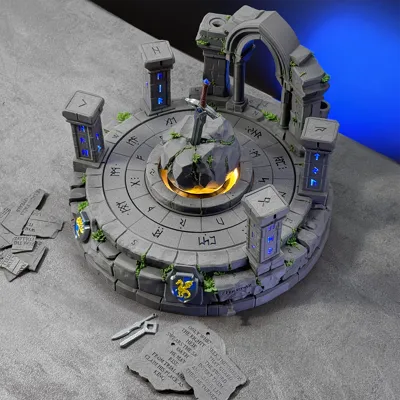
    Discover concealed artefacts and engraved stone tablets bearing cryptic clues that guide you forward.
  • Integrated Lighting & Feedback
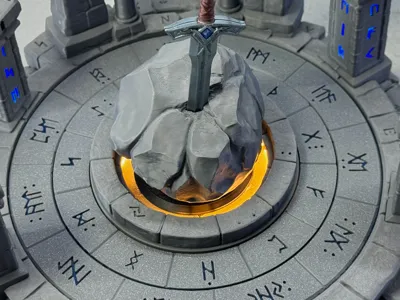
    LEDs subtly reveal information, highlight progress, and enhance the atmosphere without giving away the solutions.
  • Compact, Transportable Design
    A complete escape-room experience contained in one solid, stone-like structure designed for tabletop play.
  • No Programming Required
    Built with simple, accessible electronics — easy to assemble, yet rich in functionality.
  • Place Your Personal Gift
    The journey ends with the sword unlocking the final hidden drawer — a special compartment where you can place a personal gift, message, or reward, turning the puzzle into a unique and memorable experience for friends and family.
  • Detailed Illustrated Solution Guide Included
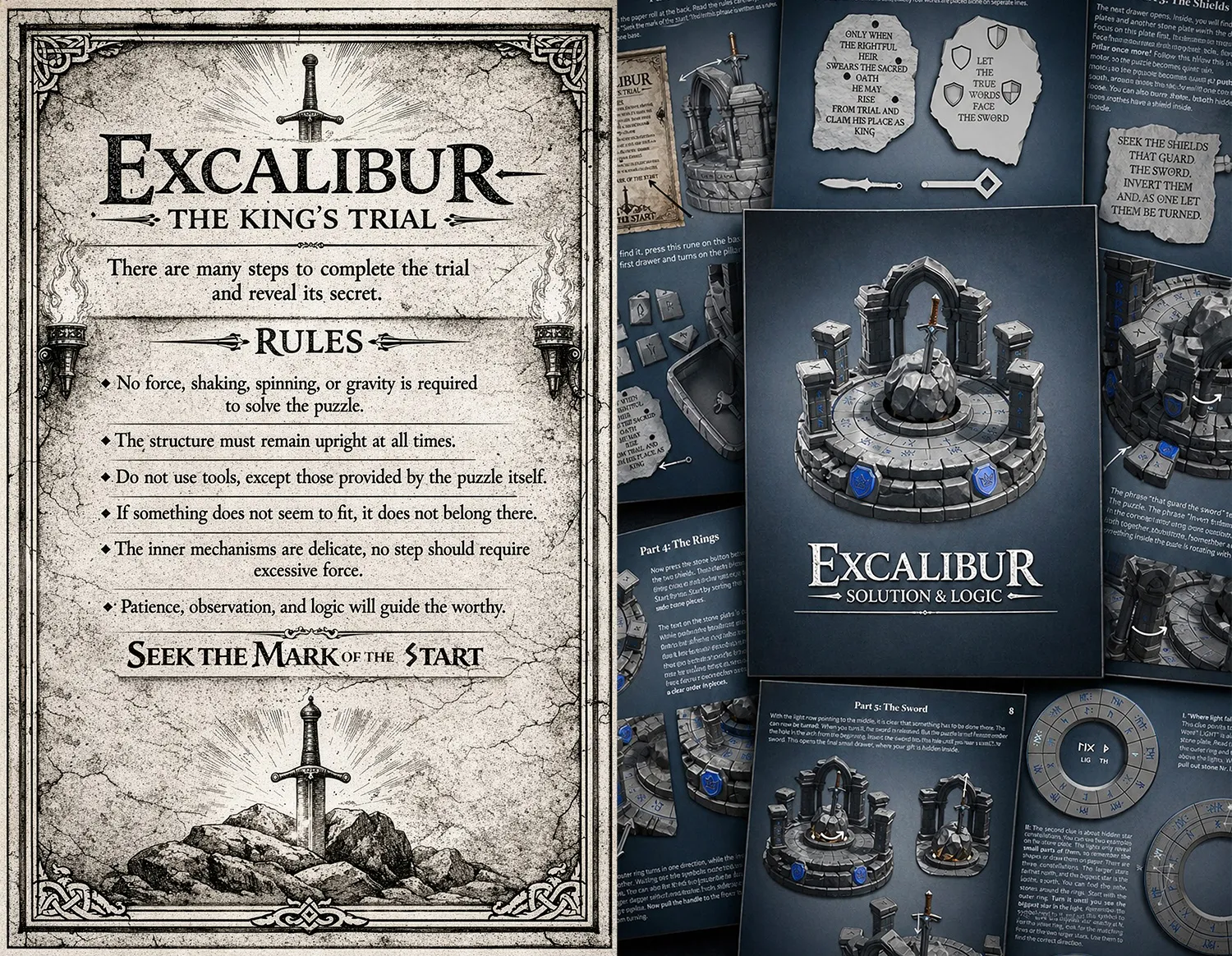
    A clear, step-by-step guide with images that explains the full puzzle flow and helps you if you ever get stuck.
  • Powered by AAA Batteries
    Runs on standard AAA batteries with easy access and quick replacement.


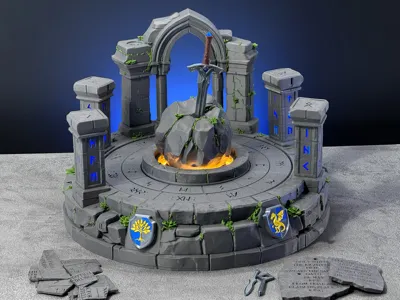
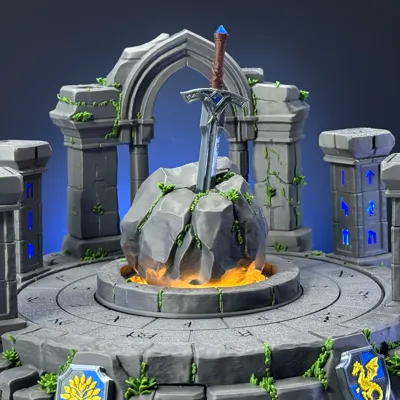
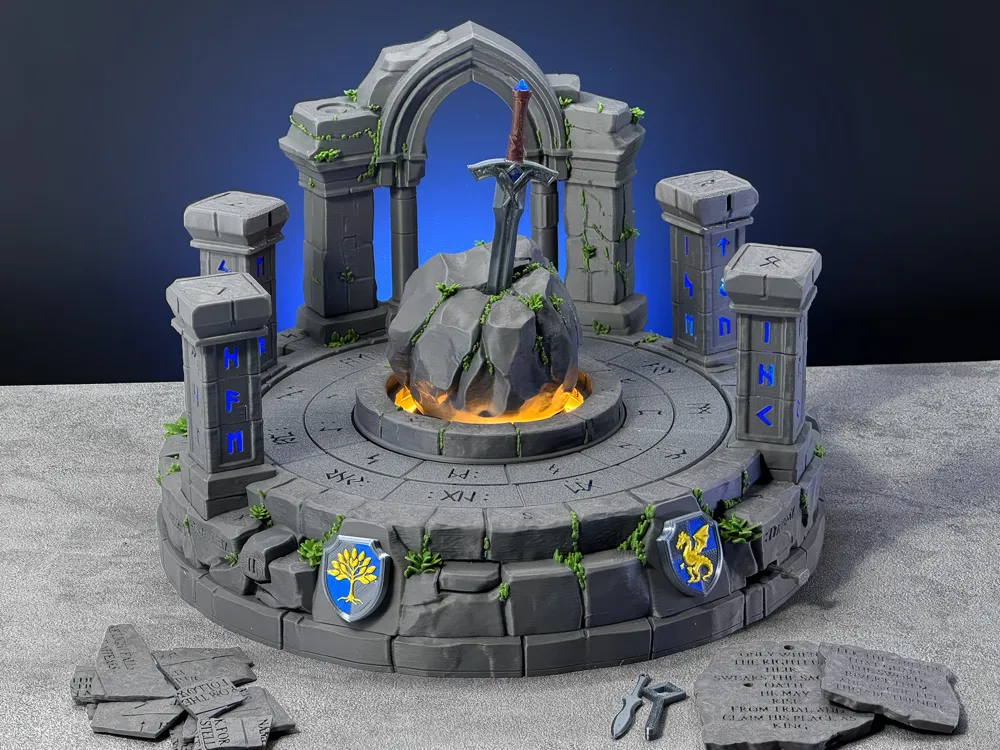
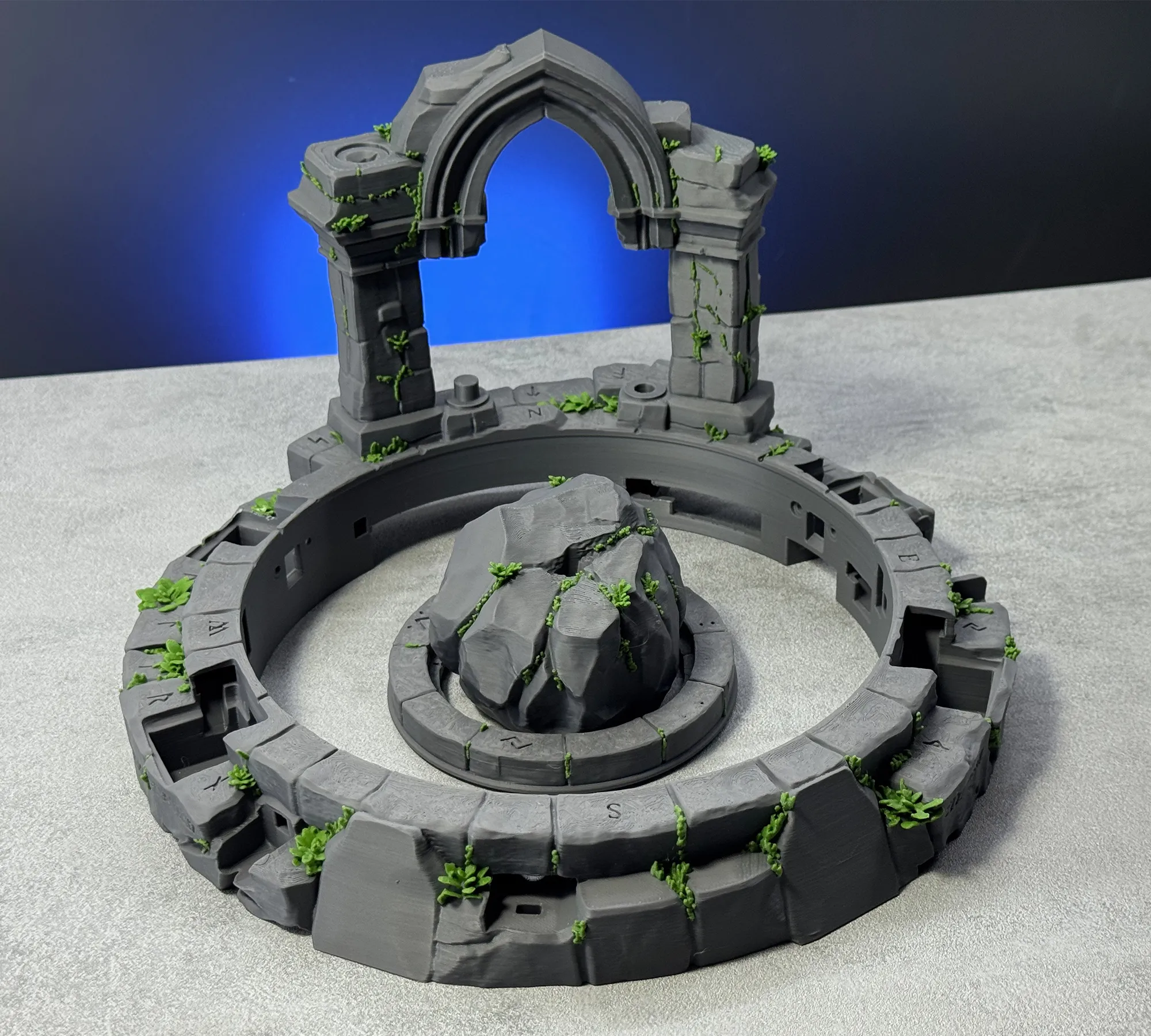
Also take a look at the alternate print profile, where some of the parts are covered with plants for an even more atmospheric look.
 

Assembly
Assembly requires patience and careful work, especially because many mechanical parts, magnets, and cables have to fit into a compact space. Check for the Troubleshoot section, if something doesn't work as expected. 
Part 1: Preparing the Parts

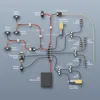
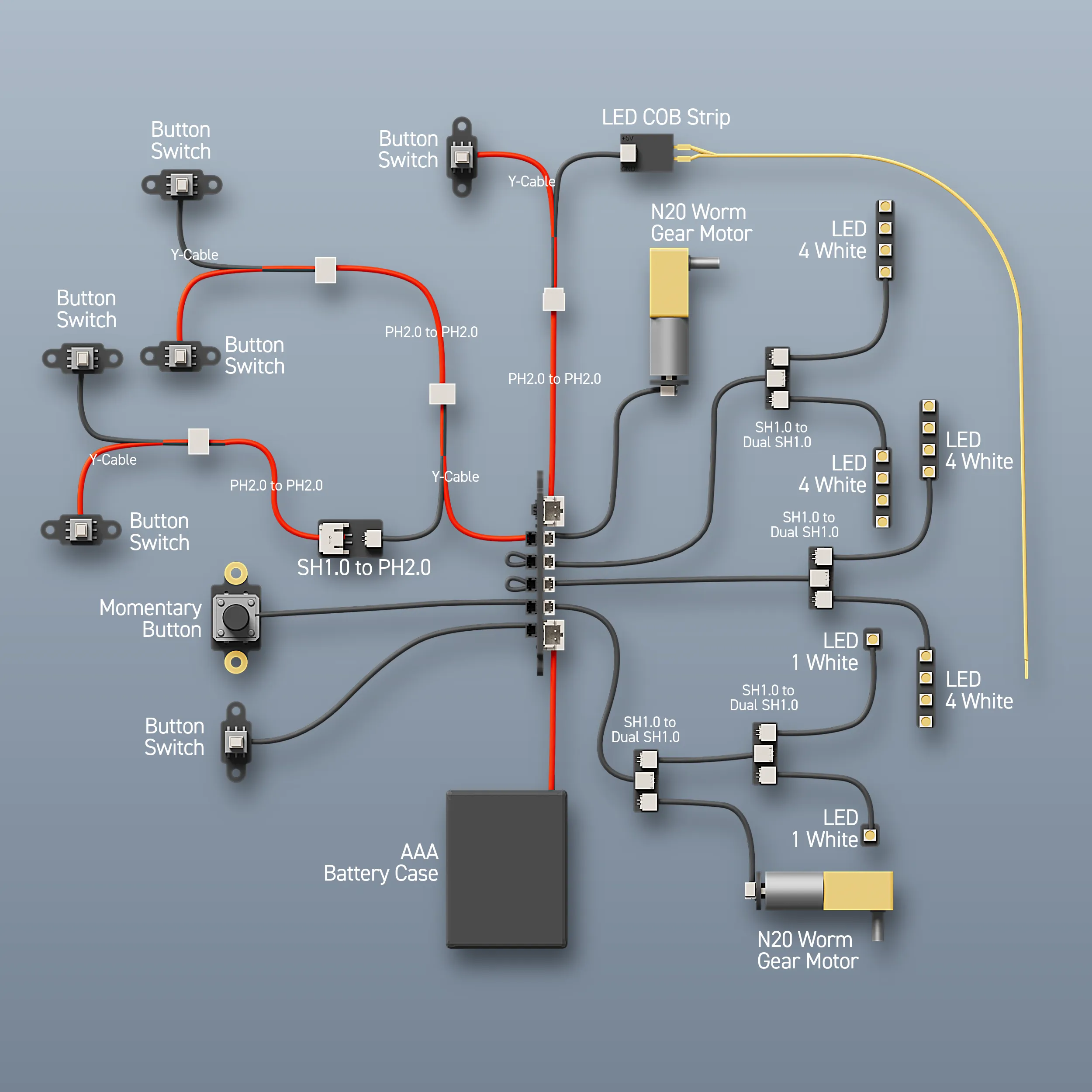
In this video, the pillars, magnets, and other individual components are prepared for assembly. Small details such as dots, side markings, notches, and plug orientation help determine the correct position of each part. Some elements must be pressed in and rotated to lock them into place, while button parts need to be checked to make sure they move freely. You'll find the wiring graphic at the end of the page.

Part 2: Installing the Electronics
In this video, the main base, stone ring, shields, pillars, and electronics are assembled. The power distribution board is prepared, the battery and motor cables are connected, and all cables are routed into place.

Part 3: Completing the Build

In this video, the final parts of EXCALIBUR are assembled. The drawers are filled, the sword mechanism is installed, the stone plates and key are placed, and the final mechanical tests are made. After this step, the puzzle is ready to be solved.

Part 4: Puzzle Demonstration

This video shows a demonstration of EXCALIBUR and gives an overview of how the puzzle is played. Not every detail is shown in this video. 

Important Notes

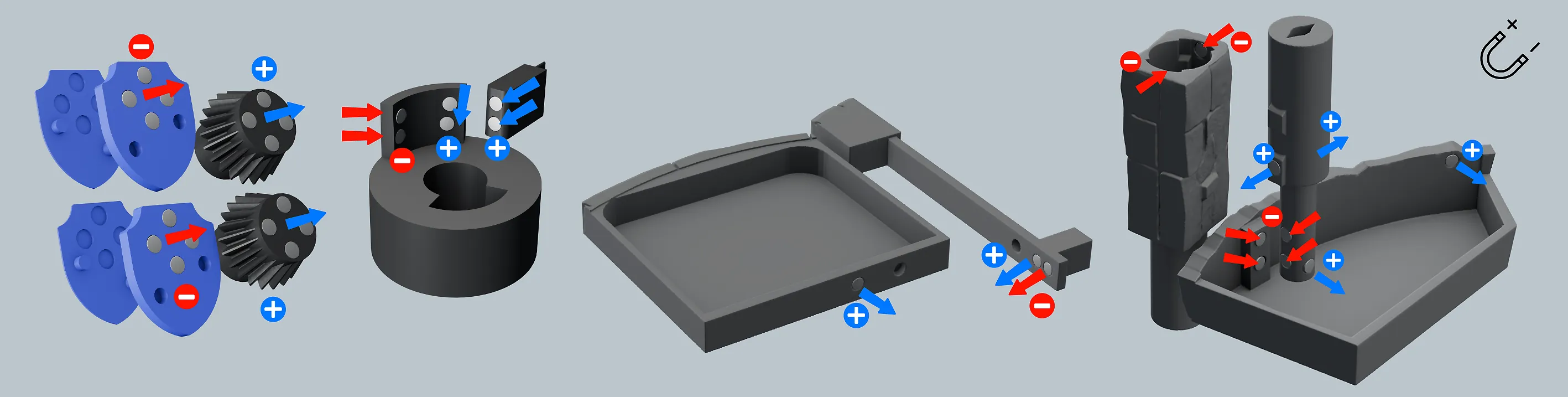
  • Be very careful when placing the magnets. Their orientation is important for the mechanisms to work correctly.
  • The electronics are kept simple, but careful routing and clean assembly will make the build much easier. Push all plugs in firmly and test connections whenever possible during assembly. Cable management can be tricky in some areas due to the compact design.
  • If you're looking for the third PH2.0--PH2.0 cable, you'll find it included in the package of the Power Distribution Board (IA005).

Troubleshoot 

  • The inner part of the pillars needs to lock onto the button. You may need to press it in firmly.

    Important: only do this while the rune elements are not locked in place.

What do you need?

  • Electronic components (see the detailed list above)
  • Superglue for the magnets
  • A screwdriver & Pliers
  • A standard printer to print the instructions shown below

Print the Rules Paper at approximately 160 × 110 mm. The size does not need to be exact.
Printing & Filament

  • On the pillars, be careful when removing the parts from the build plate and when removing supports.
  • Make sure variable layer height is activated for all top stone surfaces to achieve the best stone look.

Recommended filament usage

  • Stone: Basic PLA Dark Grey – 740 g
  • Inside mechanics: Basic PLA Black – 150 g
  • Shields: Basic PLA Blue – 40 g
  • Blue accents / light parts: PLA Translucent Blue – 35 g
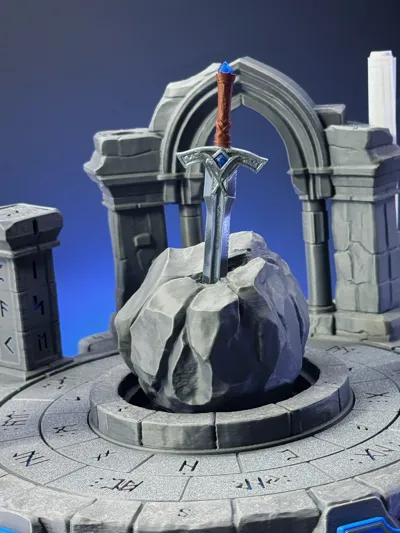
  • Silver sword: Any metallic or silk filament – 10 g
  • Sword handle: Brown – 6 g
  • Center light diffuser: Yellow, orange, or translucent yellow – 20 g

Electronics

The detailed List is available here: EXCALIBUR Electronics List


For Makers, Friends & Family

Excalibur is more than a model — it is a build, a puzzle, and an experience. The assembly itself is engaging, but the real fun begins when the puzzle is explored. Some mechanisms will already be clear during the build, while others remain hidden until the very end.

It is also designed to be passed on, so after solving it yourself, you can give it to friends or family and let them take on the challenge. It is resetable.

If you enjoy sequential puzzles, mechanical interactions, and escape-room-style discovery, this project was made for you — and for the next worthy person who dares to try.


Documentation (3)

Assembly Guide (3)
Rules.png
Excalibur Electronics.png
Excalibur_SolutionGuide.pdf

Comment & Rating (155)

(0/1000)

On the final step to open the drawer, I put the sword in the slot in the arch and push down. When I twist, the drawer opens a bit and I can open it with my finger. I can see the portion of the mechanism that is pushed down and interacts with the magnets in the drawer. This part is preventing the drawer from being removed. Is this supposed to retract somehow? I removed the sword and tried twisting, but it never goes back up. If I give it a little shove using a spudger, it retracts again. Is that how this is supposed to behave?
The designer has replied
0
Reply
Hi. Yes there is no other way here. You will not be able to completely remove the drawer, and to reset this drawer, you need to push the rod upwards with something long and thin. A screwdriver, or the sword itself works. But only if you turned the pillar back in its start position.
0
Reply
Replying to @Daniel4d :
Wow! That's a relief. I thought I missed something. I found a solution: I made a small spring that goes around the inner cylindar and sits in the little well that the tabbed cylindar sits in. It provides just enough push to reset the inner column once the sword is removed and the the column is twisted. This is really crappy, so consider it to be a prototype of a prototype. I'm going to go to the hardware store and see if I can find a real spring that will serve this purpose. It needs to be less than 10mm in diameter. It has to be very short, so I single loop that compresses to a circle with no overlap is essential.
0
Reply
Replying to @user_2729402237 :
I was also wondering if I could do this by adjusting the polarity of the magnets. If we reverse the polarity of the bottome pair of magnets in the cylindar and in the drawer so that they still repell, but the bottom magnets in the drawer repel the the single maghet, it could provide enough force to push the cylindar back up (since it is attracted to the top magnets in the drawer). I broke the part trying to get the magnets out so I couldn't give it another try. Once I have some replacements printed, I'll let you know. It would be great if we didn't have to introduce another part. Please know that I hold your skills in the highest esteem. I could never have designed this. I'm just good at tweaking things. You are amazing! I wish I could give you more boosts.
0
Reply
Hi, just printing out everything. These light fixtures, they are VERY tight and i cant seem to get the 4 LED inserted. its the width inside, height is fine.
The designer has replied
0
Reply
Thanks for the feedback. Too bad, I was really happy about how perfect they fitted here everytime. I will come up with an alternative design this weekend. I try to make the width a bit flexible.
0
Reply
Hey, I have updated the Printfiles. The new one fits perfect for me and hopefully has enough flexibility. Mabe test with one first, and give me feedback, If I need to have another idea :)
0
Reply
Replying to @Daniel4d :
No Improvemt unfortunately, its getting stuck as before on the walls half way in, i can only get half the LED board in. I'll try a different filament and printer in case of tolernaces, but this was printed on my H2d, so will try the x1c.
0
Reply
Source your parts now! “Self-Locking Button Switch (2PCS) - IA006” is already on back order in the US. 🙂
The designer has replied
1
Reply
Just checked, its now pushed out till May. Looking around to see if alternate switch, but havent been able to find one. Gonna print that section and then dig around a bit more
0
Reply
Replying to @Azimuth45 :
yea I don't see that there is an alternative - this is a combination of components prewired by Maker's supply. If you find something let me know. It'll take me a while to print anyway, so hopefully it's in stock by then :)
0
Reply
Replying to @gohoos :
Figure it'll take some time to print, so they'll likely get them in. Worst case, if we can find something similar to the switch itself, if no base, someone can always 3D print a base for the switch. Issue is finding a switch though. Plan to look this weekend just to have a backup plan. This is all part of the fun in all this too! LOL, a real treasure hunt, yea!
1
Reply
I am still working through sanding some pieces that fit too tight. I am worried that I will never find anyone smart enough to solve this without breaking it. So fun to put together. Looking forward to the plants so I can print another one.
The designer has replied
0
Reply
Hi. Thanks for the feedback! I hope you will find someone! 🥹 I hope theres not too much to sand for you!
0
Reply
Replying to @Daniel4d :
The rune pillars would not push down when solved. I got these working well now. The rotating rings turn fine without the center screwed ring installed. I am still trying to figure out how to install this part so the inner ring will turn freely. The inner ring seems to bind at certain points of the rotation when the center ring is even partially installed.
0
Reply
Replying to @user_2070788168 :
Great, they are working. I already made them with more space in the last version, to be sure it fits everywhere, but wasn't enough it seems. The Center ring, did you print from V1 or V2? I think I made it a bit more loose 2 days after release. Is it also a problem, if you just lay it on there, without screws? Or if the screws are only a tiny bit in? Did you try to use oil on the middle ring? I will take a look at mine again to see, if I see the possible problem.
0
Reply
I really think I'm going to like this puzzle when I complete the printing and assembly. I played around with testing different colors for plants. I work in color management so I am a little picky with my colors. I tried 5 different green colors and wanted to share so you can get an idea of possibilities if you decide not to go with basic green. In my pictures I am using Sunlu HS Marble PLA Ashen Concrete. A mid gray, and is little lighter than suggested Bambu Dark Gray. It does have some small black specs which give it a non uniform gray color. For the plant #1 is Bambu Metal PLA Oxide Green. #2 is Bambu Galaxy PLA Green (with gold flakes). #3 is Panchroma Galaxy PLA Dark Green. #4 is Panchroma Basic PLA Jungle Green. #5 is Bambu Basic PLA Mistletoe Green. The metallic has a slight shimmer to it and the galaxy have flakes that make the color look different at different angles. Think these give a kind of mystical or magic look to them. Hats off to the designer!
(Edited)
The designer has replied
designer
2
Reply
What a cool test. I love the stonecolor. And I think I would choose the 4 or the 2! Thanks for sharing!
0
Reply
I see Main V3 is up now - what are the differences between V2 and V3? I'm partly through printing V2. thx
The designer has replied
0
Reply
Hi. The motor housing with the two latches now includes an additional clip that keeps the motor more securely in place. However, V2 should already work quite well too.
0
Reply
Replying to @Daniel4d :
What about differences between V1 and V3? I printed the V1 Pilars and they stick. I've tried sanding but they just keep sticking.
0
Reply
Replying to @Prophet6 :
No changes on the pillars. You you mean, that the rune parts don't turn on the cylinder?
0
Reply
Hi! when can we expect the plants? I will print it when those are available. thanks!
The designer has replied
0
Reply
I think there will be two more weeks for that.
2
Reply
Replying to @Daniel4d :
Ok cool! Really excited for this one!
0
Reply
Replying to @Daniel4d :
Will the main stone ring be the only piece with plants on it?
0
Reply
I have generated the rules in German - since I want to give this to my grandchildren, I also want to generate the labeled parts in German... - I hope that the author ( @daniel4d ) approves of this
(Edited)
The designer has replied
Show original
designer
1
Reply
Very good! Thank you! I've also been thinking about how I could translate the rest. The second part would work, but the four main words of the four pillars only work in English, and also the first word of the ring puzzle, so I don't have any ideas yet
Show original
1
Reply
Having problems with a few parts: The big ones are the pillar rune stone pieces. The walls are VERY thin, and the supports aren’t great for dealing with some of the vertical runes—ESPECIALLY the “N” rune. I got them to print by changing supports to Tree Strong. Although I hate the idea, printing these two-color with a transparent vertical layer might be nice. And/Or making the walls for these pieces thicker. The bottom of the sword holding (black) mechanism is the other. There are two extended prongs coming off the bottom. Given the way the filament is running, it is just layer adhesion that is holding those together—so those need to be thicker.
The designer has replied
0
Reply
Finished assembly, and got things tested. The issues I’m having are: Sword holder: The column with the two thin compliant pieces that meshes with the piece which is locked by Rod C is DEFINITELY too thin. Snapped right off during some basic testing. I think a solid piece is needed there and/or some gluing. Worm gear drawer and Lock for Shield drawers. The worm gear motor does seem to slip a LOT. I tightened the elastic bands but it still doesn’t seem to be able to open the drawer fully. I’m using V2. (I am popping out the drawer manually for testing the rest. ) Related: On resetting, the pin double lock for the shield drawers has a little trouble resetting cleanly. Maybe larger holes for this piece. The S button. I cannot seem to get it to reset cleanly. The instructions leave two magnet holes unused (One on the rod for button S and one for the puzzle piece drawer). Any chance I’m doing something wrong here…what are those two holes intended for? Design kruft?
0
Reply
Thank you for this detailed feedback. This is great for me, but i need some time to adress it. But you can expect solutions for some of your issues by the end of the weekend.
0
Reply
Replying to @moofrank :
Okay, I think I have a plan for almost all of the issues you mentioned. The only part where I don’t really see a problem yet is the S-button. The remaining magnet holes are there in case stronger attraction is needed at the start, but I don’t think that should be necessary. Just to understand the issue better: When you insert the drawer again, does the S-button not jump back into position? And when you press the S-bar, does the button click properly? Maybe the S-button is a bit too tight in your print? Please also recheck the magnet placement in the picture and compare it with your build. If the magnets are placed correctly, everything should work unless the bar has too much friction.
0
Reply
I've had problems with the little tabs on the push/pull rods popping off. I didn't want to glue them in because then I couldn't disassemble the puzzle. So, I glued the rectangulat tabs into the A, B, and C parts that stick up. Then I inserted those into the rods and drilled a hole so I could insert a piece of filament to hold them in place. I recommend adding those holes so we can just insert the filament, like we did for the rollers on the ring supports. See picture. You can see the purple and grey filaments I used. Again, kudos to you for designing such a wonderful puzzle!
The designer has replied
0
Reply
Wow, a good solution. I might look into this!
0
Reply

License

This user content is licensed under a Standard Digital File License.

You shall not share, sub-license, sell, rent, host, transfer, or distribute in any way the digital or 3D printed versions of this object, nor any other derivative work of this object in its digital or physical format (including - but not limited to - remixes of this object, and hosting on other digital platforms). The objects may not be used without permission in any way whatsoever in which you charge money, or collect fees.