
3D Catan Cities & Knights Progress Cards
Print Profile(2)
Bill of Materials




Description
🏰 3D Catan Progress Cards
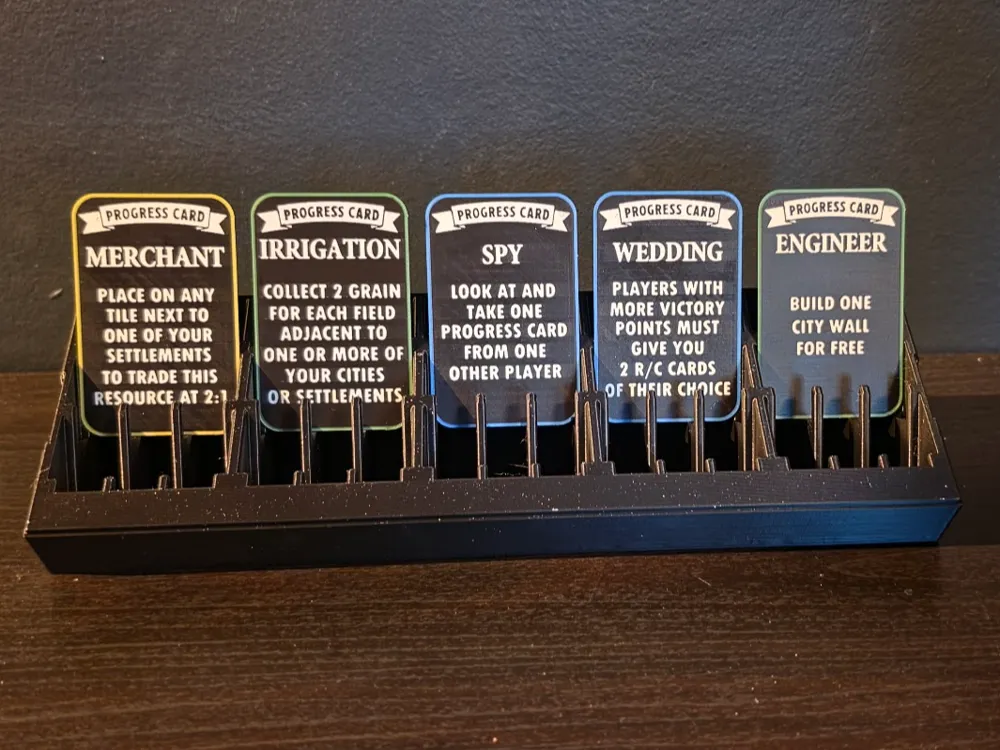
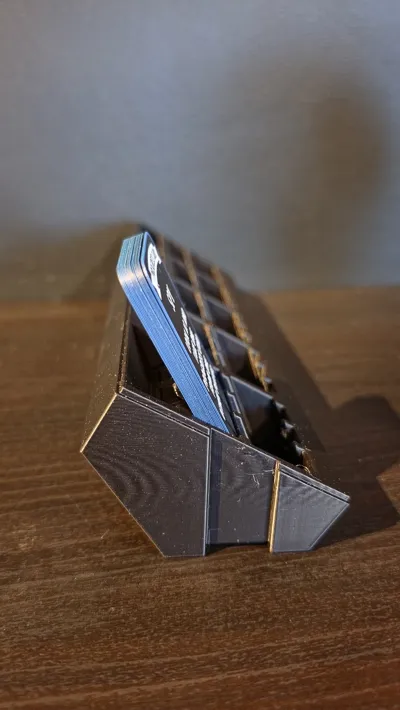
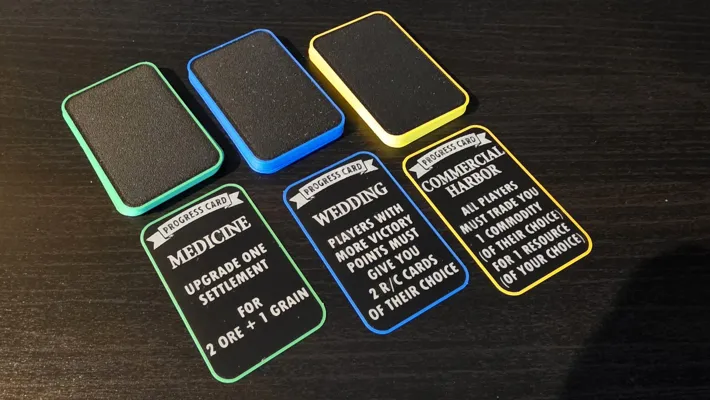
Expand your empire with style. If you’ve upgraded to Cities & Knights, these 3D-printed Progress Cards are the essential final touch for your premium 3D Catan set.
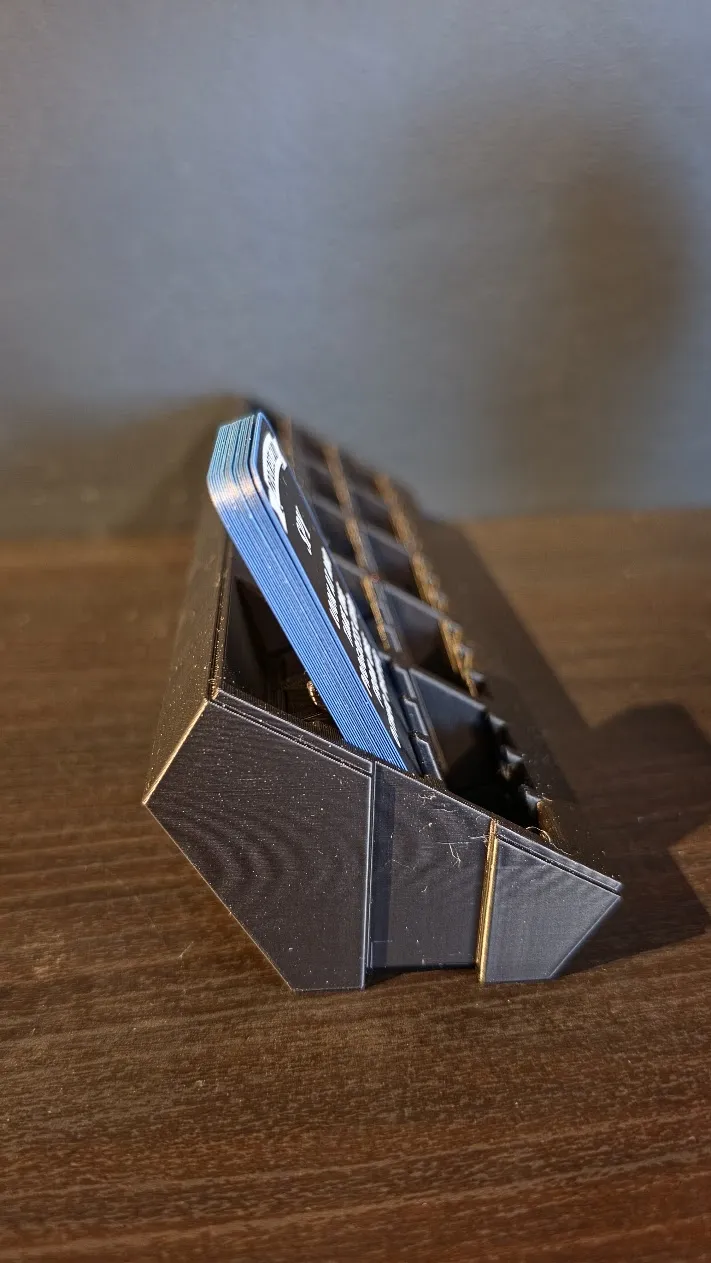
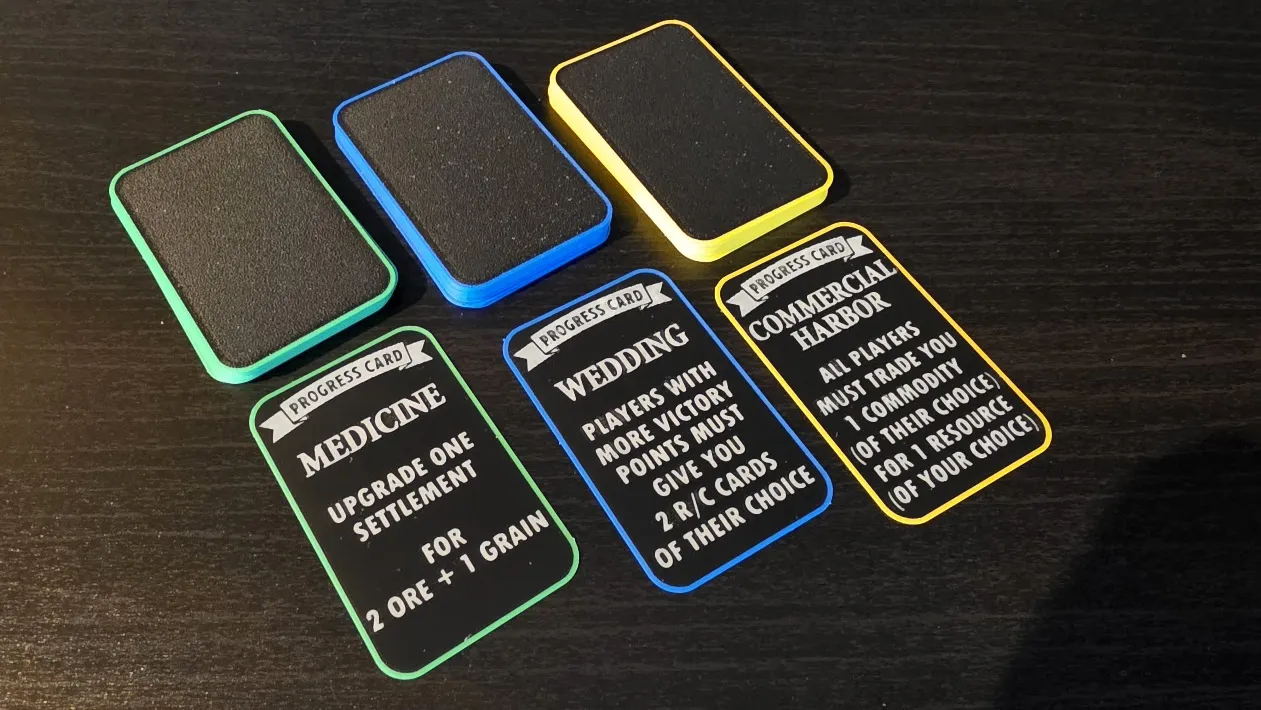
Designed to match the aesthetic of my Development Cards, these bring the same tactile, durable, and professional feel to your Trade, Politics, and Science decks. They are sized at 44x68mm (6th Edition mini European) and a razor-thin ~0.3mm, ensuring they fit into the "Rotate-to-Play" Catan Card Organizer or other card holders for the same card size.
Boost Me (for free)
Printing functional, legible text at a total thickness of 0.3mm is no small feat! If these cards helped complete your C&K expansion, please drop a BOOST. It helps me continue developing the full 3D Catan ecosystem.
🔗 Related Models
- 3D Catan Development Cards
- 3D Catan Resource Cards
- 3D Catan C&K Commodity Cards
- 3D Catan Victory Token Cards
- 3D Catan "Big Three" Organizer & Carrying Case
- The "Rotate-to-Play" Catan Card Organizer & Stand
⚠️ IMPORTANT: High-Difficulty Print!
Just like the Development Cards, these are not "plug and play." They represent the limit of what can be achieved with FDM printing. Please review these requirements carefully:
- 0.2mm Nozzle Required: To ensure the icons and text for the Progress Cards are legible at this scale, a 0.2mm nozzle is recommended.
- Filament Choice: Only use Matte Black PLA for the base. The pigment saturation in standard/glossy PLA is often not high enough, which can cause the resource symbols to bleed through and be visible from the back of the card when held up to the light.
- Precision Calibration: This profile is tuned for my specific setup. You will likely need to tweak your flow rate and ironing settings to account for your specific filament brand and printer wear.
- To get the best possible results, follow these steps to calibrate your setup:
- Print just the black base without ironing and with a pause after the first layer, ensuring that you have a perfect foundation. Calibrate your filament or settings if the result isn't good enough.
- Print a version with all colors, but ironing only enabled on the black base and ensure that you still have a good result
- Print a version with all colors and ironing enabled to verify the final result before you print more than one card
- Zero Tolerance for Dirt: A completely clean build plate is mandatory. Even a small amount of oil or dust can cause a 0.25mm print to lift or warp.
- Ironing Artifacts: I have enabled ironing to get a smooth finish, but this WILL leave small, raised artifacts or "burrs" on the surface. These are easily removed by very carefully using a sharp scraper as a knife to shave them flat. If you skip this step, the cards will build more than 0.25mm and may not fit your card organizer.
Print in Small Batches: While the print profile has up to 10 cards per plate I recommend printing in smaller batches for better results. Keeping the nozzle active on a smaller area maintains more consistent heat and reduces the chance of stringing or ironing failures.
🛠️ Version History
- v1.2:
- Borders now extend completely through the entire card.
- Further optimized print settings for an even better surface finish.
- Slightly thicker card for better quality and less bleed-through
License

You may create derivative works based on this object, provided that all such derivative works are published exclusively on the MakerWorld platform and include proper attribution to the original creator. You may not share, upload, host, distribute, or publish this object—or any derivative work of this object—on any other digital platform, marketplace, or distribution channel. Commercial use of this object and any derivative works is strictly prohibited. This includes, but is not limited to, selling, renting, sublicensing, or using the object in any context in which you receive monetary compensation or other financial benefits.


Comment & Rating (0)